SlickLoot
- By
SlickLoot is a lightweight, highly customizable loot window replacement with a searchable, sortable account-wide loot log, animated rows, rarity effects, loot and session totals, smart Autoloot rules, profiles, and detailed display controls.
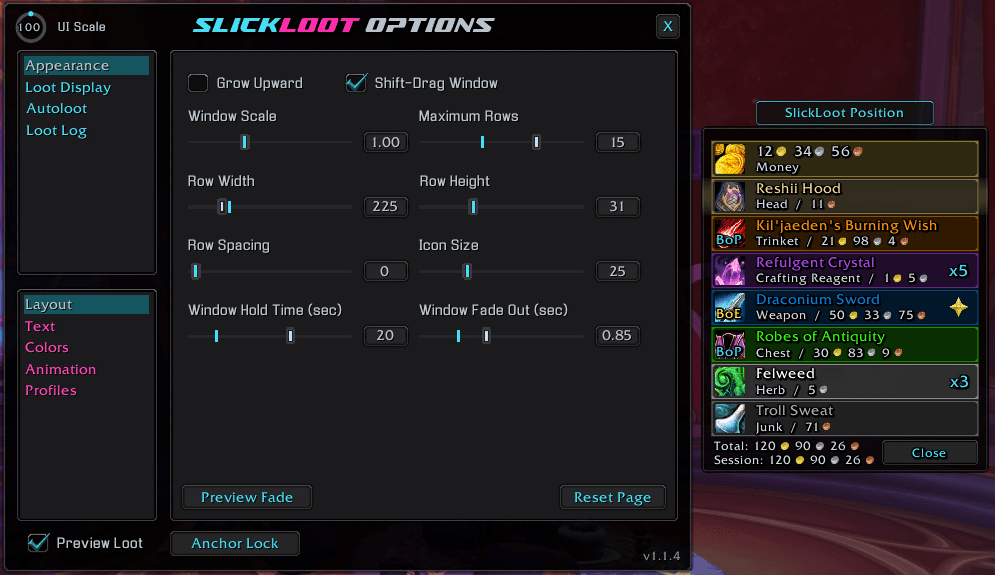
An example of the Layout options page and the Preview Loot Frame and Anchor.
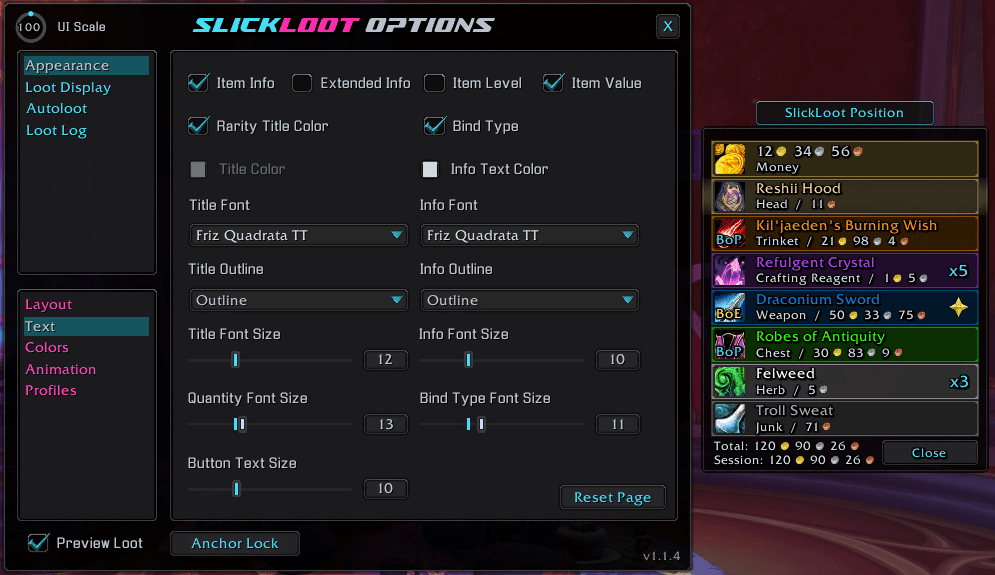
An example of the Text options page and the Preview Loot Frame and Anchor.
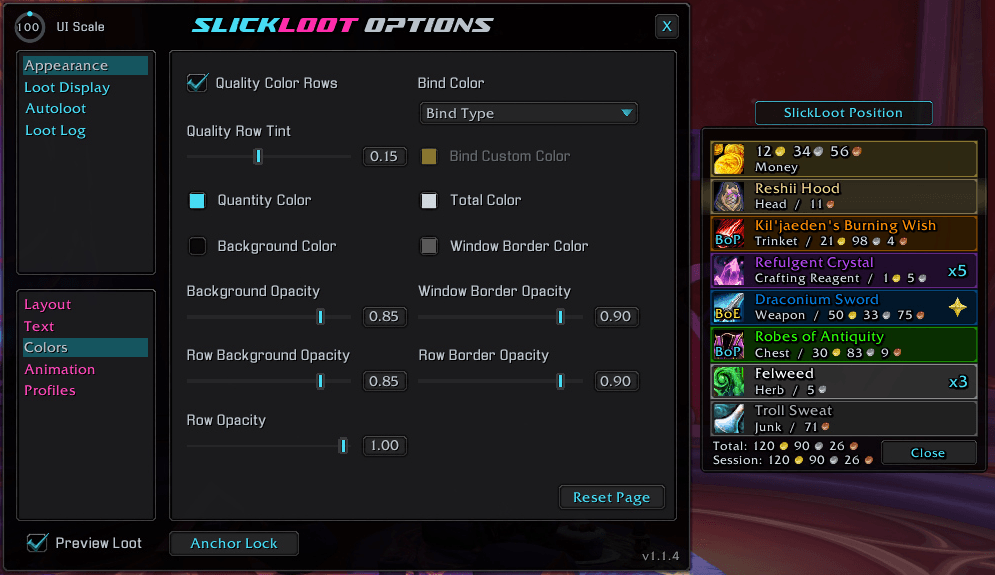
An example of the Colors options page and the Preview Loot Frame and Anchor.
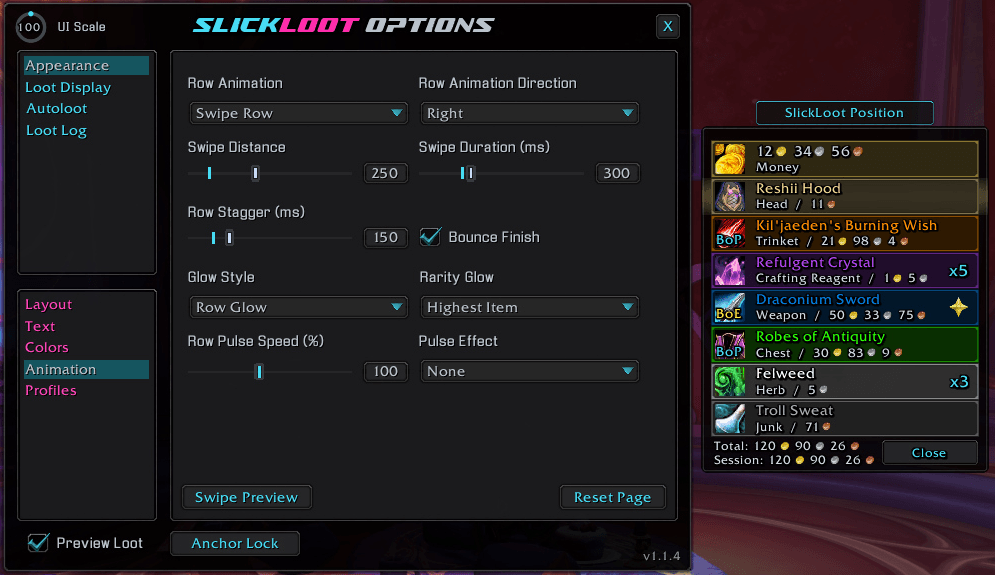
An example of the Animation options page and the Preview Loot Frame and Anchor.
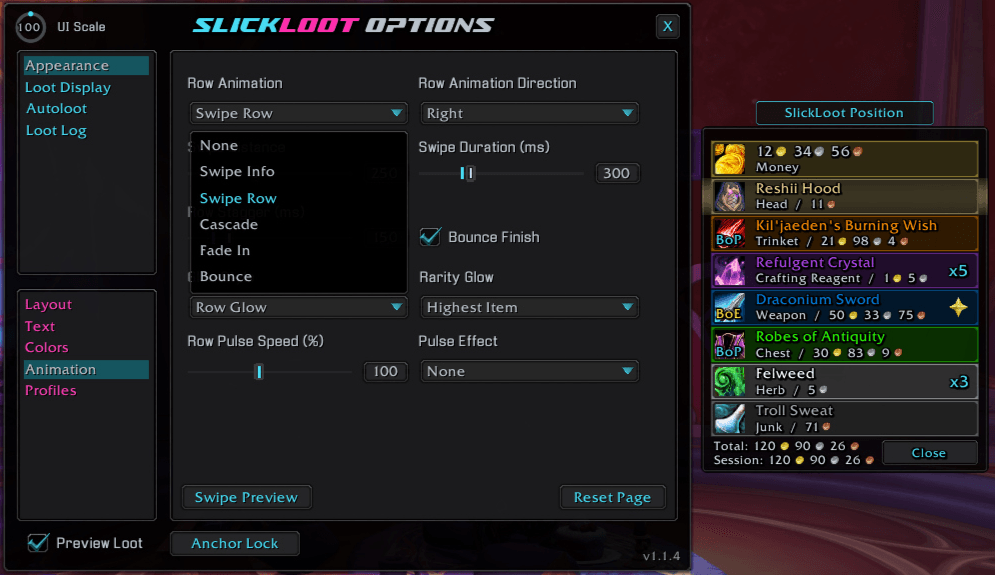
An example of the Row Animation options dropdown and the Preview Loot Frame and Anchor.
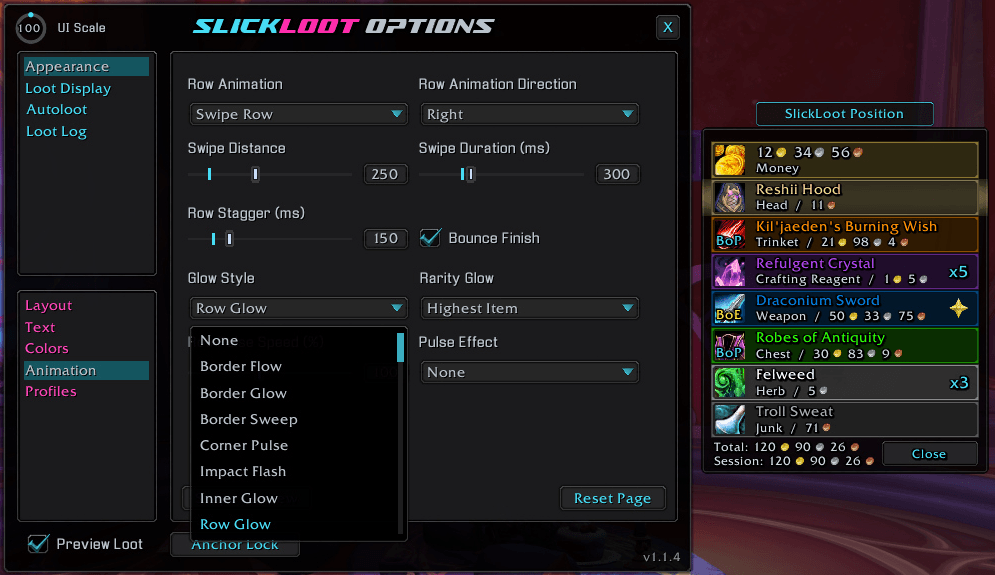
An example of the Glow Style options dropdown and the Preview Loot Frame and Anchor.
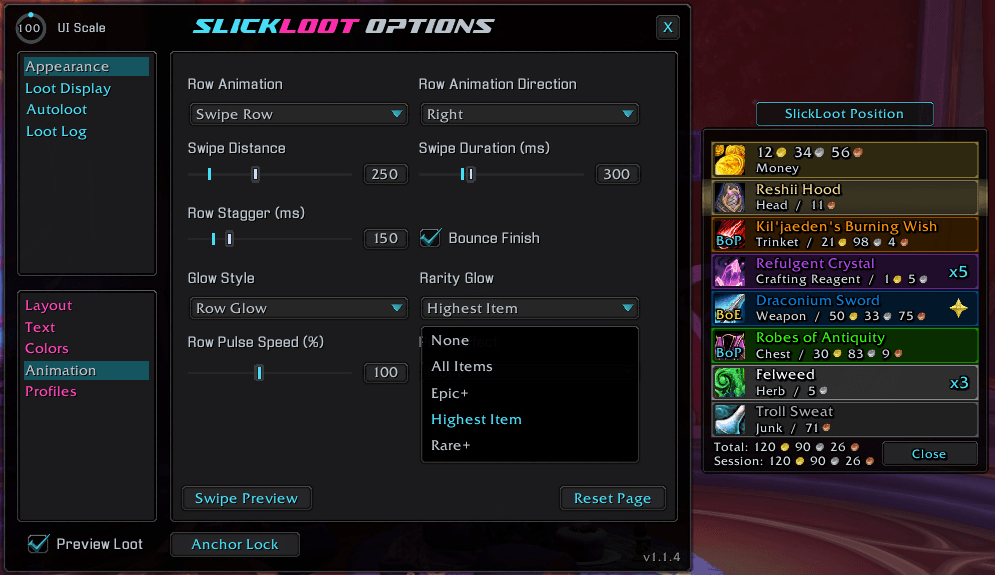
An example of the Rarity Glow options dropdown and the Preview Loot Frame and Anchor.
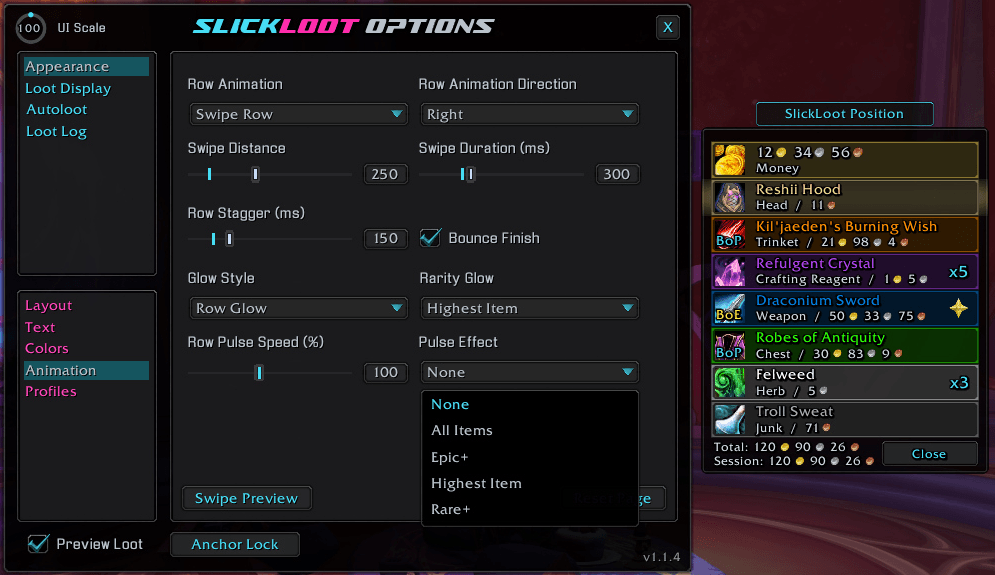
An example of the Pulse Effect options dropdown and the Preview Loot Frame and Anchor.
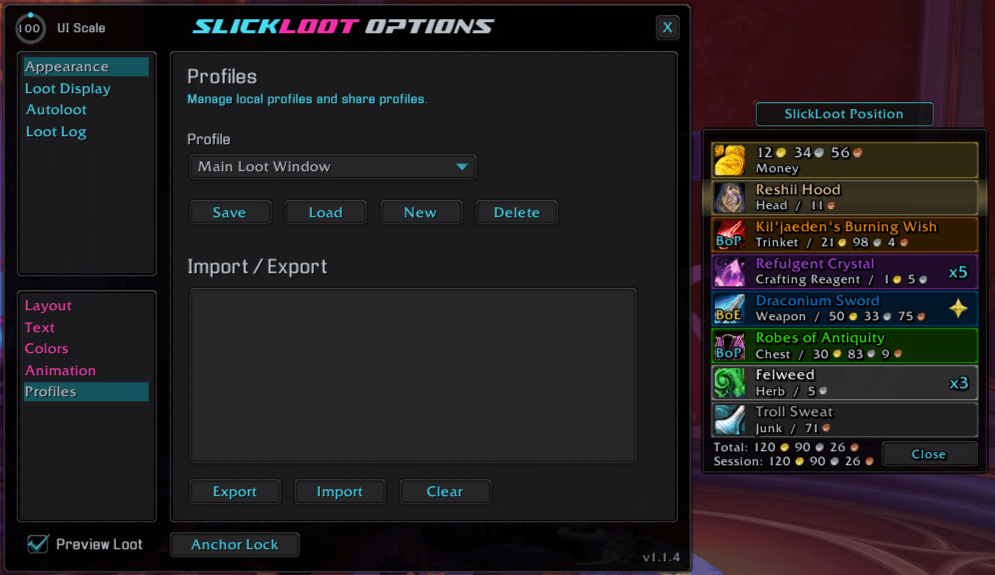
An example of the Profiles options page and the Preview Loot Frame and Anchor.
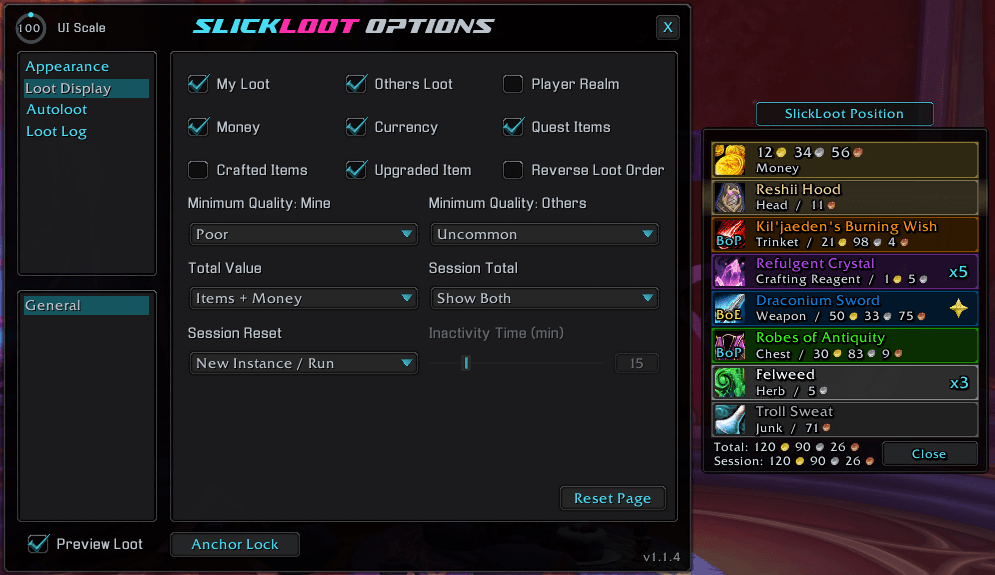
Loot An example of the Loot Display options page and the Preview Loot Frame and Anchor.
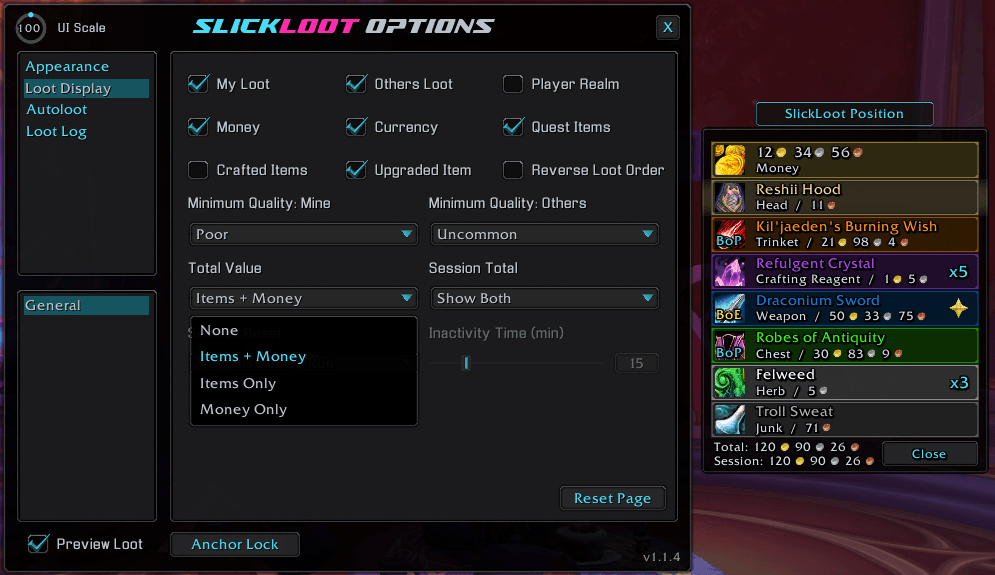
An example of the Total Value options dropdown and the Preview Loot Frame and Anchor.
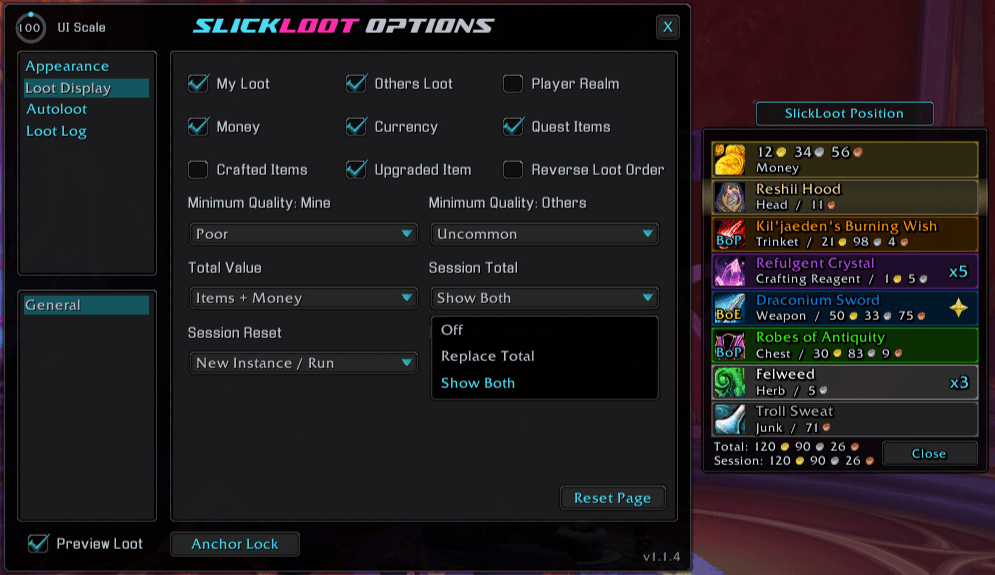
An example of the Session Totals options dropdown and the Preview Loot Frame and Anchor.
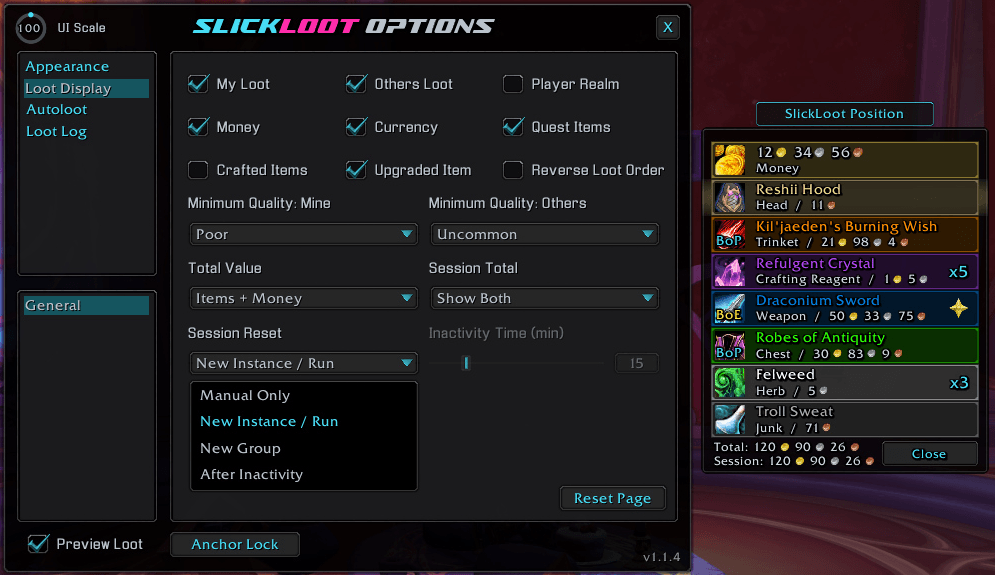
An example of the Session Reset options dropdown and the Preview Loot Frame and Anchor.
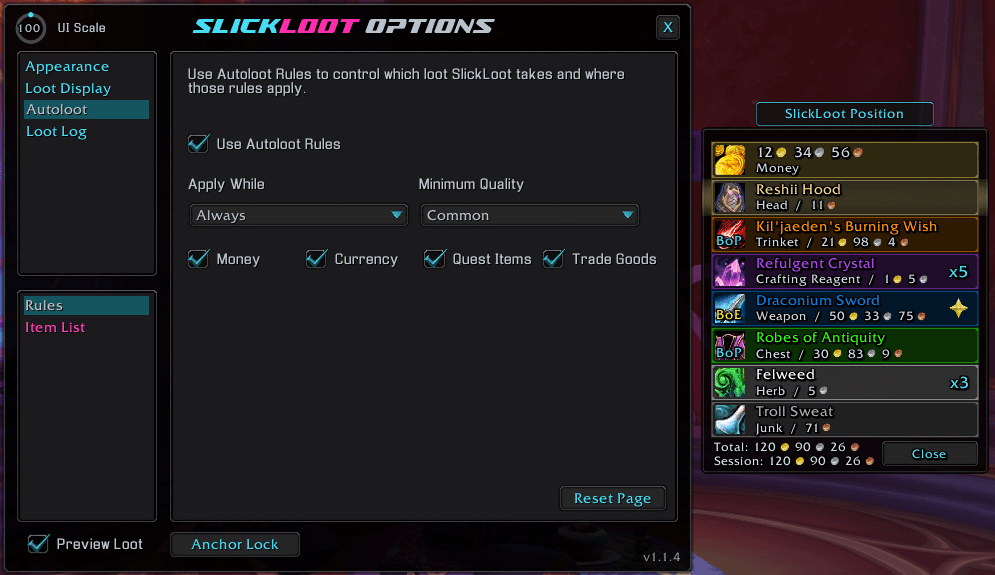
An example of the Auto Loot settings and the Preview Loot Frame and Anchor.
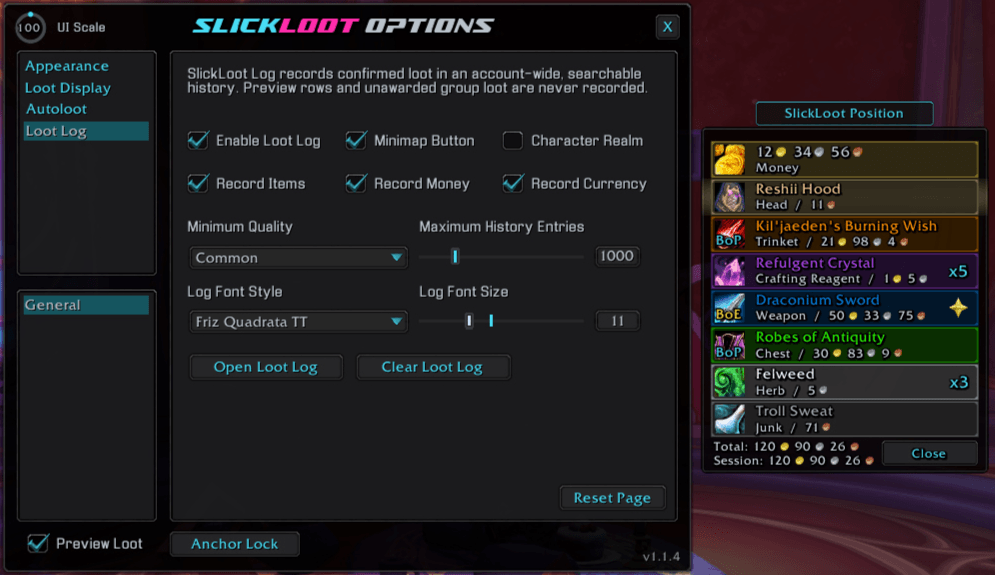
An example of the Loot Log options page and the Preview Loot Frame and Anchor.
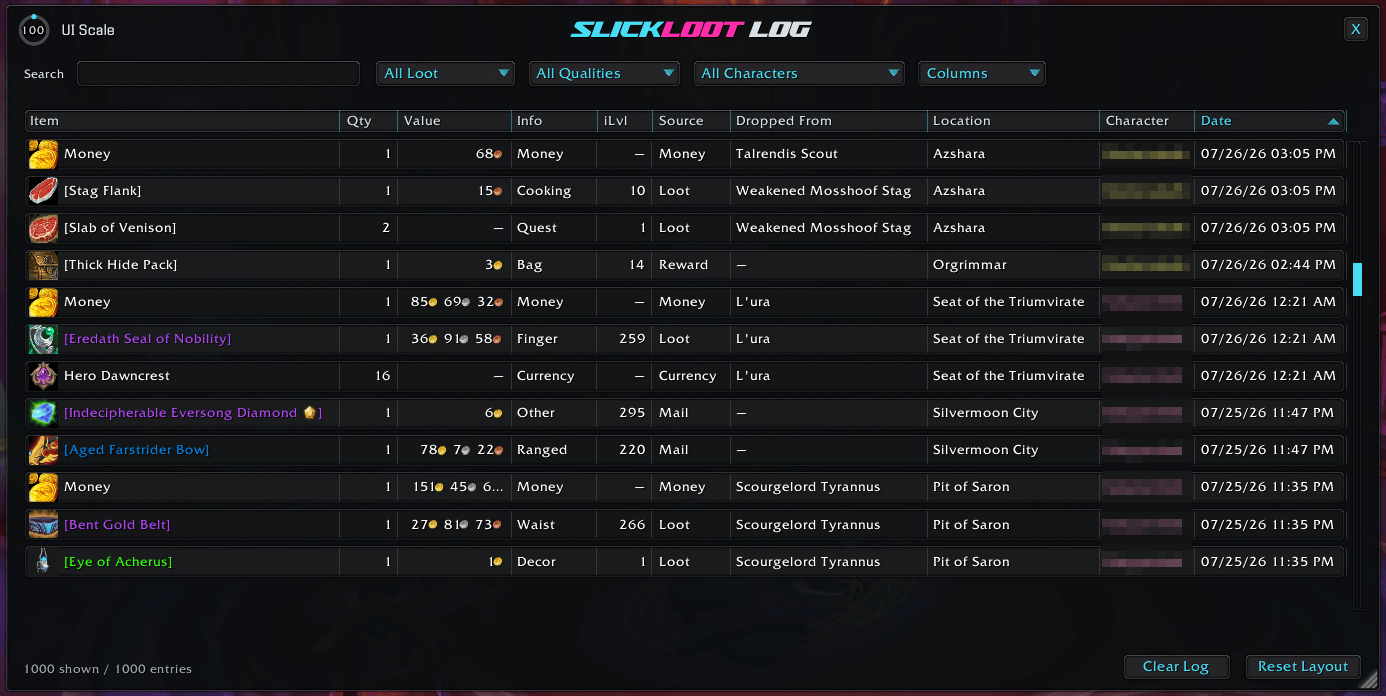
An example of the Loot Log window with items sorted by Date.
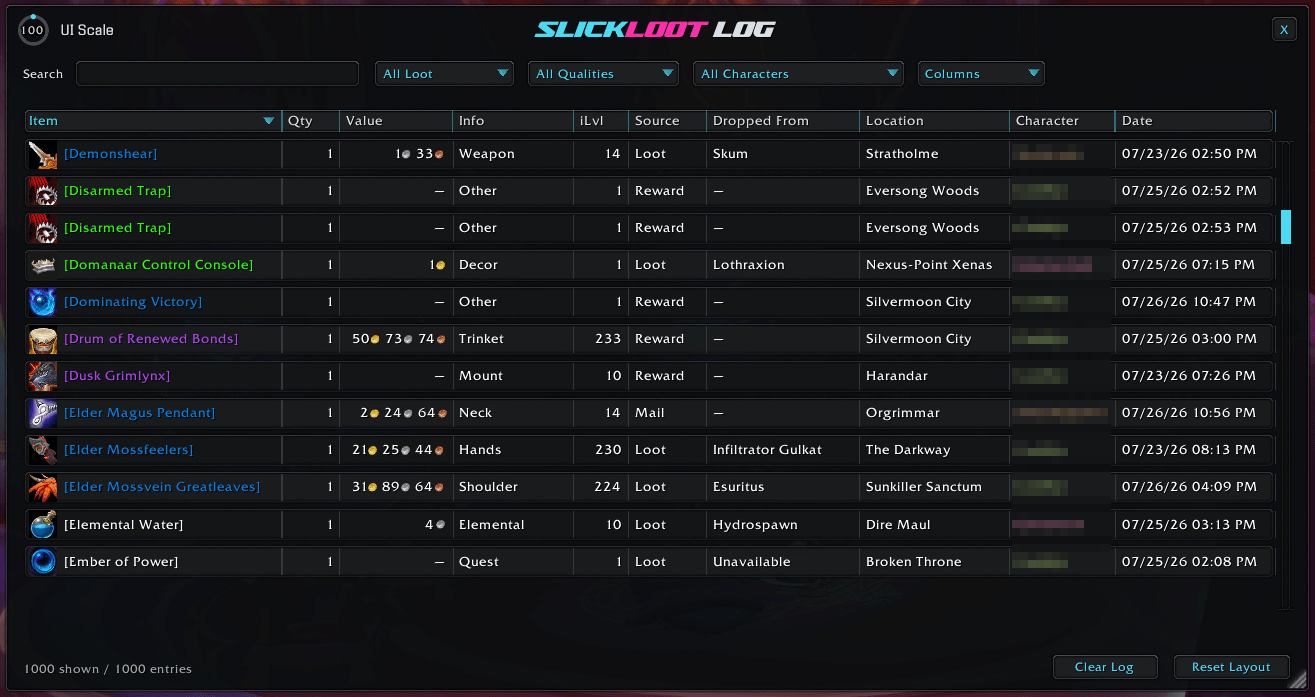
An example of the Loot Log window with items sorted by Name.
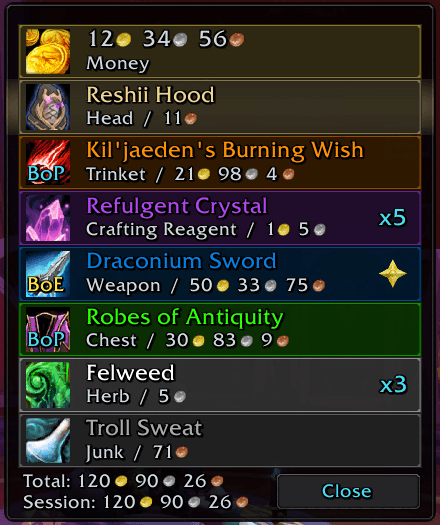
An example of the Loot Window scaled to 1.5 for readability.
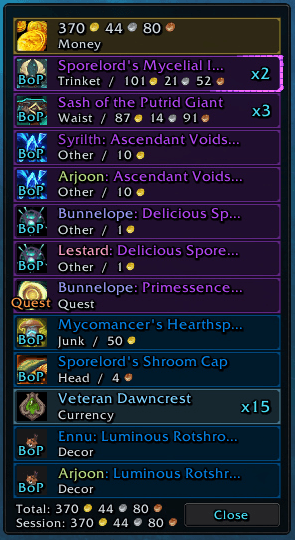
An example of LFR Raid loot.
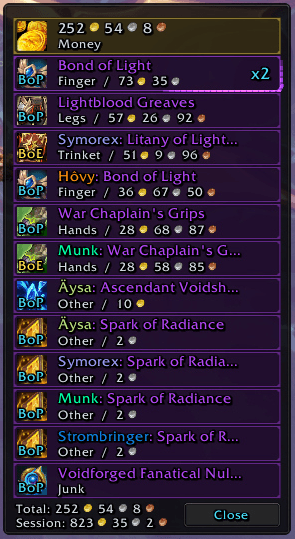
Another example of LFR Raid Loot.
Description

SlickLoot
A polished loot window that looks better, works smarter, and remembers what you earned.
SlickLoot replaces World of Warcraft's standard loot window with a compact, customizable display for items, money, currency, crafted items, quest items, and group loot. Animated rows, rarity effects, loot-value totals, smart Autoloot rules, an account-wide Loot Log, and complete appearance profiles keep every drop useful without adding clutter.


See every drop without the clutter
SlickLoot gathers your live loot into one clean, compact window. Matching items stack into a single quantity row while separate loot sources stay synchronized, and group-roll items update as loot is awarded.
🎁 Built for every kind of loot
- Display items, money, currency, quest items, crafted items, and group loot.
- Show your loot and other players' loot with separate minimum-quality filters.
- Color other players' names with their Blizzard class colors.
- Mark randomly upgraded items with an optional gold star and upgrade flash.
- Show item information, item level, vendor value, bind type, quantity, and player realm details.
- Reopen recent loot rows with
/sloot showwhile they are still available.
Know what your loot is worth
Show the vendor value of items, money, or both in the loot window footer. A separate session total can track everything you collect until you reset it manually, join a new group, enter a new dungeon or raid run, or return after a configurable period of inactivity.
💰 Totals that fit the way you play
- Choose Items + Money, Items Only, Money Only, or no current total.
- Replace the current total with the session total or show both together.
- Reset a manual session from the command line or the minimap button.
- Keep the loot window visible indefinitely with the ∞ hold-time setting.
Keep an account-wide loot history
The searchable SlickLoot Log records confirmed items, money, and currency across your characters. Preview rows and unawarded group loot are never recorded.
🔎 Find exactly what you earned
- Search the complete history and filter by loot type, quality, or character.
- Sort by item, quantity, value, information, item level, source, dropped-from name, location, character, or date.
- Resize and reorder columns, or hide the ones you do not need.
- Choose the Log font and size, recording types, minimum quality, and maximum history length.
- Open the Log from a draggable minimap button; right-click the button to open SlickLoot options.
Loot exactly what you want
Optional Autoloot Rules let SlickLoot decide which loot to take and when those rules apply. Use one rule set while solo, in parties, in raids, in any group, or everywhere.
⚙️ Smart rules, simple control
- Set a minimum item quality or disable quality-based Autoloot.
- Independently include money, currency, quest items, and trade goods.
- Always loot exact item names, item IDs, or item links from a custom list.
- Turn SlickLoot Autoloot Rules off at any time to leave loot selection manual.
Make every drop feel special
Choose how rows enter and leave, then add rarity-based glow and pulse effects that match the items you care about.
✨ Motion and rarity effects
- Choose Swipe Info, Swipe Row, Cascade, Fade In, Bounce, or no entrance animation.
- Pick Pop, Drop, Spring, or Rubber bounce behavior.
- Tune direction, distance, duration, strength, overlap, and row stagger where supported.
- Select Border Flow, Border Glow, Border Sweep, Corner Pulse, Impact Flash, Inner Glow, Row Glow, Steady Border, or no glow.
- Apply glow and pulse effects to all items, Rare+, Epic+, or only the highest-quality item.
Make it yours
- Adjust window scale, growth direction, row width and height, spacing, icon size, maximum rows, hold time, and fade duration.
- Customize title, information, quantity, bind-type, and button fonts, outlines, colors, and sizes.
- Style rarity-colored titles, row backgrounds, row borders, window colors, opacity, quality tinting, and bind indicators.
- Show or hide individual loot sources and details, including realms, values, bind types, quest items, crafted items, and upgraded-item indicators.
- Save, load, rename, delete, import, and export complete appearance profiles.
- Shift-drag the loot window itself or use its positioning anchor, then lock the layout when it is exactly where you want it.
Type /slickloot or /sloot to open the complete SlickLoot Options menu.
Commands
| Command | Action |
|---|---|
/slickloot |
Open or close the SlickLoot Options menu. |
/sloot |
Open or close the SlickLoot Options menu. |
/sloot log |
Open the account-wide Loot Log. |
/sloot show |
Reopen the loot window while recent rows are still available. |
/sloot reset |
Reset the current session total. |
/sloot resetlog |
Restore the Loot Log's default scale, position, and column layout, then open it. |
/slickloot resetlog |
Restore the Loot Log's default scale, position, and column layout, then open it. |
/sloot lock |
Lock and hide the positioning anchor. |
/sloot unlock |
Show and unlock the positioning anchor. |
Latest update
1.2.0 - 2026-09-30
- Improved: TOC version is now updated for WoW 12.1.5.
- Improved: Loot Log scrolling now stays responsive while dragging the scrollbar through large histories.
- Improved: Appearance Colors now uses the shorter Border Color and Border Opacity labels.
- Fixed: Loot Log table now fills the space below the column headers so divider highlights no longer extend into an empty gap.
Support and more from WizardsPotion
Like knobs to turn, buttons to push, and pretty lights on things?
Explore the rest of the Slick Family of World of Warcraft addons from WizardsPotion.
If SlickLoot keeps your loot clean, useful, and fun to watch, you can help support its continued development by buying me a coffee. Every bit is appreciated, but never expected.

SlickLoot Team