SlickDurability
- By
SlickDurability is a sleek, customizable WoW durability HUD with repair costs, lowest-slot tracking, auto repair, profiles, themes, fonts, and Slick-style bar visuals.
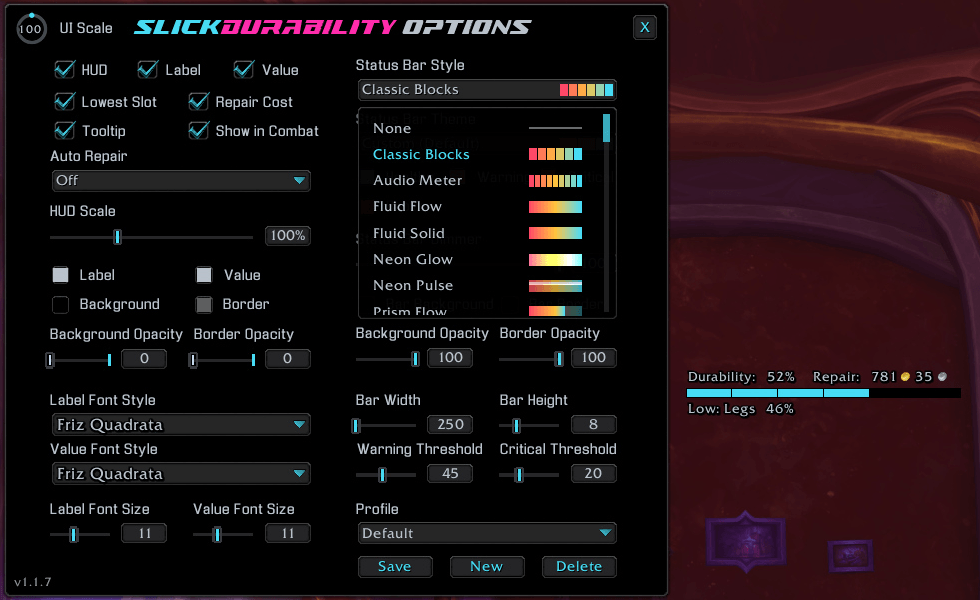
An example of the style menu
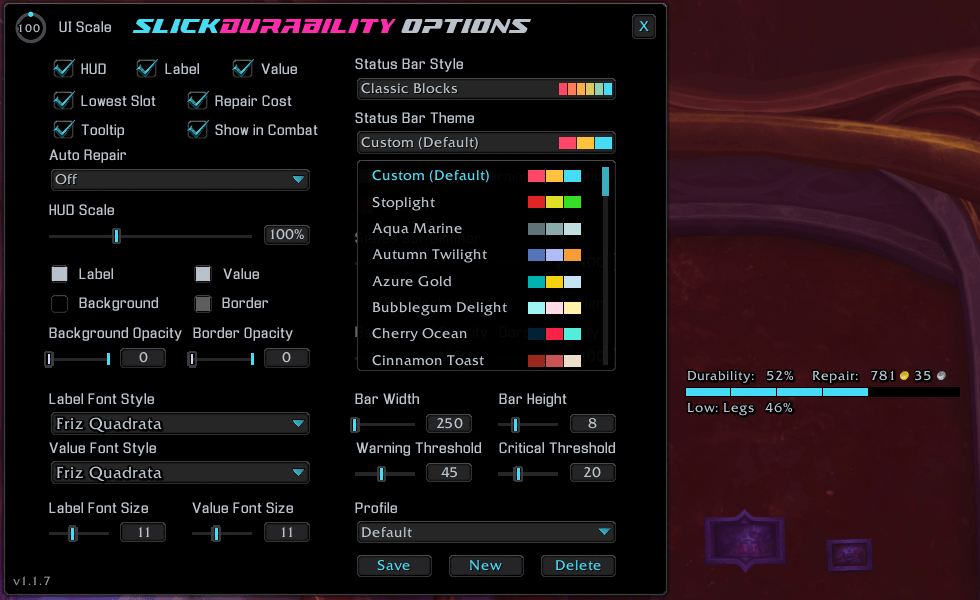
An example of the theme menu
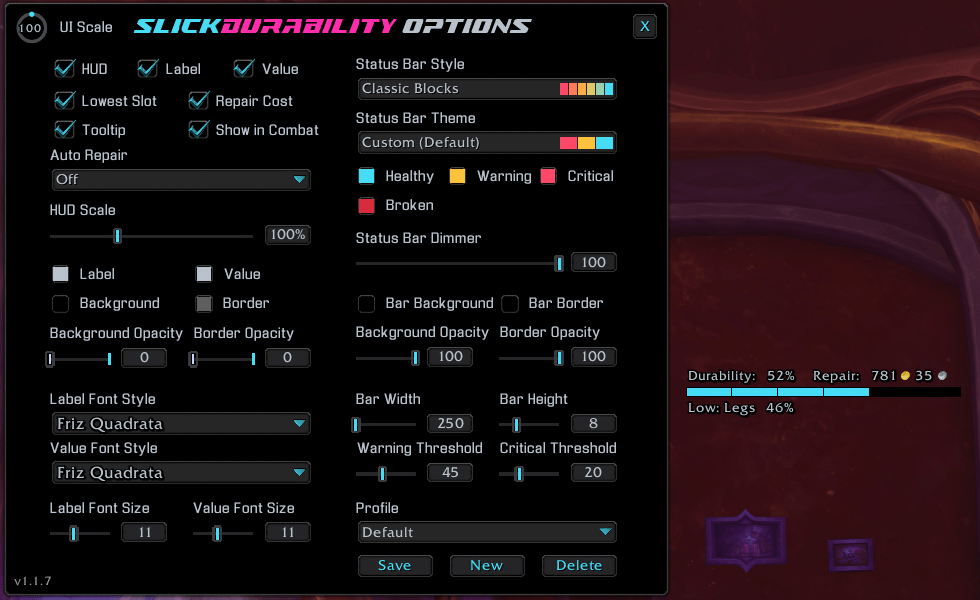
An example of the Classic Blocks Style and the Custom (Default) Theme.
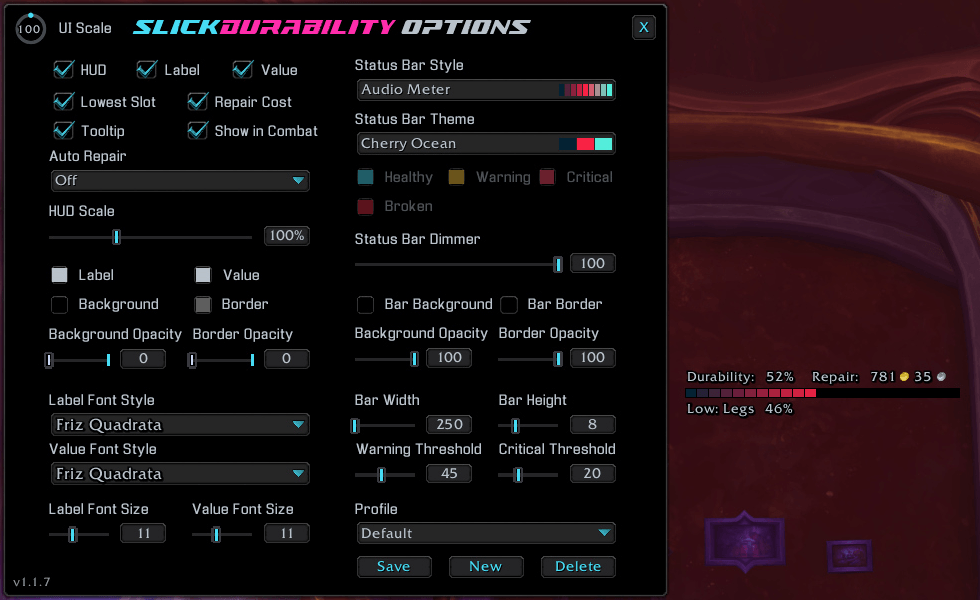
An example of the Audio Meter Style and the Cherry Ocean Theme.
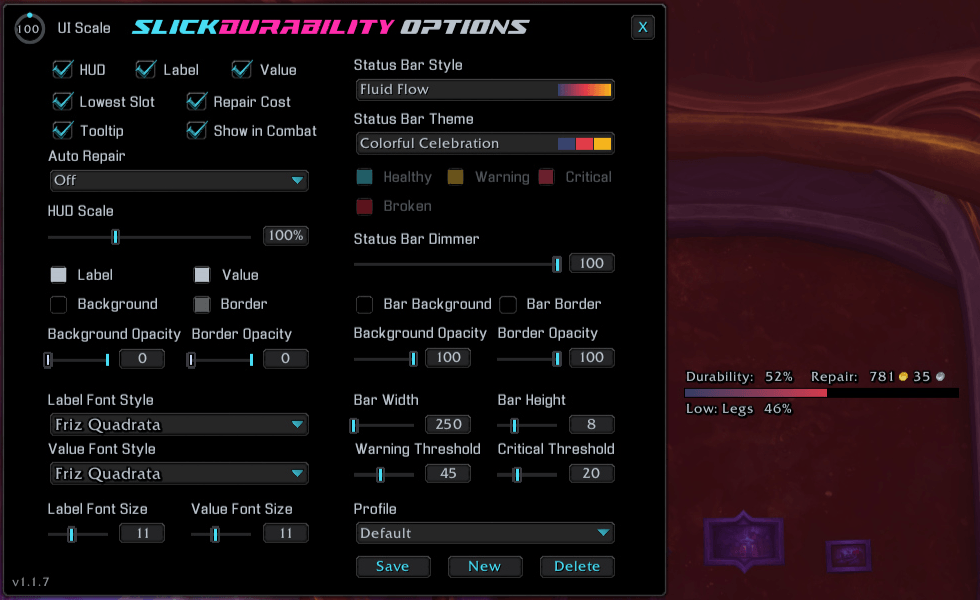
An example of the Fluid Flow Style and the Colorful Celebration Theme.
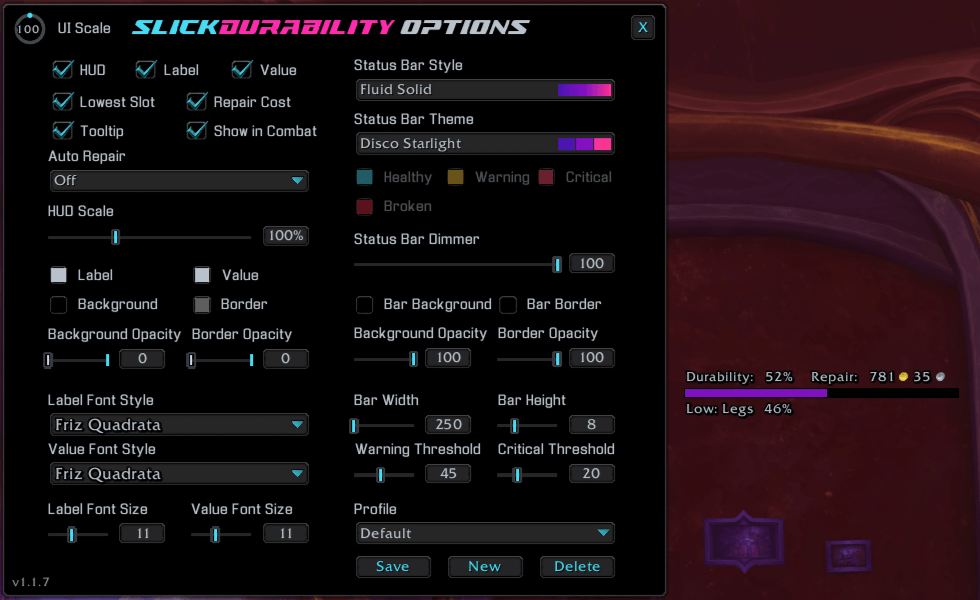
An example of the Fluid Solid Style and the Disco Starlight Theme.
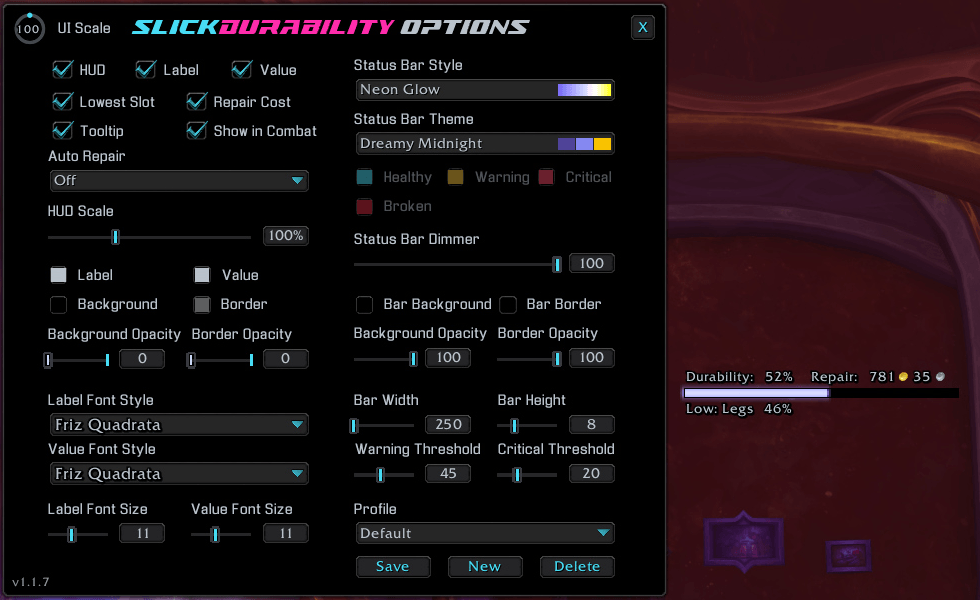
An example of the Neon Glow Style and the Dreamy Midnight Theme.
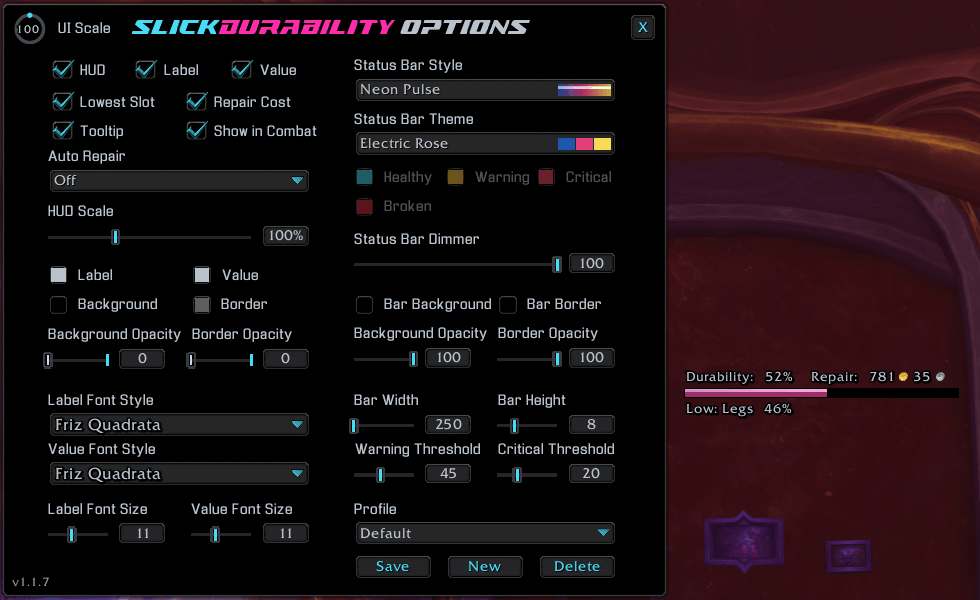
An example of the Neon Pulse Style and the Electric Rose Theme.
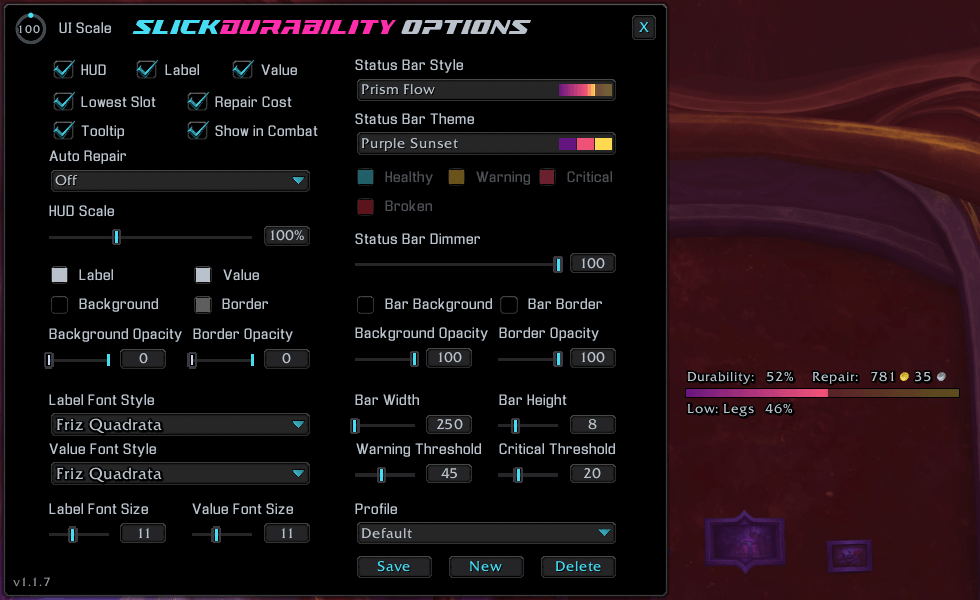
An example of the Prism Flow Style and the Purple Sunset Theme.
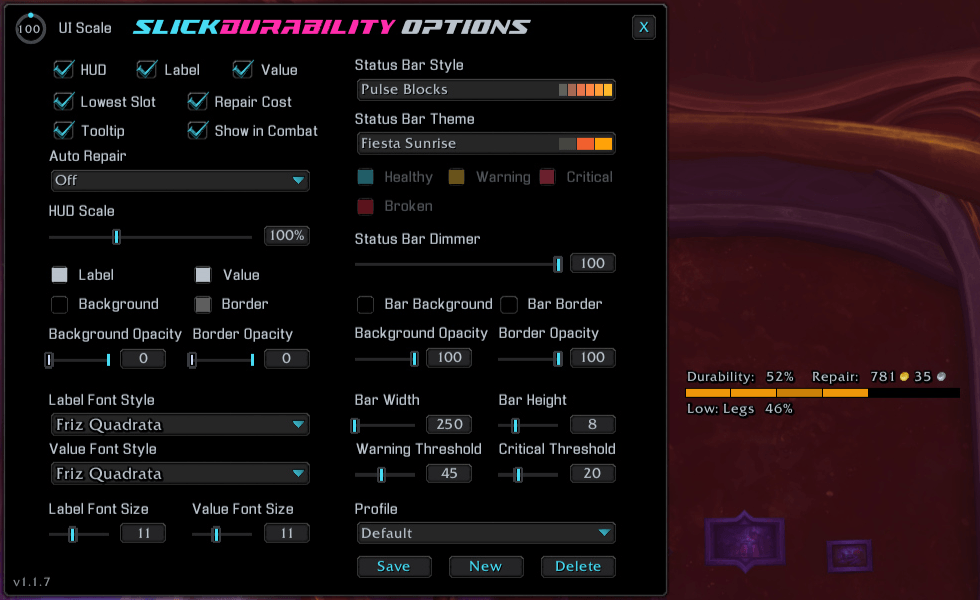
An example of the Pulse Blocks Style and the Fiesta Sunrise Theme.
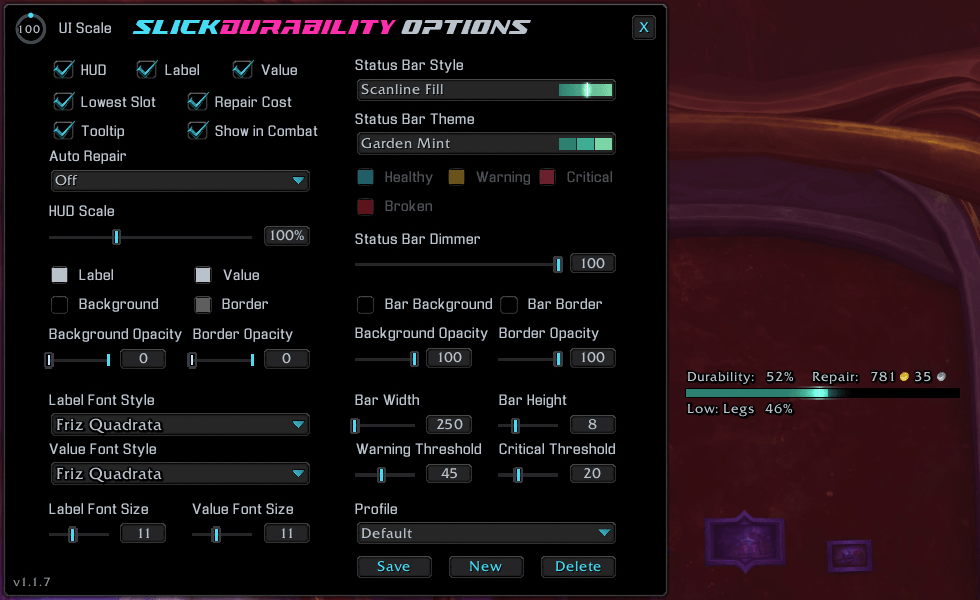
An example of the Scanline Fill Style and the Garden Mint Theme.
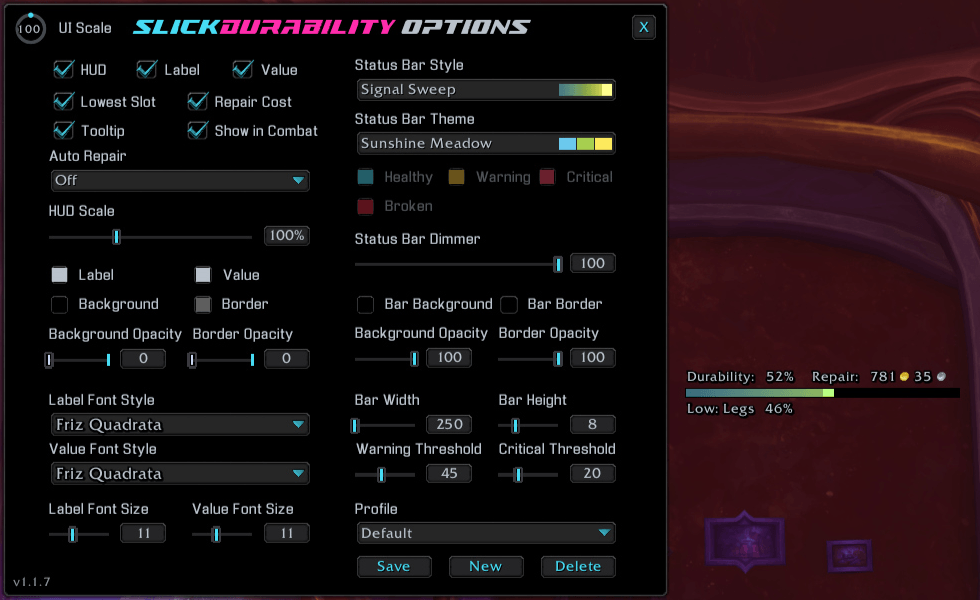
An example of the Signal Sweep Style and the Sunshine Meadow Theme
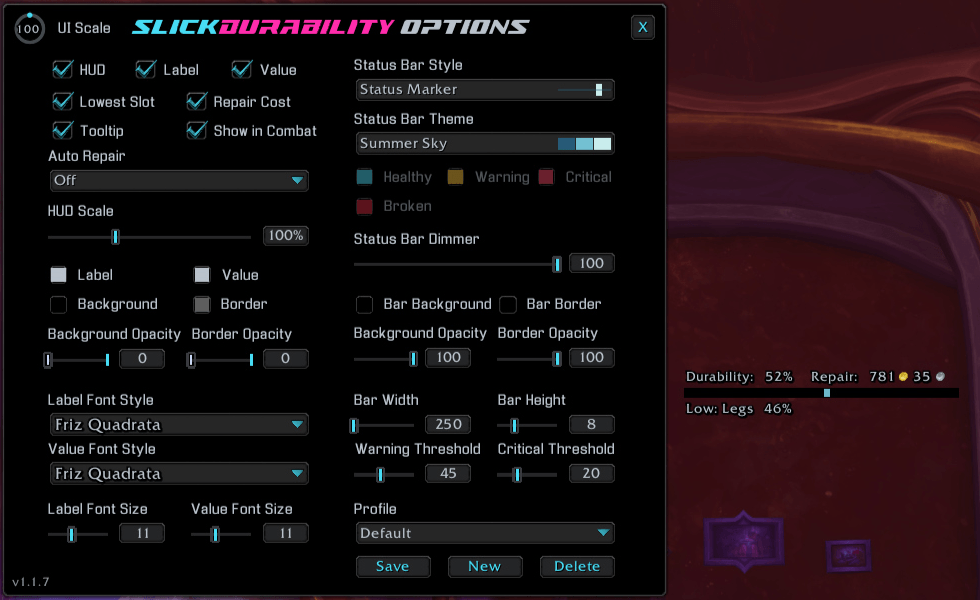
An example of the Status Marker Style and the Sumer Sky Theme.
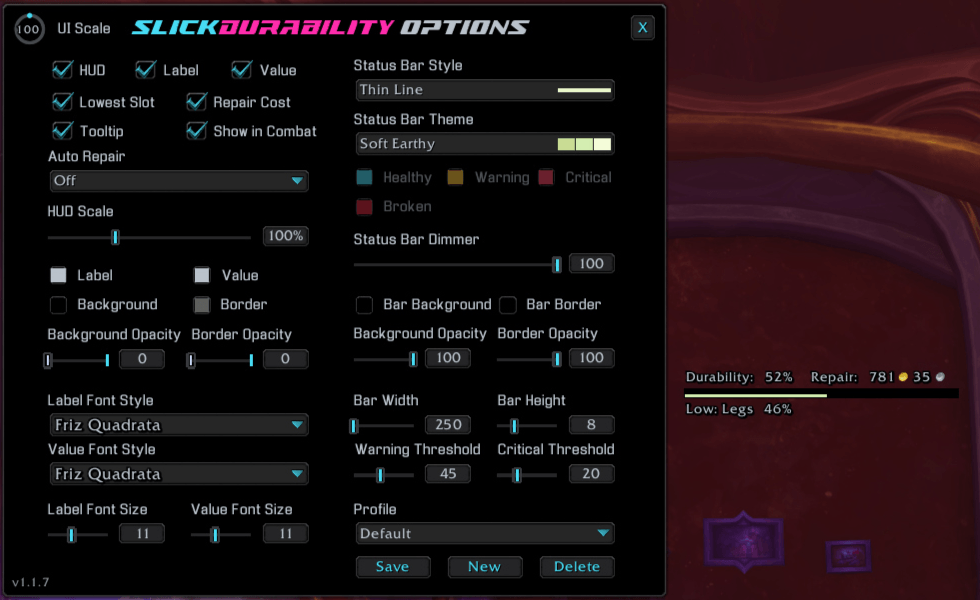
An example of the Thin Line Style and the Soft Earthy Theme.
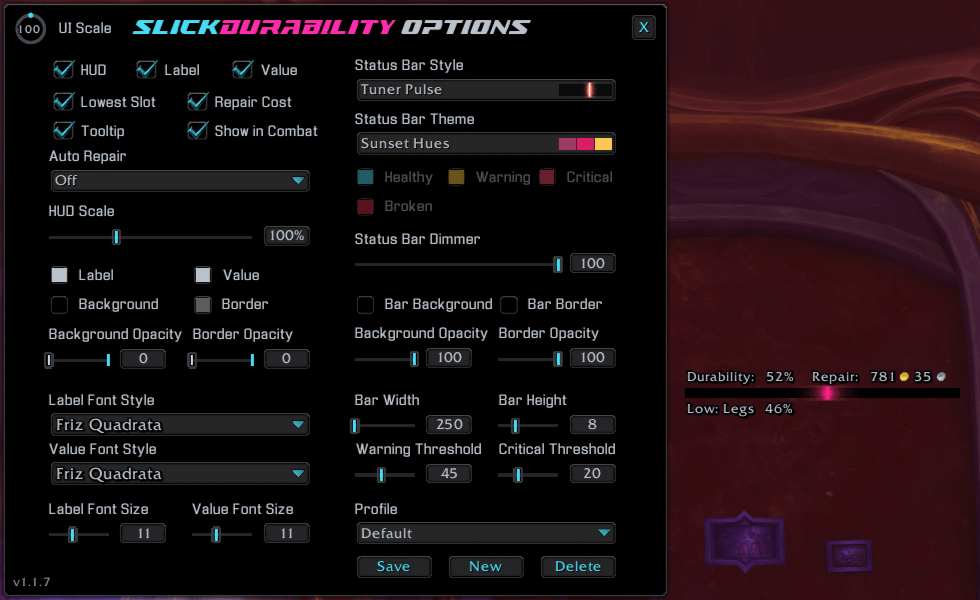
An example of the Tuner Pulse Style and the Sunset Hues Theme.
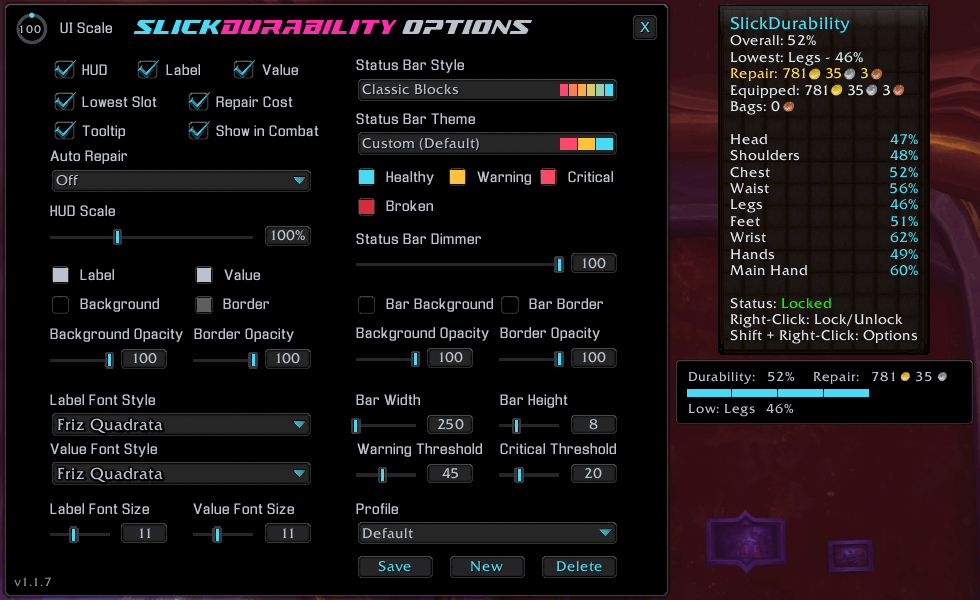
An example the Tooltip when you hover over the frame.
Description
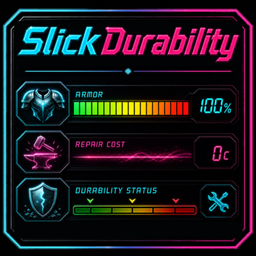
SlickDurability
See what is wearing down before it breaks.
SlickDurability is a lightweight, customizable durability HUD for World of Warcraft. Keep your overall equipment condition, weakest slot, broken items, and repair costs visible in a compact display built to fit the rest of your UI.


Know your gear at a glance
Track your equipment without opening the Character window. The HUD shows overall durability, identifies your lowest equipped slot, calls out broken items, and can display your current repair cost with gold, silver, and copper icons.
🛡️ The details that matter
- See real-time overall equipment durability.
- Identify the equipped slot closest to breaking.
- Display broken-item warnings directly on the HUD.
- Hover over the HUD for per-slot durability, repair costs, and quick control tips.
- Show or hide the HUD during combat.
Repair without the extra steps
Keep repair costs visible and choose how repairs are handled when you visit a merchant. Leave auto repair off, pay with personal gold, or try available guild funds before falling back to personal gold.
🔧 Built around your routine
- Track repair costs for equipped gear and items in your bags.
- Choose Off, Personal, or Guild, then Personal auto repair.
- Keep repair information on the HUD or view the full breakdown on mouseover.
- Receive clear chat feedback when SlickDurability completes a repair.
Make the bar your own
Choose from clean, segmented, fluid, neon, pulsing, scanline, and signal-inspired bar styles, then pair them with a large library of Slick color themes or build custom durability colors.
🎨 Styles, themes, and fonts
- Choose Classic Blocks, Audio Meter, Fluid Flow, Fluid Solid, Neon Glow, Neon Pulse, Prism Flow, Pulse Blocks, Scanline Fill, Signal Sweep, Status Marker, Thin Line, Tuner Pulse, or None.
- Use Slick theme presets or set custom healthy, warning, critical, and broken colors.
- Select bundled fonts or fonts provided through LibSharedMedia.
- Adjust thresholds, dimming, bar background, border, opacity, width, and height.
Make it yours
- Scale the HUD and adjust its width, bar height, background, border, opacity, label color, and value color.
- Show or hide the label, percentage, lowest slot, repair cost, mouseover details, and combat visibility.
- Left-drag the HUD into position, then right-click to lock or unlock it.
- Save complete appearance profiles, including HUD position, for different characters or UI layouts.
- Keep each character's active settings and position separate while sharing the saved profile library.
- Use the protected Default profile whenever you want a reliable starting point.
Open the complete Options & Customization window with /slickdurability or /sld. You can also use Shift + Right-Click on the HUD.
Commands
| Command | Action |
|---|---|
/slickdurability |
Open or close the Options & Customization window. |
/sld |
Open or close the Options & Customization window. |
/slickdurability lock |
Lock the HUD in place. |
/slickdurability unlock |
Unlock the HUD for dragging. |
/slickdurability reset |
Reset the HUD position and settings to their defaults. |
Latest update
1.2.5 - 2026-10-14
- Fixed: Repair-cost displays and auto-repair messages now show coin icons correctly on WoW 12.1.5.
Support and more from WizardsPotion
Like knobs to turn, buttons to push, and pretty lights on things?
Explore the rest of the Slick Family of World of Warcraft addons from WizardsPotion.
If SlickDurability helps you catch damaged gear before it becomes a problem, you can help support its continued development by buying me a coffee. Every bit is appreciated, but never expected.

SlickDurability Team