PrimeUnitFrames
- By
Prime-styled "Gilded Card" unit frames for WoW Forever and WoW retail: player, target, target of target, focus, pet, party and raid, with class colors, cast bars, buffs and debuffs. Part of the Prime suite.


Description
💬 Join the PrimeSuite Discord for support, bug reports, feature requests and update news:
👉 https://discord.gg/Vb9aSb7E4Y
Part of PrimeSuite: PrimeBars, PrimeChat, PrimeMinimap, PrimeQuestTracker, PrimeTooltip, PrimeNamePlates, PrimeMeter, PrimeBags, PrimeUnitFrames and PrimeSocial all share one look and work together.
- Please Note - First Release: tested on WoW Forever, solo and in a party. Raid, PvP and WoW retail haven't been tested in game yet. If you report a bug, please say what you were doing and include any error text and your
/puf debugoutput.
PrimeUnitFrames
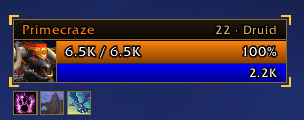
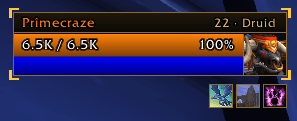
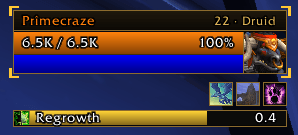
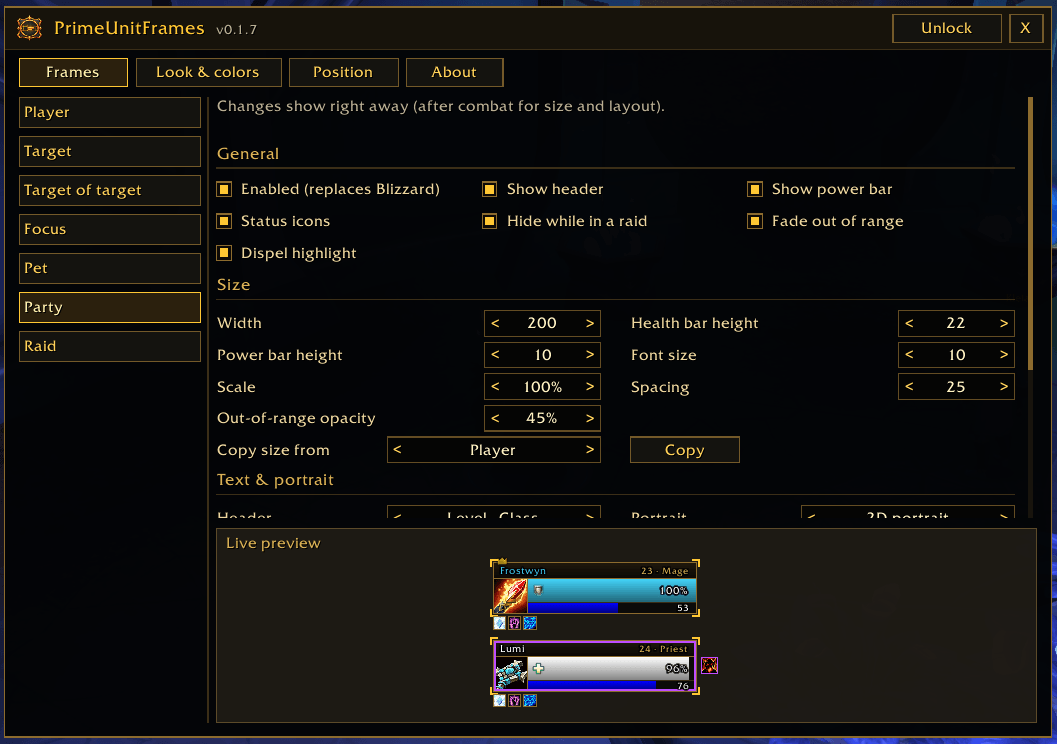
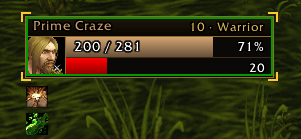
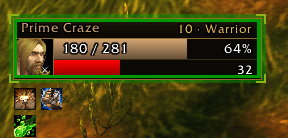
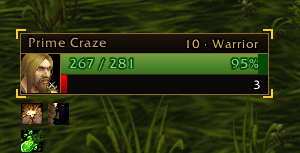
PrimeUnitFrames replaces the game's unit frames with Prime-style "Gilded Card" frames: a header strip with Name · Level · Class, a square portrait, gradient health and power bars and bright-gold corner brackets. One download covers both WoW Forever (Interface 16001) and WoW retail (Midnight).
Works with PrimeBars
PrimeUnitFrames works fine on its own. If you use PrimeBars, every frame can be moved in the PrimeBars Layout Editor, and sample frames appear automatically while the layout is unlocked.
Features
- Every frame you need: Player, Target, Target of Target, Focus, Pet, Party (4) and Raid (up to 40 tiles in group columns or rows)
- Live buffs and debuffs in combat: on Player, Target, Focus, Pet, Target of Target and Party, icons appear, count down and drop off as it happens, even on WoW Forever where addons normally can't see them in combat
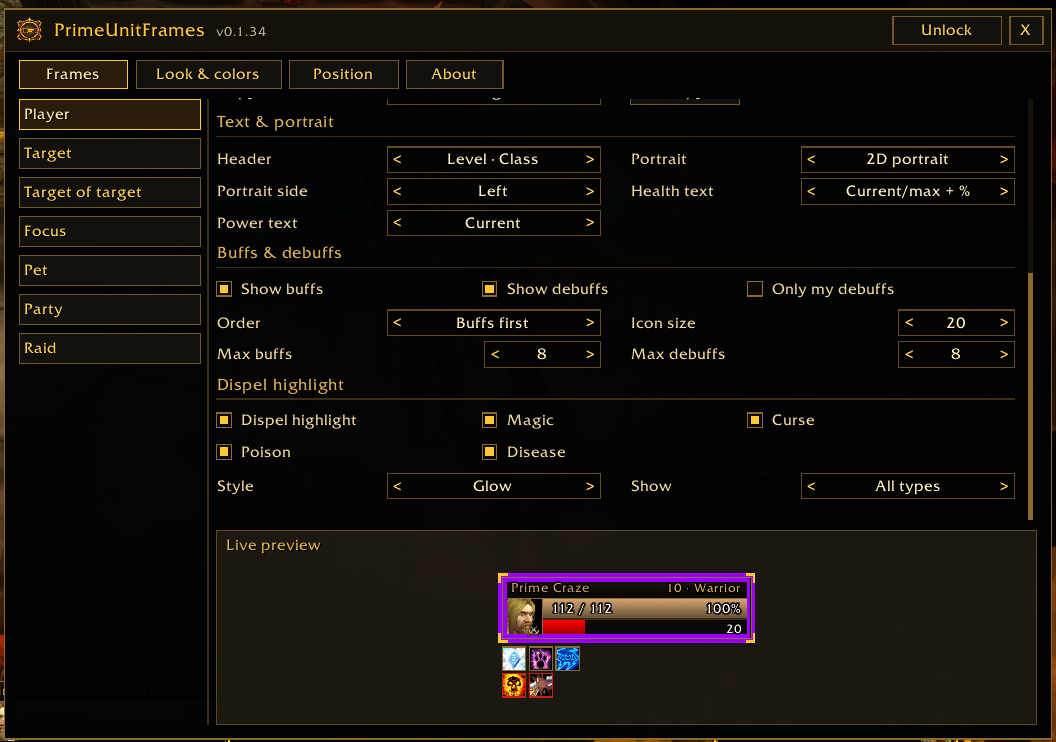
- Buff and debuff options: show buffs, debuffs or both, buffs or debuffs first, icon size, how many of each, "only my debuffs", stack counts, a cooldown sweep and optional countdown text
- Dispel highlight: the Player, Party and Raid frames light up in the debuff's colour when you have Magic (blue), Curse (purple), Poison (green) or Disease (brown) on you, even in combat
- Choose which types to show, and pick a Border, Glow or Tint style
- Show All types (default) or only the Ones I can dispel
- Class colors: players use their class color, NPCs use the game's reaction colors, and neutral mobs turn red while fighting you
- Full names on WoW Forever: first and last names like the default frames, with a "First name only" option (raid tiles always use first names)
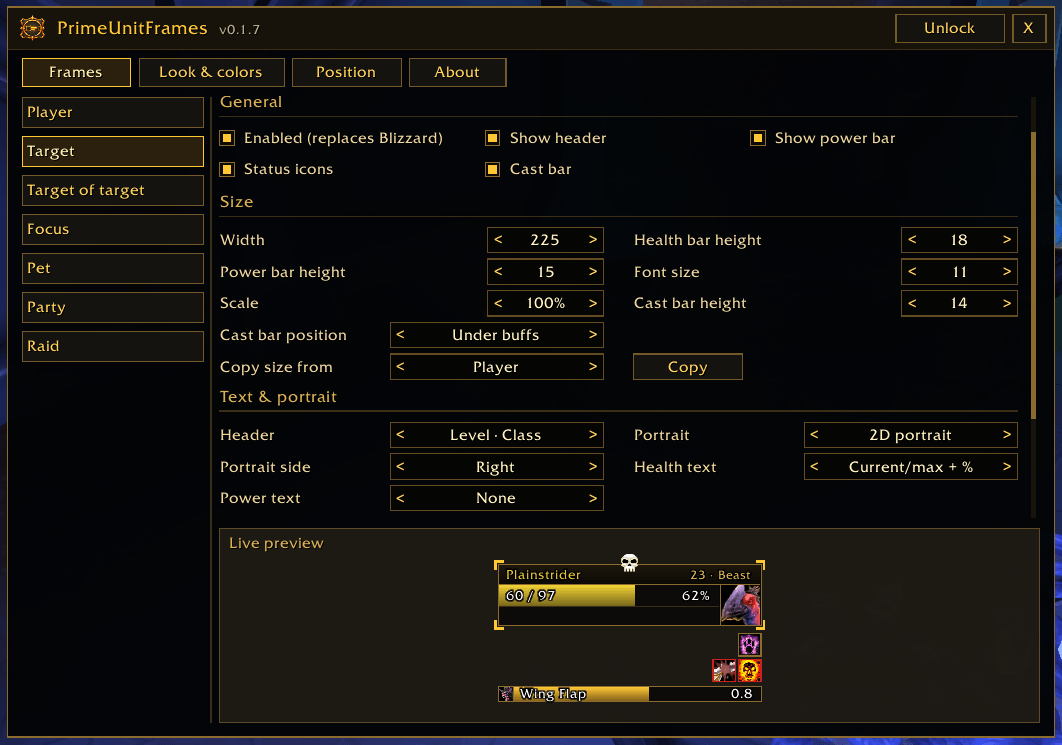
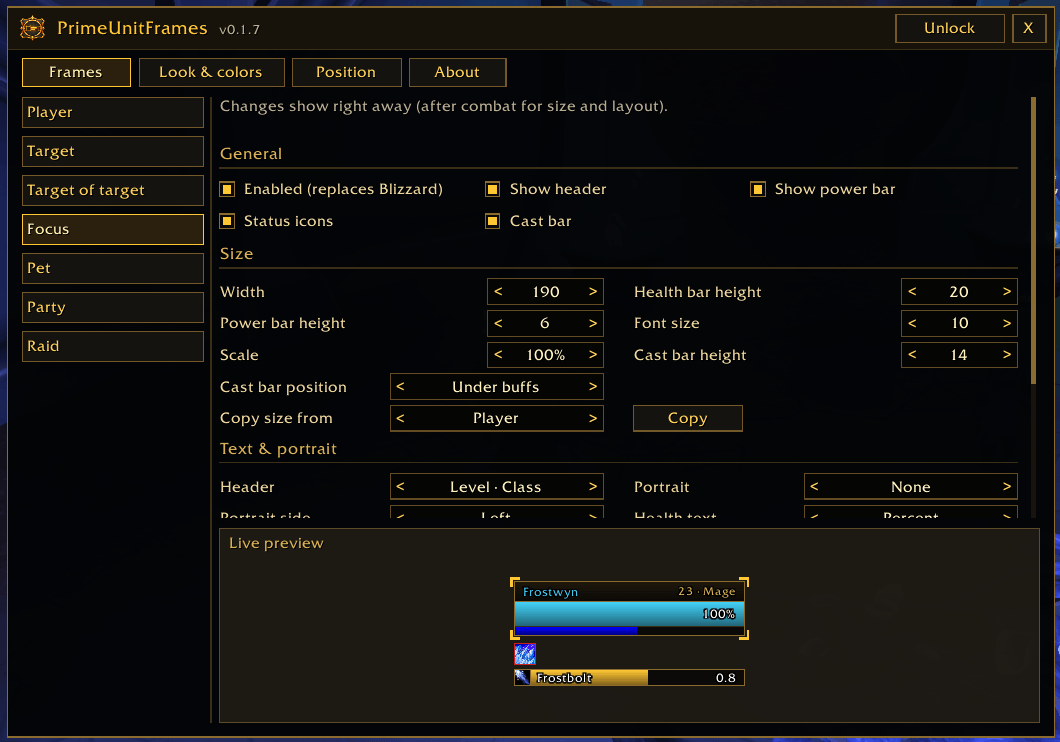
- Target and Focus: cast bar under the buffs, under the frame or above it
- Target of Target: attached to the right of Target by default, and hidden when you target yourself or your target is dead
- Party and raid: out-of-range fade, Dead / Ghost / Offline text, plus leader, raid marker, role and ready-check icons
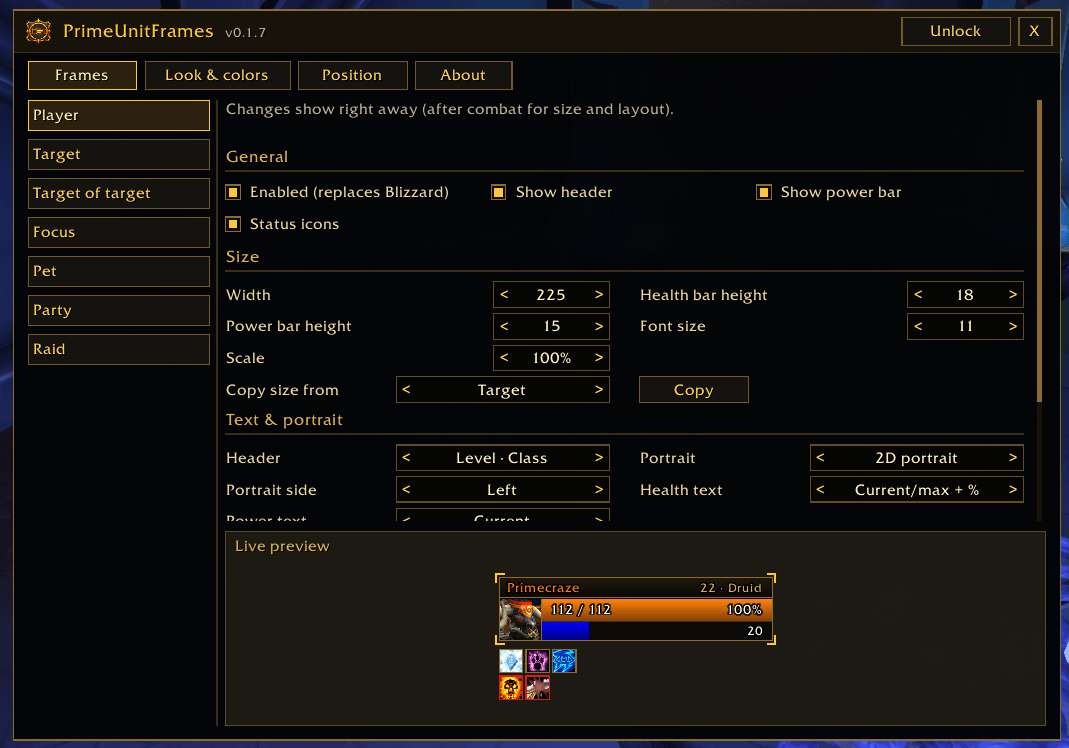
- Make it yours: portrait (2D, class icon or none) on the left or right, health and power text, name and border colors, gradient or flat bars, background opacity, outlined text and four fonts (Friz Quadrata, Arial Narrow, Morpheus, Skurri)
- Live preview: the Options window redraws sample frames on every change
- Copy size: give one frame the same width, bar heights, font size and scale as another in one click
- Turn any frame on or off: while one is off, the game's own frame is used
- Quick access from a minimap button
The Prime Suite (optional)
PrimeUnitFrames works on its own. These separate addons are designed to match it, and you can install any of them or none:
- PrimeBars
- PrimeChat
- PrimeMinimap
- PrimeQuestTracker
- PrimeTooltip
- PrimeNamePlates
- PrimeBags
- PrimeMeter
- PrimeSocial
Getting started
- Install the addon and log in. Your frames are replaced straight away.
- Type
/puf unlockand drag the gold boxes to where you want each frame. - Type
/puf lockto lock them in place. - Type
/puf(or right-click the minimap button) to open Options and set sizes, colors, buffs, dispel highlight and fonts. Use the < and > arrows to change a setting (Shift-click for bigger steps).
Commands
/puf(or/primeunitframes) - open the options/puf unlock//puf lock- show or hide the gold movers, with sample frames/puf samples- show or hide sample frames/puf reset- move all frames back to their default places/puf minimap- show or hide the minimap button/puf about- open the About page/puf debug- show what your client supports (include this in bug reports)
Notes
- Frames can't be moved, resized or turned on or off in combat. Those changes apply as soon as combat ends. Buff, debuff and dispel highlight settings apply straight away, even mid-fight.
- Turning a frame on or off needs a Reload UI. There's a button for it in Options.
- Hiding the Blizzard Target frame also hides its target of target and combo points.
- Your own cast bar stays with PrimeBars or the game.
- In combat the game may hide exact health numbers from addons. The bars stay correct and the text shows what the game allows, usually percent.
- On WoW Forever, the dispel highlight checks up to 10 debuffs per frame. With two types at once, it can show either colour.
- Raid tile buff and debuff icons can update a moment late in combat. The raid dispel highlight updates straight away.
- New minimap button textures only load after a full game restart, not a /reload.
- Beta: tested on WoW Forever, solo and in a party. Raid, PvP and WoW retail haven't been tested in game yet. If you report a bug, please say what you were doing and include any error text and your
/puf debugoutput.
Created by PrimeCraze
Discord: https://discord.gg/Vb9aSb7E4Y
PrimeUnitFrames Team