PrimeQuestTracker
- By
A compact quest tracker for WoW Forever that groups your quests into Campaign, Dungeon and Other, shows live objective progress, and lets you size, fade, lock and move it, or switch back to the Blizzard tracker.
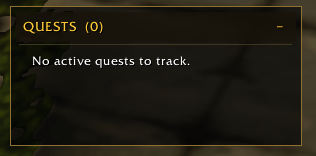
primequesttracker-main.png
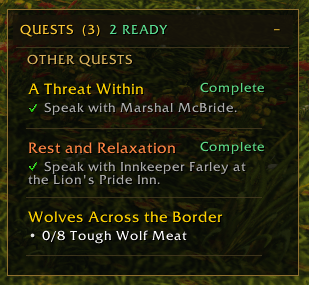
primequesttracker-quests.png
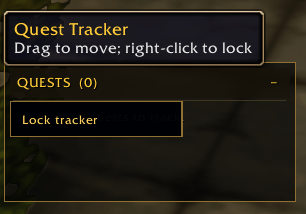
primequesttracker-unlock.png
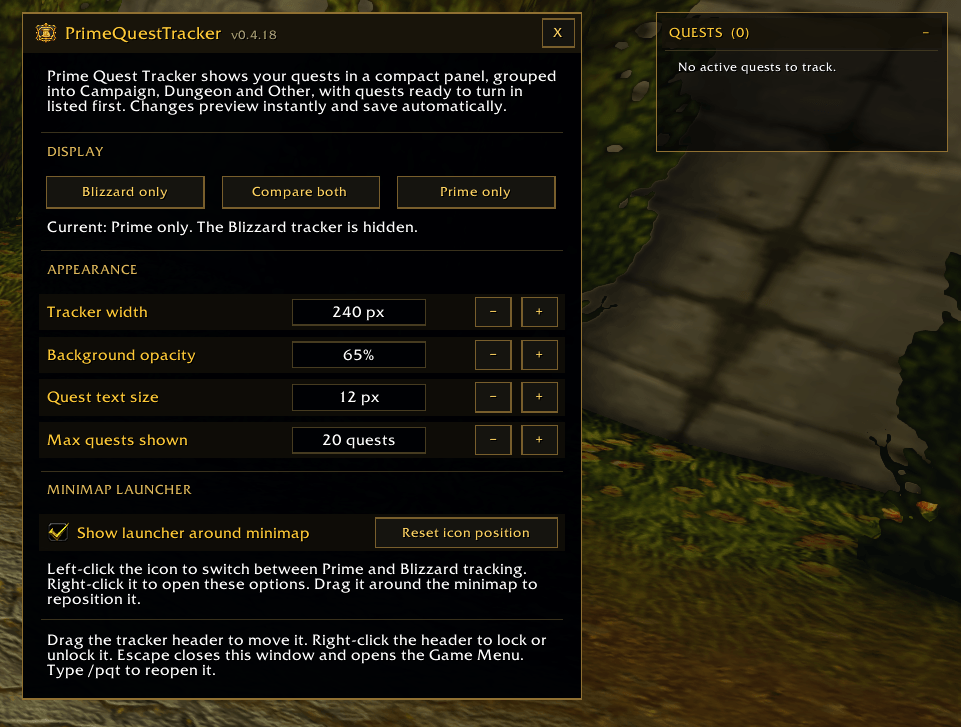
primequesttracker-option.png
Description
💬 Join the PrimeSuite Discord for support, bug reports, feature requests and update news:
👉 https://discord.gg/Vb9aSb7E4Y
Part of PrimeSuite: PrimeBars, PrimeChat, PrimeMinimap, PrimeQuestTracker and PrimeTooltip all share one look and work together.
PrimeQuestTracker
PrimeQuestTracker is a compact, customizable quest tracker built for WoW Forever (Interface 16001). It shows your quests in a dark panel with gold accents, groups them by type, lists quests ready to turn in first, and updates objective progress as you play. You can keep it alongside the Blizzard tracker or replace it completely.
Features
- Grouped quests – Quests are sorted under CAMPAIGN, DUNGEON and OTHER QUESTS headings when the client provides that information. Anything it can't classify appears under OTHER QUESTS.
- Ready first – Quests ready to turn in are moved to the top of their section and marked "Complete". The header shows your quest count and how many are ready.
- Live objectives – Each quest shows its objectives with progress counts. Finished objectives get a green check and gray text. Quests without counters, such as talk-to and delivery quests, show their objective sentence from the quest log.
- Difficulty colors – Quest titles are colored by difficulty compared with your level, using Blizzard's quest colors when available.
- Click to map – Click a quest title to open that quest on the map.
- Fits its content – The panel grows with your quests and shows a scrollbar only when the list gets very long. A collapse button folds it down to just the header.
- Customizable – Set the width (240–420 px), background opacity (30–100%), quest text size (9–16 px) and maximum quests shown (1–20). Changes preview instantly. When the list is longer than your limit, a note shows how many quests are hidden.
- Display modes – Choose Prime only, Blizzard only, or Compare both to show the two trackers side by side.
- Move and lock – Drag the header to move the tracker, and right-click the header to lock or unlock it. The header stays in place when the panel collapses, expands or changes size.
- Minimap button – Right-click opens the options, left-click switches between the Prime and Blizzard trackers, and dragging moves the button around the minimap. You can hide the button or reset its position in the options.
Commands
- /pqt – Open or close the options window.
- /pqt toggle – Switch between the Prime and Blizzard trackers.
- /pqt prime – Show only the Prime tracker.
- /pqt blizzard – Show only the Blizzard tracker.
- /pqt compare – Show both trackers.
The Prime Suite
PrimeQuestTracker works on its own and needs no other addons. These Prime addons are optional:
- PrimeBars
- PrimeChat
- PrimeMinimap
- PrimeTooltip
If you use PrimeBars, its Layout Editor can move the quest tracker together with the rest of your layout.
Getting started
- Install PrimeQuestTracker and enable it on the AddOns screen.
- Log in. The tracker appears on the right side of the screen and replaces the Blizzard tracker.
- Right-click the minimap button, or type /pqt, to open the settings.
- Choose a display mode, then adjust the width, opacity, text size and maximum quests shown.
- Drag the tracker header to where you want it, then right-click the header and choose Lock tracker.
Notes
- Settings are saved for your whole account, so every character shares the same tracker position, size and display mode.
- Quest grouping depends on what the WoW Forever client reports. Campaign or dungeon quests the client doesn't label appear under OTHER QUESTS.
- If the client reports no watched quests, the tracker shows all of your active quests so it is never empty.
- Settings changes made in combat that the game restricts may not apply until combat ends.
- This is an early release. If you report a bug, please say what you were doing and include any error text.
Created by PrimeCraze
Discord: https://discord.gg/Vb9aSb7E4Y
PrimeQuestTracker Team