PrimeMeter
- By
Prime-styled damage and healing meter for WoW Forever and WoW Retail that keeps working in combat, with 11 modes, recent fights, class colors and icons, per-spell details, optional report to chat and shared profiles.
Description
💬 Join the PrimeSuite Discord for support, bug reports, feature requests and update news:
👉 https://discord.gg/Vb9aSb7E4Y
Part of PrimeSuite: PrimeBars, PrimeChat, PrimeMinimap, PrimeQuestTracker, PrimeTooltip, PrimeBags and PrimeMeter all share one look and work together. PrimeUnitFrames and PrimeNamePlates are coming soon.
PrimeMeter
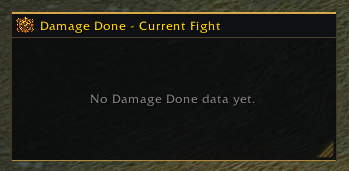
PrimeMeter is a clean, Prime-styled damage and healing meter. It shows who did what in every fight, with class colours, icons and spell details, in the same gold-on-dark look as the rest of PrimeSuite. One download works on WoW Retail (12.1.5) and WoW Forever (Interface 16001).
Keeps working in combat
Addons can no longer read the combat log on Retail or WoW Forever, so older meters stay empty or throw errors. PrimeMeter reads the game's own built-in meter instead, so your bars fill during the fight. You don't need to turn on Blizzard's damage meter.
During a fight the game hides the exact numbers from addons. PrimeMeter still shows them, in the game's order and short format (like 12K). Percentages, your chosen number format, Report to Chat and other players' spell details fill in as soon as combat ends. Your own spell details update live.
Features
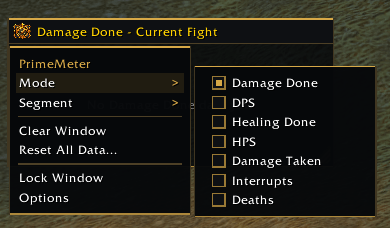
- 11 modes: Damage Done, DPS, Healing Done, HPS, Absorbs, Damage Taken, Avoidable Damage Taken, Enemy Damage Taken, Interrupts, Dispels and Deaths. Choose which ones appear in the menu; the important ones are on by default
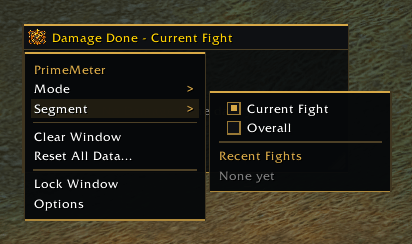
- Fights: current fight, overall, or any recent fight the game keeps, named after the main enemy
- Bars: class colours, spec or class icons, rank, total, per second and percent, each one optional
- Always Show My Bar: your own bar stays visible with your real rank, even when you're further down the list
- Spell details: click any bar to see that player's spells
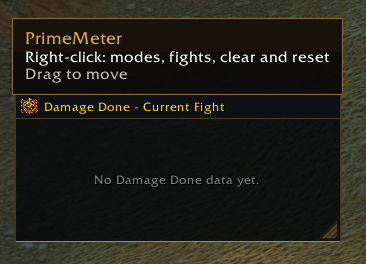
- Title bar menu: right-click for Mode, Fight, Clear Window, Reset All Data, Lock / Unlock and Options
- Clear Window: blanks the window until the next fight starts, without deleting anything
- Report to Chat: optional (off by default), sends the top players to Say, Party, Raid, Instance or Guild after a fight
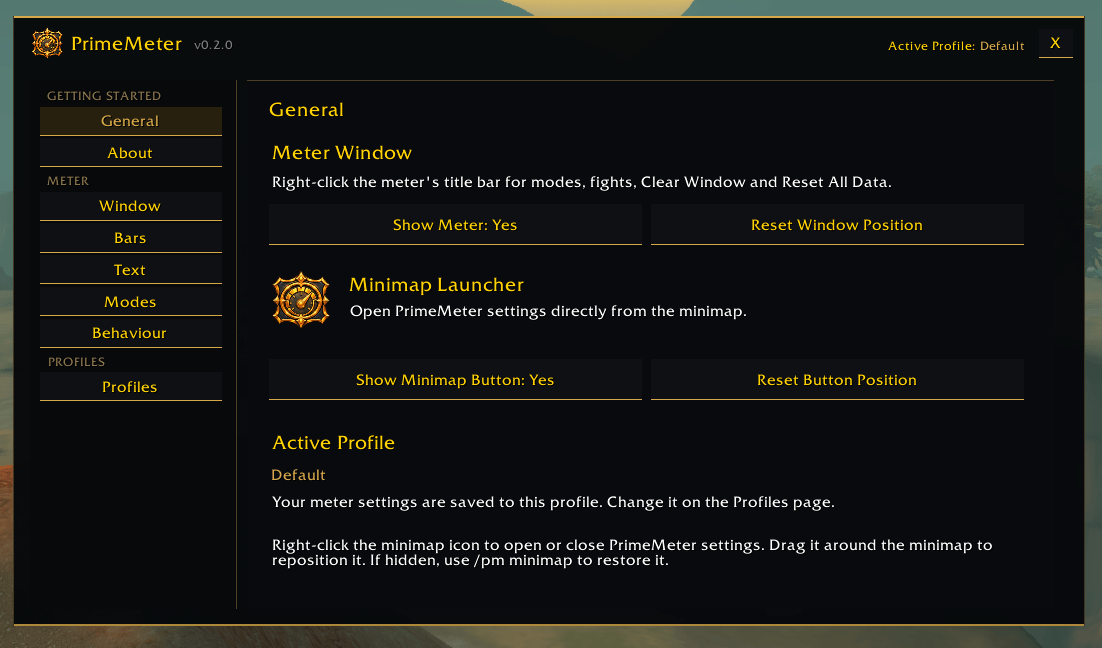
- Window: move, resize, lock, hide the title bar, and set background opacity, bar height, spacing, texture, font size and number format (1.2K or 1,234)
- Behaviour: show the meter always, only in combat or only in a group, with an optional reset when you enter a new instance
- Profiles: one shared Default profile for all your characters, or create, copy, reset and delete your own
- Quick access from a minimap button and the /pm command
Works with PrimeBars - (https://www.curseforge.com/wow/addons/primebars)
PrimeMeter works fine on its own. With PrimeBars 0.6.22 or newer, the meter window also appears in the PrimeBars Layout Editor. You can line it up with your bars using the same grid, snapping, guides and Undo / Redo, and PrimeBars' About page shows PrimeMeter's version.
The Prime Suite (optional)
PrimeMeter works on its own. These separate addons are designed to match it, and you can install any of them or none:
- PrimeBars
- PrimeChat
- PrimeMinimap
- PrimeQuestTracker
- PrimeTooltip
- PrimeBags
- PrimeUnitFrames (works with PrimeBars now; its own page is coming soon)
- PrimeNamePlates (coming soon)
Getting started
- Install the addon and restart the game (new textures load only on a full restart).
- The meter window appears on screen. Fight something to fill it.
- Right-click the meter's title bar to change the mode or pick a fight.
- Right-click the minimap button (or type /pm config) to open settings.
- Use the Modes page to choose which modes appear in the menu.
Commands
/pmor/pmeter- show or hide the meter/pm config- open the settings/pm lock//pm unlock- lock or unlock the meter window/pm clear- blank the window until the next fight/pm reset- clear all meter data (asks first)/pm minimap- show the minimap button/pm debug- show the version, client, interface and flavor
Notes
- Reset All Data also clears Blizzard's own damage meter, because both use the same game data. The game has no way to delete a single fight.
- Percentages and other players' spell details appear when combat ends, because the game hides those numbers from addons during a fight.
- Modes your game version doesn't support are hidden automatically.
- If you report a bug, please say what you were doing, include any error text, and paste the output of
/pm debug.
Created by PrimeCraze
Discord: https://discord.gg/Vb9aSb7E4Y
PrimeMeter Team