PrimeBags
- By
A clean, Prime-styled bag window for WoW Forever and WoW retail: all bags combined, search, Clean Up sorting, optional categories and a keyring on Forever. Part of the Prime suite.
Description
💬 Join the PrimeSuite Discord for support, bug reports, feature requests and update news:
👉 https://discord.gg/Vb9aSb7E4Y
Part of PrimeSuite: PrimeBars, PrimeChat, PrimeMinimap, PrimeQuestTracker, PrimeTooltip and PrimeBags all share one look and work together.
PrimeBags
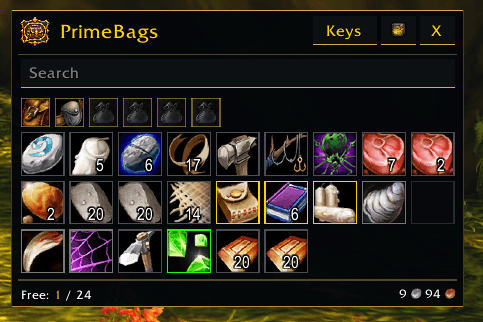
PrimeBags replaces the default bag window with a clean, Prime-styled bag window. All your bags in one place, easy to search and easy to keep tidy. Built for WoW Forever (Interface 16001).
Works with PrimeBars
PrimeBags works fine on its own. If you use PrimeBars, its Bag Bar opens PrimeBags automatically, and the settings window looks and works the same way. You can switch back to the Blizzard bags at any time with Use Blizzard Bags in the bag menu.
Features
- One combined bag window: your backpack, bags and reagent bag together, with quality-coloured borders, stack counts, cooldowns, quest markers and new-item glow
- Normal bag behaviour: right-click to use, drag and drop, split stacks, sell to vendors and full tooltips
- Search: items that don't match fade out, by name, type or subtype
- Clean Up: sorts your bags with the game's own bag sort
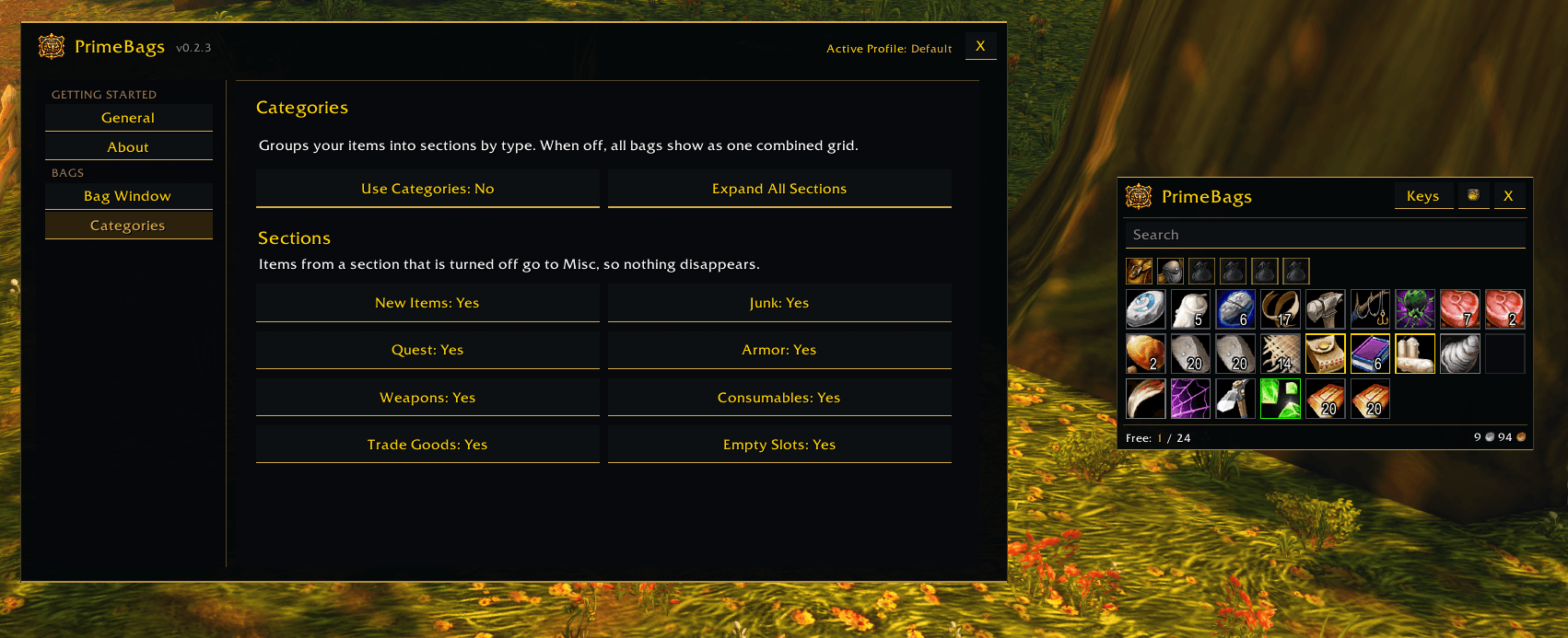
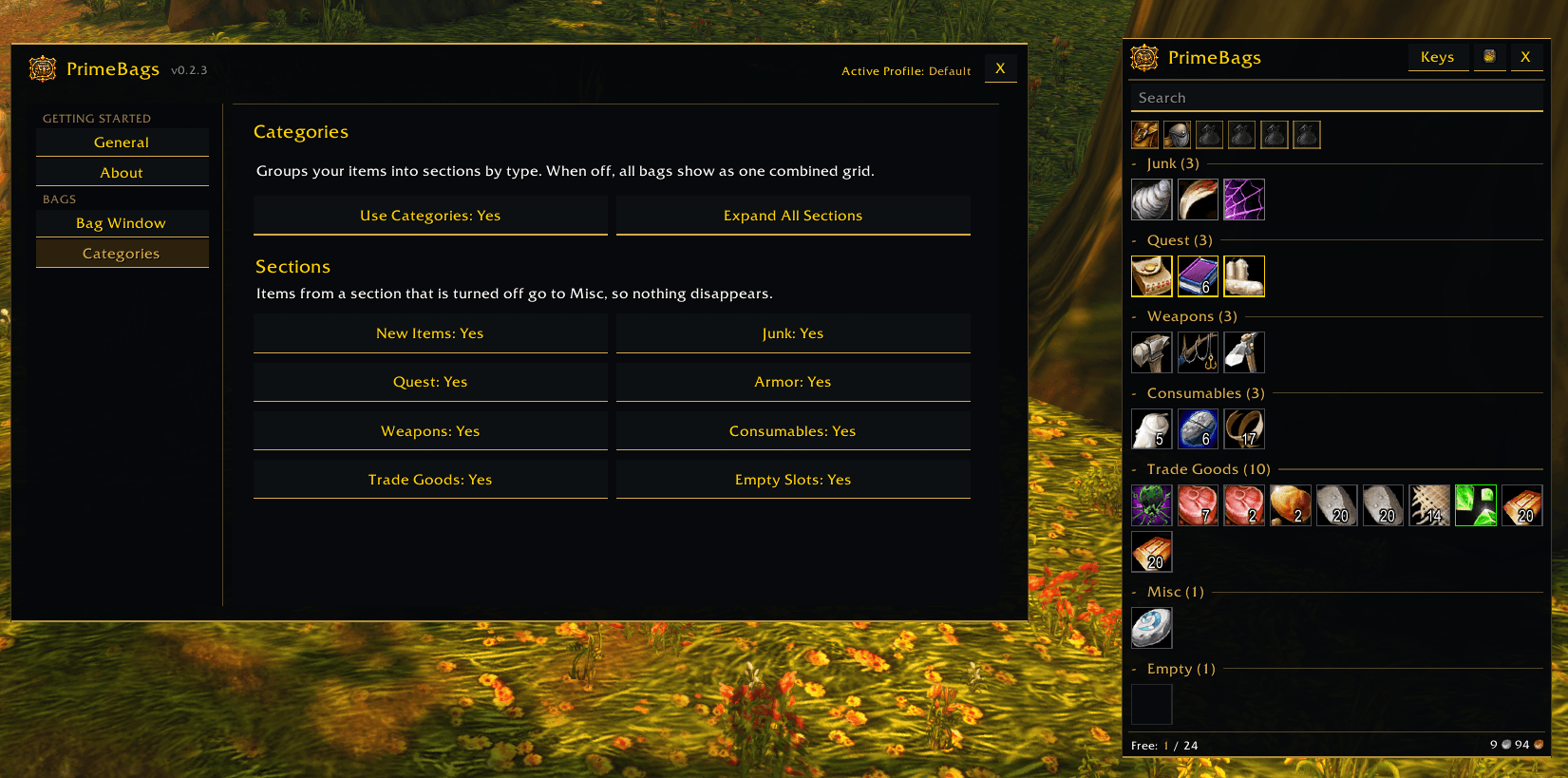
- Categories (optional): group items by type into collapsible sections: New Items, Junk, Quest, Armor, Weapons, Consumables, Trade Goods, Misc and Empty
- Bag menu: click the logo to assign item types to bags and choose which bags Clean Up and junk selling ignore
- Keyring: its own section with a Keys button in the header
- Bag slots: a row of your equipped bags; hover a bag to highlight its slots, drag bags in or out
- Free slots and money shown at the bottom of the window
- Your window, your way: move it, lock it, reset it, and set the columns and scale
- Profiles: your settings are saved per profile and kept through updates
- Quick access from a minimap button
Categories
Categories are off by default, so you start with one combined grid. Turn them on in Settings > Categories. Items from every bag are placed together, so all your armour sits under Armor. Click a section header to collapse or expand it. Turn any section off and its items move to Misc, so nothing ever disappears.
The Prime Suite (optional)
PrimeBags works on its own. These separate addons are designed to match it, and you can install any of them or none:
- PrimeBars
- PrimeChat
- PrimeMinimap
- PrimeQuestTracker
- PrimeTooltip
Getting started
- Install the addon and log in.
- Press B (or click your bag bar) to open PrimeBags.
- Drag the window by its header to where you want it.
- Right-click the minimap button to open settings and set columns, scale and categories.
- Click the logo in the bag window for the bag menu.
Commands
/pbags- open or close your bags/pbags config- open the settings/pbags on//pbags off- use PrimeBags or the Blizzard bags/pbags reset- reset the bag window position/pbags minimap- show the minimap button
Notes
- The Blizzard bags always open in the bottom-right corner and can't be moved. PrimeBags can be placed anywhere.
- Turning PrimeBags off brings the Blizzard bags back straight away. No reload needed.
- This is an early release. If you report a bug, please say what you were doing and include any error text.
Coming soon
- Display options: slot size, item level on gear, junk dimming, new-item highlight styles and hide empty slots
- List view
- Bank window in the same style
Created by PrimeCraze
Discord: https://discord.gg/Vb9aSb7E4Y
PrimeBags Team