PrimeCharacter
- By
A clean PrimeSuite replacement for Blizzard's character window: gear, stats, gear sets, reputation, skills, currency, titles and a screenshot mode. Works on Retail and WoW Forever.
Description
💬 Join the PrimeSuite Discord for support, bug reports, feature requests and update news:
👉 https://discord.gg/Vb9aSb7E4Y
Part of PrimeSuite: PrimeBars, PrimeChat, PrimeMinimap, PrimeQuestTracker, PrimeTooltip, PrimeNamePlates, PrimeMeter, PrimeBags, PrimeSocial and PrimeCharacter all share one look and work together, with PrimeUnitFrames coming soon.
PrimeCharacter
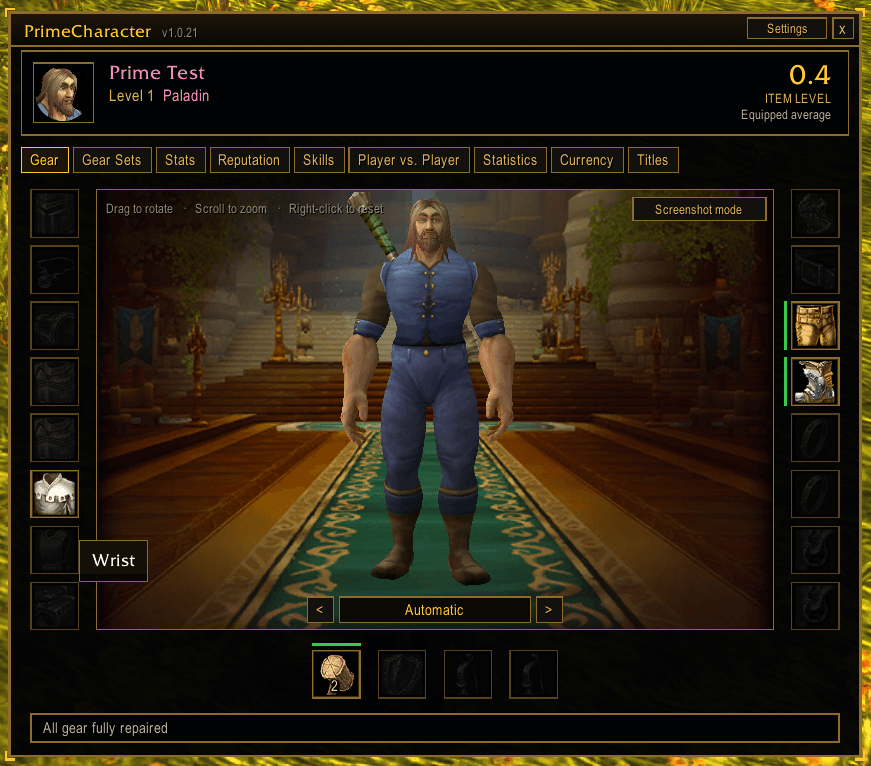
PrimeCharacter replaces Blizzard's Character window with one clean window for your gear, stats, gear sets, reputation, skills, PvP, statistics, currency and titles. It opens with the C key, Blizzard's character button, the minimap button or /pchar. One download works on WoW Retail (12.1.5) and WoW Forever (Interface 16001).
Keep Blizzard's window if you like
PrimeCharacter takes over the C key and the character button by default. One switch in the settings (or /pchar replace) gives them back to Blizzard's window, and PrimeCharacter still opens from the minimap button and /pchar.
Features
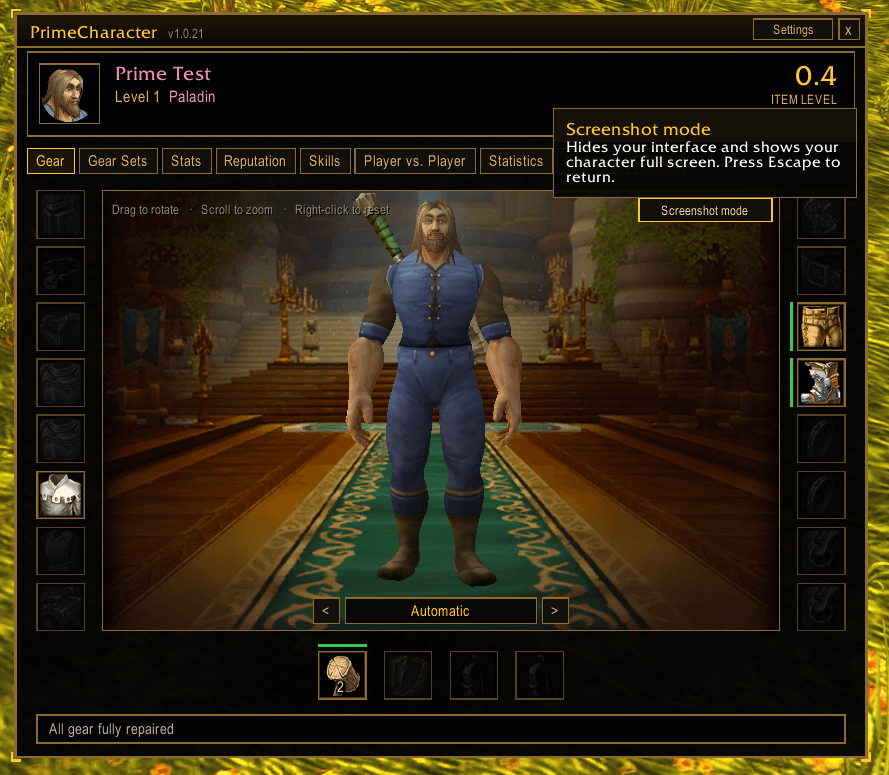
- Header card: your full name and title, level, class, spec, guild and average item level, always in view
- Gear tab: your 3D character with every gear slot around it. Drag to rotate, scroll to zoom, right-click to reset. Your character always stands, even if you're sitting in game
- Slot details: quality colors, item level, durability, and markers for missing enchants and empty sockets at max level. Hover for the tooltip, shift-click to link, right-click to use, drop items from your bags onto a slot to equip them, and click a slot to apply stones, poisons or enchants
- Repair summary: repair cost and your lowest durability under your gear
- Backgrounds: choose your class art, your race art, any other class or race, a plain or a gilded backdrop, right under your character
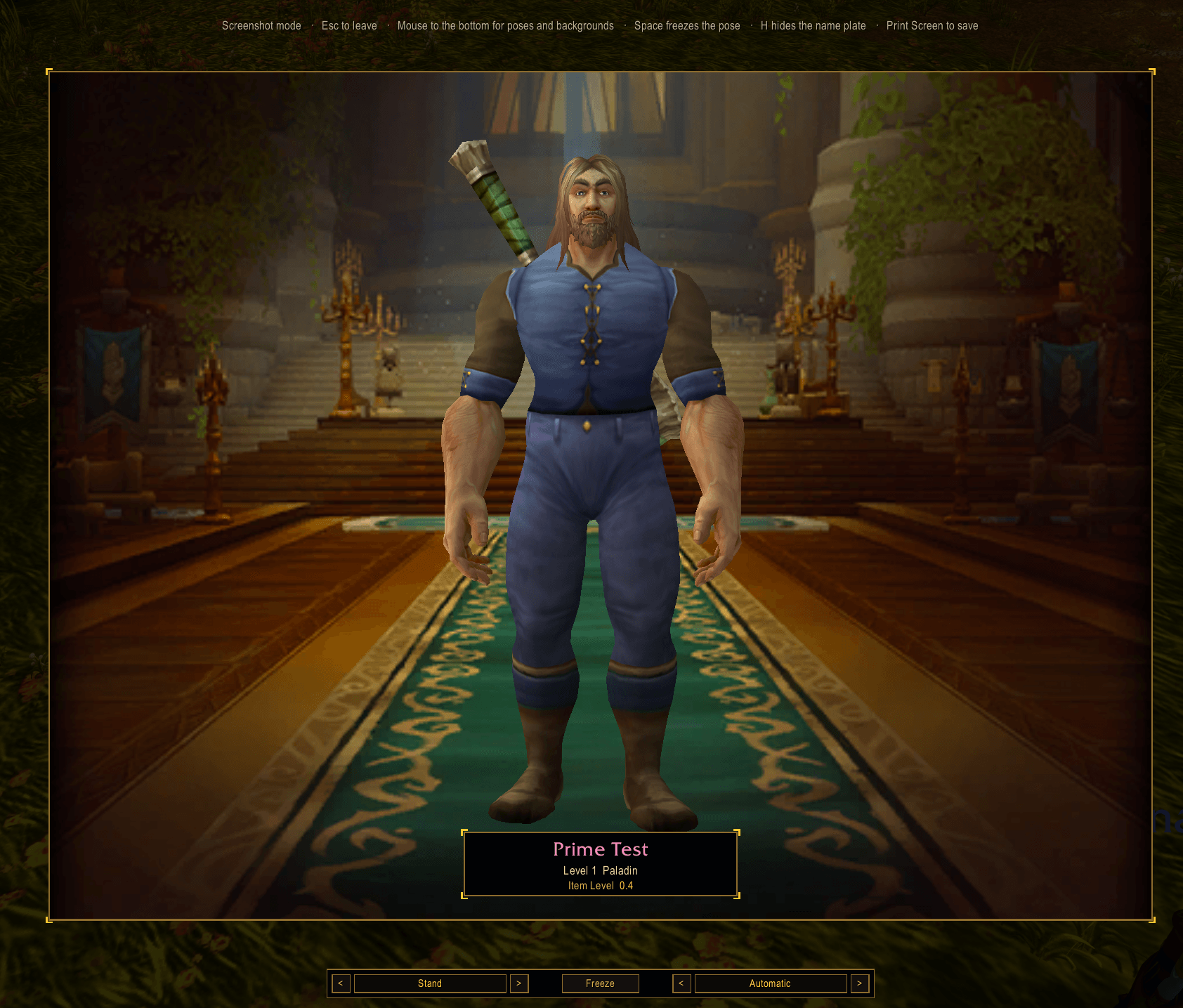
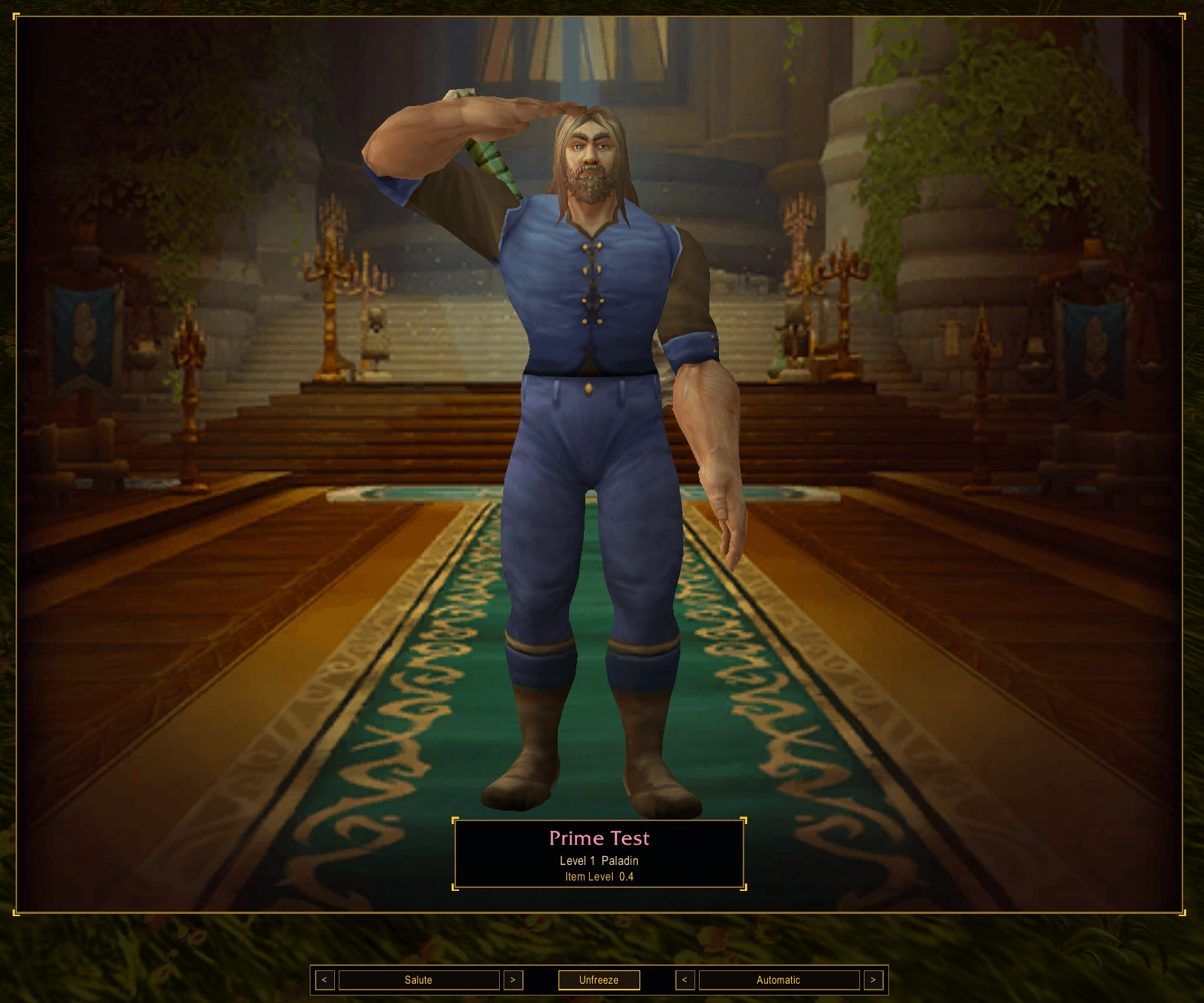
- Screenshot mode: your character fills the screen in a framed portrait with your name plate. Pick from over 20 poses and emotes, freeze the pose with Space, change the background, hide the name plate with H, then press Print Screen
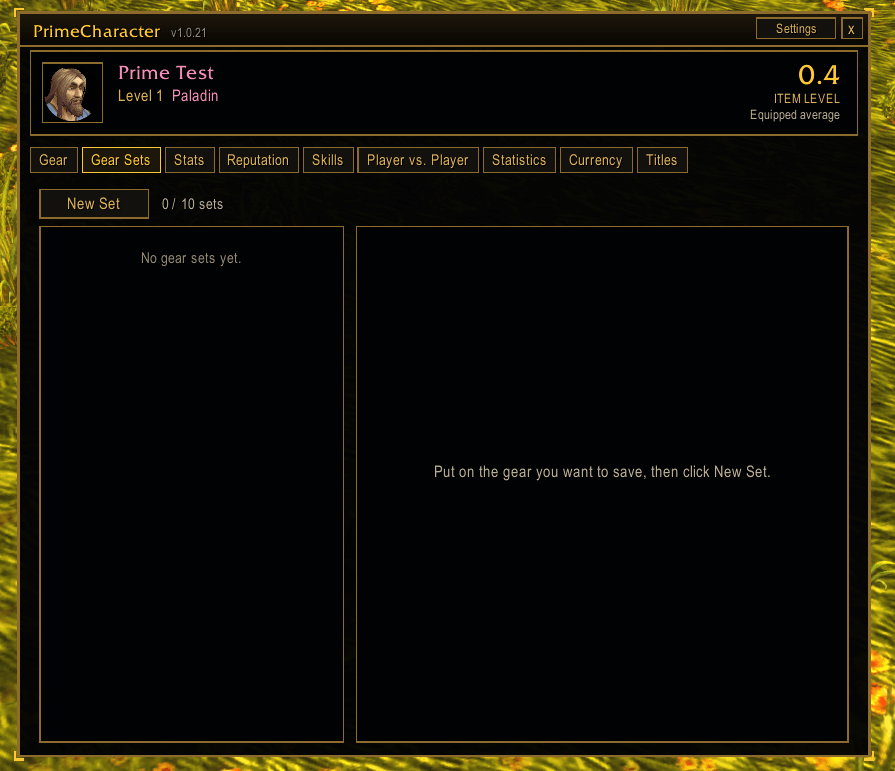
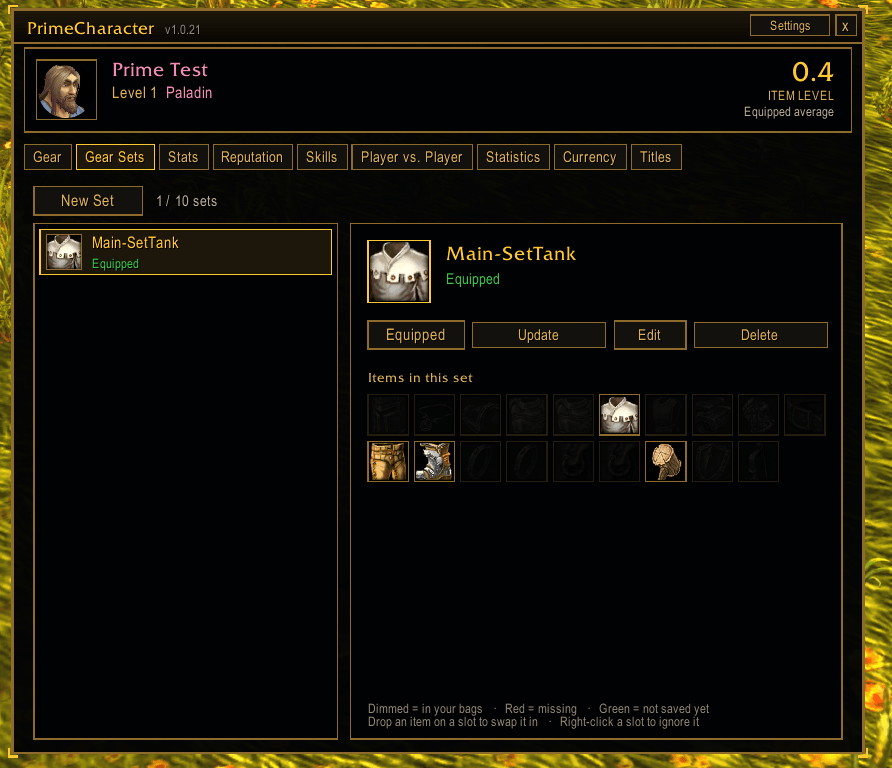
- Gear Sets: uses Blizzard's equipment manager, so your sets also work with Blizzard's window and /equipset macros. Make, rename, update and delete sets with an icon picker, and double-click to equip
- Edit sets by dragging: drop an item from your bags onto a slot of the set you're wearing to swap it in, and right-click a slot to ignore it. Click Update to save
- Combat safe: gear set swaps and item swaps in combat are queued and done the moment combat ends
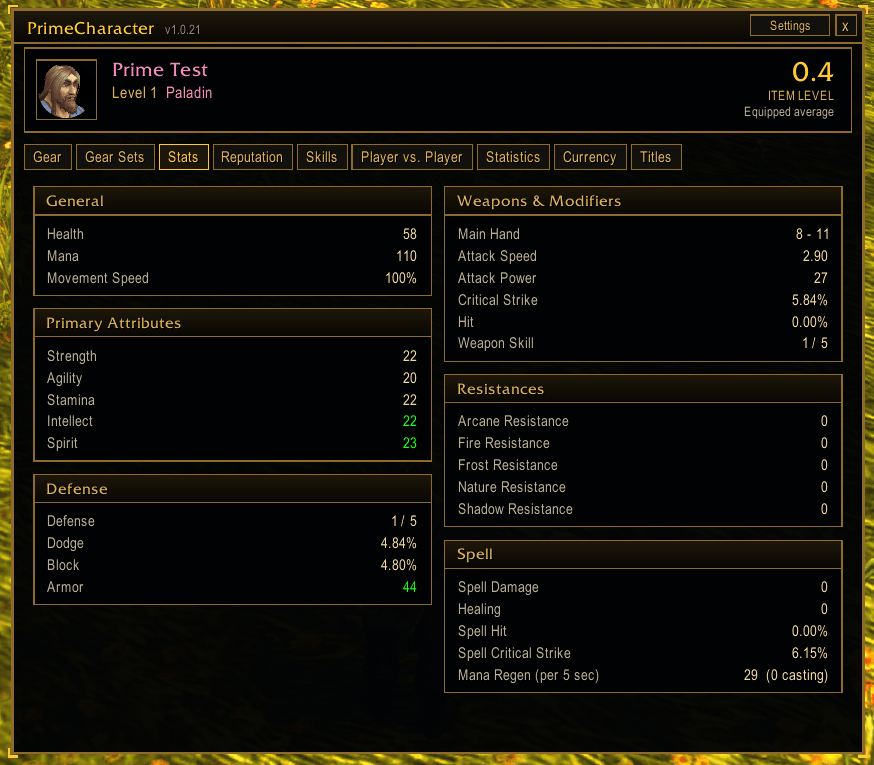
- Stats tab: all your stats in clear cards, in green when gear or buffs raise them and red when lowered, just like Blizzard's window. On WoW Forever this includes Defense, weapon skill, resistances and spell stats
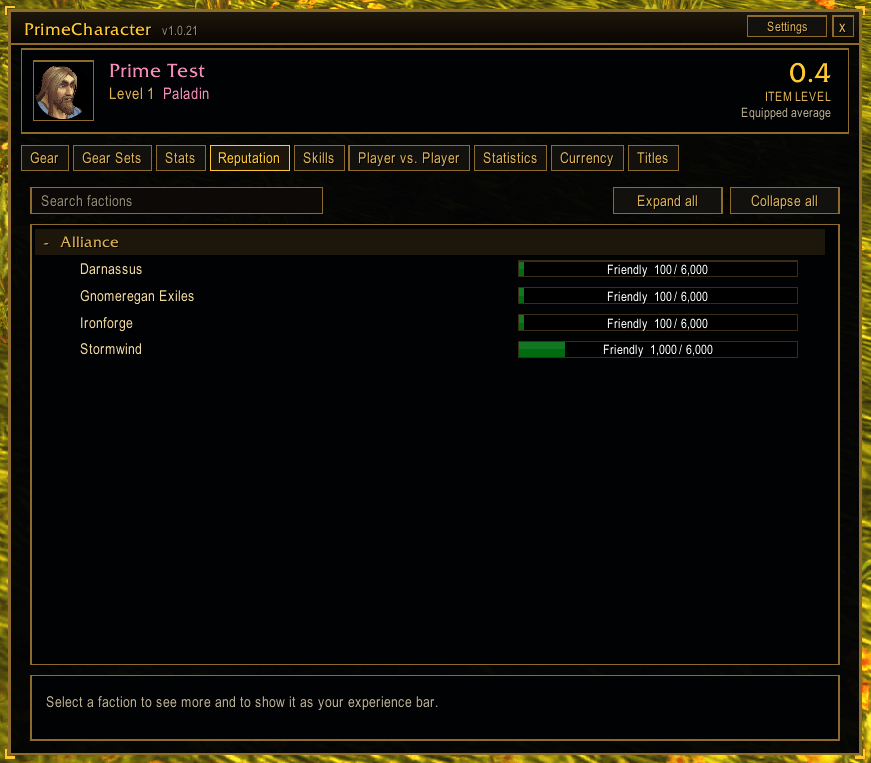
- Reputation tab: searchable, grouped like Blizzard's, with a "watch on experience bar" option
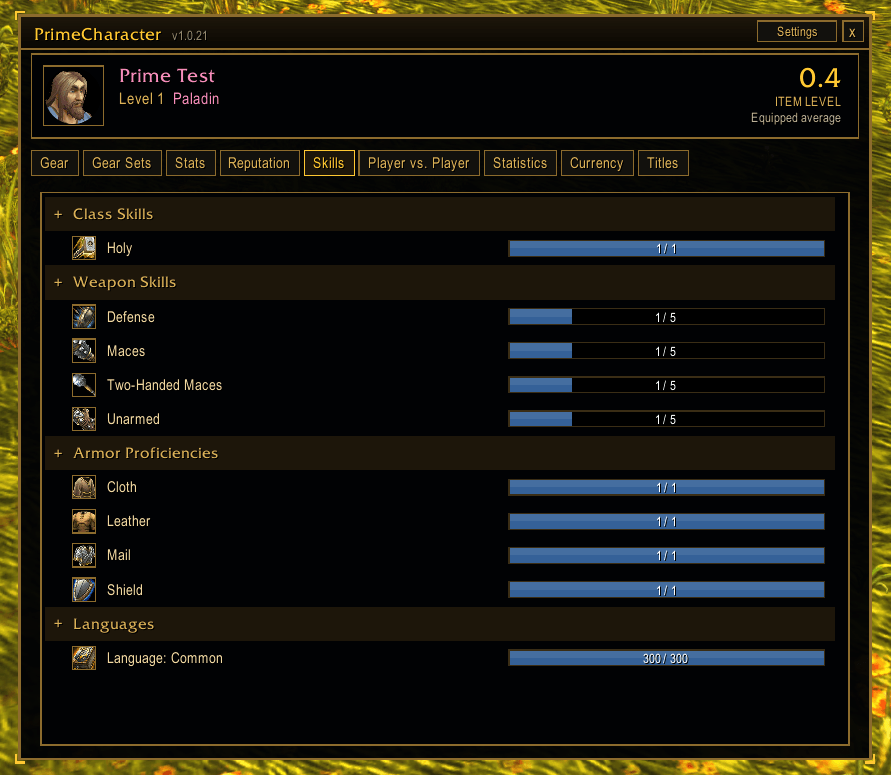
- Skills tab: on WoW Forever, every skill with its icon: weapon skills, defense, armour, languages and professions. On Retail, your professions. Click a crafting profession to open it
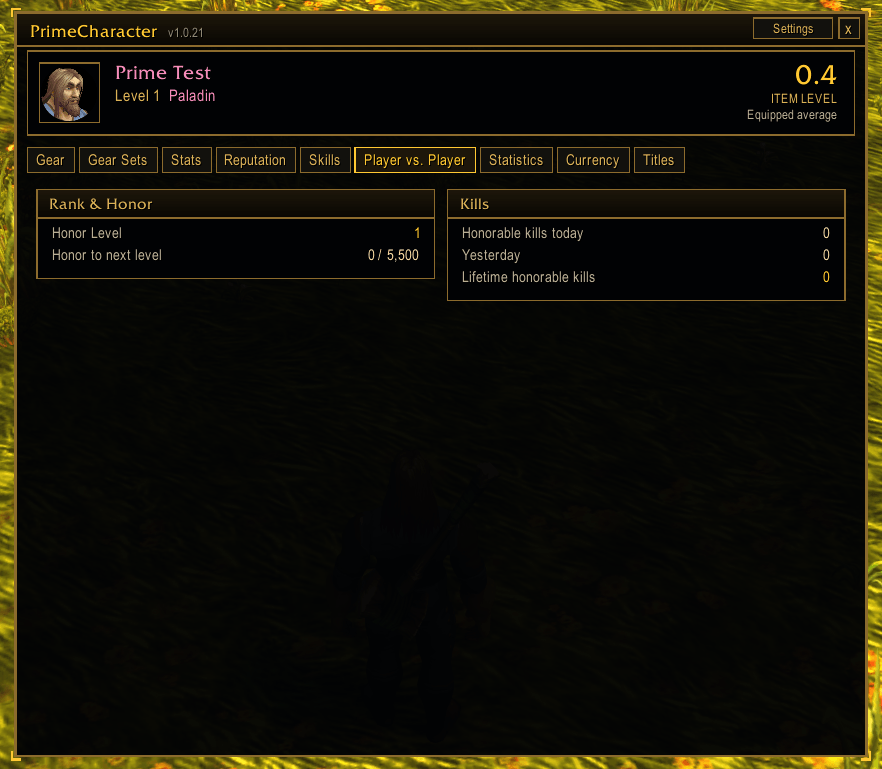
- Player vs. Player tab: honor, kills and ranks, showing whatever your version of the game tracks
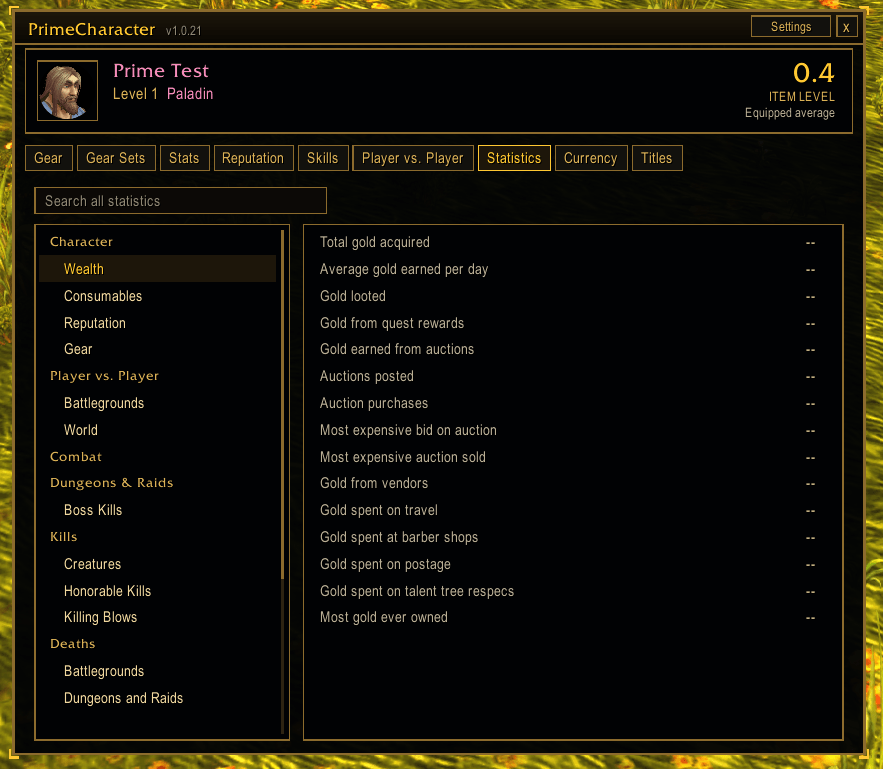
- Statistics tab: Blizzard's character statistics by category, with a search across all of them
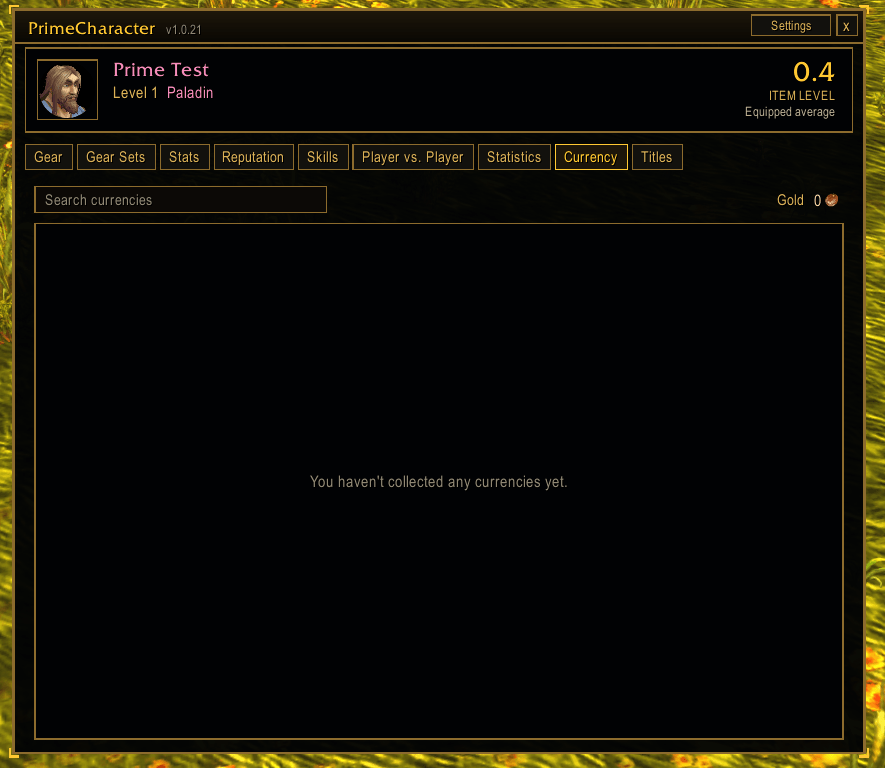
- Currency tab: searchable, with your gold and a "show on backpack" option
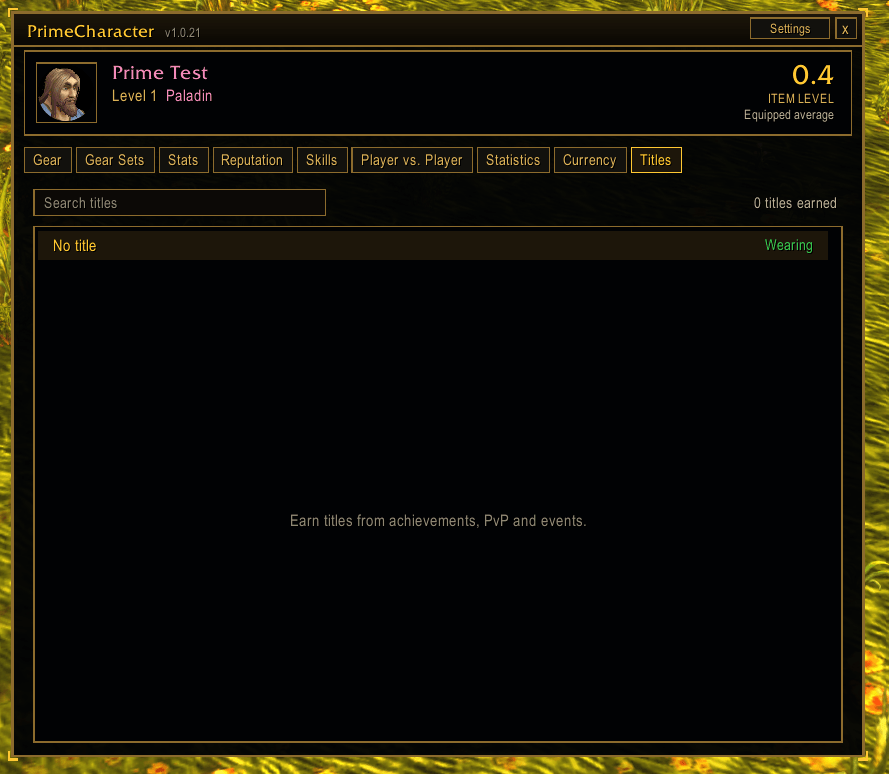
- Titles tab: every title you've earned with a preview of your name. Click to wear one
- Settings: window scale and opacity, open on the last tab, minimap button on/off and lock, model, item level and enchant markers, durability warning level and background, in our own panel and in Options > AddOns
- Quick access from the C key, a minimap button and /pchar
The Prime Suite (optional)
PrimeCharacter works on its own. These separate addons are designed to match it, and you can install any of them or none:
- PrimeBars
- PrimeChat
- PrimeMinimap
- PrimeQuestTracker
- PrimeTooltip
- PrimeBags
- PrimeSocial
- PrimeUnitFrames
- PrimeNamePlates
- PrimeMeter
Getting started
- Install the addon and log in.
- Press C (or click the minimap button) to open PrimeCharacter.
- Click Settings in the top corner, or right-click the minimap button, to pick your window size, background and options.
- Open Gear Sets, put on the gear you want and click New Set.
- Click Screenshot mode on the Gear tab, pick a pose and background, and take your picture.
Commands
- /pchar (or /pcharacter) - open or close
- /pchar gear | sets | stats | rep | skills | pvp | statistics | currency | titles - open on that tab
- /pchar config - settings
- /pchar shot - screenshot mode
- /pchar replace - C key and character button open PrimeCharacter or Blizzard's window
- /pchar scale 0.6-1.6 | opacity 0.2-1 - window size and see-through
- /pchar model | ilvl | enchants - turn the 3D model, slot item levels or enchant markers on or off
- /pchar durability 0-100 - durability warning level
- /pchar reset - reset window position, scale and opacity
- /pchar debug - show game version info for bug reports
Notes
- Gear sets are saved in Blizzard's equipment manager, so they're per character and shared with Blizzard's own window.
- No gear is ever changed in combat. Swaps wait until combat ends, and chat tells you they're queued.
- Tabs only show what your version of the game provides, so Retail and WoW Forever show slightly different stats, skills and PvP info.
- Race backgrounds are small pictures from the game, so they look softer than class backgrounds in screenshot mode.
- If you report a bug, please say what you were doing and include any error text and the output of /pchar debug.
Created by PrimeCraze
Discord: https://discord.gg/Vb9aSb7E4Y
PrimeCharacter Team