Obsidian UI
One complete UI for WoW: Forever and Classic Era. Unit and raid frames, nameplates, action bars, bags, a damage meter, quest helpers and raid tools.
Screenshot 2026-11-06 195621.png
Description
Obsidian UI
One complete, good-looking interface for World of Warcraft: Forever and Classic Era. Dark glass panels, pixel-perfect borders and one accent color tie the whole screen together. Every piece can be moved, resized, restyled or switched off.
It replaces a whole stack of addons: frames, bars, bags, a damage meter, nameplates, and the helpers that make leveling, dungeons and raids easier. It's built for Forever's combat rules, so it keeps working in combat when the game hides health and other numbers from addons.
Up and running in a minute
- On your first login, a Setup Guide walks you through a color theme, your frame and nameplate looks, and where everything goes.
- Style presets give you a finished look in one click: Hardcore, Healer, Raider, Minimal and Controller (for gamepad mode on Forever). Each one also arranges your frames its own way.
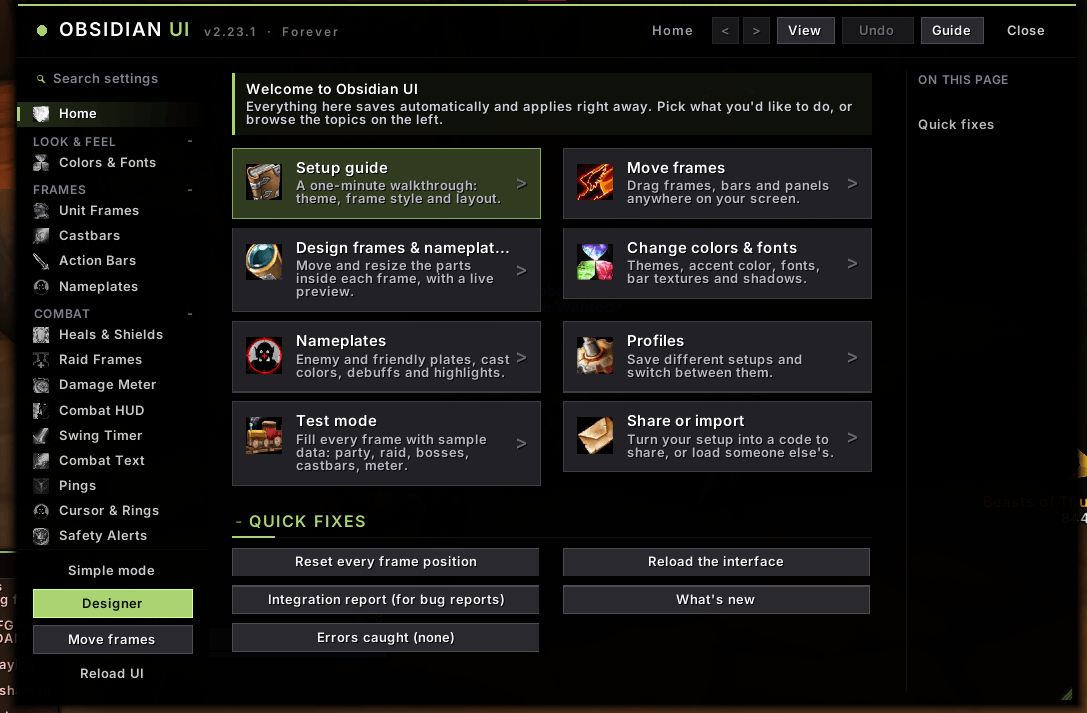
- Settings (
/oui) in a window any size you drag it to, with its own text size, sections that fold, an On this page list, pinned pages, back and forward, a search box, Simple and Advanced modes, Undo for every change, and a page listing everything you've changed. - Layout mode (
/oui move) lets you drag any frame. The Designer (/oui design) lets you rearrange the parts inside a frame: names, bars, icons and text. - Profiles can follow your specialization automatically, and share codes let you swap setups with friends.
Frames and combat
- Unit frames: player, target, target of target, pet, focus, party and boss frames. Each has class resources, auras, role and ready-check icons, and range fading.
- Raid frames show incoming heals, shields and heal absorbs. Healer indicators mark your heals over time, warn about missing buffs on your tank, and give a low-health edge that works mid-fight.
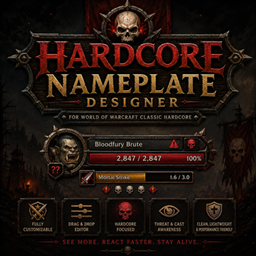
- Nameplates are fully designable: cast bars with interrupt colors, threat, a danger tag (ELITE, BOSS, RARE), a red YOU when a mob targets you, and your debuffs.
- Cast bars show your latency zone, tick marks on your channels and how each cast ended. On Forever, dangerous enemy casts light up (a colored bar, a border and ! to !!! on the spell icon), "!! TARGETING YOU" shows when a cast is aimed at you, and two lists show what your party is casting and every enemy casting around you, the dangerous ones first.
- There's also a compact combat HUD, a swing timer, combat text and a threat window.
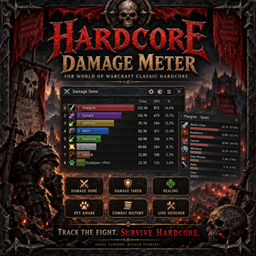
- The damage meter covers damage, healing, damage taken, interrupts, dispels and deaths, with a second window. On Forever it reads the game's own data; on Classic Era it builds the figures from the combat log.
- Safety alerts give a low-health glow and sound, warn about dangerous mobs, count the enemies on you, and show "what hit me" when you die.
Bars, bags and interface
- Eight action bars with any layout, mouseover and combat visibility, and a hover-and-press keybind mode. Obsidian keeps a backup of your keys and offers to put them back if the game loses them after a disconnect (
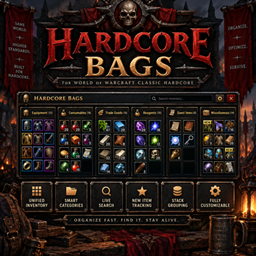
/oui keys). - All your bags in one window with search, sort, item levels and groups, and it holds still while it's open (no jumping as you loot or sell). Your bank is saved, so you can browse any character's bank anywhere, and item tooltips show what your alts carry.
- A restyled minimap, info bar, experience bar, chat, tooltips (item level, target, IDs), quest tracker, buffs, Escape menu and micro menu.
- On Forever, the game's own windows in the same look: character, spellbook and talents, merchants, mail, the auction house, professions, trainers, guild, collections, the group finder, options, the yes/no boxes and more get a flat dark panel, your accent line, flat tabs, buttons and scroll bars. Any window can be left as the game draws it.
- Cursor rings show the global cooldown, your swings and your casts.
Leveling and questing
- Quest automation: quests are accepted and turned in for you, but it stops whenever there's a reward to choose. Hold Shift to do it yourself.
- Leveling kit: a bindable button bar for your usable quest items, the XP each tracked quest gives, and how far your turn-ins take you on the XP bar.
- Quest log helpers: a warning before the log fills up, a quest count on the tracker, and a gray-quest cleanup button.
- Waypoints (
/way 45 62, or Shift-click the map) with an arrow and pins on the world map and minimap, a flight timer, gathering memory (herbs, ore and fishing spots on your maps), and a trainer helper with Train all. - On Forever: Obsidian's own quest tracker: drag its corner to any size, and pick its fonts, colors and what each quest shows (levels, XP, distance, timers). Click a quest for its quest card: objectives, the quest's text and rewards.
- On Forever: a quest arrow to the quest you pick (Ctrl-click it in the tracker) or the top of your tracker (a smooth, shaded arrow that turns green when you face the way), your quests as numbered pins on the minimap, and a quest route (
/oui route) that walks you through the zone's quests in the shortest order. - Party quest sync: groupmates running Obsidian see each other's progress on shared quests.
Dungeons, raids and PvP
- LFG board (
/oui lfg): chat posts, plus the Group Finder's listings on Forever, sorted by dungeon with your level range first. Write your own LFG or LFM post with/oui post. - Lockouts and instance limits for every character, dungeon entrances on the world map, and (on Forever) a boss and loot browser that marks upgrades.
- Run log (
/oui runs, Forever): every dungeon and raid run with its time, bosses, wipes, loot and group. A boss fight bar shows your best kill time. - Raid prep (
/oui raid) for Forever's December raids: your level, lockouts, the Drakefire Amulet, fire resistance and your consumables. - Raid tools: target and world markers, ready check, role check and a pull timer (
/pull 10), plus a raid buff check. - Battleground helpers (
/oui bg, Forever): queue times, a ready alert, how many players each side has, the next resurrection wave, and your match results. - On Forever: your pace against your best run at each boss, a raid loot log by week (
/oui raidloot), raid assignments shared with the raid (/oui assign), and honor and rank (/oui rank). - On Forever: every groupmate's interrupt and raid cooldowns (Rebirth, Soulstone, Innervate and more), a dispel helper, a pull check (
/oui ready), your own boss notes shown as the fight starts (/oui notes), spell alerts with a sound and a flash for the enemy spells you pick, new enemy spells to rate (/oui spells), and filters for the enemy cast list.
Gear, gold and professions
- Upgrade scores: every item is scored from its stats for your class and talent tree. Upgrade arrows appear in bags, on quest rewards and on loot rolls, and the best quest reward is marked.
- On Forever: gear sets with an Equip upgrades button, an outfit bar, and a mark on gear whose look you haven't collected.
- Auction prices on every tooltip, plus Scan all to price the whole auction house at once. There's also an Alts button and expiry warnings for mail.
- Vendor helpers: sell junk, repair, restock food, ammo and reagents, and get durability warnings.
- Professions across all your characters, recipe cooldowns, and a shopping list that prices the reagents you're missing; click one at the auction house to put it in the search box (Forever).
- On Forever: find any item on any character (
/oui find), auction deals (/oui deals), a sell list at the auction house with undercut prices (/oui sell), a skill-up advisor that ranks recipes by gold per point (/oui skillup), and what repairs and deaths cost you (/oui repairs). - On Forever: all your characters on one page (
/oui alts), a farming tracker with gold per hour (/oui farm), price history on tooltips (/oui prices), a recipe finder across your characters (/oui recipes), mail rules that send each alt their share (/oui mailrules), and talent builds that offer to switch for dungeons, raids and battlegrounds (/oui talents).
Made for Forever
- Hunter pet helper: your pet's happiness, loyalty and training points, with one button to feed, mend, revive or call it.
- Weapon buff, ammo and reagent reminders that you click to apply.
- Quest timer bars and group sizes on elite quests.
- Legacy challenges (
/oui legacy), with the ones closest to done first, and the ones you track on screen. - A stable helper for hunters (
/oui stable), weapon skills against their cap with what the gap costs (/oui skills), and a reputation tracker with your pace and the rewards at each standing (/oui rep). - Challenge rules for your own Hardcore runs: no auction house, no mail, no trading, no grouping, kept for you, with a log (
/oui rules). - Danger zones on Hardcore realms (
/oui danger): where Hardcore characters are dying this week and what killed them, with a warning as you arrive. - A Controller layout offered when the game switches to gamepad mode.
- Classic or Enhanced setups to match your experience preset.
Classic Era and Hardcore
The same download runs on Classic Era: Hardcore, Season of Discovery and normal realms. There you also get quest levels in the quest log, a death recap that names your killer, a PvP flag guard, the Hardcore death feed (/oui feed), and an emergency bar of your escapes, potions and hearthstone.
Built to stay out of your way
- Everything clickable in combat uses the game's own secure buttons, and changes made in combat wait until it ends.
- Obsidian never runs the game's own map, quest or auction house code on your behalf, which is what gets addons blamed for "Interface action failed". Its quest arrow, waypoint pins and quest card are its own.
- If one part keeps running into errors, a safety net pauses just that part and tells you, while the rest of your UI keeps working.
/oui testfills every frame with sample data so you can set things up anywhere./oui safestarts safe mode if something goes wrong.
Commands
/oui: settings/oui guide: setup guide/oui move: layout mode/oui design: Designer/oui style healer(orhardcore,raider,minimal,controller): apply a style/oui test: test mode/oui help: every command
Found a problem?
Type /oui bug in game. It builds a report with your recent errors, what you did last, your settings and an integration report, ready to copy into a comment. /oui debug shows which parts are on and what your game supports.
Credits & licenses
Obsidian UI is copyright (c) 2026 the Obsidian UI author. All rights reserved: you may use it in the game and change your own copy, but please don't re-upload or redistribute it.
The bundled fonts (Barlow Condensed, Inter, Big Shoulders, Smooch Sans, Tektur, Jura, Outfit, JetBrains Mono, Pixelify Sans and Crimson Pro) belong to their authors and are used under the SIL Open Font License 1.1; the download includes each license.
World of Warcraft and Blizzard Entertainment are trademarks or registered trademarks of Blizzard Entertainment, Inc. Obsidian UI is not made, endorsed or supported by Blizzard Entertainment.
Obsidian UI Team