OAP Off The Map
- By
Dungeon maps, a map browser, zone level colours and a history of your dungeon runs, bosses and loot - for WoW Forever.
OAP Off The Map is a dungeon companion for WoW Forever (though it will run in Retail WoW and provide functionality not already there). It remembers every dungeon you run - bosses, loot and run times - tells you at a Need / Greed roll whether an item is new to you, and fills in the maps the game leaves out: dungeon maps, a map browser and level colours on the world map.
Made for WoW Forever. (OAP: Old Age Pensioner. "Off the map": where I usually am in a dungeon, and how my memory works.)
Your dungeon history
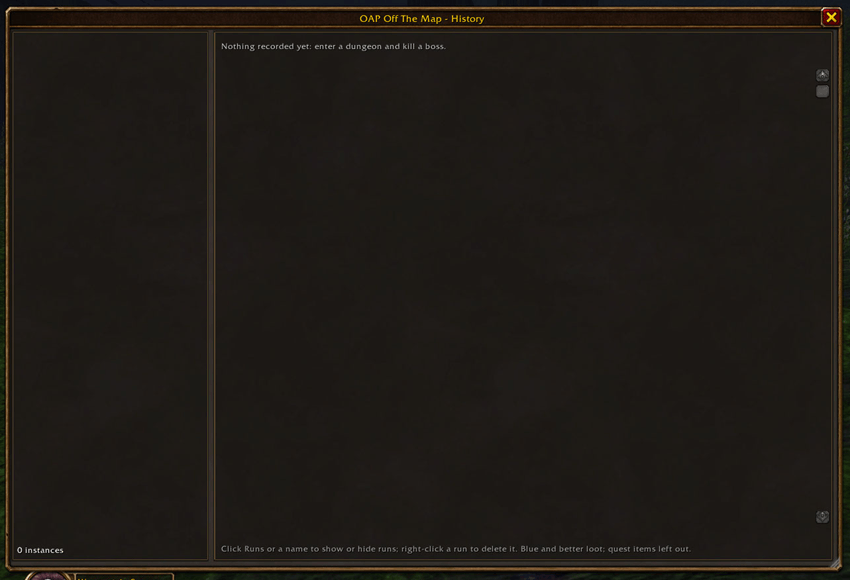
Every instance you enter is recorded quietly as you play. Open the history with a right-click on the minimap button, or /oapotm history.
- Bosses: each one you have killed or wiped on, and how often.
- Loot: what each boss dropped, plus trash and other loot, blue quality and better, from group rolls - how often it dropped and how often you won it.
- Run times: a run started in a party is timed from going in to leaving the group, and marked complete or partial. You see your best and average time and your recent runs. A run that went wrong (you went AFK inside, say) can be removed: right-click it and choose Delete run.
- A boss checklist beside the world map in a dungeon, ticked in green as each boss dies on this run. It carries on through a /reload, a logout, or running back in after a wipe.
Bosses and loot are shared by all your characters; run times are kept per character, and every character can see them all.
Help at the loot roll
For blue items and better, the Need / Greed popup gets badges in a column on its right:
- Armour figure: you are wearing that exact item.
- Bag: a copy is in your bags (not the bank). Both can show if you have a duplicate.
- Eye: the item has dropped in this dungeon before, on any of your characters.
- Marching ants around the icon: new to you - not worn, not carried, never seen here.
The game's own Loot Rolls window can also open by itself when a blue-or-better item drops, so you can see who rolled what. It opens once per drop and can be switched off in Settings. It stays shut in gamepad mode, where it would take the controller's focus.
Dungeon maps
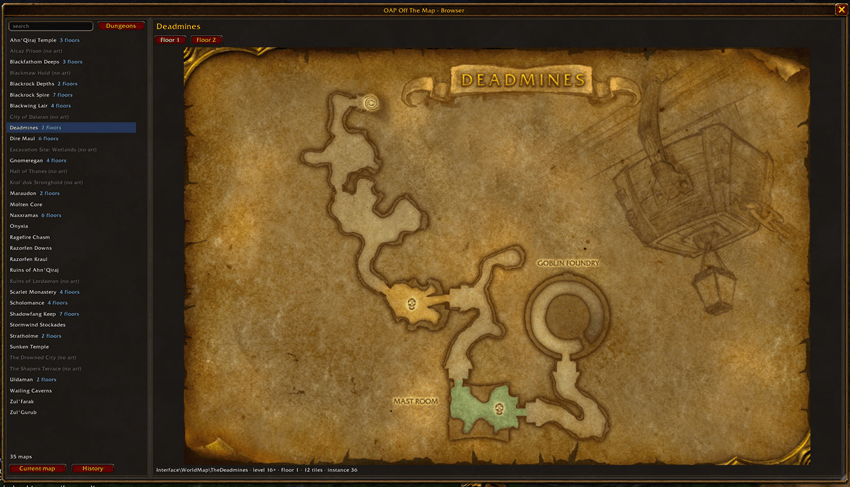
Forever has no dungeon maps of its own, but the game still carries the pictures. Press M inside a dungeon and the world map shows that dungeon's own map, with a button for each floor. Zoom with the mouse wheel and drag to move; right-click to step back out to the zone.
The map browser (left-click the minimap button, or /oapotm) shows every dungeon map from anywhere, searchable by name, and zones and continents too.
Level colours on the world map (optional)
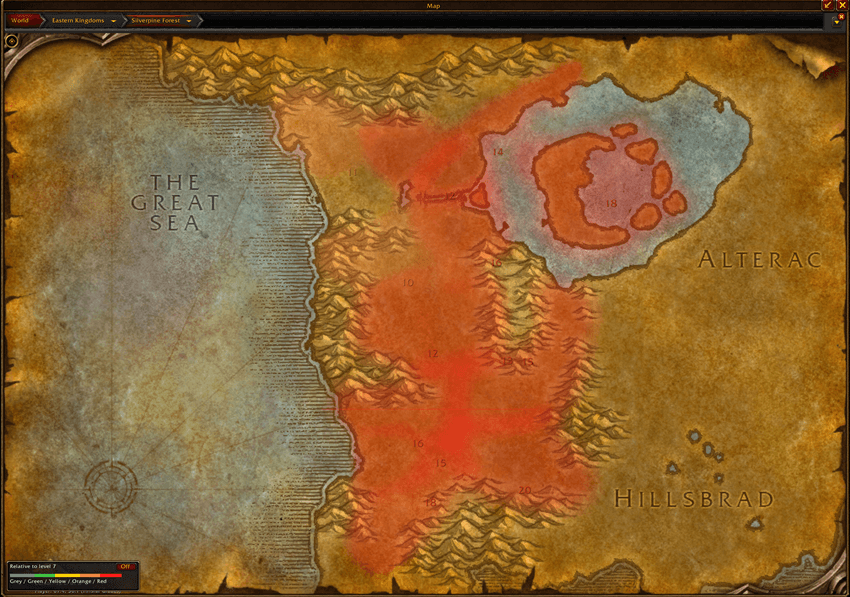
Outside, the world map and the map browser can colour areas by their approximate level, with the level range written on each area. Choose Absolute (fixed colours, green for low through to red for high) or Relative to your level (the game's grey to red difficulty colours, which change as you level). A key on the map switches them off and on. The colours are estimates from the game's exploration data, not a promise of how hard the creatures are; areas without data stay uncoloured.
Good to know
- Made for WoW Forever.
- No "you are here" marker in dungeons, and no automatic floor change: the game does not tell addons where you are inside an instance.
- Not every dungeon has a map. Some never had pictures, and a few of Forever's new dungeons aren't matched up yet; there you get the game's normal map. The map browser marks them.
- Loot you pick up yourself (solo, or free-for-all) isn't recorded - only group rolls.
- Any language: dungeon names and levels come from the game, in your client's language.
- Settings are in Options > AddOns > OAP Off The Map, and the full manual in Options > AddOns > OAP Off The Map > Help.
/oapotm helpopens it. - Works on its own; no companion addon is required.
OAP Off The Map Team