Destroy Bag Items
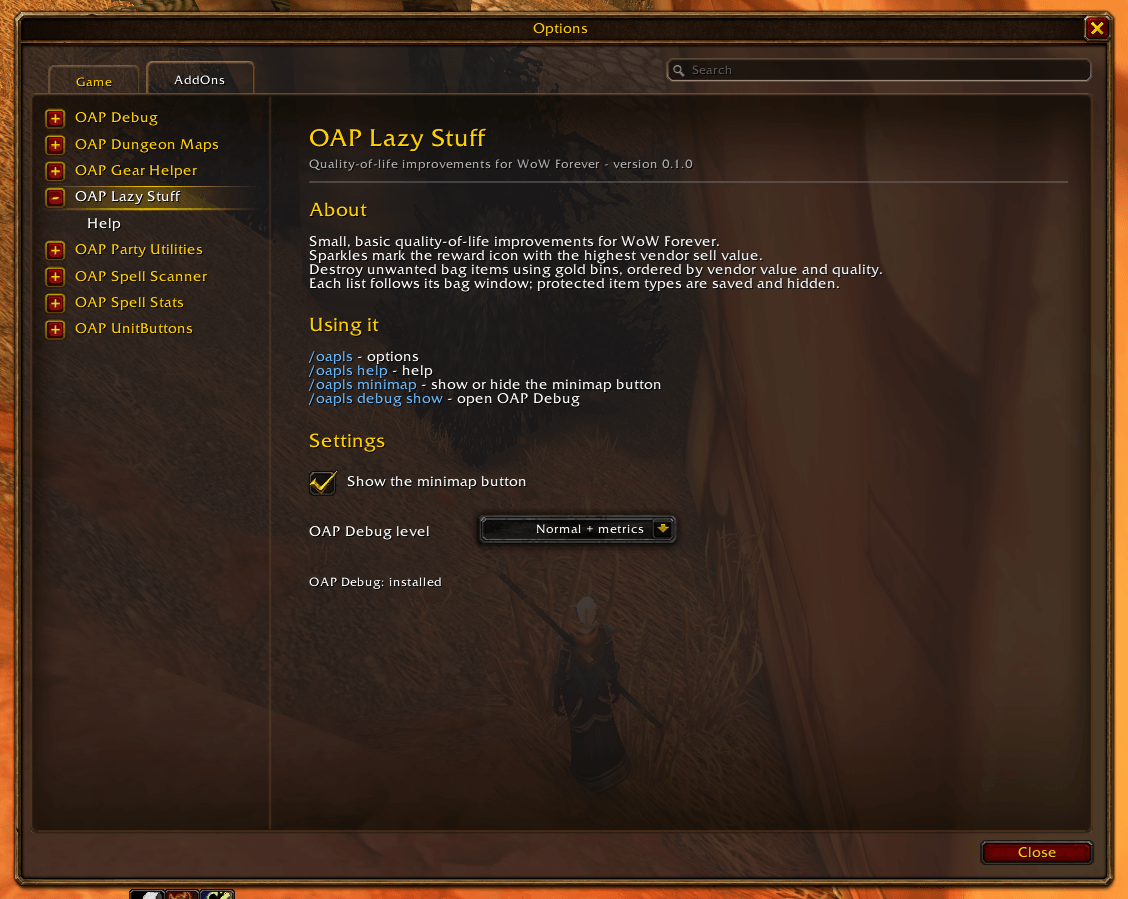
Image-3.png
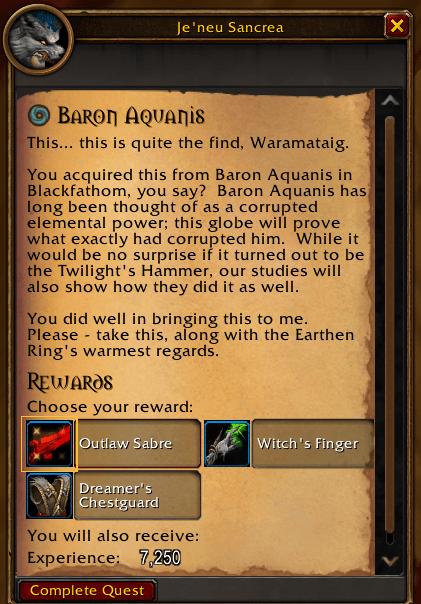
Image-2.png
Description
OAP Lazy Stuff adds small, basic conveniences for everyday play in WoW Forever.
(OAP: Old Age Pensioner.)
Compare quest rewards at a glance
At standard quest hand-in, a thin gold frame, faint glow and animated sparkles mark the reward icon with the highest total vendor sell value. Stack quantities count, and tied rewards share the highlight.
The gold frame sits outside the item's quality-coloured border, leaving the reward description clear. Hover a marked reward to see its total vendor value.
You choose the reward yourself. The addon never selects it or finishes the quest for you. It waits for every choice's price before comparing them; no highlight appears for fewer than two choices or if all choices have zero vendor value. Quest-log previews are not marked.
Destroy unwanted bag items
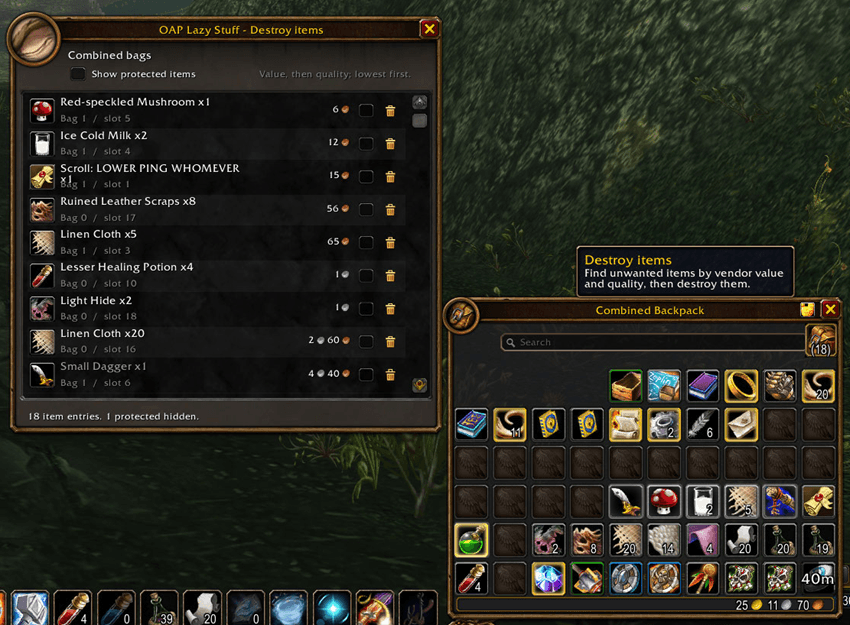
The Destroy items list shows each item's icon, quality-coloured name, quantity and total vendor value, including single items and stacks. It sorts by vendor value first, then quality, lowest first, so cheap items are easy to find. Items with no vendor value are omitted.
Separate bags have their own lists; the standard combined bag has one list for the bags represented by that window. Specialist/resource bags outside it have their own button and list when opened. Bank contents and third-party bag replacements are not included.
Hover a row for its item tooltip, scroll for more rows, or drag the window to move it. A gold bin beside each item lets you permanently destroy the item and its full quantity with one click, without an addon confirmation. Clear your cursor first; locked items and deletion during combat are disabled. The addon checks the slot and item identity again before picking it up. It never sells or destroys items simply because you opened the list.
Tick the checkbox beside a bin to protect that item type. All copies are hidden from the normal list across every bag, and protection survives reloads. Use Show protected items to reveal them in the current bag window and untick an item's checkbox to remove protection. Protected items cannot be destroyed.
Current 0.1.0 preview: the bag buttons are still being checked. Use /oapls bags with a bag open to open its list directly. Test destruction only with disposable items while this feature is being validated; the client may restrict destruction.
Controls and help
/oaplsopens Options > AddOns > OAP Lazy Stuff./oapls helpopens the in-game Help page./oapls bagsopens the list for an open bag; combined bags take precedence./oapls minimapshows or hides the minimap button.- Minimap left-click opens options; right-click opens Help. Drag it to move it.
/oaplazystuff is an alias. Settings and the minimap position are saved between sessions.
OAP Lazy Stuff Team