OAP Unit Buttons
- By
Click-to-cast buttons beside your unit frames: click a button on a party member's frame and the spell goes to them. Range, mana, cooldowns and heal size shown on the button.
OAP UnitButtons is an Addon for WoW Forever only (if there is interest I may port over to other flavours).
OAP UnitButtons puts bars of spell buttons beside your unit frames - party, raid, player,
target, or frames of your own that you place anywhere. Click a button and the spell goes to
the person whose frame it sits on. No targeting first, no mouseover macros, no key
combinations to remember.
Made for healers and support players, and for anyone whose reflexes are not what they were
after twenty years of WoW. (OAP: Old Age Pensioner.)
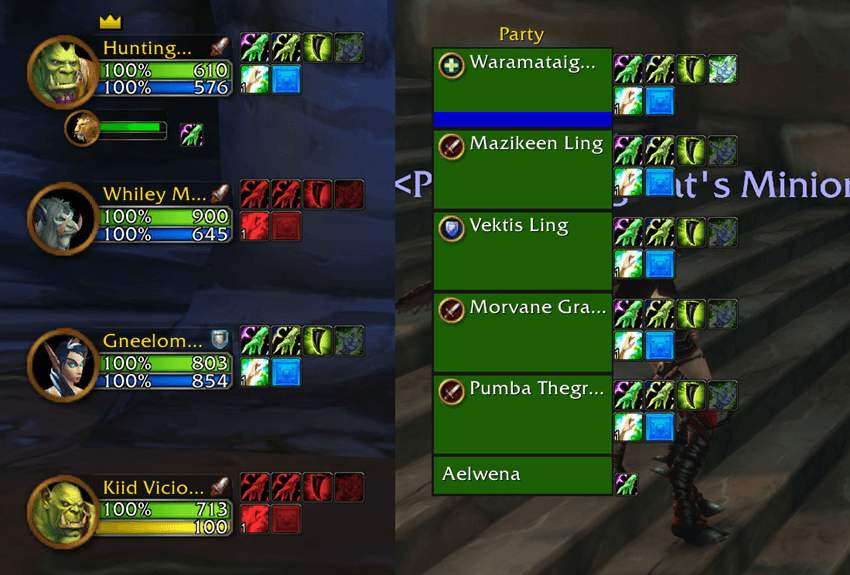
What the buttons show
- Out of range: the icon greys and turns red - even in combat, where the game hides most
numbers from addons.
- Not enough mana: a blue wash. **Not usable**: darkened.
- Cooldowns: the usual sweep.
- Casting: the button glows and fills while your spell is on its way to that person.
- Heal preview: hover a heal and a thin line on their health bar shows how much it would
heal - low end, high end, and a crit.
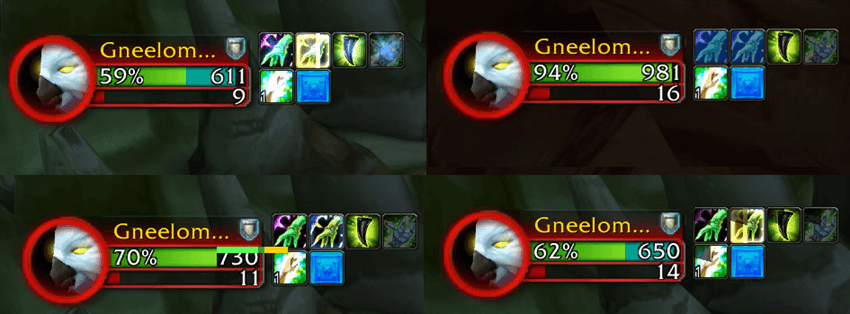
About the heal preview - an estimate, still being worked on
The game does not tell addons how much a spell heals. The heal preview reads the number from
the spell's description (the text in its tooltip) instead, so please treat it as a
guide, not an exact figure:
- It is an estimate. The crit part uses the game's base crit size (1.5x on Forever, 2x on
Retail); talents and gear that raise your heals or crits are not counted.
- Not every spell is covered yet. Each class words its heals a little differently, and I
have not met every wording yet. A heal whose text is not understood simply shows no
preview - it does nothing worse than that.
- English clients only, for now. The descriptions are read in English; on other
languages the preview will not show.
- Not on floating bars. The line is drawn on a unit frame's health bar, and a floating
bar has none.
I am still looking into better ways to do this, such as learning each spell's real heal
size from your own casts - using my SpellStats Addon. If you find a heal that shows no preview, or a wrong one, please leave a comment with the spell's name, its rank, your class and game version (Forever or
Retail), and I will look into it.
Set up in game
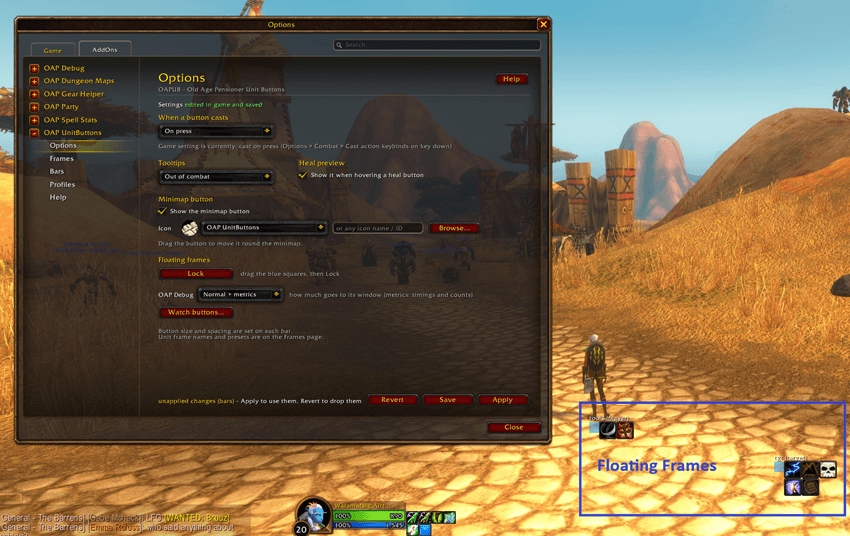
Everything is set up from Options > AddOns > OAP UnitButtons - no files to edit:
- Bars: rows of spells, items and macros. Drag spells straight from the list, pick icons,
set size, spacing, direction and wrapping.
- Profiles: which bars go on which frames and where, with a live placement preview you
drag. Show a row always, only in combat, or only out of combat; limit rows and buttons to
a spec or a group role; switch profile with your spec.
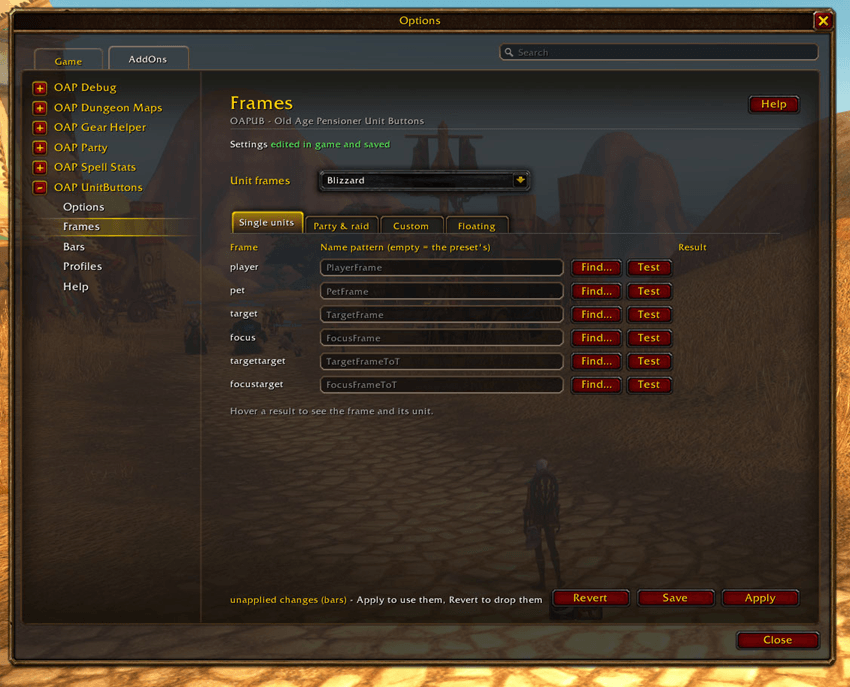
- Frames: Blizzard's frames, the raid-style ones, or your own floating frames.
- Macros: one-off or shared macros, where `unit#` becomes the frame's unit - one macro
works on every frame.
- Export / Import: your whole setup as text, to back up or share.
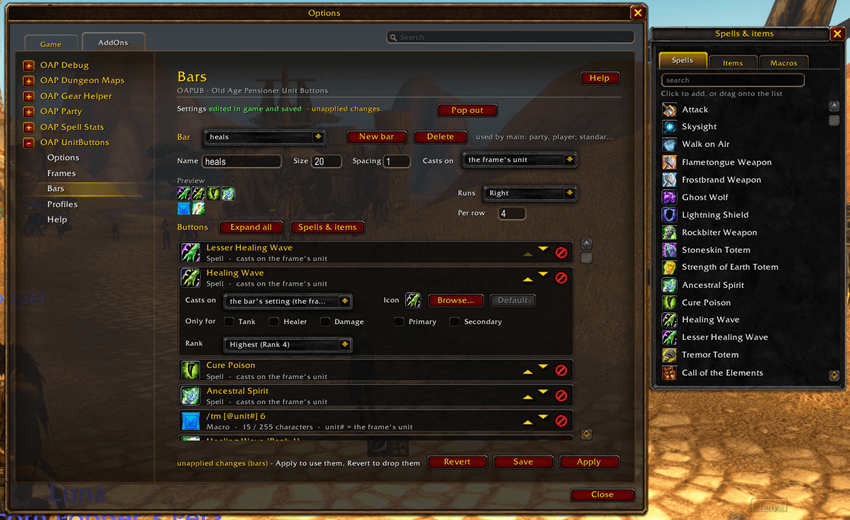
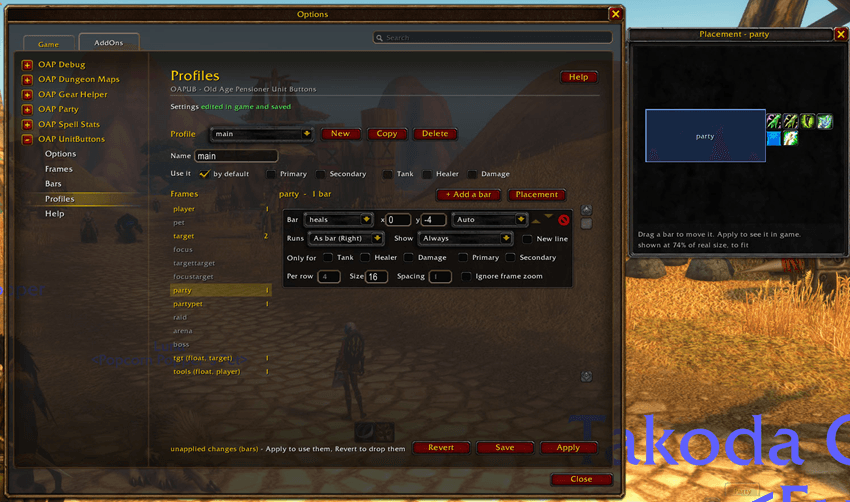
A Help button on every page opens the in-game manual. `/oapub` lists the commands.
Good to know
- Buttons are rebuilt when your group changes; in combat the game does not allow that, so
changes wait until combat ends.
- Made for **WoW Forever**
- Works on its own. If you also install OAP Debug, OAPUB sends it logs and performance
figures - handy if something looks wrong.
Where it came from
OAPUB is a from-scratch rebuild of
[eXtreme Unit Buttons](https://www.curseforge.com/wow/addons/extreme-unit-buttons) (XUB),
written by Elenesski in 2007 and kept going by Tayedaen, Paladindrome and abinning. I have
patched my own copy of XUB every expansion since about 2010, because a button on a party frame
is how I like to heal.
OAP Unit Buttons Team