nugsSuite
- By
One central suite for every nugs addon. Launch any of them, see what you have installed, and carry all of their settings between characters as a single string.
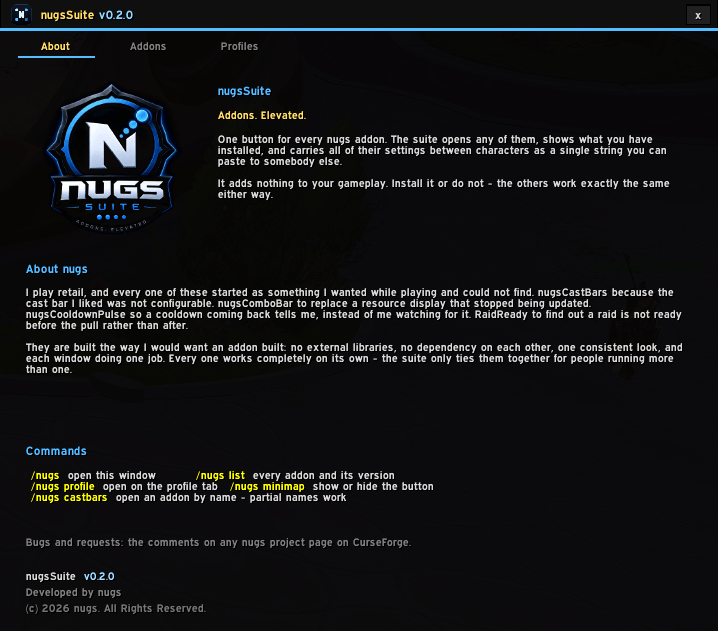
image2.png
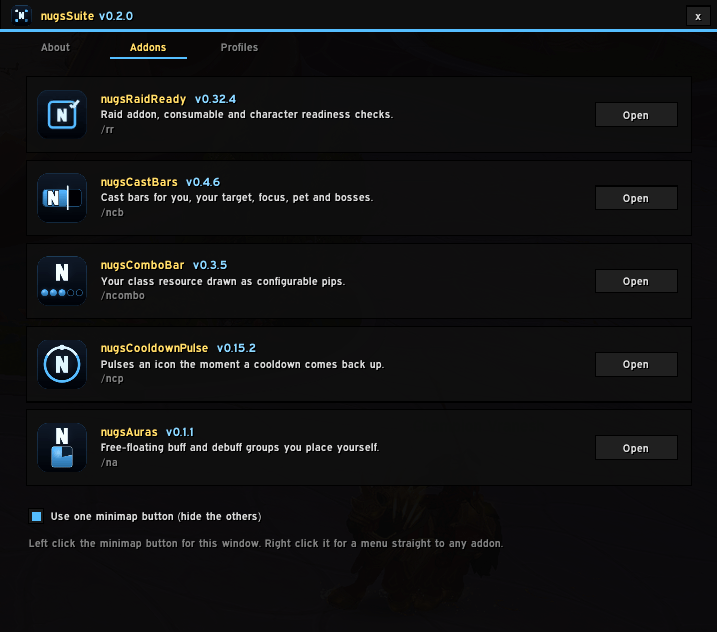
image3.png

nugs.png
Description
Addons. Elevated.
One minimap button for every nugs addon.
The suite exists because a handful of addons had turned into a handful of minimap buttons, a handful of slash commands, and a handful of settings to rebuild by hand on every new character.
Open it with /nugs, or left click the minimap button.
What it does
- Launches everything. A roster of every nugs addon with its version and an Open button. Right click the minimap button to skip the window entirely and drop a menu straight to any of them.
- Shows the whole family. Addons you do not have stay in the list, greyed, with a line on what they do. If somebody handed you one of these, the rest are not a secret.
- Enable or disable any of them from the roster, without a trip through the character select screen. A disabled addon keeps running until you reload, which is exactly why the card says so rather than looking like the click did nothing.
- Folds up the clutter. One checkbox hides every other nugs minimap button and leaves this one. Unticking it puts them all back.
- Moves your settings. Export everything you have configured as a single string and paste it into an alt, or hand it to a guildmate.
Profiles that are honest about what they carry
A profile is a diff against each addon's defaults, not a copy of its saved variables, so the string stays short and readable.
Importing replaces rather than blends: you land in the sender's setup instead of a hybrid of theirs and yours. The addon is reset to defaults first and their settings laid on top, because a merge leaves your own value standing for every key they never touched — so the more you had customised, the less the import appeared to do.
Your current settings are backed up first and one button puts them back. Measured caches, your minimap angle and one-shot migration flags are lifted out and put back around the reset, so an import can never clear local data on the strength of somebody else's settings.
Import strings come from other players, so the reader is a hand-written parser rather than loadstring. It accepts only the few value types a profile can contain and rejects everything else, and a checksum catches a half-copied paste before it is applied rather than after.
Measure it yourself
/nugs cpu prints memory used by every nugs addon you have installed, alongside a total across every addon you run — so each number reads as a share rather than a raw figure that climbs the longer you stay logged in.
For CPU as well, turn Blizzard's own profiler on with /console scriptProfile 1, reload, play for a few minutes, then run it again. "Is this heavy?" deserves a measurement rather than an assurance.
How it plugs in
Each addon writes one entry into a plain global table. Not a call into the suite — a global, because a global is free of load order: whichever side loads first, the table is already there, and neither addon has to exist for the other to work.
An addon that has never been taught to register is still listed and still opens, through its slash command. Registering only buys the extras: settings export, and folding its minimap button into this one.
The suite is never required
No nugs addon depends on it. Every one behaves identically without it, and removing it changes nothing. It owns no gameplay behaviour at all — everything in it is either discovery (what is installed) or routing (open that addon's config), which is what makes it safe to add or drop at any point.
Commands
/nugs             open the hub
/nugs cpu         memory and CPU used by each nugs addon
/nugs minimap     show or hide the minimap button
/nugs help        the full list
Notes
- Retail only. No external libraries and no dependencies of any kind.
- The hub closes when a fight starts and does not come back on its own, matching the rest of the family.
The nugsSuite Team