image5.png
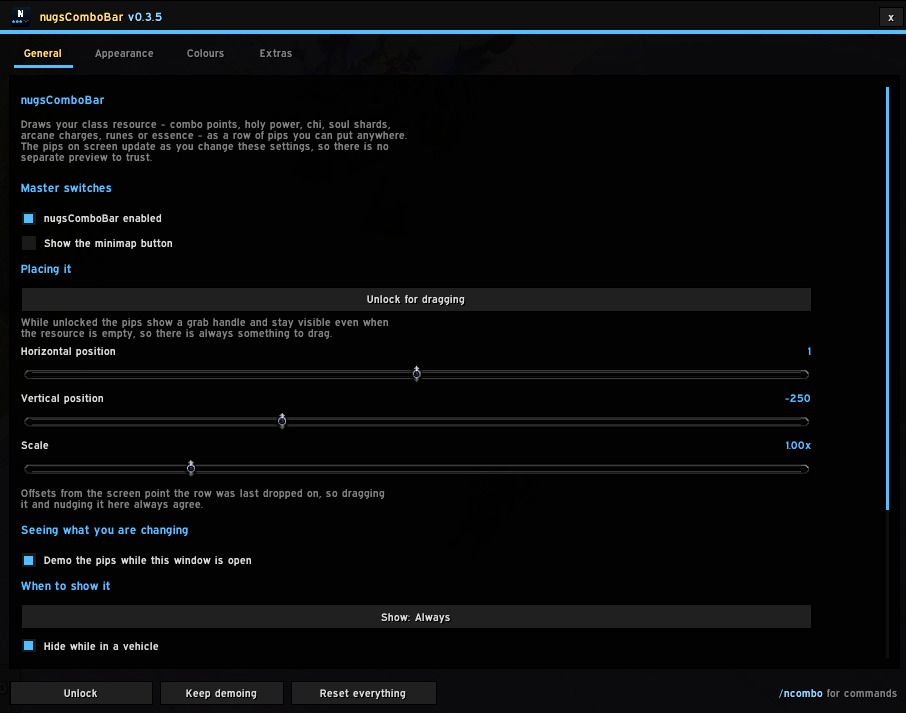
image4.png
Description
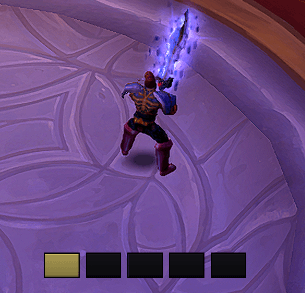
Your class resource as a row of pips you can put anywhere.
Combo points, holy power, chi, soul shards, arcane charges, runes and essence — plus the resources 12.0 moved off the power system entirely — drawn as configurable pips on a single draggable anchor.
Open the options with /ncb, or from the nugsSuite launcher.
What it draws
| Class | Resource |
|---|---|
| Rogue, Feral Druid | Combo Points, including Supercharged points |
| Paladin | Holy Power |
| Windwalker Monk | Chi |
| Warlock | Soul Shards — Destruction shows the shard being built as a part-filled pip |
| Arcane Mage | Arcane Charges |
| Death Knight | Runes, with a recharge sweep on each spent one |
| Evoker | Essence |
| Frost Mage | Icicles |
| Enhancement Shaman | Maelstrom Weapon |
| Survival Hunter | Tip of the Spear |
| Vengeance Demon Hunter | Soul Fragments |
| Brewmaster Monk | Stagger, as its own bar under the pips |
The last four are worth calling out: 12.0 moved them off the power system, so they are buff stacks rather than a resource the game will hand you. They are read differently under the hood and drawn identically on screen.
How it looks
Four tabs, and everything applies live — the pips on screen are the preview.
- General — master switch, position, scale, when to show the pips, minimap button.
- Appearance — pip shape, size, spacing, fill order, texture, borders, empty-pip styling, motion, what happens at maximum, and an optional number readout.
- Colours — a colour per resource, account-wide, so the Chi colour you set on a Paladin is waiting on your Monk. Plus whether Blizzard's own version is hidden.
- Extras — Stagger, rune sweeps and the combo point cap, filtered to whatever the character you are on actually has.
At maximum
Capping gets two independent tells:
- Glow every pip — the row lights up and haloes, optionally pulsing.
- Also recolour the pips — repaints the filled ones.
Either, both or neither. Both ship near-white on purpose: the first version shipped gold, within a few hundredths of Holy Power's own gold, so on a Paladin both worked exactly as designed and neither could be seen.
What 12.0 means for this, honestly
Inside a boss encounter the resource count can arrive as a secret value — drawable but not comparable, so the addon is not permitted to ask whether you are at maximum.
Everything still draws correctly, because the widgets do the arithmetic rather than Lua: a StatusBar can be handed a secret and fill itself. The only thing a secret costs is the pop animation, which needs to notice that the count went up.
Out of combat, and for most content, the count is plain and everything behaves normally. /ncb probe reports the live state of every pip — shown flags, fill widths, vertex colours — including a warning when your resource colour and your at-maximum colour are too close to tell apart.
Placing the bar
/ncb unlock, or the button in the options. The settings window gets out of the way and leaves a small bar with Lock and Demo on it, then comes back exactly where it was when you lock.
Commands
/ncb                  open the options window
/ncb unlock | lock    place the pips
/ncb test             run the demo cycle
/ncb probe            the live state of every pip widget
/ncb diag             which resource is active and why
Notes
- Profiles — save your settings under a name and load them on any character. They live in the account-wide saved variables, so there is nothing to copy.
- LibSharedMedia textures are picked up if another addon has loaded it, and it is never required.
- The settings window closes and the anchor locks when a fight starts, because with the window open the pips demo themselves and demo data during a real pull cannot be told apart from the real thing.
- Recommended alongside nugsSuite, never required. No external libraries and no dependencies of any kind.
The nugsComboBar Team