na2.png
na.png
Description
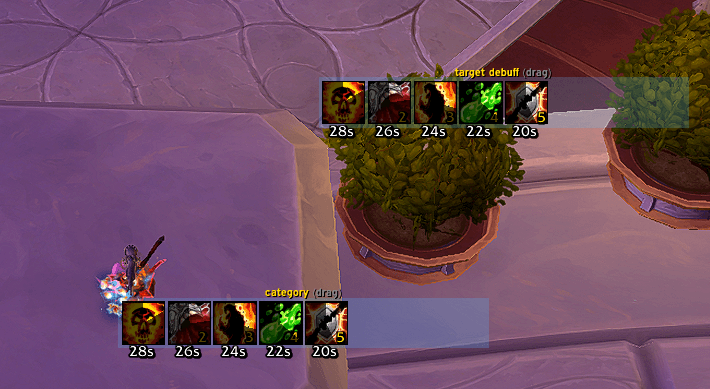
Every other aura tracker bolts its icons to a unit frame or a nameplate, so where they appear is decided by something that is not the tracker. Here a group owns its own anchor and nothing else does. Make a group, drag it where you want it, and that is where those auras live.
A group of one is a single icon anywhere on your screen. A group of eight is a row, a column, or a wrapped block.
Open the options with /na, or from the nugsSuite launcher.
Requires patch 12.1. The display is built on the aura engine that patch introduced, which does not exist on earlier clients. What a group is
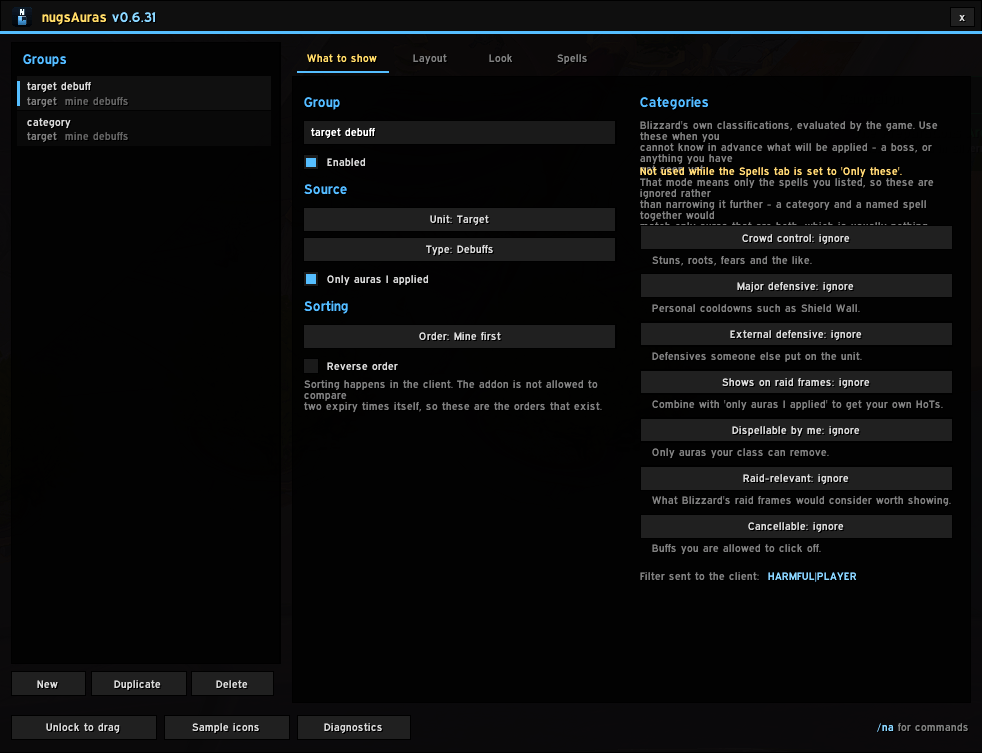
Groups are independent all the way down, so your DoTs on the target can look nothing like the boss debuffs on you. Setting What it does Unit Who to watch — you, target, focus, pet, or boss 1–5 Type Debuffs or buffs Only auras I applied Narrows it to your own Categories Crowd control, defensives, dispellable-by-me, and the rest Spells An explicit list — only these, or all but these Layout Growth direction, icon size, spacing, wrap, and how many at most Look Swipe, timer, stacks, border, fonts and colours It keeps working in a fight
This is the part that matters on 12.1, and it is worth being plain about why.
That patch stops addons from enumerating auras during combat. Every way of asking "what is on this unit" is refused, for every addon, always — an addon that wraps those reads in a safety net does not error, it quietly draws nothing, which looks exactly like having no auras up.
So this addon does not read auras at all. It hands Blizzard's own aura engine a filter and a list of allowed spells, and supplies the widgets the engine draws into. The aura data never reaches the addon, which is precisely why the restriction stops applying — the icons keep updating straight through a pull. Spell lists
Two modes, and they mean what they say:
Only these — nothing but the spells you listed. Categories are ignored in this mode, because a category and a named spell together would match only auras that are both, which is usually nothing at all.
All but these — the categories decide, minus the spells you listed.
You do not have to know which spell id is the right one. Most abilities carry at least two — the one you cast, and the one the aura it applies is registered under, and a tooltip usually shows the first. Add a spell by either number, or by name, and every id sharing that name is matched. Type a name and you get one row per spell to pick from, so nothing is committed before you have seen what it resolved to. Honest limits
The engine decides the order icons appear in, not your spell list. Sorting is chosen per group — time remaining, name, and so on — but "the order I typed them in" is not currently one of the options.
Hide-when-empty works on spell lists only, and only where the game will answer a question about that spell. It is offered where it can work and shown as unavailable everywhere else, rather than being a switch that quietly does nothing.
No dispel-type colouring. The engine draws the icons and offers no way to colour one by dispel type. Filtering a group down to what you can dispel still works.
Placing your groups
/na unlock, or the button in the options. The settings window gets out of the way and leaves a small bar with Lock and Sample icons on it, then comes back exactly where it was when you lock. A group can be dragged whether or not it currently holds any icons.
Opening the settings window does not put sample icons on screen — real icons stay exactly as they are. Samples are /na test, when you ask for them. Commands
/na open the options window /na unlock | lock place your groups /na test sample icons on or off /na diag what each group is filtering on, and where its icons came from /na scan read the auras on a unit, to find a spell id
Notes
LibSharedMedia fonts are picked up if another addon has loaded it, and it is never required.
The settings window closes and groups lock when a fight starts.
Scanning a unit only works out of combat, so it is for target dummies and for debuffs still ticking after a fight. Searching by name works anywhere.
Recommended alongside nugsSuite, never required. No external libraries and no dependencies of any kind.
The nugsAuras Team