Node Sight
- By
See what every herb and ore on your minimap is, and make the ones near you sparkle.
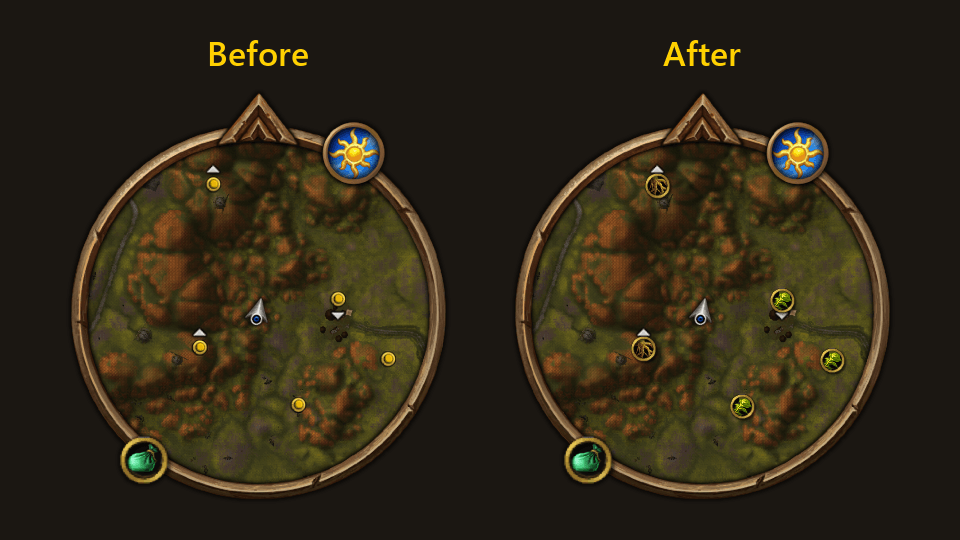
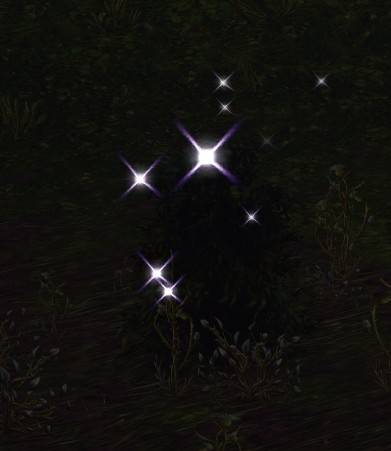
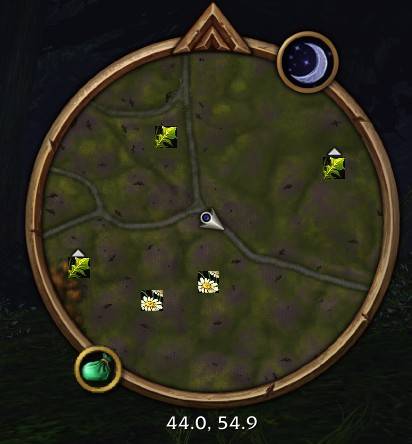
Node icons over existing nodes
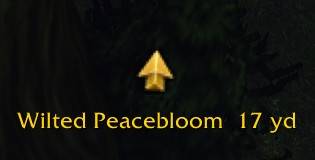
Arrow.jpg
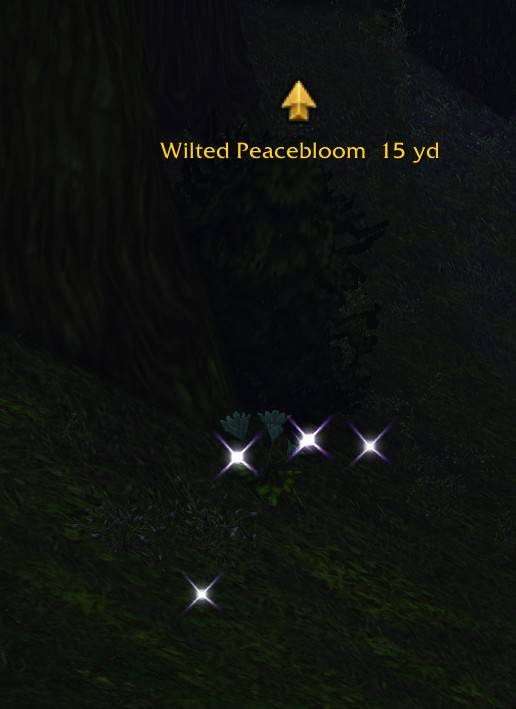
Arrow and sparkles.jpg
Description
NodeSight
When you track herbs or ore, the minimap just shows a dot for each one. You have to hover over every dot to see what it is. NodeSight puts the item's own picture on each dot so you don't have to.
This is super useful for controller players, I am surprised this is not default it allows you to see what the node is, I dont believe there is anyway to do that on controller without this
Features
- Square, round or gold ring pictures, in any size. A slider for the game's own dots too
- Red when your Herbalism or Mining is too low to gather it. Hover it and the tooltip says what it needs
- An arrow at the top of your screen pointing to the nearest one, with its name and how far away it is (off by default)
- Gold sparkles on the herb or ore in front of you. Change the color, area, height and how many (off by default)
- Sparkles on chests, doors, quest objects and anything else you can interact with (off by default)
- Switches between Find Herbs and Find Minerals by itself as you move, so you see herbs and ore on the minimap together. You need both Herbalism and Mining (Beta, off by default).
Please read this: sparkles change some game settings
The minimap pictures and the arrow don't change anything in your game. The sparkles need the game to tell NodeSight which object your Interact Key would pick, so while any sparkles are on NodeSight sets:
softTargetInteractto 3 (Options > Controls > Enable Interact Key)SoftTargetIconGameObjectto 1 (the object part of Interact Key Icons)SoftTargetInteractArcto 2 andSoftTargetInteractRangeto 30SoftTargetWorldtextSizeto 0
Turn all the sparkles off and everything goes back to how you had it, unless you changed it yourself.
If you want the settings to go back to how they were please disable all sparkles before deleting the mod
Notes
- You need Find Herbs or Find Minerals on. The pictures come from the game's tracking dots
- It only sees as far as your minimap. Zoom out to see farther
- It stops scanning while you're in combat
- Herbs right on top of each other can show as one (this happens very rarely as of now)
- Other languages are not tested. Each herb and ore should get its picture after you gather it once, but none will be red. Please let me know if it doesn't work
- Scan detail goes from 3 (most exact) to 1 (lightest), the higher this is the more cpu usage but the more accurate it is. Turn off Scan the minimap if you only want the sparkles
Not working?
- No pictures on the minimap: turn on Find Herbs or Find Minerals
- No arrow or sparkles: they're off by default, turn them on in the settings
- Sparkles are on but a herb isn't sparkling: turn so it's near the middle of your screen and get within 30 yards
- A herb or ore is missing: I probably don't have its name yet. Tell me what it's called and I'll add it
- If switching does nothing: You need both Find Herbs and Find Minerals, with one of them turned on
If you are still having issues let me know and I will help
Credits
Logo based on "Dead Eye" by Lorc, from game-icons.net, licensed under CC BY 3.0. Changes were made to the original.
Node Sight Team