Craft Upgrades
- By
Shows potential gear upgrades you can craft with your professions, right at the top of your crafting window.
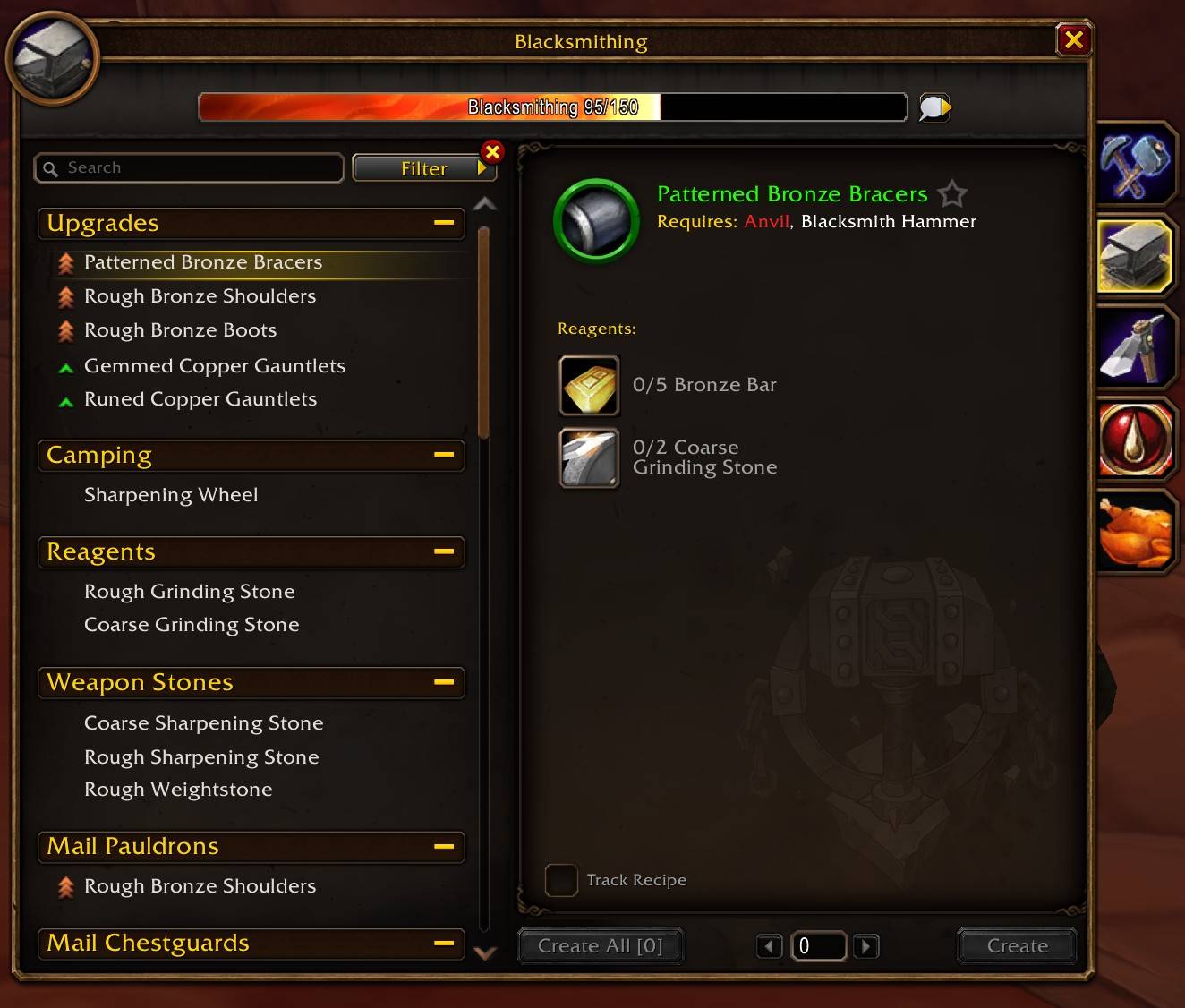
Upgrades in your crafting window
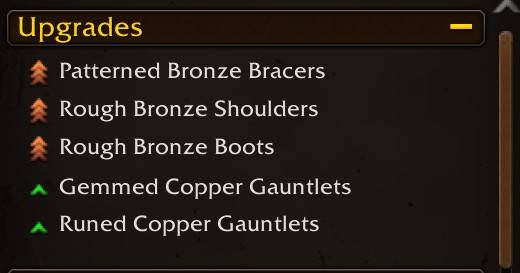
Upgrades in your crafting window
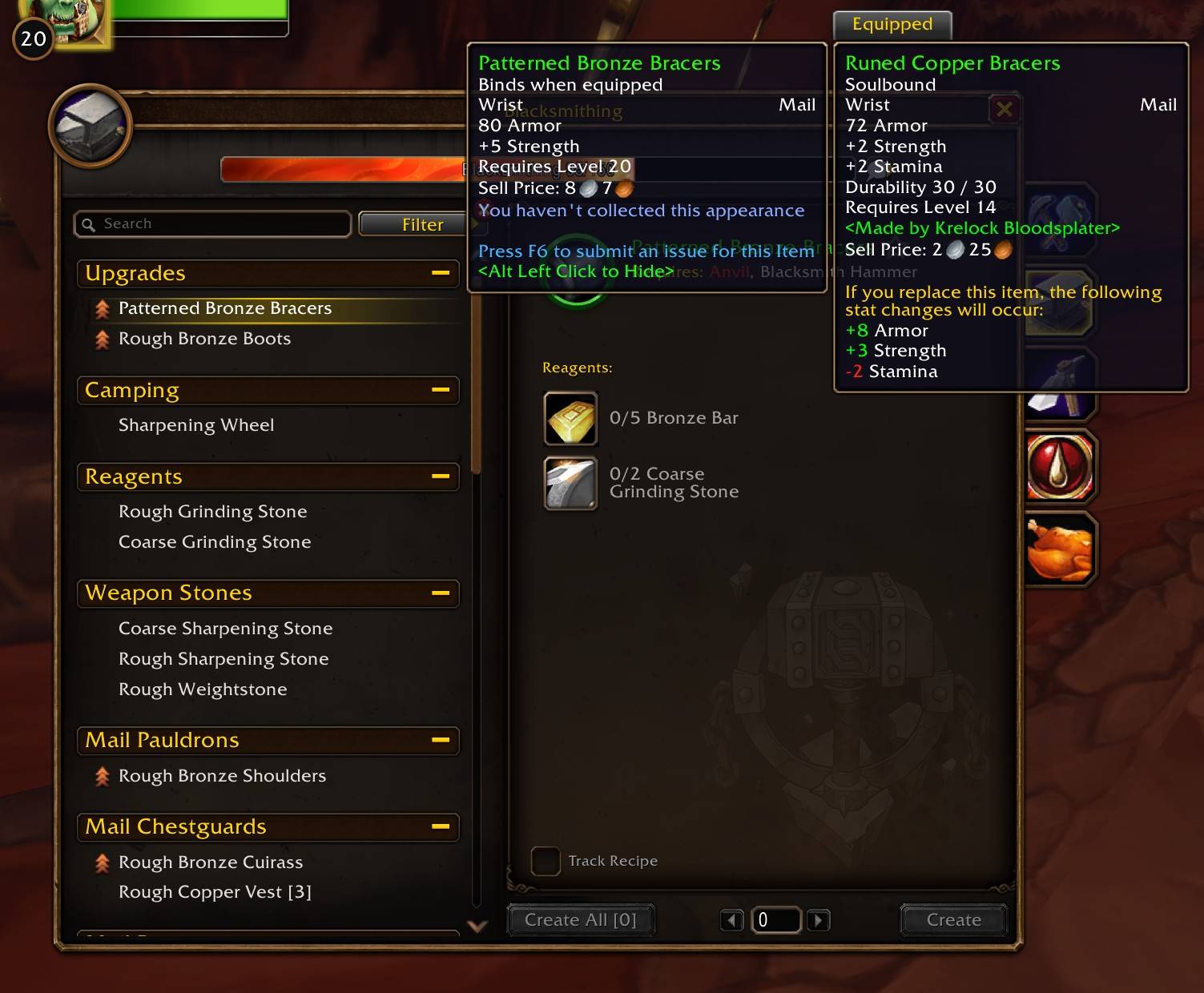
Compare against equipped gear.
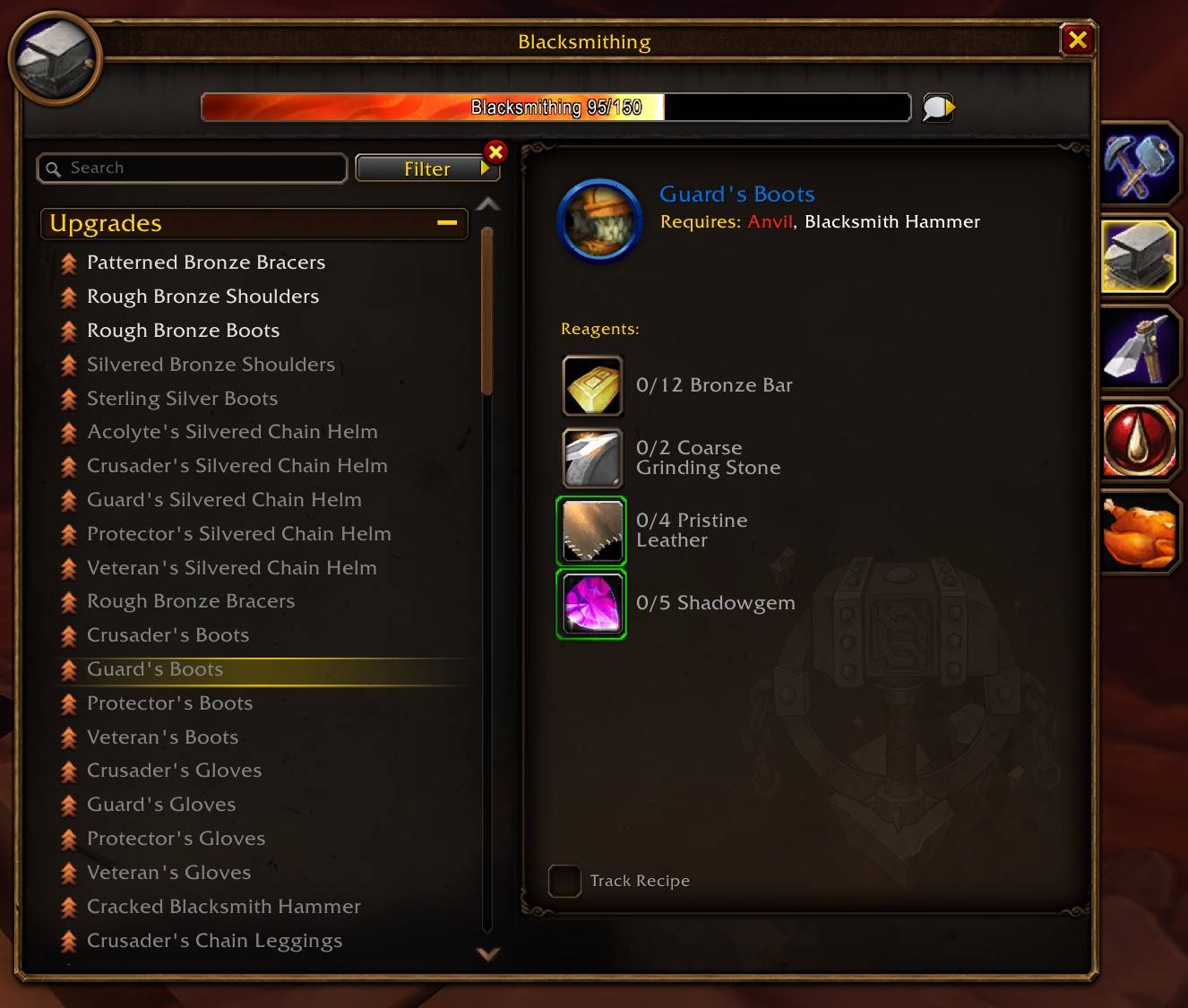
Enable “Show Unlearned Upgrades” in the Filter menu to discover potential gear upgrades from recipes you haven’t learned yet, limited to gear you can wear at your current level.
Description
Craft Upgrades
A lightweight addon that shows you what gear you can make with your professions that's better than what you're wearing. No extra windows, it just adds an Upgrades category to the top of your crafting window with those recipes, plus an Upgrades for [name] category for each of your other characters.
The Upgrades category looks and works like the default WoW Forever UI:
- Click a recipe to open it, right-click to favorite it, shift-click to link it
- Click the header to collapse it
- Hover a recipe to see the item it makes
It updates as soon as you put on or take off gear, and it disappears when there's nothing better to make.
Better means a higher item level than what you have in that slot. Rings and trinkets get compared to your weaker one, and a two-hander has to beat both your main hand and your off hand. Want it to look at stats instead? Try Stat Weights (Beta) below.
Filters out unsuitable gear
It skips anything your character wouldn't use:
- Armor types your class doesn't wear (no cloth for warriors, no plate for rogues)
- Weapons and armor you can't use
- Gear with only caster stats (intellect, spirit) for warriors and rogues, and gear with only melee stats (strength, agility) for mages, priests and warlocks
- Off-hand weapons if you can't dual wield
- Shirts, tabards and bags
Upgrades for your other characters
Crafting for your alts? Each of your characters on the same realm and faction gets its own Upgrades for [name] category under yours, with the gear you can make that's better than what they're wearing. No other addon needed.
- Log in on each character once and wait a few seconds so Craft Upgrades can see what they're wearing. After that it keeps up with their gear, level and skills whenever you play them
- It checks what each character can use: their class's armor type, the weapon and armor skills they've learned, and caster or melee stats, same as it does for you
- Gear that binds when picked up is left out, since you can't mail it to them
- Alt+Left-click works in their categories too. What you hide in one character's category only stays hidden there
Don't want them? Uncheck Show Upgrades for Alts in the Filter menu.
Stat Weights (Beta)
A higher item level isn't always better for your spec, so you can try stat weights. Open Stat Weights (Beta) in the Filter menu and pick your spec, and upgrades are compared by a score for that spec's stats instead of item level. Each of your other characters gets its own submenu, so you can pick a spec for each of them too.
- Item Level is the default
- With a spec picked, an upgrade's tooltip shows its score and the score of what it would replace, like "Retribution: 24.5 (worn: 18.0)"
- The weights come from public stat priorities for each spec
It's a beta, so the numbers might change. If something looks off let me know.
Unlearned recipes
Want to see what's worth learning? Turn on Show Unlearned Upgrades in the Filter menu and it also lists upgrades from recipes you haven't learned yet, for gear up to your level. It's off by default.
Hiding upgrades
If there's an upgrade you don't want to see, Alt+Left-click it and it's gone. Hidden upgrades are saved per character.
To get one back, uncheck Hide Selected Upgrades in the Filter menu. Your hidden upgrades show up again with a little eye icon on them, and Alt+Left-clicking one unhides it.
Lightweight
I made Craft Upgrades as lightweight as I could:
- Only looks for upgrades while your crafting window is open. The rest of the time it just notes what you're wearing, for your other characters
- Caches tooltip and stat checks so it doesn't redo work
- Leaves the recipe list alone when nothing has changed
- No extra windows, minimap buttons, slash commands or chat messages
Settings
No setup needed, it works as soon as you open your crafting window.
There's no settings window, everything is in the crafting window's Filter menu:
- Show Unlearned Upgrades (off by default)
- Hide Selected Upgrades (on by default)
- Show Upgrades for Alts (on by default)
- Stat Weights (Beta) (Item Level by default)
These only show up for professions that make gear.
Good to know
- Works with every profession that makes gear, like Blacksmithing, Leatherworking, Tailoring and Engineering, and wands from Enchanting
- Like Favorites, Upgrades hides while you're searching the recipe list
- Blizzard's own filters apply to it
- It only shows on your own professions, not on recipe lists other people link
- Made for WoW Forever
If something isn't working right let me know and I'll try and fix it.
Limitations
Doesn't work with Enable Gamepad UI on yet, because of a Blizzard bug
By default Craft Upgrades goes by item level, and a higher item level doesn't always mean an upgrade:
- It doesn’t weigh individual stats for your class or spec unless you turn on Stat Weights (Beta), so a higher-item-level piece can still be worse for you.
- Equip and Use effects, set bonuses and weapon speed aren't counted
- It only compares against what you're wearing, not what's in your bags or bank
- Paladins, hunters, shamans and druids aren't filtered by stats, so they see both caster and melee gear
For your other characters:
- It goes by what they were wearing the last time you played them
- Items only one class can use (like "Classes: Mage") are only checked for the character you're on
- A character you delete keeps its category for now
It's worth a quick look at the tooltip before you craft something. Smarter comparisons will come in future updates.
Credits
Logo based on "Armor upgrade" by Delapouite, from game-icons.net, licensed under CC BY 3.0. Changes were made to the original.
The Craft Upgrades Team