


Loot Triage
- By
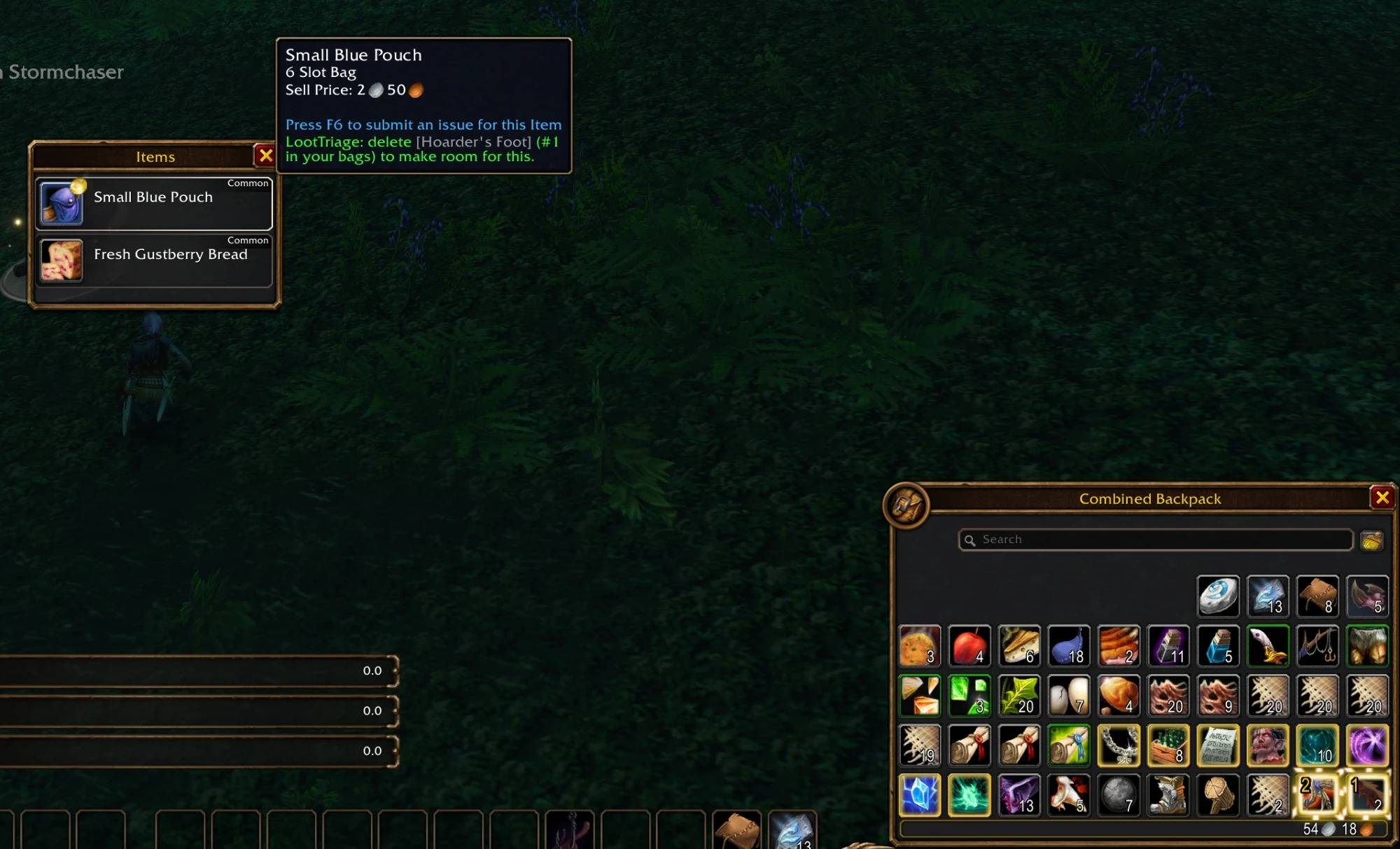
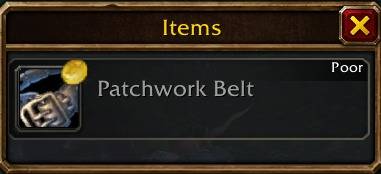
image-1790633496922.jpg
imag23e-1790633579395.jpg
Screenshot 2026-09-28 181024.jpg
Description
LootTriage
A lightweight addon for when your bags are full and you're looting. No extra windows, it just shows you what's worth taking and what to delete.
When you loot with full bags, LootTriage does two things:
- Loot that's worth more than your junk gets a little gold coin on it in the loot window
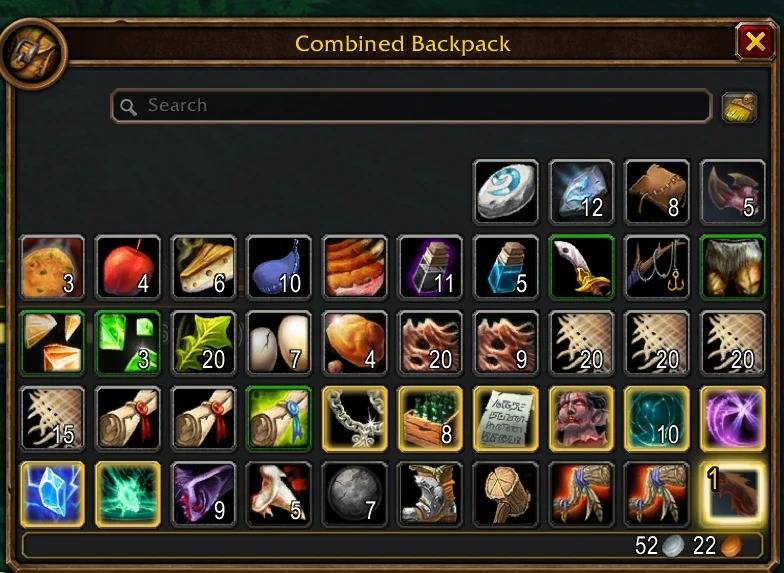
- The items you should delete to make room get a gold border in your bags, numbered so you know which one goes first
If the loot isn't worth more than anything you have, it won't get a coin, so you know to just leave it.
It goes by vendor price times stack size, so a stack of 20 cheap items can be worth more than one gray. Grays and whites get ranked together, cheapest first.
There are other addons that do something like this, but they felt too bulky for me. I wanted something that just shows you what to delete and stays out of the way, so I made LootTriage as lightweight as I could.
Stuff it won't touch
By default it never suggests deleting:
- Potions, food, drinks, bandages and other consumables
- Cloth, herbs, ore and other crafting mats
- Profession tools (Mining Pick, Blacksmith Hammer, Skinning Knife, fishing poles, Flint and Tinder, etc)
- Recipes
- Quest items, your hearthstone and anything that can't be sold
You can turn any of those off in the settings if you want.
If there's something specific you always want to keep, Alt+Left-click it in your bags. It gets a little star and LootTriage will never suggest it again. Alt+Left-click it again to undo.
Sorting
If you use the sort button on your bags, LootTriage moves your cheapest junk to the bottom right corner afterwards, cheapest in the very last slot. That way the stuff you'd delete is always in the same spot. You can turn this off.
Bag addons
Works with most bag addons, like EllesmereUI, Bagnon, AdiBags and BetterBags. Sorting only works with Blizzard's bags, since bag addons arrange items their own way. If there is an addon causing problems let me know and ill try and fix it.
Settings
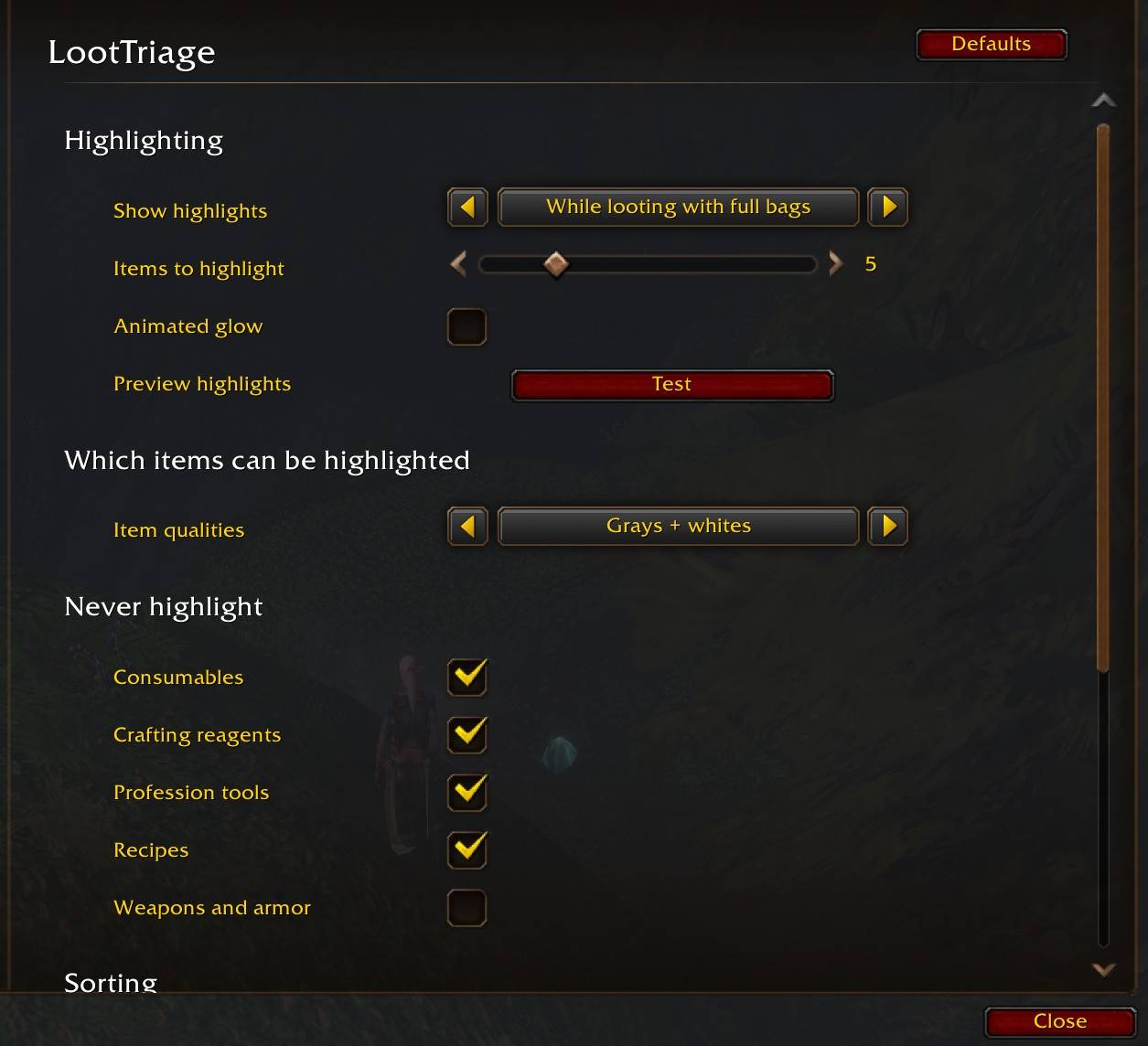
Esc > Options > AddOns > LootTriage (or type /lt)
- When to show highlights (while looting with full bags, when your bags are almost full, always, or off)
- Still gold border or the animated proc glow if you like it shiny
- Which qualities count (grays only, grays + whites, or greens too)
- What kinds of items to never suggest
Credits
Logo based on "Scales" by Lorc, from game-icons.net, licensed under CC BY 3.0. Changes were made to the original.
The Loot Triage Team
