Assist Frames
- By
Shows what each party member is targeting, right next to their party frame. Click one and you target that mob.
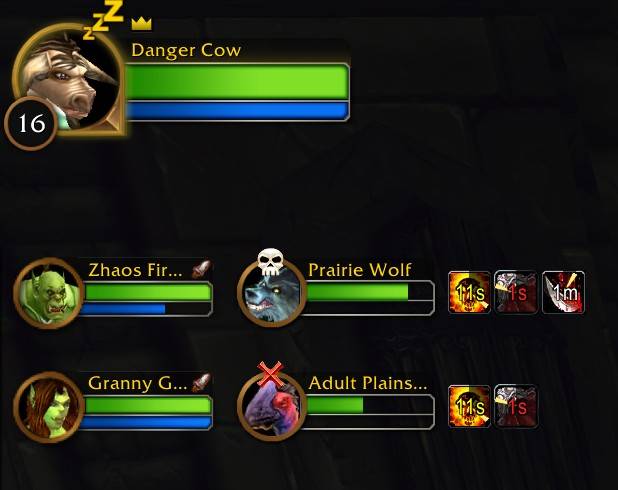
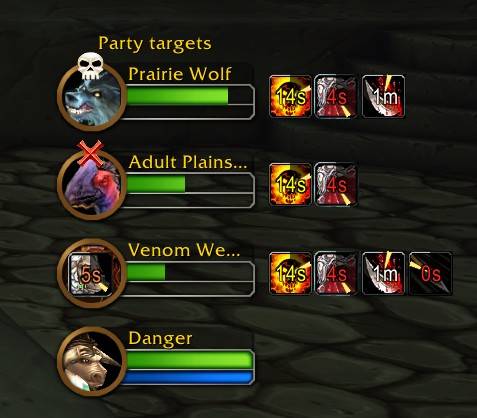
You can drag this anywhere you want
Description
AssistFrames
A lightweight addon that shows what each of your party members is targeting, right next to their party frame. Click one and you target that mob.
- By default it looks like the target of target frame: portrait, name, health and mana, with your debuffs on the right
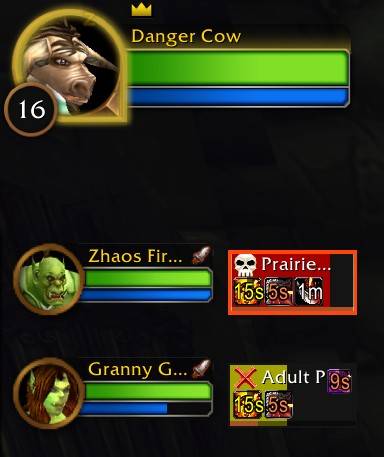
- There's also a raid frame style if you want more on it: buffs you can dispel, crowd control, your threat, a border when the mob is attacking you and the white border on your target
Friendly targets
If someone targets a friendly player or NPC, that shows too, like your healer targeting the tank. You can turn this off if you only want enemies.
Debuffs
Each target shows your debuffs with the time left, or everyone's if you want (stuns, sheep and other players' debuffs). Crowd control from anyone shows up too, on the portrait or in the middle of the frame. You can turn this off in settings
Moving it
Each target sits right next to its party member's frame. If you'd rather have them somewhere else, set Place to Own list and drag it by its title. It can't move during combat.
Settings
Esc > Options > AddOns > AssistFrames
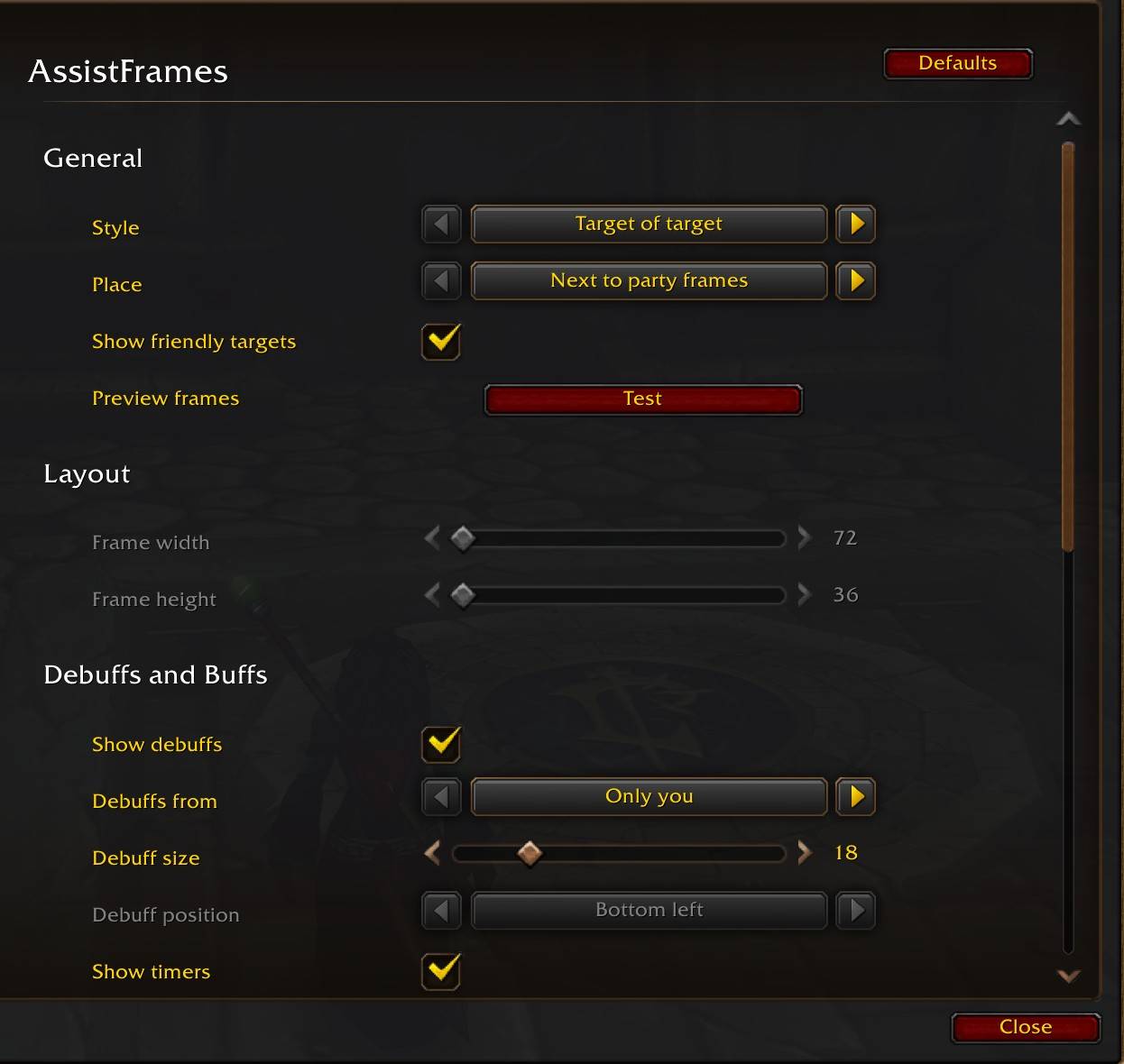
- Style (target of target or raid frame). Options that don't work with target of target get grayed out
- Where it goes (next to your party frames or its own list)
- Show friendly targets
- Frame size, debuff size, timers and the cooldown swipe
- Buffs you can dispel, crowd control, threat bar and aggro highlight (raid frame style)
- Raid markers
- A Test button that shows sample targets for 15 seconds so you can see how it looks
Lightweight
I made AssistFrames as lightweight as I could:
- It only updates while you're in a group
- Debuff icons only get made once a target shows up
- Uses Blizzard’s built-in UI systems, with no bundled libraries, minimap button, or slash commands
Good to know
- No settings page while Enable Gamepad UI is on, it still works with the default settings cause of a blizzard bug :(
- Made for WoW Forever
If something isn't working right let me know and I'll try and fix it.
Credits
Logo based on "Convergence target" by Delapouite, from game-icons.net, licensed under CC BY 3.0. Changes were made to the original.
Assist Frames Team