Nameplate Spells
- By
Shows the spells your enemies just used and their cooldowns as icons beside their nameplates in WoW: Forever.
Nameplate Spells shows the spell your enemies just used, as an icon beside their nameplates in WoW: Forever, and a row for the important cooldowns an enemy player has used, with the time until each is ready.
What it does
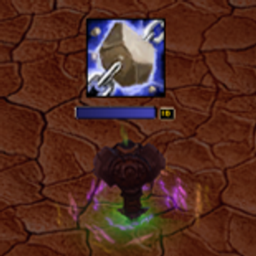
- Spell history: one icon beside the nameplate, the spell from the enemy's last global cooldown, shown for as long as that global cooldown lasts with a dark sweep. A row of recent spells, newest first, fading after a few seconds, is a choice.
- Enemy cooldowns: an icon for each important cooldown an enemy player used or has a buff from, above or below their nameplate, with a dark sweep and a countdown
- Stopped casts: a stopped cast gets a red cross over its icon, for 1.5 seconds with Last global cooldown
- Enemies: players, or players and NPCs
- Plates: every enemy nameplate, your target only, or your target and focus
Options
Options > AddOns > Nameplate Spells, or type /nps. The page has three sections, Spell history, Enemy cooldowns and Display.
Spell history
- Show spell history: on or off. Default on.
- Spell history: Last global cooldown or Recent spells. Default Last global cooldown.
- Global cooldown sweep: on or off. Default on. A dark sweep runs over the icon for the length of the global cooldown. With Last global cooldown.
- Side: Right, Left or Below. Default Right.
- Icon size: 14 to 40. Default 22.
- Stopped casts: Red cross or Leave out. Default Red cross.
- Newest, Icons, Shown for, Fade and Movement apply with Recent spells:
- Newest: Nearest the nameplate or Farthest from the nameplate. Default Nearest the nameplate.
- Icons: 2 to 8. Default 4.
- Shown for: 2 to 15 seconds. Default 6.
- Fade: Fade out or Disappear. Default Fade out.
- Movement: Slide or Jump. Default Slide.
- Enemies: Players or Players and NPCs. Default Players.
Enemy cooldowns
- Show enemy cooldowns: on or off. Default on.
- Place: Above the nameplate or Below the nameplate. Default Above the nameplate. With Side set to Below, the row goes under the spell history.
- Show: Used only or Every ability. Default Used only. Every ability shows the tracked abilities of the enemy's class, ready ones bright and used ones dark, when the game shows the enemy's class.
- Icons: 1 to 8. Default 5.
- Icon size: 14 to 40. Default 24.
- Countdown: on or off. Default on.
- Countdown size: 60 to 150 percent. Default 100.
- Sweep: Dark sweep or None. Default Dark sweep.
- Ready flash: on or off. Default on. The icon flashes once when the ability is ready; with Used only it then leaves the row.
- Kinds: six checkboxes. Interrupts, Defensives, Crowd control and Crowd control breaks on; Movement and Offensive cooldowns off.
Display
- Plates: Every enemy nameplate, Target only or Target and focus. Default Every enemy nameplate. Applies to both rows. Cooldowns used on other plates are kept and show when the plate becomes the target.
- Border: Thin dark or None. Default Thin dark. Applies to both rows.
Commands
/nps: options/nps check:- whether the game hides values from addons
- counts since login
- abilities tracked
- abilities the game never hides
- abilities the game sometimes hides
- abilities whose buff the game never hides
- cooldowns started from buffs
- times the game hid enemy buffs
- enemies with running timers
- cooldown rows that waited for the end of combat
/nps test: sample spells (three, one per 1.5 seconds, with Last global cooldown) and three sample cooldowns on your target, or at the centre of the screen/nps clear: forget every running cooldown timer/nps reset: default settings/nps help
/nameplatespells works in place of /nps.
Limits
- Enemy cooldowns: a use is seen only when the game shows the spell. Where it hides enemy spells, only uses the game shows are tracked, and the addon says so once. Timers use the base cooldown; talents that shorten a cooldown are not known. Buffs of an enemy, such as Nature's Grasp, Barkskin, Evasion and Ice Block, start a timer too, but they are read only where the game shows them; in a fight or a battleground it can hide them, and the addon says so once. Only players are tracked.
- Every ability: talent and rune abilities are shown for every enemy of the class.
- Hidden spells: where the game hides which spell an enemy used, Auto Shot and wand shots cannot be left out.
- Nameplates: some nameplates are closed to addons and show no icons.
/nps checkcounts them. - Combat: a row for a nameplate that appears in combat can wait until combat ends. Layout changes made in combat apply when it ends. The options do not open in combat.
Seen in game
- Seen: enemy cooldowns with Every ability above an enemy druid's nameplate in the open world.
- Untested: the global cooldown icon, buffs starting timers, battlegrounds, arenas, dungeons and raids.
Nameplate Spells Team