Muster - Raid Recruiter
- By
Finds players in Group Finder for the raids you're filling. Whispers and invites only happen when you click.
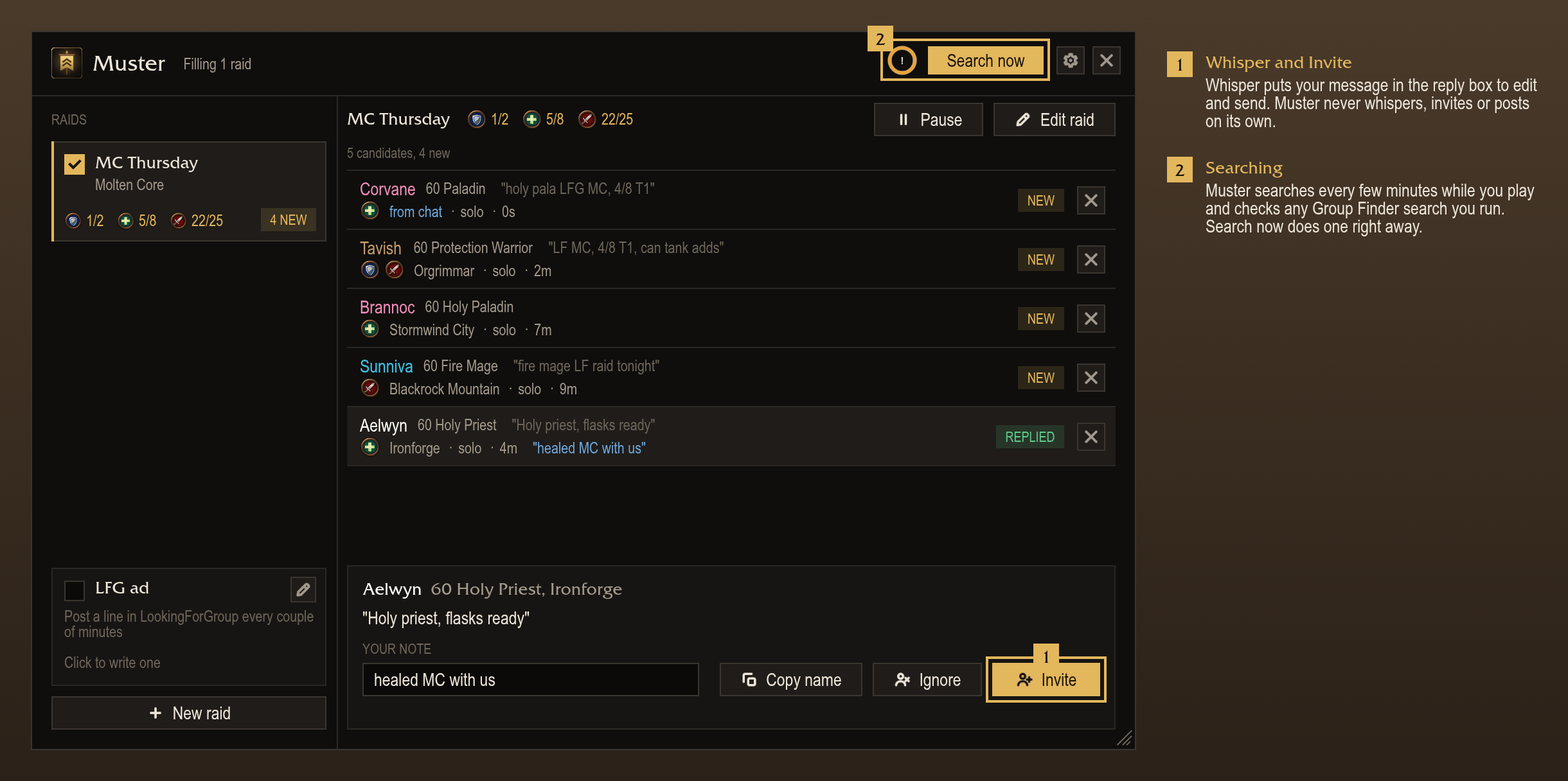
Your raids on the left, and everyone in Group Finder who fits an open spot. Whisper and Invite only happen when you click.
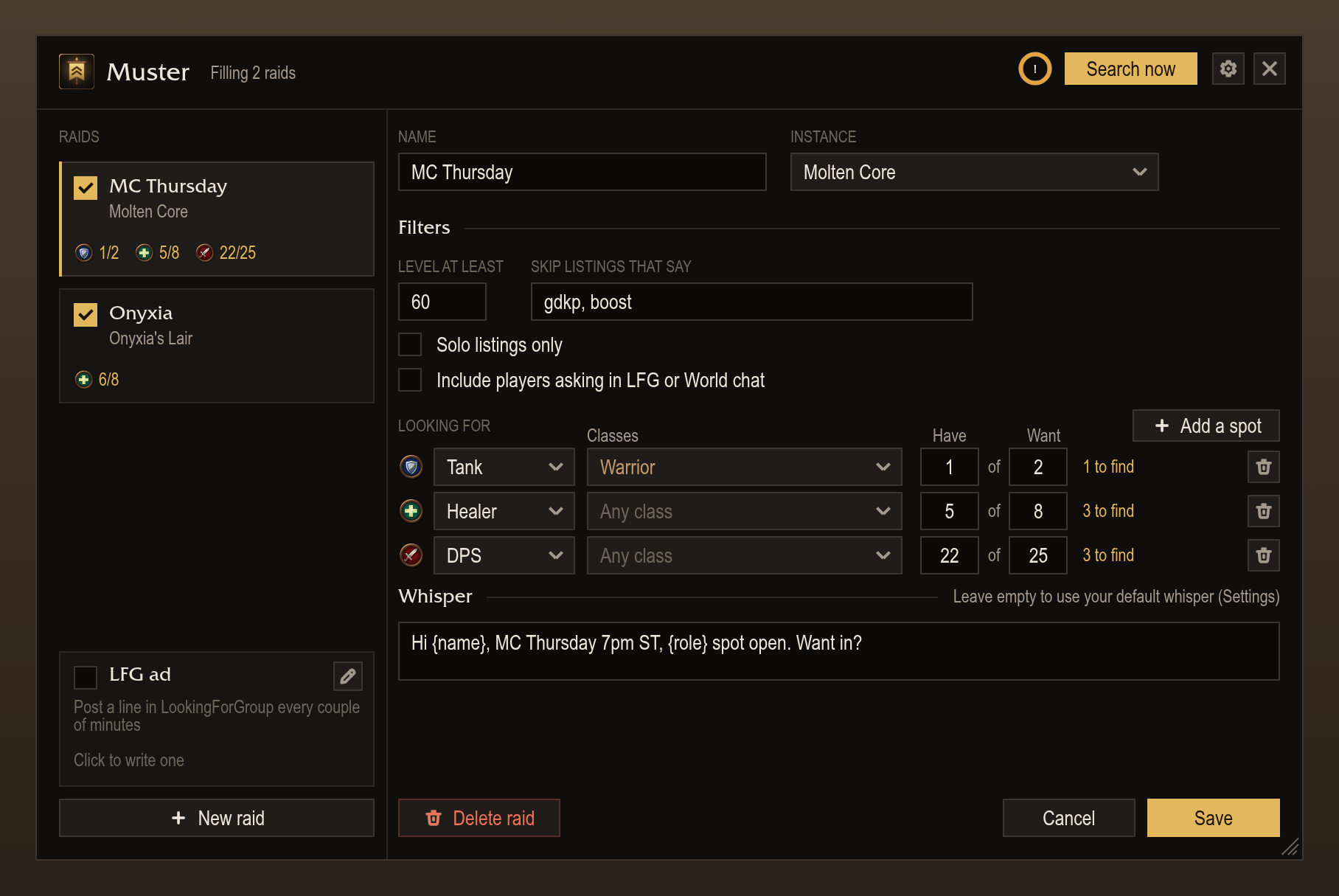
Pick the instance and the spots you need by role and class. You can filter by level or words in the listing, and optionally include people asking in LFG or World chat.
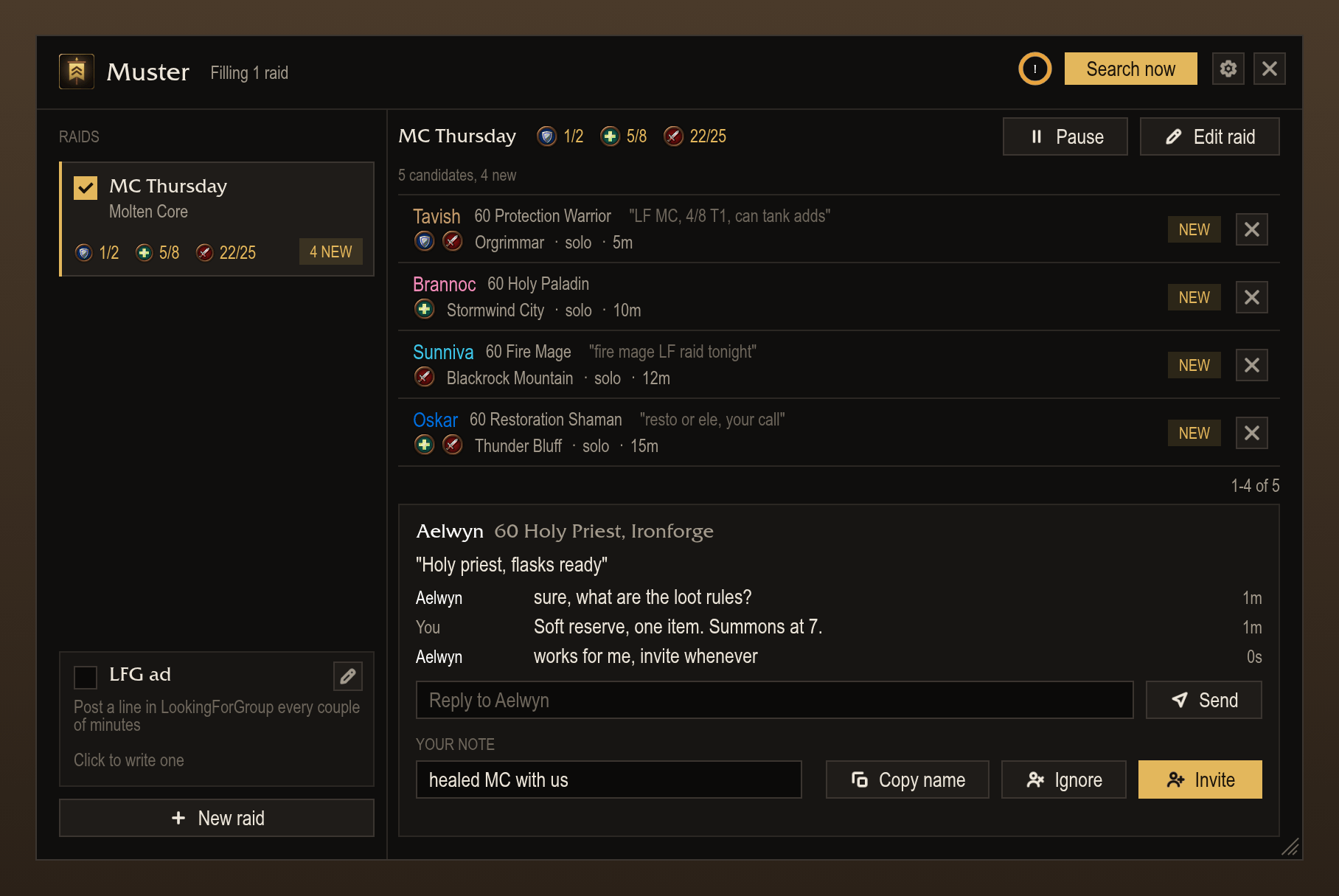
Your conversation with a player shows right under them, with a reply box and a private note.
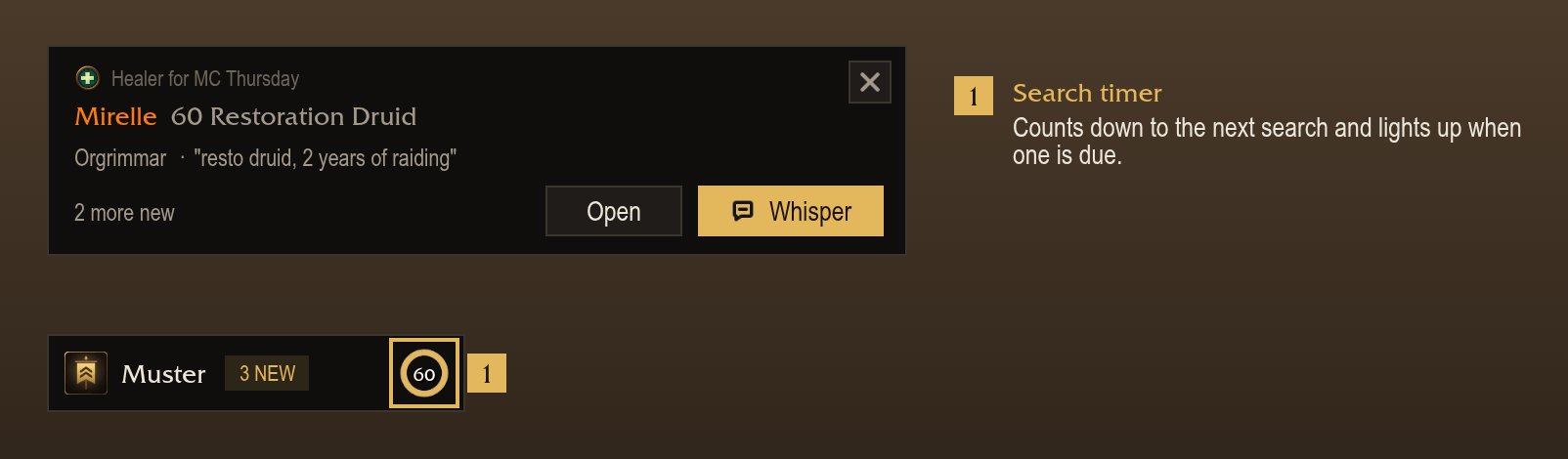
With the window closed, new players pop up on screen. The floating button counts them and shows when the next search goes out.
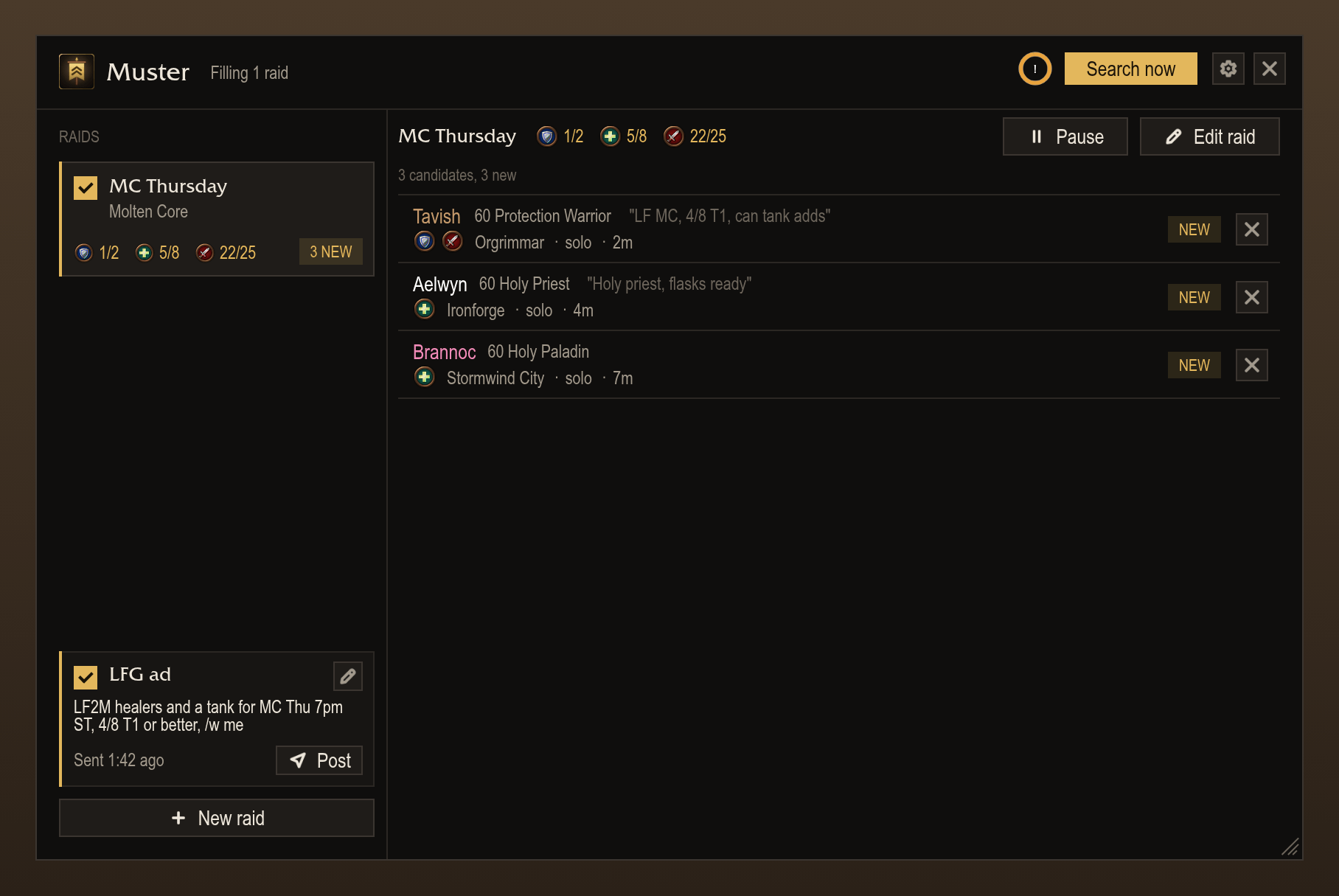
Posts your line in the LookingForGroup channel every few minutes, on your next click once it is due.
Description
Muster
Muster helps raid leaders fill their raids. Tell it which raid you're running and which spots are open, and it watches Group Finder for players who fit. When someone shows up, it lets you know. Whispers and invites only ever go out when you click; Muster never posts, whispers or invites on its own.
Supports WoW: Forever and TBC Anniversary. Available in English and German.
Raids
- Set up as many raids as you like, each with one or more instances, its open spots and its own whisper.
/musteropens the window. - An open spot is a role, the classes you'll take (or any class), and how many you have versus how many you want.
- Filter by minimum level, skip listings that mention words like "gdkp" or "boost", or only show solo players.
- Pause a raid when you don't need it, without deleting it.
Finding players
- Every listing with someone who fits an open spot shows up in the list, with their class, level, roles, zone, what they wrote and how long ago they listed.
- Groups show up as one card with the whole roster.
- You can also have Muster pick up people asking in the LookingForGroup or World channel ("resto druid LF MC"). This is off by default and only works for English messages.
- Each player is marked new, whispered or replied. Dismiss hides someone until you reload; Ignore hides them for good.
- Leave a note on anyone. It shows next to their name in every raid.
Whispering and inviting
- Whisper opens a reply box with your raid's message in it, {name}, {role} and {raid} filled in. Edit it if you like, then press Enter or Send. Invite works for players listed solo.
- Your conversation with the selected player shows right under them, with a box to reply.
- Nothing is sent unless you click.
Searching
- Muster searches Group Finder every 30 seconds to 5 minutes while you play, and also checks every search the game runs, whether you, Blizzard's browser or another addon started it. Search now does one right away.
- The game only lets addons search on a click, so a due search goes out with your next click in the game. You can limit that to Muster's own buttons in Settings.
- A ring in the window and on the floating button counts down to the next search.
Alerts
- With the window closed, a new player pops up with a Whisper button. You can also get a chat message, a sound and a taskbar flash.
- The floating button and the minimap button show how many new players you haven't looked at. You can hide either one.
- If a player relists, you won't get alerted again for a while (5 minutes to an hour, your choice).
- If you play on more than one account, alerts can show up on your other accounts too. Set the same link code on each one under Settings, Accounts.
LFG ad
- Turn it on and Muster posts your line in the LookingForGroup channel every 1, 2, 3 or 5 minutes.
- Like searching, the post waits for your next click once it's due.
Commands
/muster: open or close the window./muster settings: open the settings./muster alerts: turn every alert on or off./muster button,/muster minimap: show or hide the floating or minimap button.
Muster - Raid Recruiter Team