Loadout
- By
Save gear sets and swap them in one click, with quick-swap bars, a trinket queue and automatic swaps.
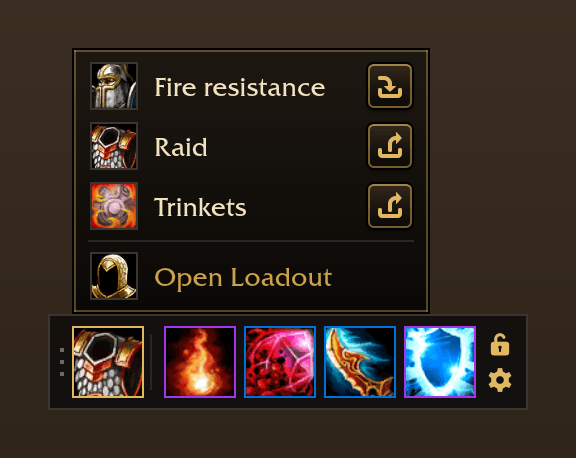
05-bar-sets-at-bank.png
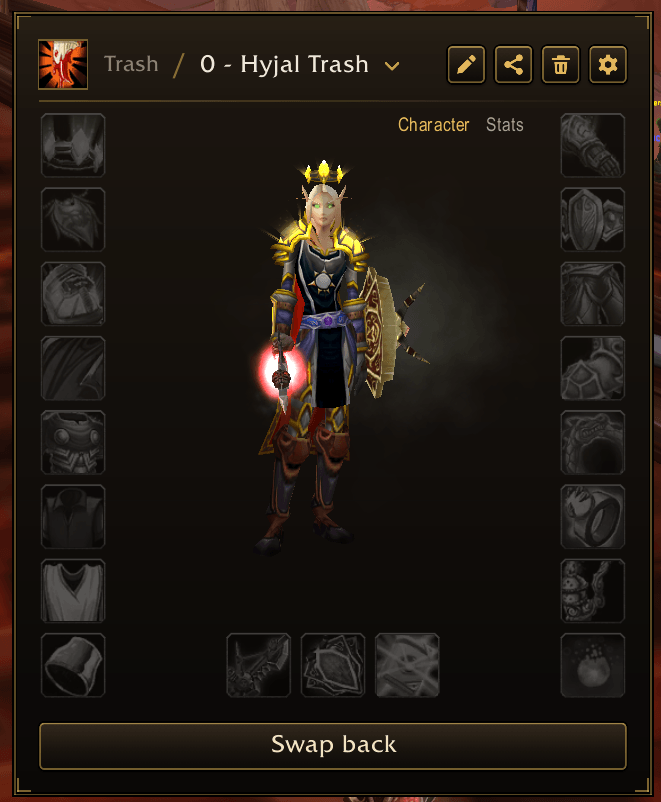
01-card-in-game.png
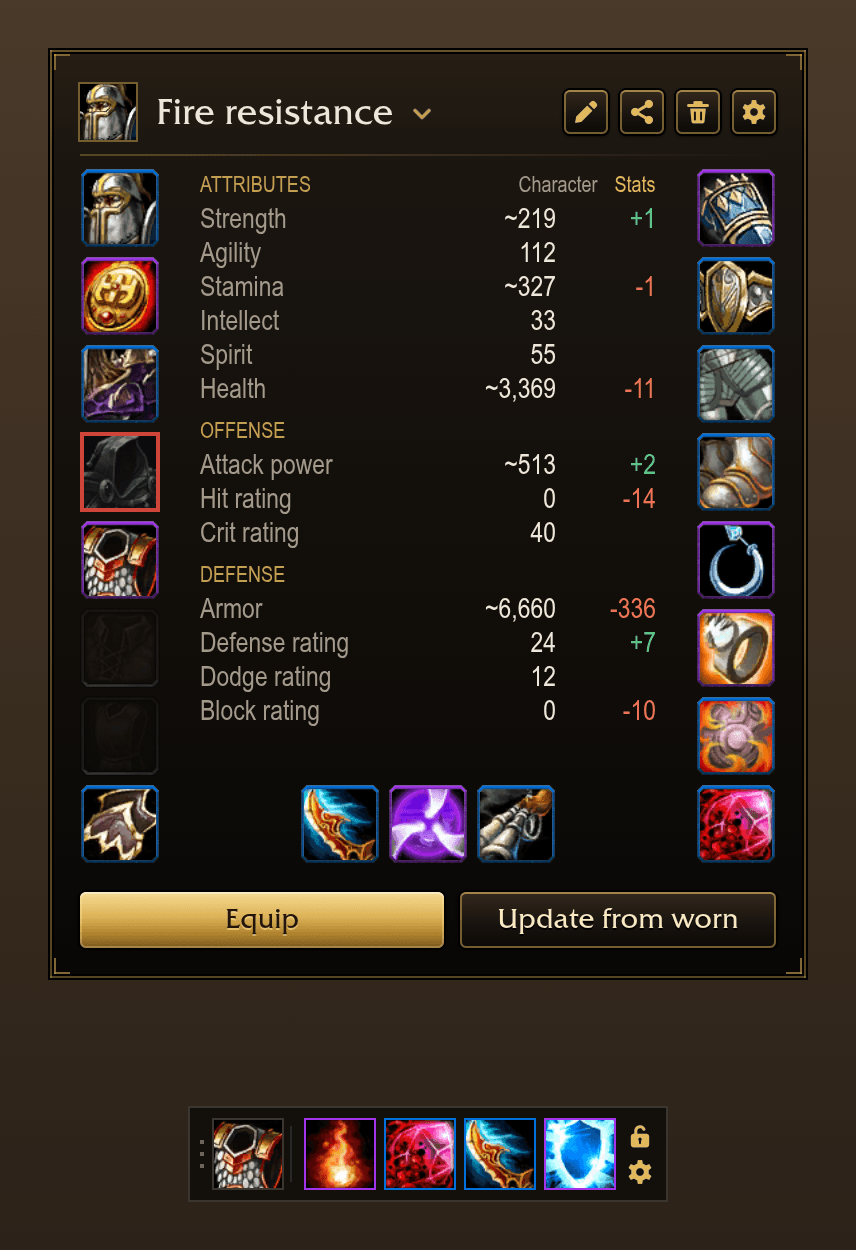
02-sets-stats.png
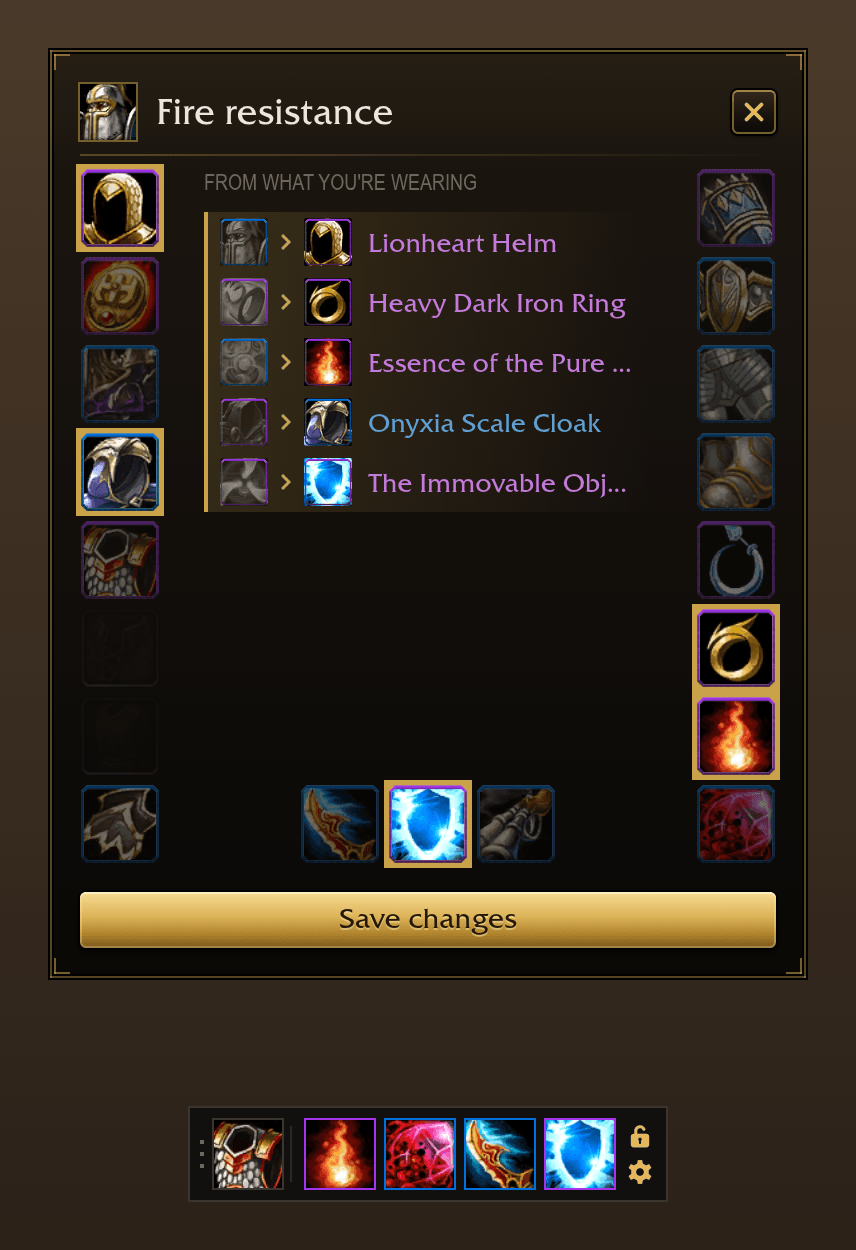
04-sets-worn.png
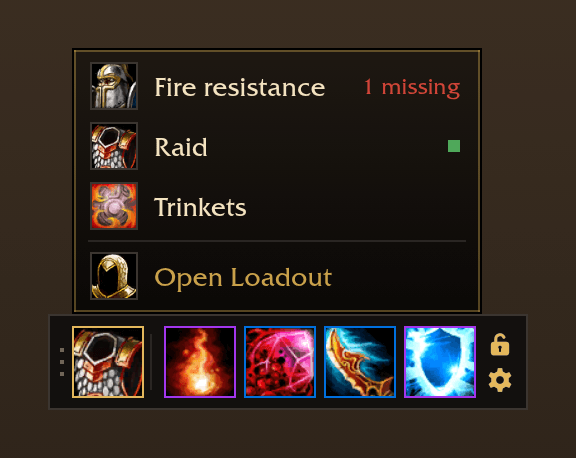
03-bar-sets.png
Description
Loadout
Gear sets and quick swaps, after ItemRack. Save what you're wearing as a set, put it back on in one click or one key, and swap any slot from a bar without opening your bags.
Made for WoW: Forever and TBC Anniversary.
Compared with other gear addons
ItemRack. Loadout works the way ItemRack does: named sets, a quick-swap bar whose slots open a flyout of what fits, the same flyouts on the character pane, a key per set or slot, a trinket queue, swaps for mounted, swimming and zones, and a combat queue. Your ItemRack sets come over in one click. On top of that:
- Sets can be based on other sets and follow them when they change, so a fire resistance set is just your raid set with a few slots swapped.
- As many bars as you like, each with its own slots, place and look.
- Action bar layouts, saved and loaded with a set or a spec.
- Sets shared as a string to paste, and shown in your bag addon.
- A set card that shows each set's pieces, which ones are missing from your bags or sitting in the bank, and what Update from worn would change before you save.
ItemRack's stance and buff events and its scripted events aren't included.
Outfitter. Outfitter builds what you wear by layering outfits on top of each other. Loadout's sets based on others cover the same need with one set at a time: you always see exactly what equipping it puts on.
The game's Equipment Manager. It saves sets on the character pane. Loadout adds the bar and its flyouts, the combat queue, the bank, the trinket queue, automatic swaps, keys, sharing, and sets built on other sets.
Sets
- Save what you're wearing under a name, with an icon from a search of every icon in the game.
- Equip a set from its card, the bar, a key or
/lo equip <set>. Press a set that's on and it swaps back to what it replaced. - A set can leave slots out, so it can be a whole outfit or just two trinkets.
- Hover a slot on the card to see everything that fits it and click one to put it in the set without wearing it.
- Update from worn shows which slots would take what you're wearing before you save.
- The card shows which pieces are missing from your bags, and in its middle your character wearing the set or what the set does to your stats.
Sets based on others
- Build a set on another one: it takes the base's pieces in every slot it doesn't set itself, and follows the base when the base changes.
- Groups and drag-to-reorder keep long lists tidy. Every list of sets follows the same order.
Quick-swap bars
- A movable bar with a sets button and a button per slot you choose. Hover one for what in your bags fits, click to put it on.
- The same flyouts open from the character pane.
- Click a slot to use what's in it, with its cooldown shown on the button. Give a slot a key too.
- Add as many bars as you like, each with its own slots, place, lock and columns.
In combat
- Weapons swap at once. The rest of a set waits for combat to end and goes on by itself, with a gold corner on each slot that's waiting.
The bank
- At the bank, one click puts a set's pieces into the bank or takes them out, from your bags and off your back.
- Away from the bank, Loadout remembers which pieces are in it.
And more
- Trinket queue: list your trinkets in order and Loadout keeps the first ready one on.
- Automatic swaps: a set for mounted, for swimming, per zone and per talent spec.
- Action bar layouts: save what's on your bars and load it later, by hand, with a set, or with a spec.
- Keys for any set, as override bindings, so your own bindings are untouched.
- Import from ItemRack in one click, and share sets as a string to paste.
- Bag addons: your sets show in BetterBags, Baganator, Bagnon and Bagnonium with nothing to set up.
Slash commands
/lo: open the set card./lo bar: show or hide the bars./lo settings: open Settings./lo save <set>,/lo equip <set>: save or equip a set./lo import: bring in ItemRack's sets./lo export [set]: copy a set as a string.
Other addons and macros can call Loadout.Sets.Equip("Raid").
The Loadout Team