Lorekeeper's Codex: Lore of Azeroth
- By
Unlock Azeroth's lore as you explore, meet its people and complete quests. Collect the books and notes you read along the way.
gallery-1-page.jpg
gallery-2-library.jpg
gallery-3-milestones.jpg
gallery-4-welcome.jpg
Description
Lorekeeper's Codex: Lore of Azeroth
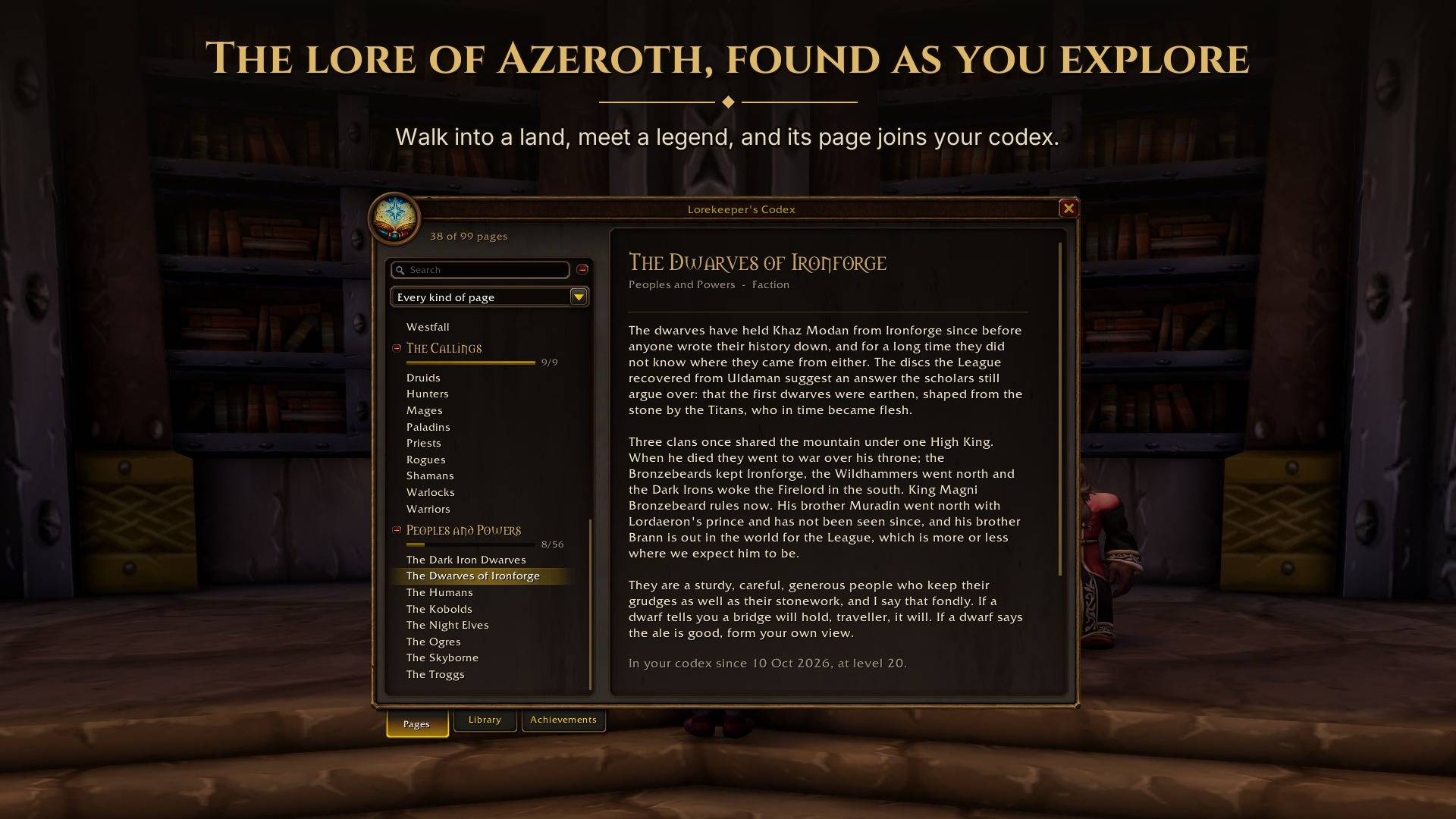
Lorekeeper's Codex adds a book of Azeroth's lore that fills in as you explore. Enter a zone, speak to someone important or finish a quest, and you might unlock a page about the history behind it. The pages are notes from Archesonus, Royal Historian of Ironforge. On the Horde side, your copy comes from Parqual Fintallas, a historian of the Undercity, who adds notes of his own in the margins.
For Classic Era (including Hardcore and Season of Discovery) and World of Warcraft: Forever.
What you can discover
The Codex contains 441 original pages across 44 chapters, or 456 pages across 46 chapters on Forever. It covers the original world's zones, landmarks, notable figures, peoples and history, from the Titans and the Sundering to the gates of Ahn'Qiraj.
- Places and people. Learn the stories behind the lands you cross and the characters you meet.
- Peoples and Powers. Pages on the playable races, the Scourge, the Defias, the Dark Irons, the dragonflights and many others. Your own race's page is available from the start.
- The Callings. The background of each class. You begin with your own and discover the others by meeting players of those classes.
- A foreword for your race. Each race gets its own introduction, including the Skyborne on Forever.
- Ages Past. Historical pages connected to the places and stories you encounter.
The lore covers the world's past up to the original game. It draws on Warcraft I to III, WoW's quests and books, and the novels and histories about that period. Later expansion events and answers to mysteries left open in the original game are kept out.
Finding pages
Pages unlock as you play. Exploring, talking to or targeting characters, defeating creatures, completing quests and gaining reputation can all add to the book. Reading a history book or a monument's inscription can unlock a related lore page too.
A new page brings a chat link, an alert with its picture and a sound. Your characters share one codex, with the date, level and location of every discovery, so a page one of them found is there on the others. A Hardcore character keeps a codex of its own, apart from the shared one. The Pages list marks pages this character has not found itself and can show just those. The Missing pages option adds a greyed row for each page you have not found, with no title, text or place, and lists the chapters you have not started by name and page count alone. It is off by default. Tooltips point out creatures and players who can unlock a page.
Type /codex or click the minimap button to read. Browse by chapter, search your discovered pages or filter by type, such as places, figures or histories. Related pages link to each other. Only the pages and chapters you have discovered are shown.
Keep the books you find
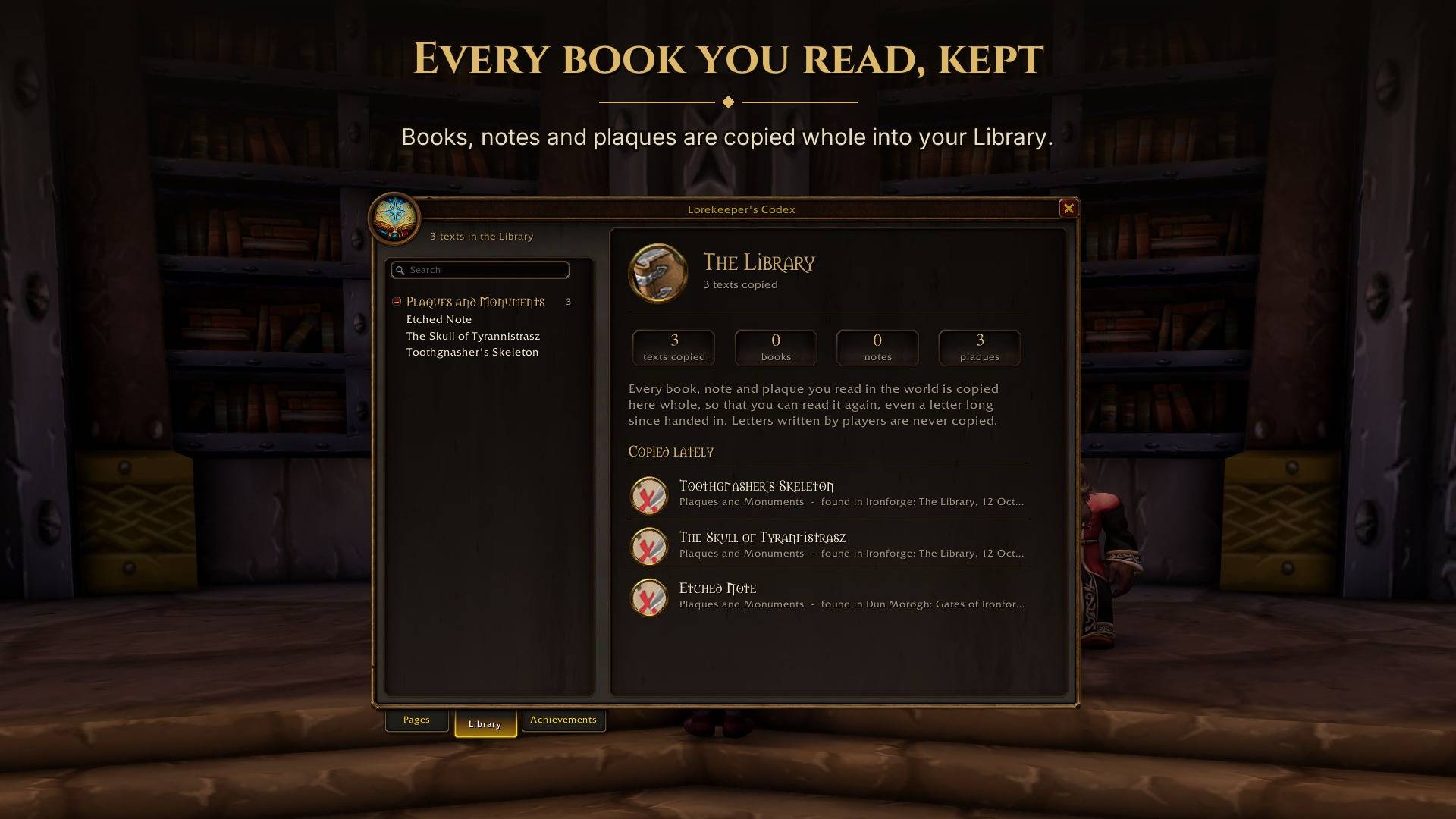
The Library saves the books, notes, quest letters and plaques you read in the world. You can return to them later, even after handing in a quest letter or leaving the place where you found a book.
Texts are copied in full and sorted into shelves, with when and where you read them. The Codex briefly hides the game's reader while it copies all the pages. The copies are shared by your characters too, except a Hardcore character's. Letters written by other players are never copied. The Library and reading-based unlocks recognise texts in every game language. The top of the shelves brings you back to the Library at a glance: what each shelf holds and the texts you copied lately.
Soundtrack
The fourth tab collects the game's music. Stay in a place for a short while with the music on and the tune that plays there is found, with a page on why the place sounds as it does. Found tunes are kept under lands, cities, moments and depths, and a click plays one again. Tunes you have not found show as "???". Your characters share found tunes, a Hardcore character keeps its own.
Achievements
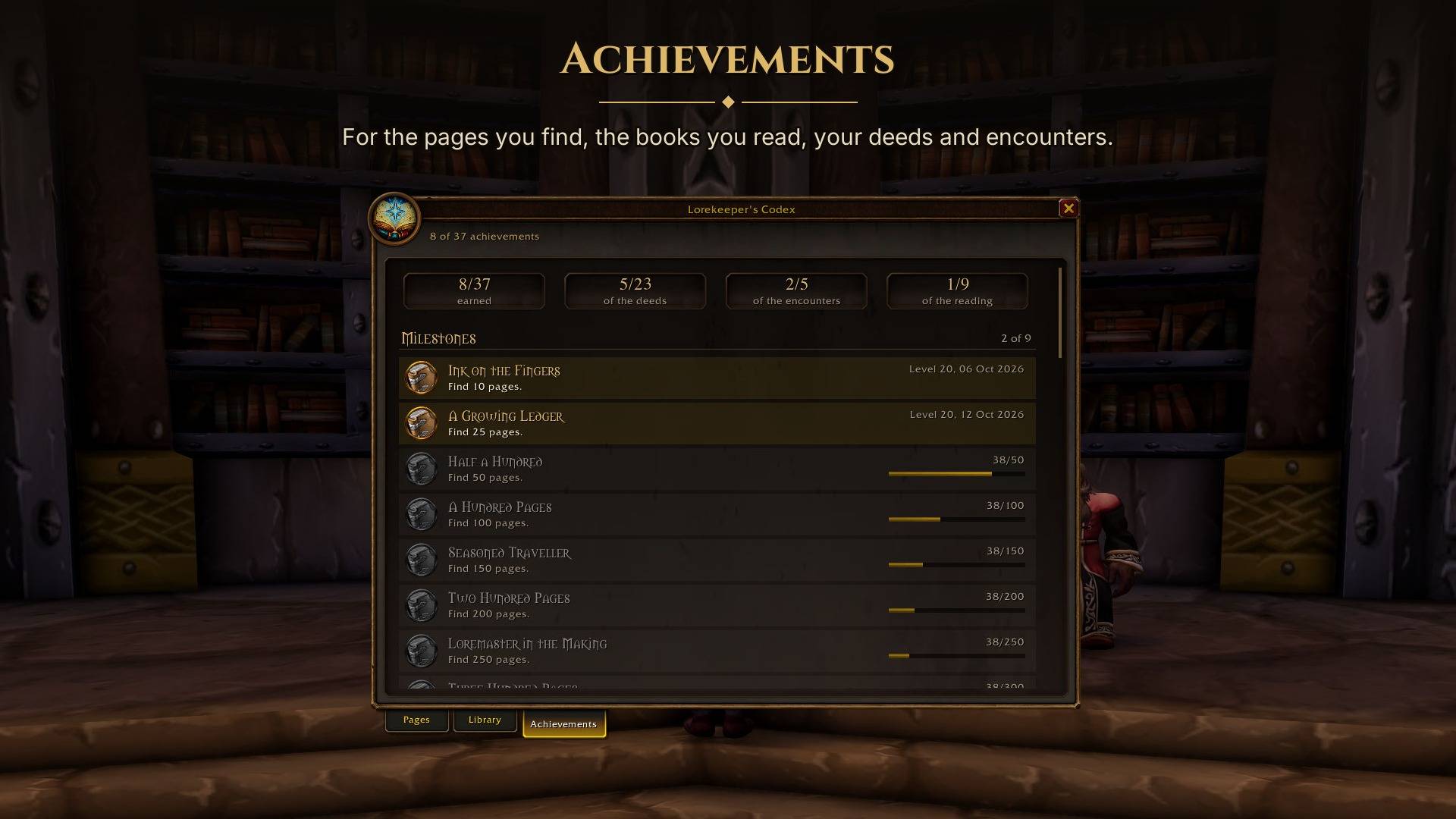
The third tab tracks achievements for discovering pages, building your Library, completing chapters and meeting players of different races and classes. There are also feats for finding legendary wanderers, meeting your faction's leaders, meeting the historian behind your codex and exploring dungeons. Each achievement records the day and level you earned it, and shows in the game's achievement alert once for your whole account (a Hardcore character keeps its own).
Open the tab with /codex achievements.
Compatibility
One download covers Classic Era, Hardcore, Season of Discovery and World of Warcraft: Forever.
Forever includes Zephras Isle and Shen'dralas chapters and pages about its new dungeons. Kill-based unlocks work in the open world. Inside Forever dungeons and raids, the game hides creatures from addons, so kills there cannot unlock pages.
The Codex speaks English and French. With a French client, every page, chapter and window is in French, with every name as the game itself writes it. Known books in the Library follow your client's language where we have it, including copies saved in English or French. Existing game translations are supplemented with our own where needed. Unknown texts stay as copied. Other clients get English, with the places and the Library's titles in their own language. Where you found each page and book is kept by the game's own ids, so it follows your client's language, even after you switch.
If you want to help with future Forever chapters, /codex scan on records the places, creatures and quest texts you encounter.
Settings and commands
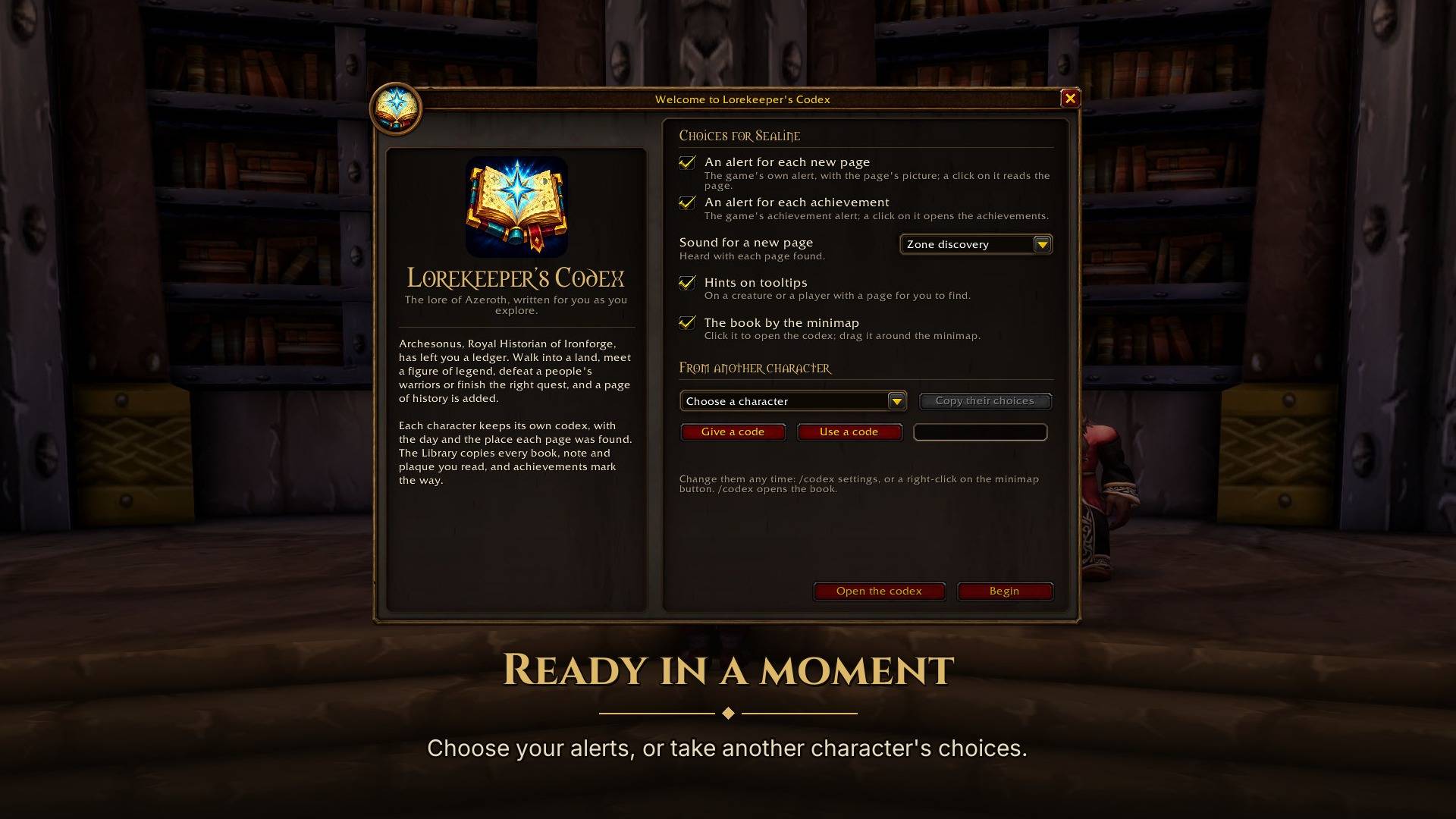
A welcome page introduces the Codex on each character's first login. Use /codex welcome to see it again.
Settings are under Options > AddOns > Lorekeeper's Codex, through /codex settings or by right-clicking the minimap button. Adjust the alerts for new pages and for achievements (each its own switch), their duration, sounds, tooltip hints, the missing pages and the minimap button. Chat lines always show.
Two choices change how the book looks. Book size makes the whole window larger, in four steps from Normal to Largest. Paper colours replace the dark look with dark ink on tan paper, which some players find easier on the eyes. Paper colours take effect after a reload, and the settings page ends with a Reload button for it.
Options > Key Bindings lists Open Lorekeeper's Codex under a heading of its own. Put a key on it, or on Forever a controller button, and one press opens or closes the book. Nothing is bound until you choose.
On Forever with the Gamepad UI on, the game can show its own blocked-action popup after you open an options page. That is a bug in the game's Gamepad UI, and a reload clears it.
Each character has its own settings. Copy another character's settings within the same game using the welcome or settings page, or transfer them with /codex export and /codex import CODE.
/codex achievementsopens the achievement tab./codex accountprints what this character and the shared codex hold, in English, for finding out why another character's pages are missing./codex minimapshows or hides the minimap button./codex resetclears what this character found itself after confirmation. The shared codex keeps every page./codex whereprints your position, useful when reporting a discovery or helping with new pages.
Help the addons keep up with Forever
Forever brings new quests and creatures, and the usual databases take weeks to catch up with them. You can help the Codex and its sister addons get there sooner. Tick Share what you see on the welcome page or in the settings, and the Codex keeps what the game tells you of quests, creatures and NPCs. Ravenpost, a small free app for Windows and macOS, sends it to the addons' shared database a few seconds after you log out, once you Sign in with Battle.net in it, so that each account counts once when players' games disagree. What you see brings Forever's new quests and people to the addons, in every language. Every player who shares makes a real difference, and it's truly appreciated.
Your name, class and race are replaced by the game's own placeholders, lines that name another player are left out, and your chat is never kept. Sharing is off until you turn it on. Turning it off stops it: what was kept stays on your computer, and nothing is sent while it's off.
Other addons
These share the Codex's book style and work independently:
- Hearthtale (Wago) writes a diary for your character as you play, with an epitaph when a Hardcore life ends.
- Yonder (Wago) offers exploration riddles, rare hunts, a bestiary, an atlas and records of your fish and herbs.
- Second Wind (Wago) gives you a debrief after a close call or death.
- Palaver (Wago) puts quests and NPC conversations in a large panel beside the one you speak to, read and answered from the keyboard.
- Mealbook (Wago) keeps a chef's cookbook that fills in as you learn to cook, and plans your road to 300.
- Goodwill (Wago) shows every faction's road to Exalted from where you stand, with a chapter of its story at each standing.
- Yours Truly (Wago) brings letters from the people whose quest chains you finished, waiting at your next mailbox.
Support
Lorekeeper's Codex is free and will stay free. If you've enjoyed learning more about Azeroth, you can support work on new pages with a coffee on Ko-fi. Thank you.
Source
MIT licensed: github.com/salty-max/lorekeepers-codex. Places, creatures and books come from the game clients' tables, QuestieDB and the CMaNGOS Classic database. The Library's translated pages and Forever's own books come from Wowhead, as the game writes them. Thanks to their contributors. Not affiliated with Blizzard Entertainment.
Lorekeeper's Codex: Lore of Azeroth Team