Yonder: Riddles, Rare Hunts & an Explorer's Journal
- By
Solve exploration riddles, hunt rare creatures and keep a journal of the creatures, places, fish and herbs you find.
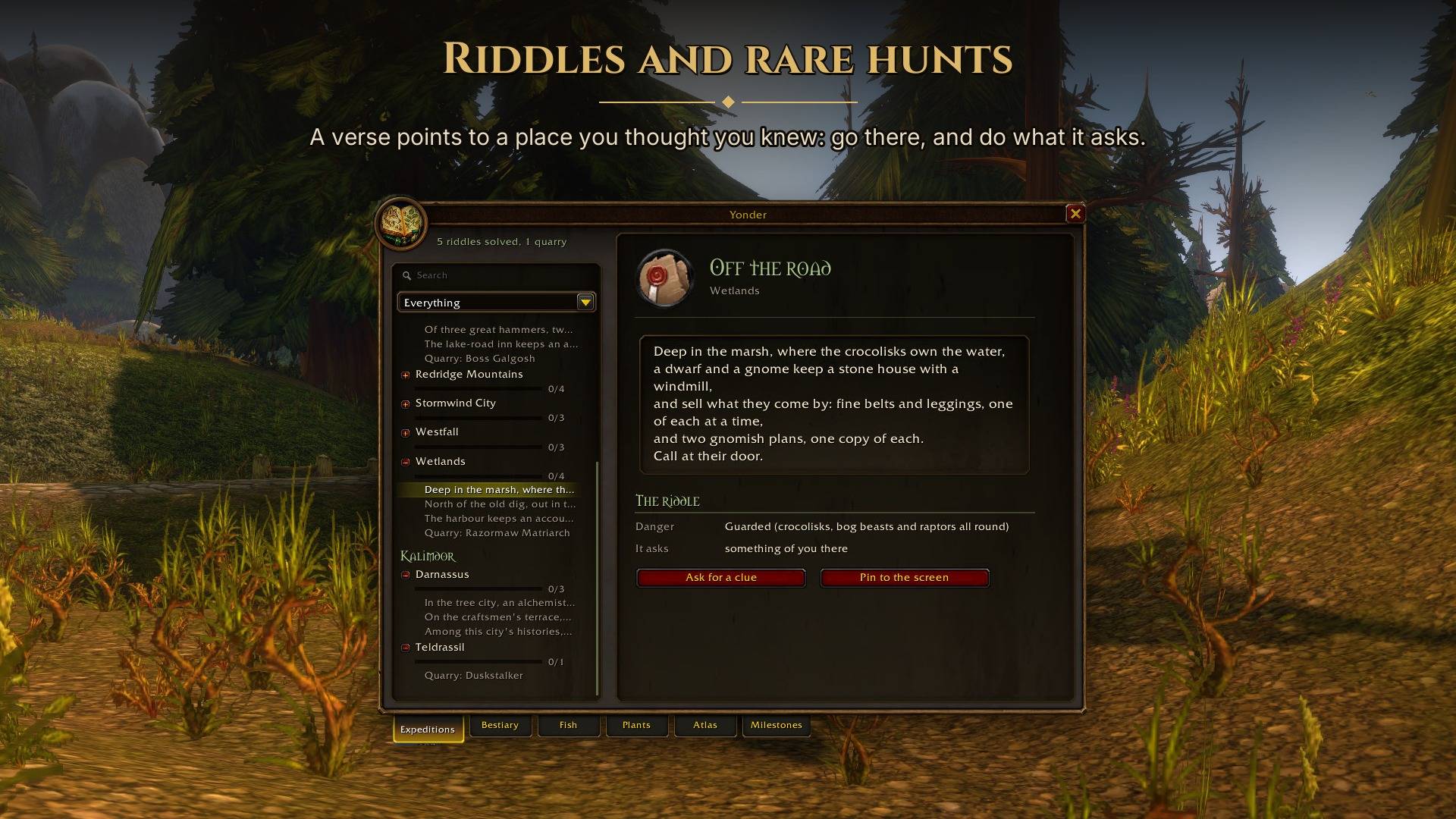
gallery-01-riddle.jpg
gallery-02-quarry.jpg
gallery-03-map.jpg
gallery-04-beasts.jpg
gallery-05-timber.jpg
Description
Yonder: Riddles, Rare Hunts & an Explorer's Journal
Yonder gives you riddles to solve, rare creatures to hunt and a record of what you find along the way. Follow a clue to a forgotten grave, track down a rare you've never fought, or fill in your bestiary while levelling. The journal keeps your discoveries, with notes from an Explorers' League naturalist.
For Classic Era (including Hardcore and Season of Discovery), TBC Anniversary and World of Warcraft: Forever.
Yonder was called Explorer's Field Journal until version 0.8.0. Your journal comes along on its own: see Coming from Explorer's Field Journal below.
Expeditions
There are 106 riddles and 38 rare hunts across the original world. Forever adds four riddles and a hunt on Zephras Isle.
The riddles lead to overlooked statues, books on shelves, graves beside the road and people few players stop to speak to. Some are solved by reaching the right spot or speaking to the right person. Others ask you to read something or work out a gesture from the verse. Riddles are solved on foot and outside combat, and never require a kill.
Each has two optional hints. The first makes the clue clearer. The second shades the location on your world map. Solve it without hints to earn a gold seal and unlock an extra piece of the story. The first hint costs the gold seal, and the map hint costs the silver.
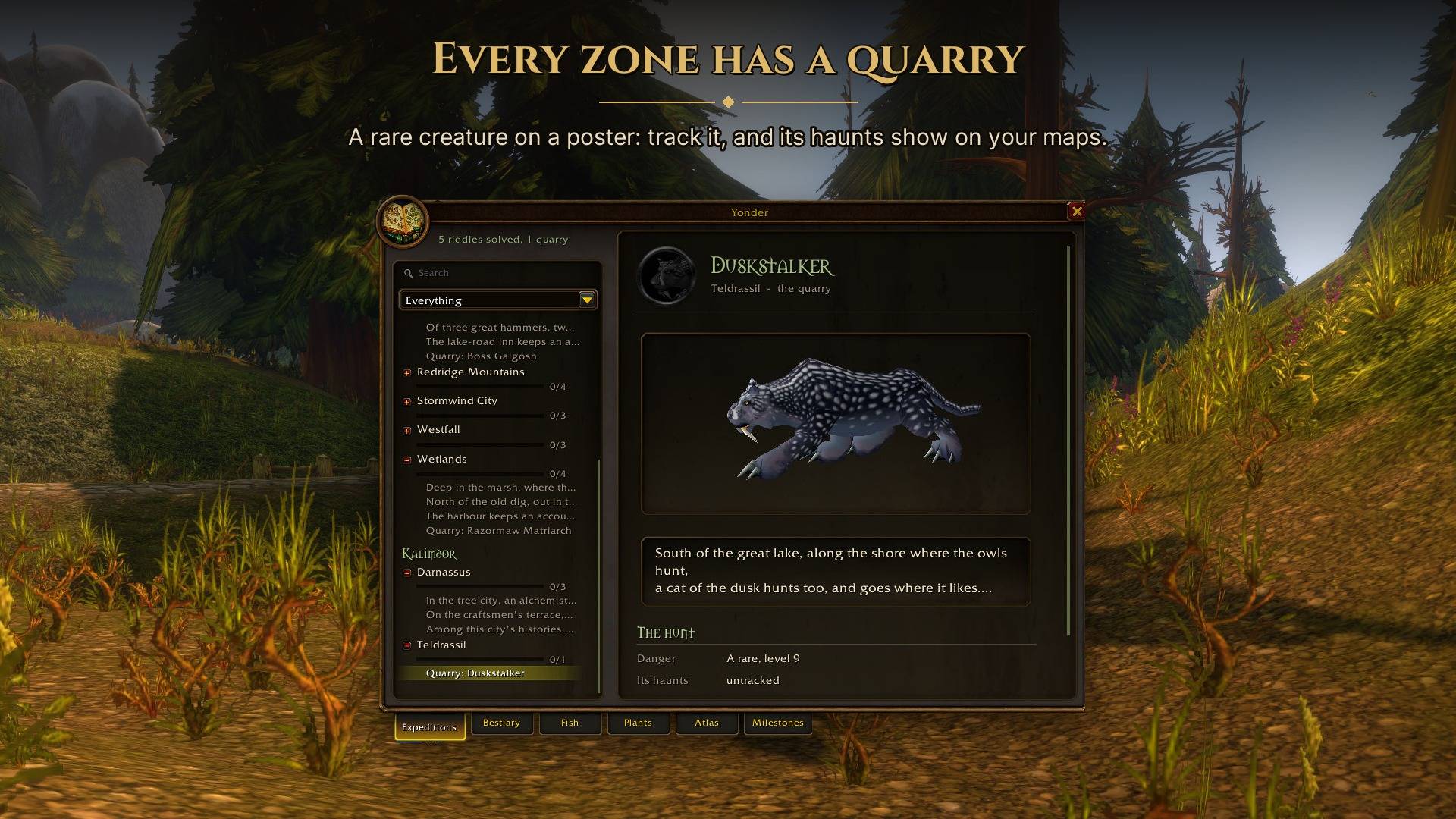
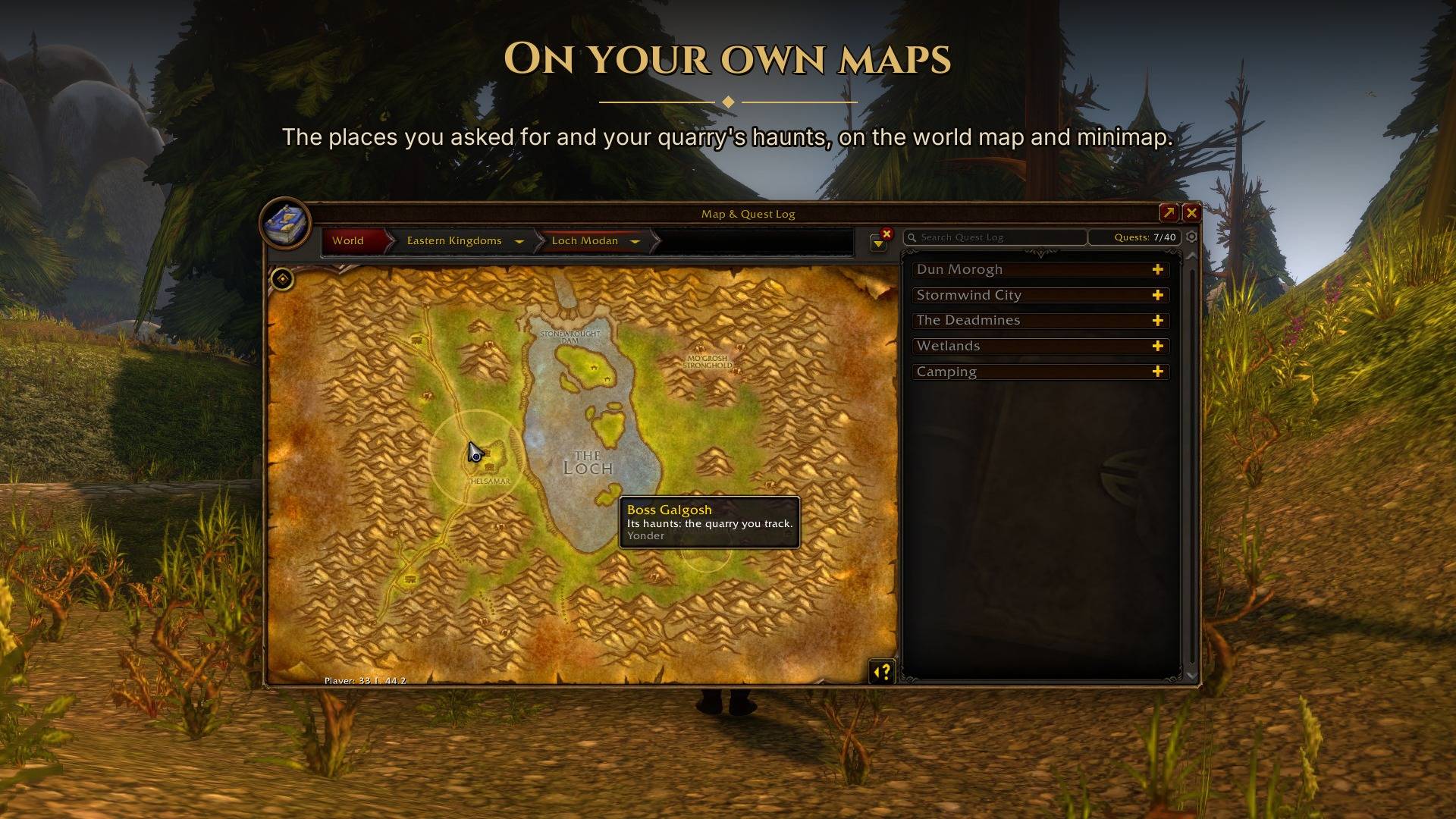
Rare hunts have posters describing creatures such as Humar the Pridelord, Broken Tooth, Rak'shiri, King Mosh and Vultros. You can track a hunt to mark the creature's haunts on the map, or find and defeat it without tracking to earn a gold seal.
The Expeditions tab opens first. It shows the zones you've visited and your faction's capitals, with maps, riddles and hunt posters. Solved riddles reveal a note about what you found. Pin a riddle or a poster to your screen if you want to keep it beside you while exploring. Solving a riddle or completing a hunt brings an alert.
The Bestiary
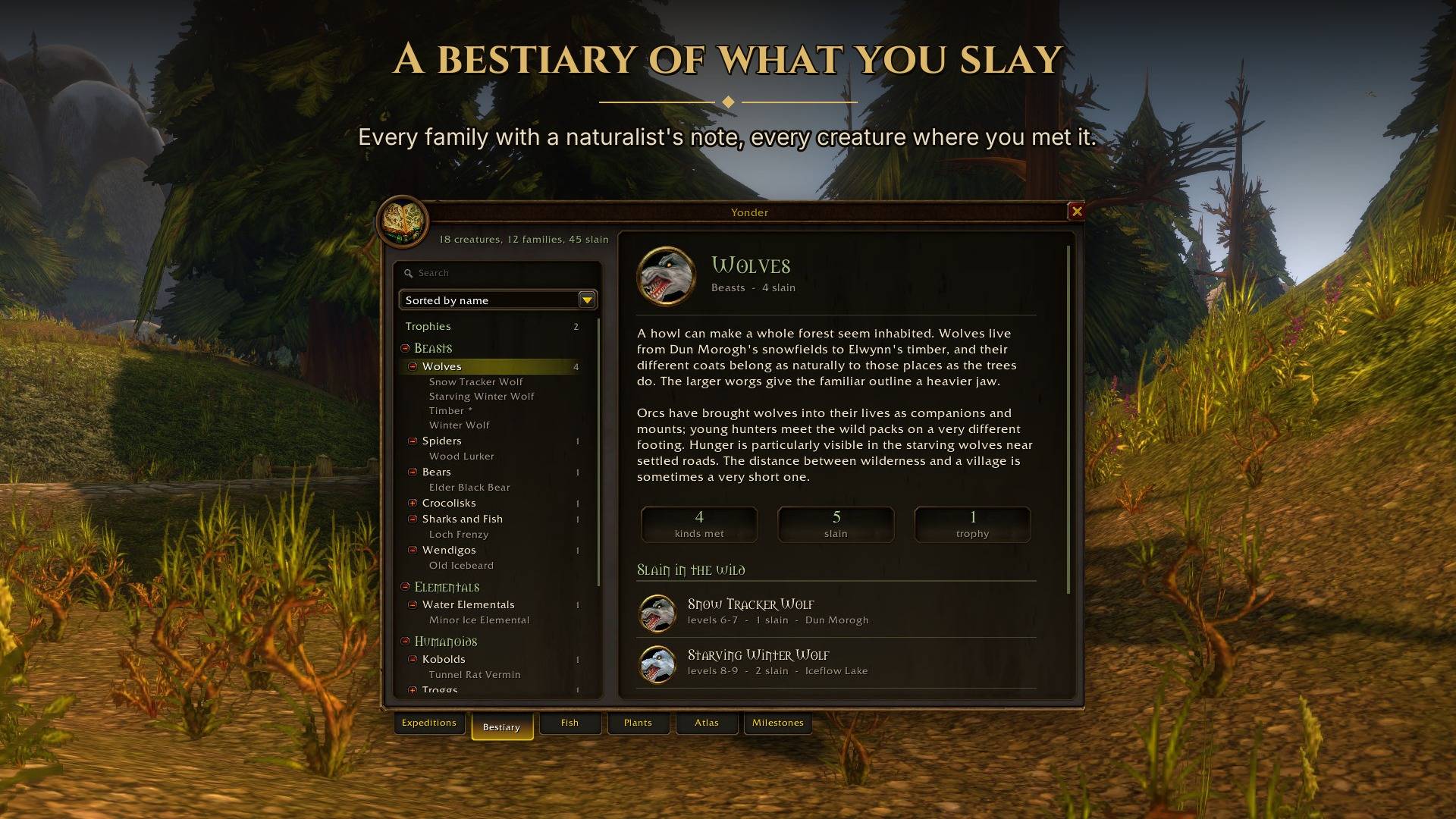
The Bestiary covers around 3,500 creatures in 96 families, from wolves and murlocs to the dragonflights, the Scourge and the Burning Legion. Each family has a naturalist's note about its creatures and their place in the world.
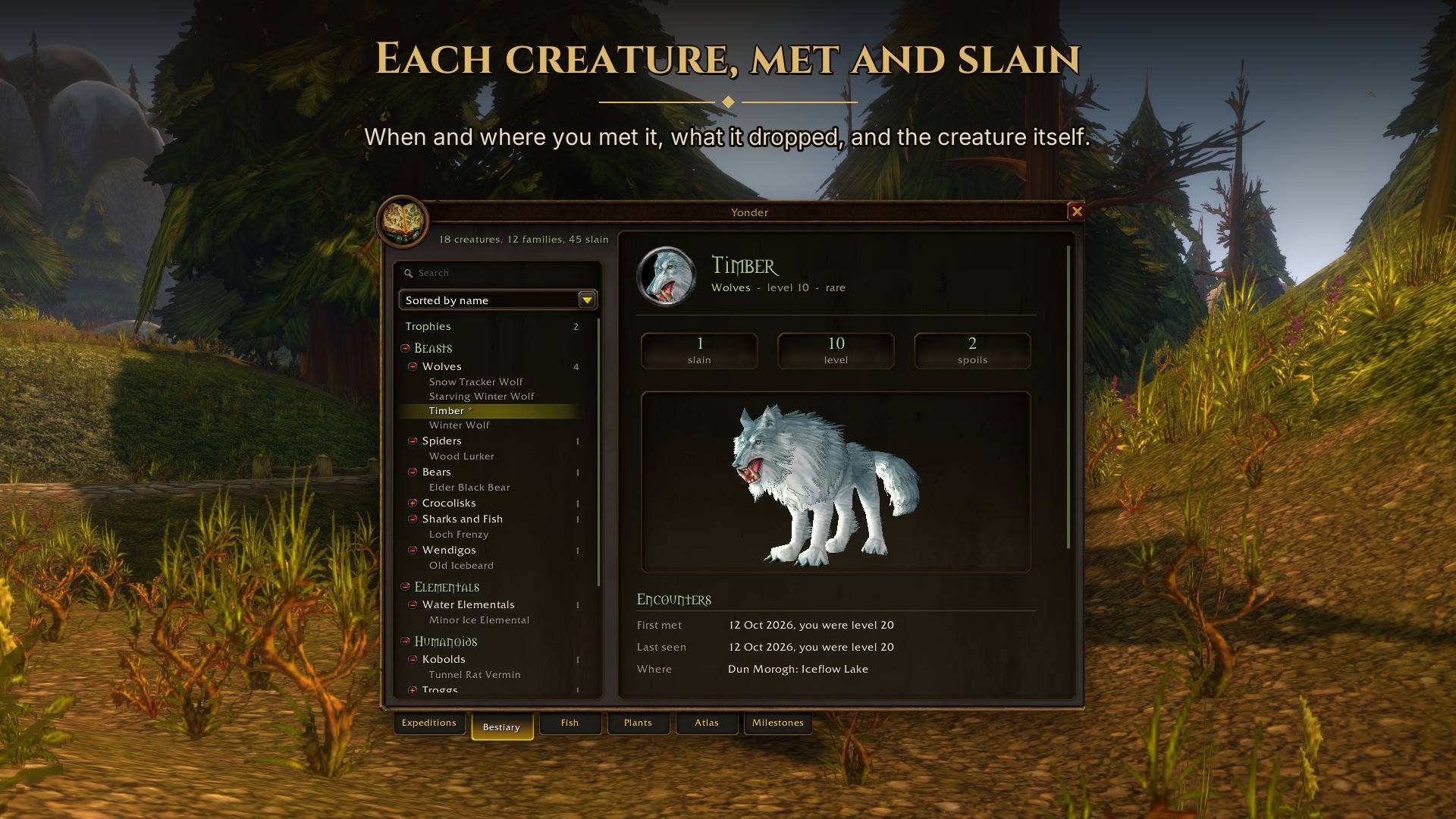
A creature joins the book when you first kill it. Its page keeps your first sighting, the levels you've seen, your kill count, its loot and your observed drop rates. Rares and bosses become trophies, with a sound when you defeat them.
Kills by you, your pet and your group count, including damage over time and area spells. A creature you tagged and another player finished also counts when one of your quests credits the kill. Friendly townsfolk and critters are left out.
New creatures get a chat link to their page, without a banner or sound. Tooltips show whether you've recorded a creature and how many you've killed. Each character keeps its own journal, and undiscovered creatures are hidden with no total showing how many remain.
Browse by creature type and family, search by name, or sort a family's creatures by name, kill count, most recent kill or first discovery. Creature pages include a rotating model and your loot history. The Trophies page gathers the rares and bosses you've defeated.
Drop rates use corpses you looted or found empty, starting with version 0.7.5. Unlooted corpses and repeat visits, including skinning, do not count. In groups, the calculation only uses corpses you looted.
Fish and Plants
The Fish tab records your catches, where and when you caught them, whether you fished from a school or open water, and your heaviest catch for fish that come in different weights.
The Plants tab records herbs that reach your bags, whether gathered, looted, bought or given to you. All 30 herbs and 39 fish have naturalist's notes about where to find them and what they're used for.
Each page shows your records and the zones where you've found that fish or herb. Click a zone to open its Atlas page.
The Atlas
The Atlas keeps a page for every zone you enter. Each has a surveyor's note about the terrain, roads and dangers, a map showing your explored areas, and a record of your first visit, flights, deaths and close calls.
It picks up areas you've already uncovered on the game map. Click a discovered place to highlight it, look up the zone's expedition, or see the herbs and fish you've found there. Browse by continent or open the travels page for an overview of your recent discoveries.
Deaths and close calls can also be marked on the game's world map. You can turn those markers off in the settings.
Milestones
The Milestones tab rewards progress throughout the journal. These include creature and trophy counts, completing families, defeating a zone's rares, exploring every part of a zone, and fishing and gathering goals.
There are feats for Hogger, the Emerald Nightmare and the Firelord, for Nat Pagle's rare fish and Black Lotus, and for solving expeditions with gold seals or completing hunts without tracking. Each milestone records the date and level you earned it, and shows in the game's achievement alert with a fanfare and a chat message.
Compatibility
One download covers Classic Era, Hardcore, Season of Discovery, TBC Anniversary and World of Warcraft: Forever.
Forever adds Zephras Isle to the Atlas, and its new rares count towards zone milestones. The game hides creatures inside Forever dungeons and raids from addons, so the journal cannot record them there.
Settings and commands
Type /yonder or click the minimap button to open the journal. Each login says in chat what your journal holds. A welcome page appears once per character. Use /yonder welcome to see it again.
Settings are under Options > AddOns > Yonder, through /yonder settings or by right-clicking the minimap button. Choose the banners for riddles and quarries, the alerts for milestones (each its own switch), trophy sounds, map markers, tooltip hints and whether to show the minimap button. Chat lines always show.
Settings are saved per character. Copy them from another character of the same game on the welcome or settings page, or transfer them with /yonder export and /yonder import CODE. Codes made by Explorer's Field Journal still work.
/yonder whereshows your current map and position./yonder resetclears this character's journal after confirmation./yonder minimapshows or hides the minimap button./yonder toastpreviews a riddle alert.
Coming from Explorer's Field Journal
The addon was renamed because another addon, Field Journal: Forever, uses the same folder name. With both installed, one replaced the other. Yonder lives in its own folder, so the two can now sit side by side.
You don't need to do anything. At each character's first login with Yonder, its journal moves over: riddles, seals, creatures, Atlas, fish, herbs, milestones and settings. A line in chat confirms it.
The download includes a small FieldJournal folder that hands the old journal over. It does nothing else, and a later update removes it. It works on Classic Era and TBC Anniversary. Forever beta journals start fresh, since beta characters don't carry over to launch.
If you install by hand, delete the old FieldJournal folder from Interface/AddOns first, then copy both folders, Yonder and FieldJournal. Copying over the old folder keeps the old addon's files. If it still runs beside Yonder, Yonder turns it off and says so in chat.
Other addons
These share Yonder's book style and work independently:
- Hearthtale (Wago) writes a diary for your character as you play, with an epitaph when a Hardcore life ends.
- Lorekeeper's Codex (Wago) unlocks lore pages as you explore Azeroth and meet its people.
Support
Yonder is free and will stay free. If you've enjoyed the riddles or found a new favourite spot, you can support work on the journal with a coffee on Ko-fi. Thank you.
Source
MIT licensed: github.com/salty-max/yonder.
Creature data comes from the CMaNGOS Classic database, with Forever rares from AllTheThings. Expedition locations use that database and the game client's tables, checked against Wowhead. Zephras Isle locations use QuestieDB's Forever beta records. Not affiliated with Blizzard Entertainment.
Yonder: Riddles, Rare Hunts & an Explorer's Journal Team