Node Sight Sparkles
- By
NodeSight's sparkles on their own, for Retail or if you only want the sparkles. Already using NodeSight? You don't need this.
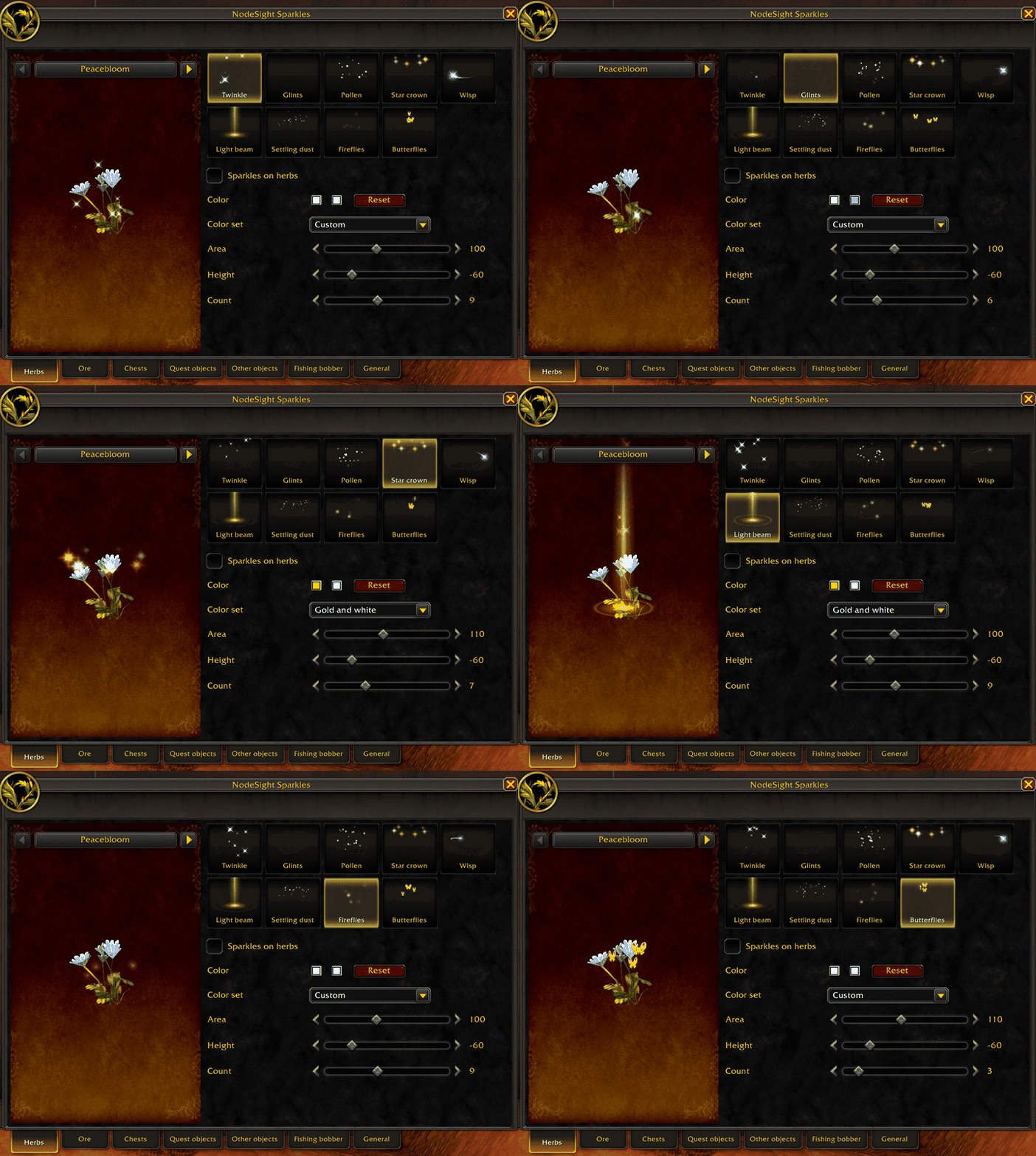
In game settings
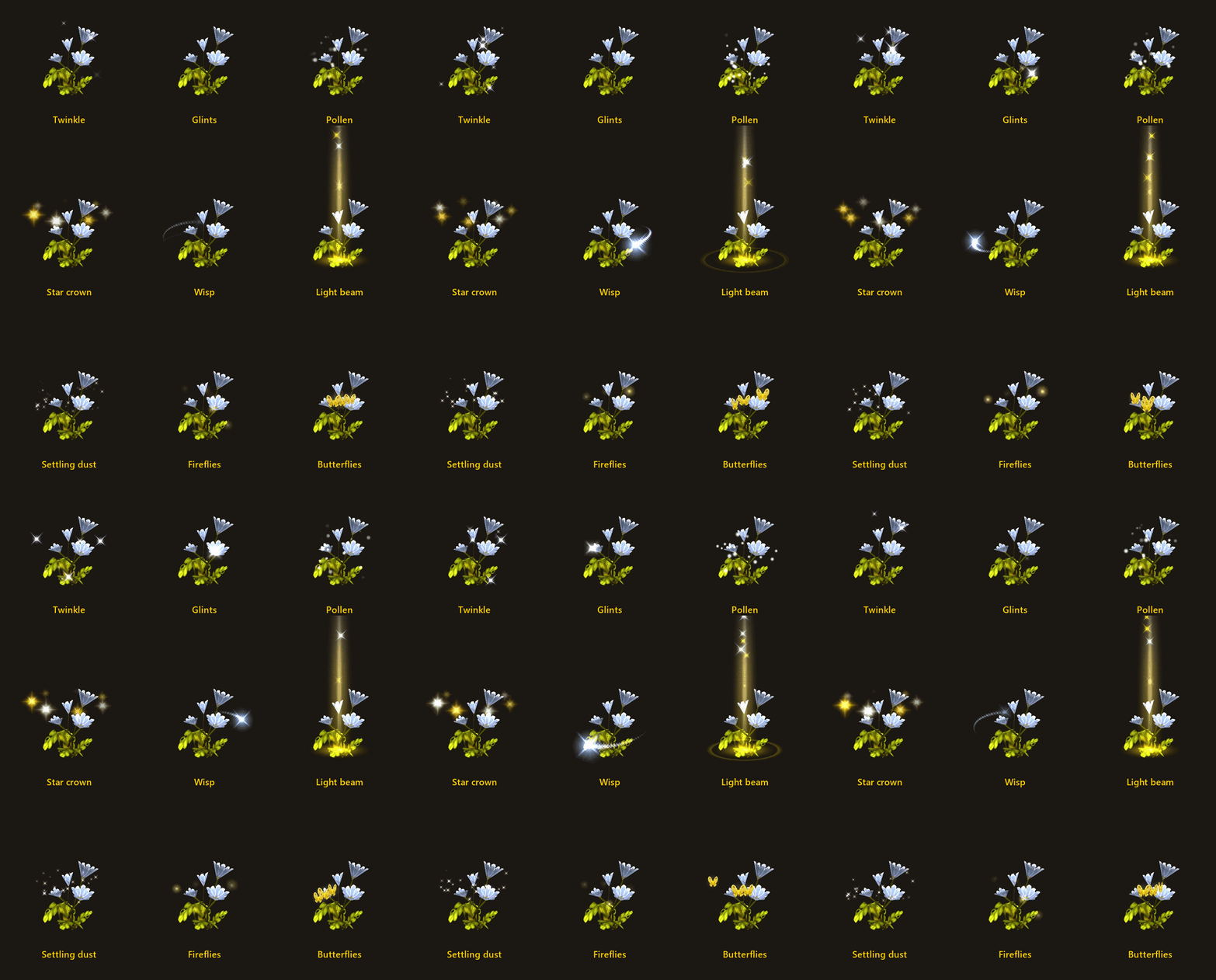
Animation showcase
Description
NodeSight Sparkles
NodeSight Sparkles is the sparkles from NodeSight on their own, with all the minimap features taken out. It puts sparkles on the herb, ore, chest or quest object in front of you so you can spot it easily.
If you already use NodeSight you don't need this. NodeSight has the exact same sparkles, and NodeSight Sparkles turns itself off while NodeSight is on. It's made for:
- Retail players. NodeSight is for WoW Forever only, this one works in both
- Forever players who only want the sparkles, without the minimap pictures, the arrow and the minimap scanning
Features
- Sparkles on the herb or ore in front of you, up to 15 yards away. Change the colors, area, height and how many
- Sparkles on your fishing bobber, so it's easier to spot (Beta)
- Sparkles on quest objects and anything else you can interact with, each with its own look (off by default)
- 14 styles made from the game's own art. Butterflies, Pickaxe sparks, Spilling coins and Quest mark are made for herbs, ore, chests and quest objects
- All the sparkle settings in one window, with a 3D preview of the node
- Plus: brightness, dimmer out of reach, hide in combat or in instances, and a finish when you gather
- Gray sparkles when your Herbalism or Mining is too low to gather it (off by default)
- Rare herbs and ore stand out with a gold glow (off by default)
Please read this: sparkles change some game settings
The sparkles need the game to tell NodeSight Sparkles which object your Interact Key would pick. Herbs, ore and chests sparkle as soon as you log in, so while any sparkles are on it sets:
softTargetInteractto 3 (Options > Controls > Enable Interact Key)SoftTargetIconGameObjectto 1 (the object part of Interact Key Icons)SoftTargetInteractArcto 2 andSoftTargetInteractRangeto 30SoftTargetWorldtextSizeto 0 (not with Keep the game's icons on)
Turn all the sparkles off and everything goes back to how you had it, unless you changed it yourself.
If you want the settings to go back to how they were please disable all sparkles before deleting the mod
Notes
- Herbs, ore, chests and your fishing bobber sparkle right away. Turn any of them off, or turn on quest objects and other objects, in the sparkle window
- One download works in both WoW Forever and Retail
- On Retail, Dimmer out of reach and Gray sparkles do nothing. Retail doesn't tell addons your range or your skill
- Chests and the rare glow go by name, and only know WoW Forever's. On Retail most chests sparkle as other objects
- Herbs and ore sparkle in every language. Chests, gray sparkles and the rare glow work in English, German, French, Spanish, Portuguese, Korean and Chinese
- Sparkles only show within 15 yards
Settings
Esc > Options > AddOns > NodeSight Sparkles
Not working?
- No sparkles on quest objects or other objects: they're off by default, turn them on in the sparkle window
- The settings page only says it's off: NodeSight is on. Use NodeSight's sparkles, or disable NodeSight
- Sparkles are on but a herb isn't sparkling: turn so it's near the middle of your screen and get within 30 yards
If you are still having issues let me know and I will help
Credits
Logo based on "Sparkles" by Delapouite, from game-icons.net, licensed under CC BY 3.0.
Node Sight Sparkles Team

Owner