Layer-Swap
- By
See which layer you are on in WoW: Forever, ask for a swap with one click, and host swaps for others.
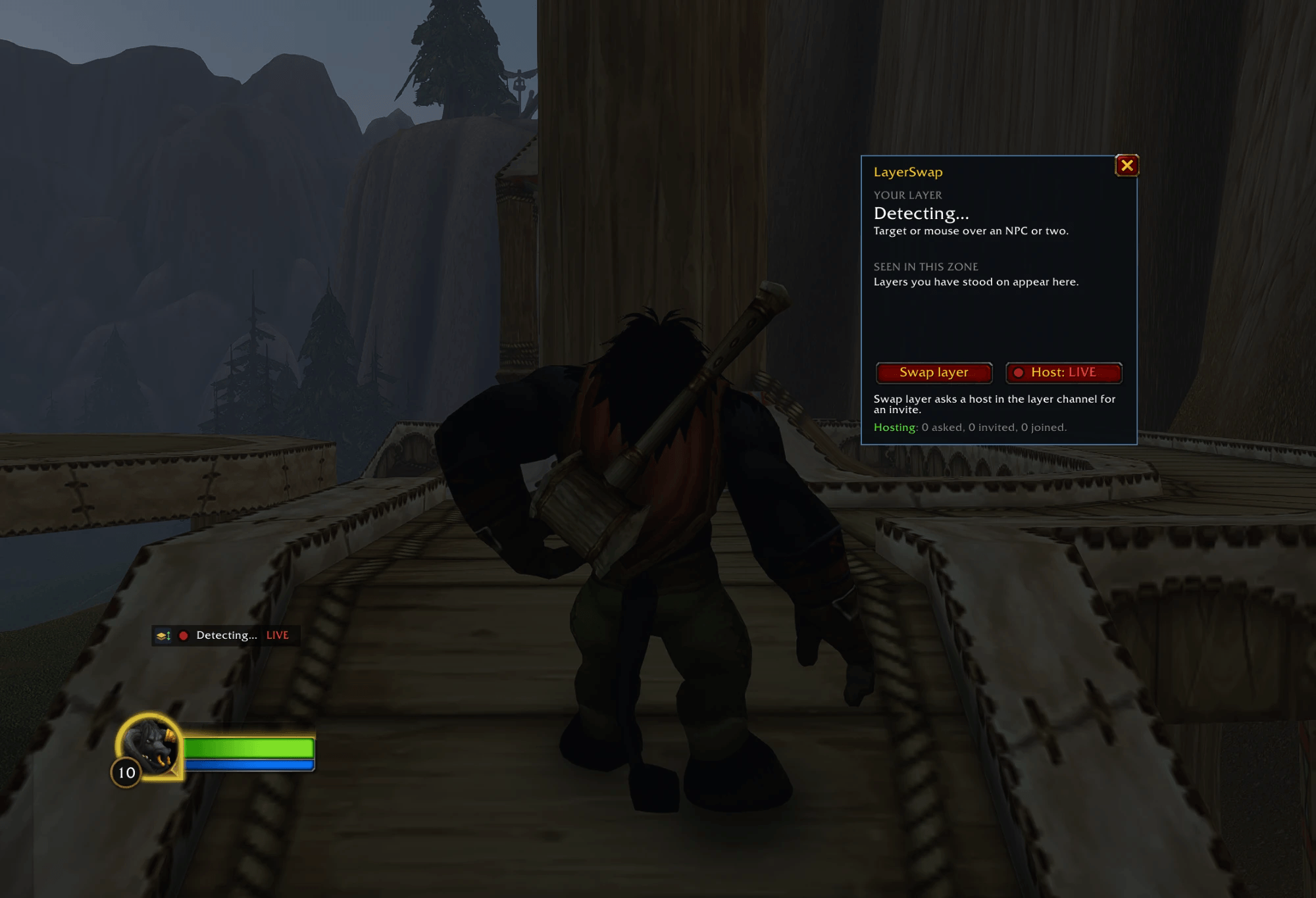
layerswap-screenshot.png
Description
See which layer you are on in World of Warcraft: Forever, ask for a swap with one click, and host swaps for others.
Your layer, on screen. /ls opens a small panel with the layer you are on, read from the creatures around you - mouse over or target an NPC or two. Layers you have stood on stay listed with how long ago you saw them, and when the game announces a world refresh the panel counts down to it.
Always on screen. A small line shows your layer, a red LIVE dot while you host, and the countdown when the game is about to move you. Click it for the panel, drag it anywhere, or click its logo for a list of the layers you can ask for. Right-click it to hide it; Show line in the panel brings it back. The minimap button opens the panel (left-click) and turns hosting on or off (right-click).
Swap layer. One click writes a plain "inv layer" in the layer channel, where players already ask for and offer layers. LayerSwap hosts also learn, out of sight, which layer you are leaving, so a host on your own layer does not answer. Click a layer in the panel's list to ask for that one: only a LayerSwap host standing on it answers. No answer after 30 seconds? The button offers Ask in General. Accept the invite and you join the host's group - and the host's layer, for as long as you stay in the group: leaving sends you back to your own layer. If the host turns out to be on your layer, the panel says so, and Leave and ask again tries once more. LayerSwap never leaves a group without your click.
Host. Turn Host on and LayerSwap invites players who ask for a layer in the layer channel, in General or by whisper. It only invites while you are alone or lead a group it filled itself, never in an instance or a raid, never the same player twice within a minute, and it stops when the group is full. The players it invites stay on your layer while they stay in your group.
Commands
/ls- open the panel/ls mini- show or hide the small line/ls minimap- show or hide the minimap button/ls swap- ask for any other layer/ls swap B- ask for Layer B/ls host- start or stop hosting/ls kick- remove the players LayerSwap invited/ls status
LayerSwap is free and stays free. If you would like to support the work: https://ko-fi.com/adam5288
The Layer-Swap Team


Owner