Kinfolk: Tank Cast Bar
- By
A light target cast bar for tanks: see your target's cast, know when your kick is ready, and run your raid's kick order for each boss. Made by the developer of KinFolk.
TankCastBar_Logo_400.png
01-cast-bar.png
04-your-kick.png
03-interrupted.png
02-cant-kick.png
08-kick-order-page.png
05-options.png
07-kick-order.png
06-minimap-menu.png
Description
Kinfolk: Tank Cast Bar: a light target cast bar for tanks
Tank Cast Bar is a target cast bar built for tanks in World of Warcraft: Forever. It does one thing very well: it shows your target's cast and whether your kick is ready, and in a group it runs your raid's kick order for each boss. It works while you level as a tank too.
Made by the developer of KinFolk.
Beta notice. The cast bar has been tested in the game. The kick order is new and has not been tried in a live group yet. If something breaks or looks wrong, please send me a message here on CurseForge (Teddyruxspin).
At a glance
| Game | World of Warcraft: Forever |
| Made for | Tanks, and every player who interrupts, melee or ranged |
| Shows | Your target's cast, and whether your kick is ready |
| Kick orders | One per boss, Boss 1 to Boss 5, shared with your group |
| Needs | Nothing else. Works on its own |
The cast bar
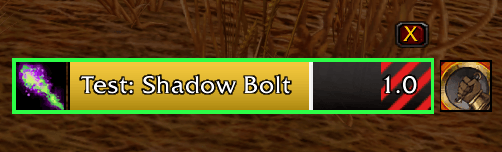
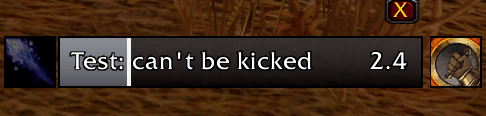
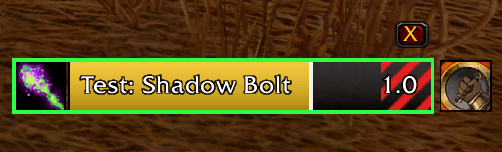
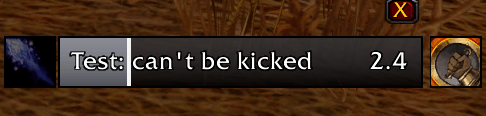
- Gold bar for a cast you can kick, grey bar for one you can't.
- Green frame when the cast can be kicked, your interrupt is ready and the game does not report your target out of range.
- Red frame when the cast can be kicked but your interrupt is on cooldown or out of range.
- Late-kick zone: a striped end on the bar where a kick may land too late. Its size is yours to set.
- Your interrupt's icon beside the bar with its cooldown swirl. It turns red when the game reports your target out of range.
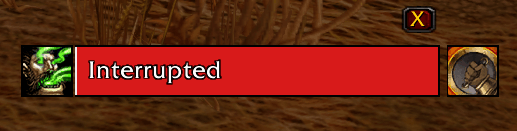
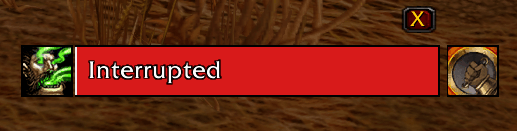
- "Interrupted" flashes red when the cast is interrupted.
- Finds your interrupt by itself, melee or ranged (Shield Bash, Pummel, Kick, Counterspell, Silence and others), or set it with
/tcb interrupt. - Hides the game's own target cast bar, so a cast does not show twice (an option, on by default).
Kick orders for boss fights
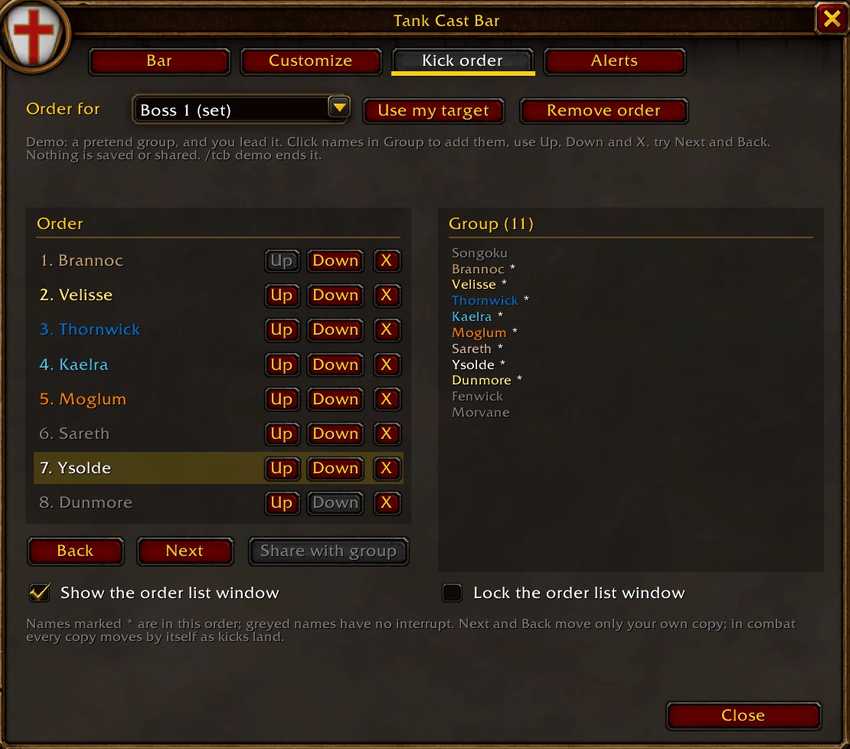
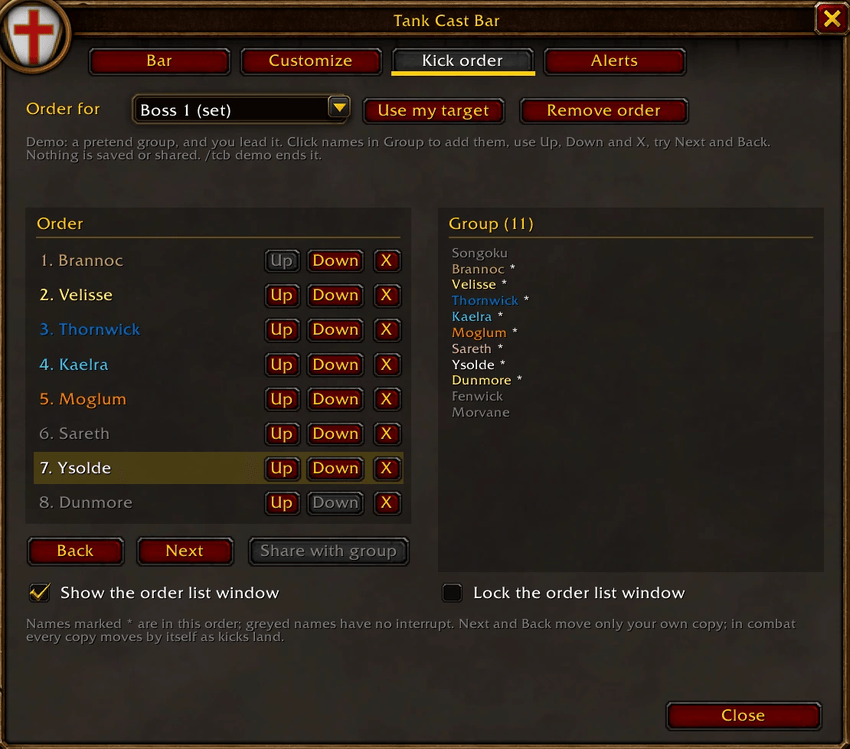
- One kick order per boss, Boss 1 to Boss 5, as the game numbers its boss frames. A fight where only one boss casts gets one order.
- Set by the raid leader or an assistant (the party leader in a 5-player group) on the Kick order page, then shared with the group by addon message.
- Use my target picks the boss number for you, out of combat, when the game shows which boss you are targeting.
- Only players with an interrupt can be added. Players with Tank Cast Bar report their own interrupt; for everyone else the class decides.
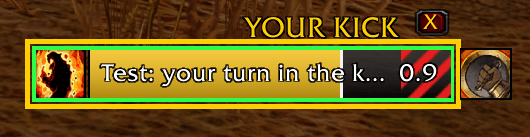
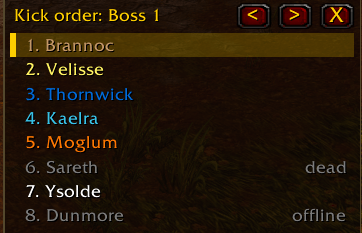
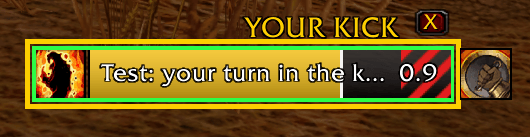
- On the bar: "NEXT: name" shows whose kick is next, and "YOUR KICK" with a sound when it is your turn.
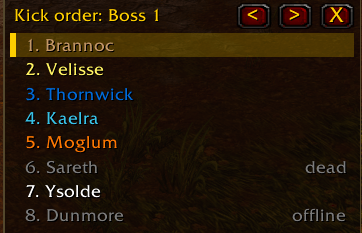
- A small order list you can move, with names in their class colors, the current kicker highlighted, players on cooldown counting down, and Back, Next and close buttons. Type
/tcb demoto try it all with a pretend group of made-up players, no group needed. - In combat every copy moves on by itself when a boss's cast is interrupted. Share before the pull: the game holds addon messages during boss fights.
Options
- Open with
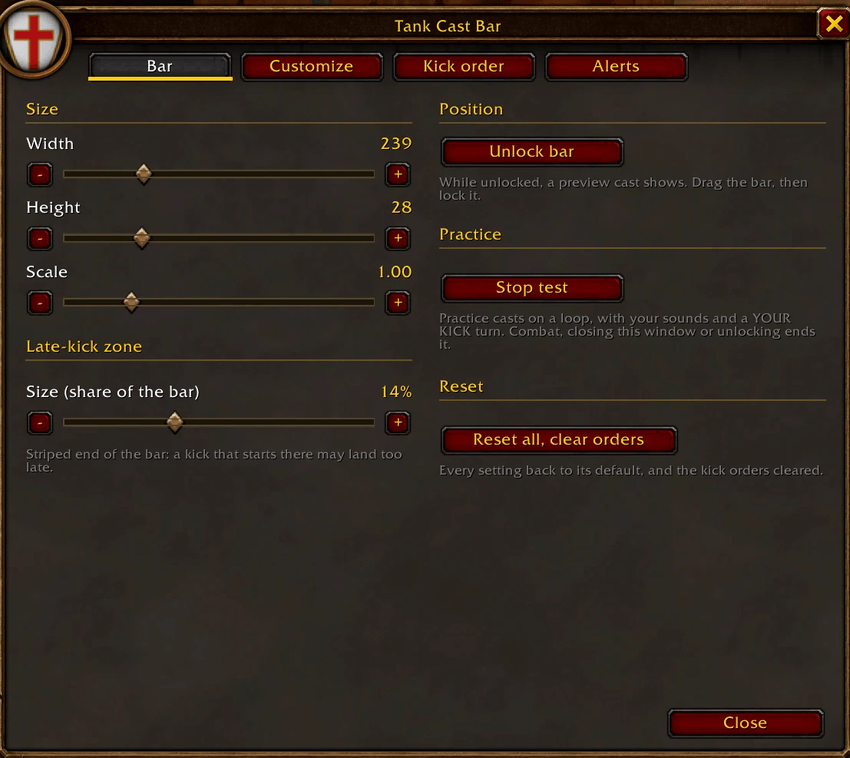
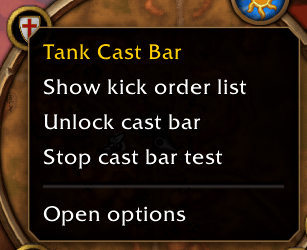
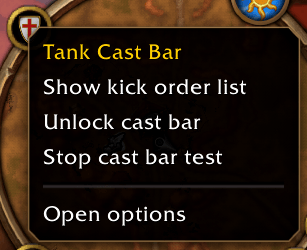
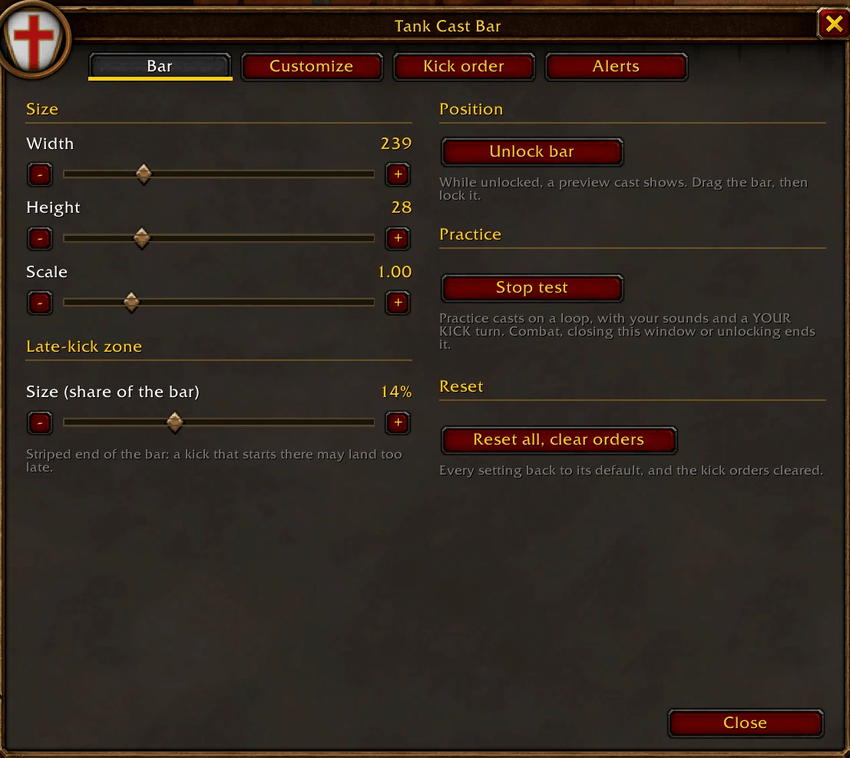
/tcb, the minimap button, or Esc -> Options -> AddOns -> Tank Cast Bar. - Four pages: Bar, Customize, Kick order and Alerts. Changes show on the bar at once.
- Default and Slate themes.
- Bar size, icon positions, text, five colors and sounds.
- Test cast bar plays practice casts on a loop, no target needed.
Getting started
- Install with the CurseForge app, or download the zip and extract it into your game's
Interface\AddOnsfolder. - Log in and type
/tcb unlock. Drag the bar where you want it, then click the small X above it (or type/tcb lock). - Type
/tcb interrupt auto. Chat names the interrupt it found, melee or ranged. - For boss kick orders: the raid leader opens
/tcb, goes to Kick order, builds the order for each boss that needs kicks, and clicks Share with group before the pull.
Slash commands
| Command | What it does |
|---|---|
/tcb |
Opens the options window |
/tcb unlock or /tcb lock |
Unlocks the bar to move it, or locks it |
/tcb width, /tcb height, /tcb scale |
Sets the bar's size, for example /tcb width 300 |
/tcb kick on or off |
Shows or hides your interrupt's icon |
/tcb hostile on or off |
Shows only casts from enemies you can attack |
/tcb interrupt auto |
Picks your interrupt, or name one: /tcb interrupt Pummel |
/tcb list |
Shows or hides the kick order list |
/tcb next or /tcb back |
Moves your copy of the kick order on or back |
/tcb demo |
Try the kick order with a pretend group of made-up players: build orders on the Kick order page and watch the list, no group needed |
/tcb reset |
Restores every default and clears the kick orders |
/tcb help |
Lists the commands |
Frequently asked questions
What is Tank Cast Bar?
A target cast bar for tanks in WoW Forever. It shows your target's cast, whether your kick is ready, and, in a group, whose kick is next on each boss.
Does it work while leveling?
Yes. The cast bar works on any target you can attack, solo or in a group. Kick orders are for group boss fights.
Why does the sound sometimes play for a cast I can't kick?
The game hides from addons whether an enemy's cast can be kicked, so the optional "kick is ready" sound can play for those casts too. The bar's color still shows it: the game itself draws the grey bar.
How does the kick order know who kicked?
When a boss's cast is interrupted, it looks for a cast by a player in the order within 0.3 seconds. The game does not say which spell a teammate cast, so a normal ability at the same moment can take the credit. The Back and Next buttons fix it.
Which classes can be in a kick order?
Warrior, Rogue, Shaman, Druid, Paladin, Mage and Priest (with the Silence talent). Hunters have no interrupt on Forever. Warlocks are left out because Spell Lock is cast by the Felhunter, and Tank Cast Bar does not watch pet casts.
How do I report a bug?
- Update to the newest version first.
- Turn on Lua errors with
/console scriptErrors 1and copy the error text. - Message me on CurseForge.
Kinfolk: Tank Cast Bar Team