Kinfolk: PVP WarLedger
- By
Warledger is a PvP planning addon for World of Warcraft: Forever that puts your rank, Honor, battleground marks, and reputations in one window, and tells you exactly what you still need for the PvP gear you want.
Screenshot 2026-10-02 172055.png
Screenshot 2026-10-02 172154.png
Screenshot 2026-10-02 172127.png
Screenshot 2026-10-02 173824.png
Screenshot 2026-10-02 173928.png
Description
Kinfolk: PVP Warledger Progress Planner
Warledger is a PvP planning addon for World of Warcraft: Forever that puts your rank, Honor, battleground marks, and reputations in one window, and tells you exactly what you still need for the PvP gear you want. It is for every player who does battlegrounds or world PvP, from a few games on the weekend to the climb to rank 14.
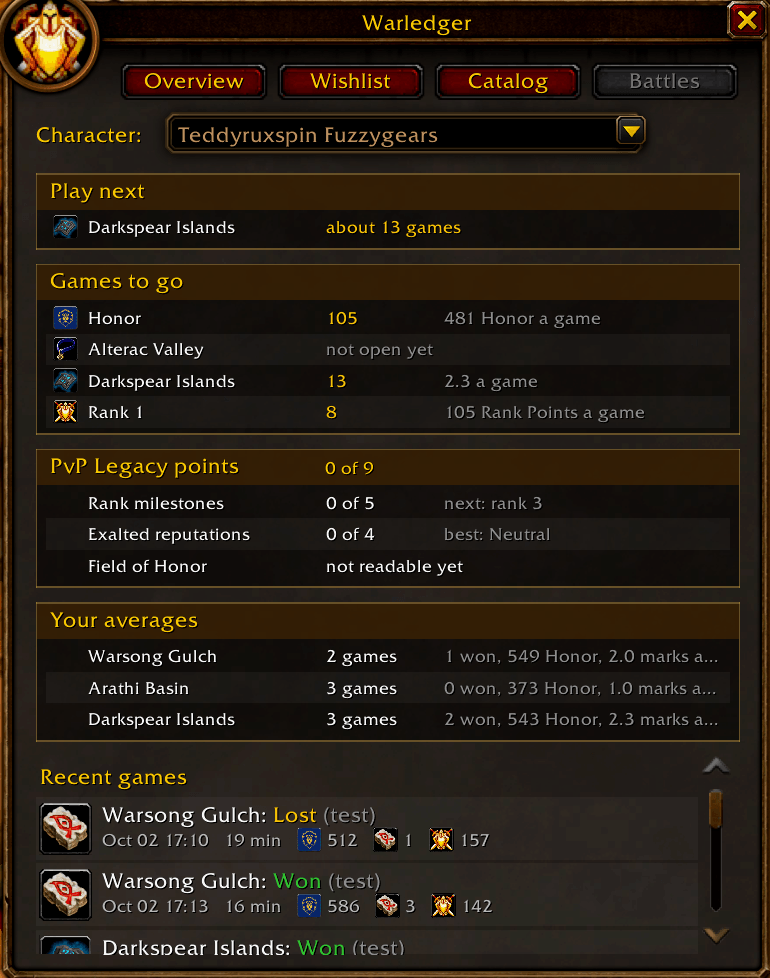
Forever splits PvP into many separate tracks: Rank Points with a weekly cap, Honor with a holding cap, a different Mark of Honor for every battleground, battleground reputations, and PvP Legacy points. Warledger reads them all from the game and turns them into a plan.
At a glance
| For | Every Forever player who does PvP |
| Game | World of Warcraft: Forever |
| Main features | PvP progress overview, gear wishlist for every character, vendor catalog that learns prices by itself, battleground log, "Play next" suggestion, performance graph, Honor cap warning, PvP Legacy points |
| Sends anything? | No. Warledger only reads and shows your own information. |
Features
Your PvP progress in one window
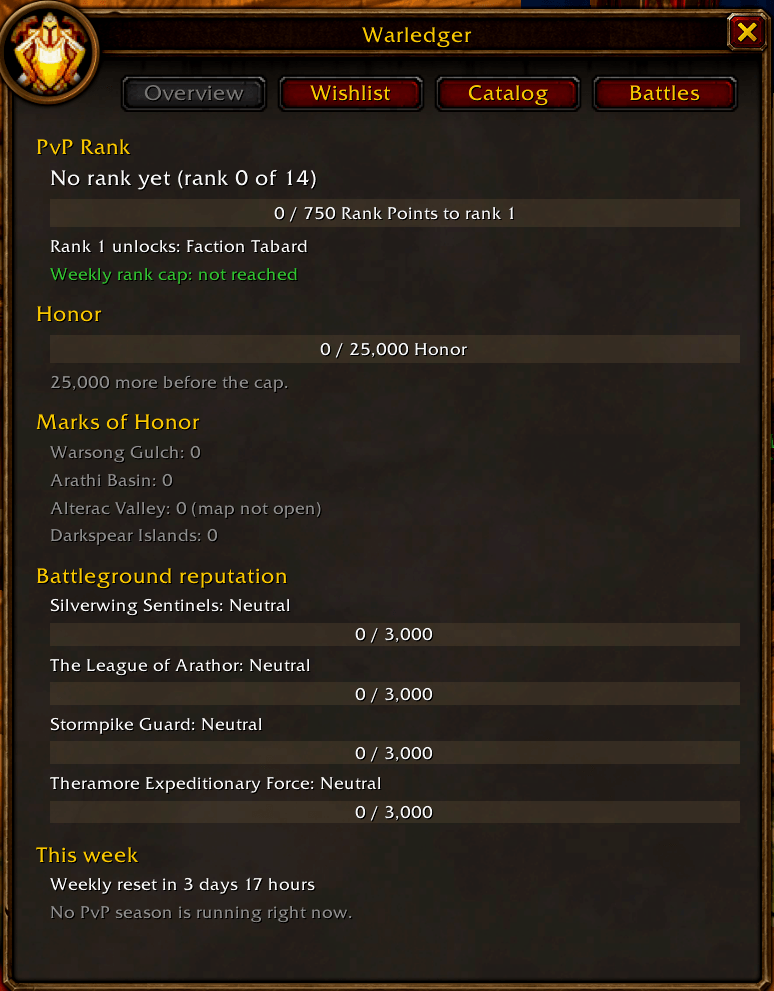
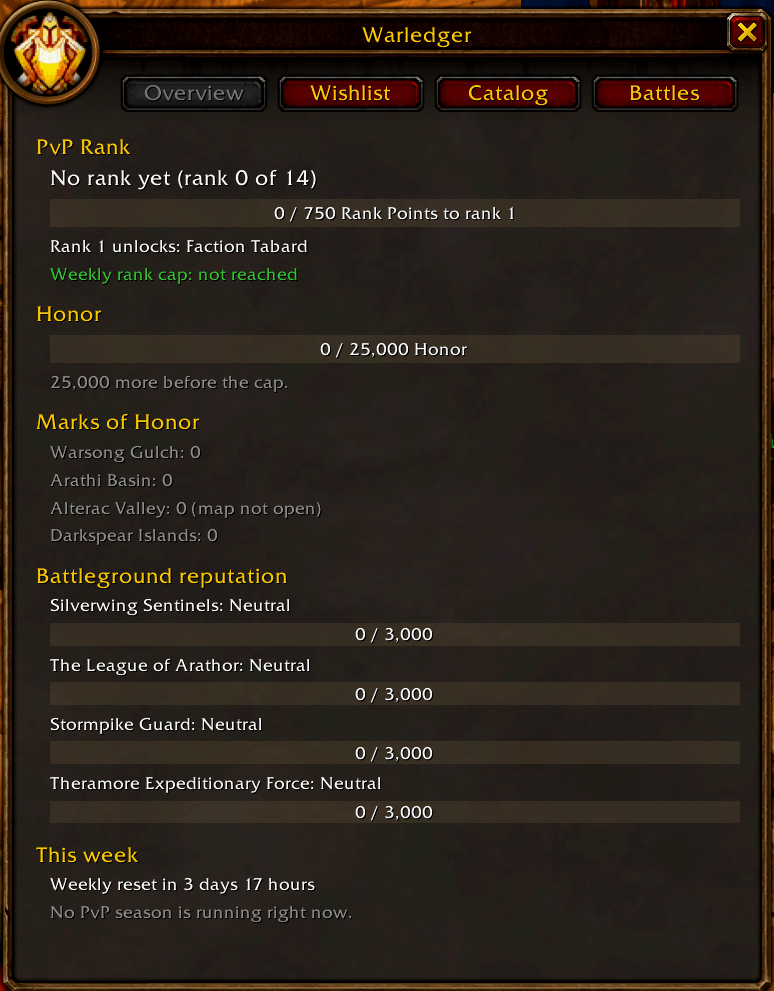
- PvP rank: your rank out of 14, a bar of Rank Points toward the next rank, what the next rank unlocks, and whether this week's rank cap is reached.
- Honor: how much you hold against the cap, turning yellow and then red as you get close, so you never waste Honor.
- Marks of Honor: how many you have for Warsong Gulch, Arathi Basin, Alterac Valley, and Darkspear Islands.
- Battleground reputation: your standing with each battleground's faction for your side, including the new Darkspear Islands factions.
- This week: time until the weekly reset, and whether a PvP season is running.
A catalog that learns PvP prices by itself
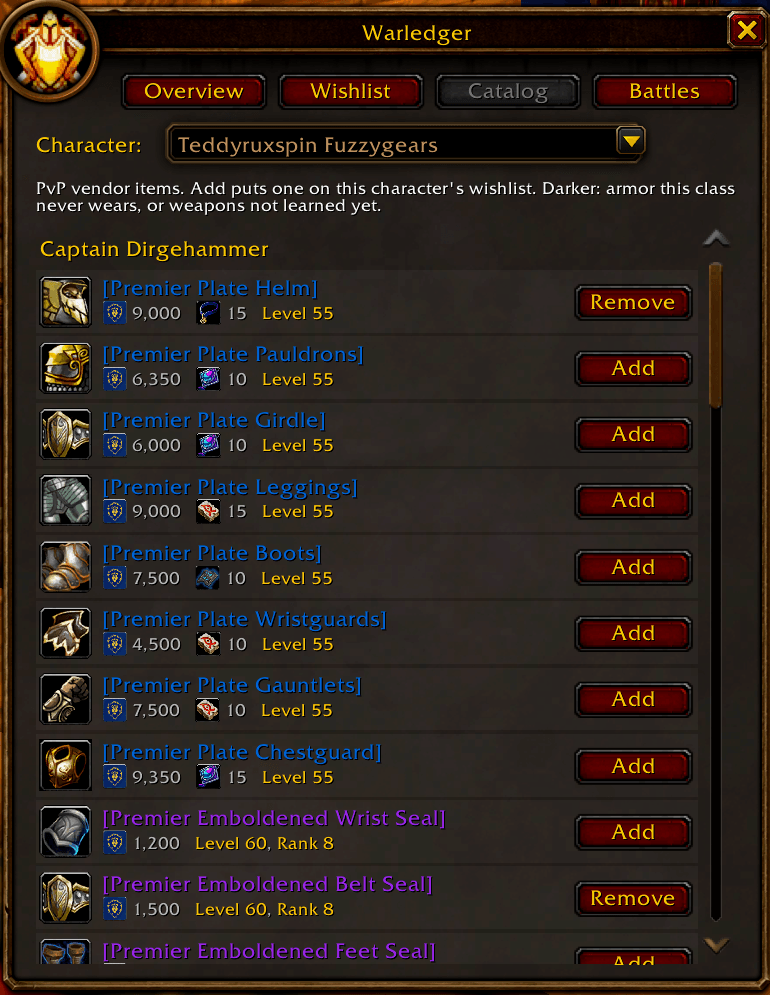
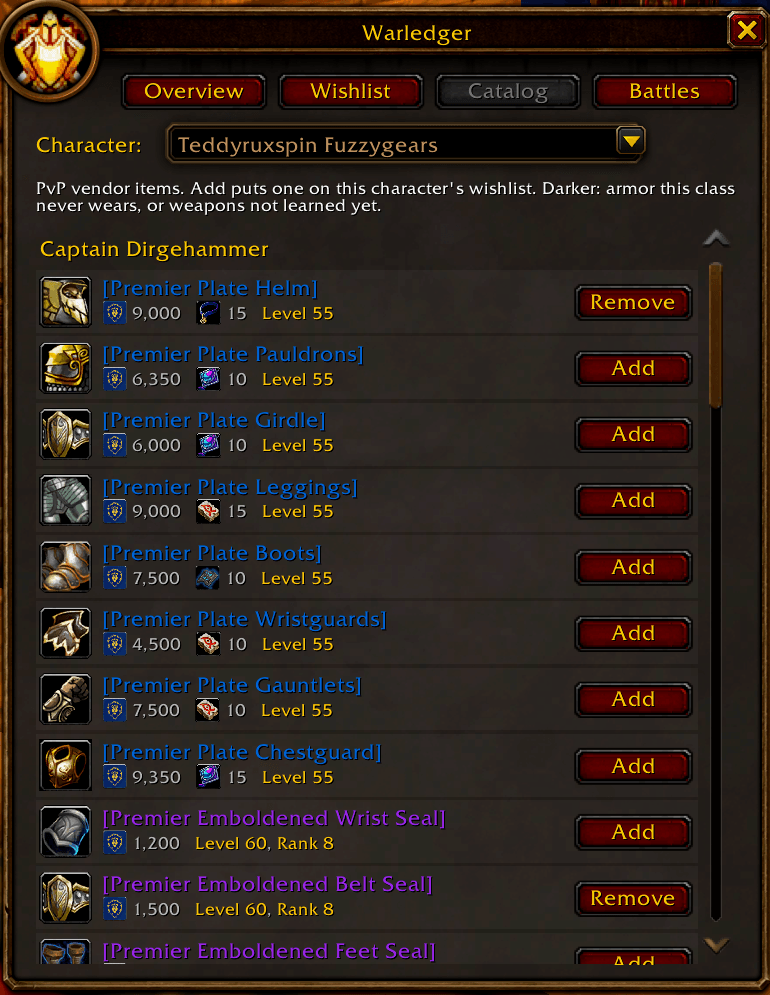
Open any PvP vendor's window and Warledger saves everything they sell, with its Honor and mark cost and its rank and level requirements. Prices come from the game itself, so they stay right when Blizzard changes them. Items your character cannot use are darkened: armor your class never wears, and weapons you have not learned yet. Ctrl+click previews an item on your character; Shift+click links it in chat.
A gear wishlist for every character
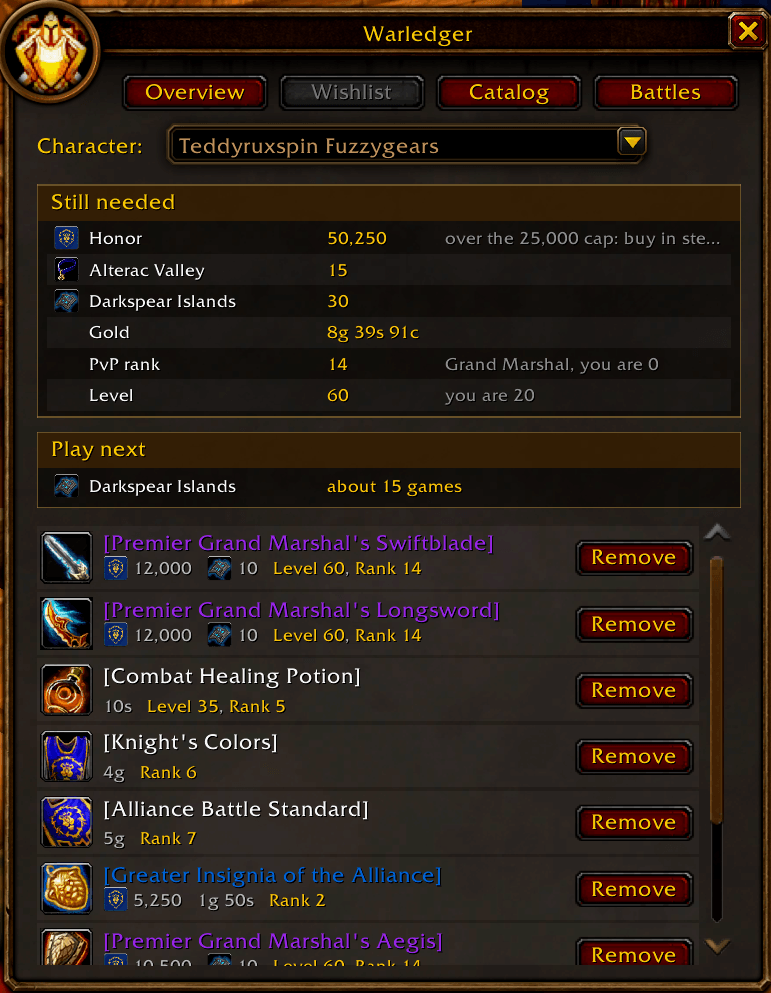
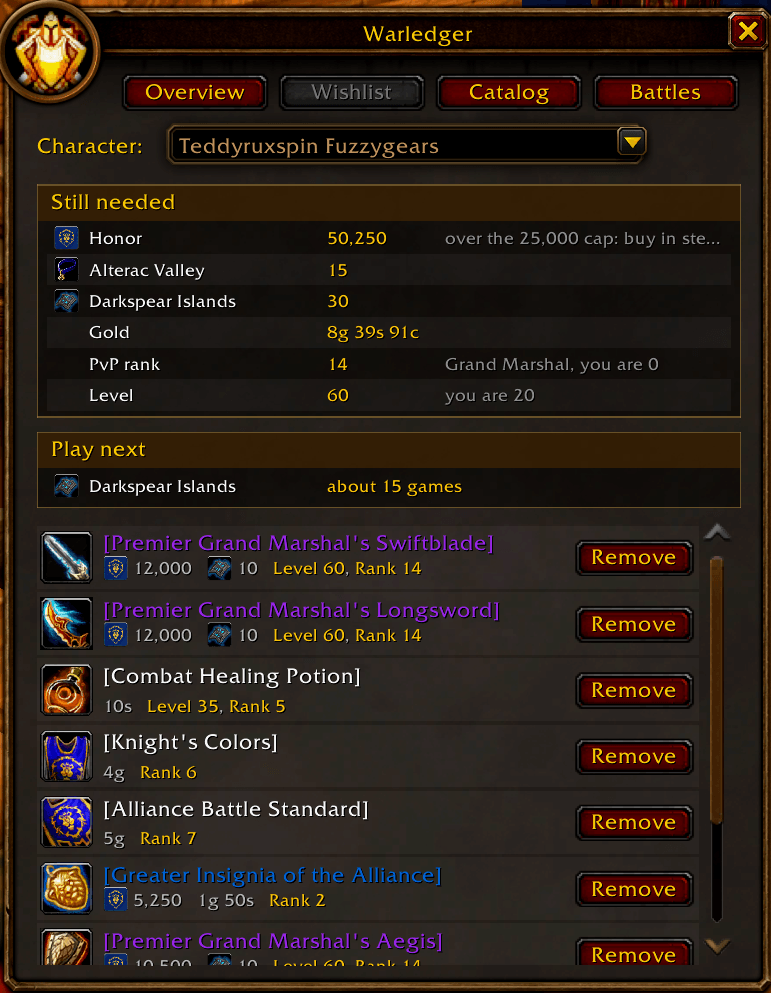
Add the PvP gear you want and Warledger adds up what is still missing: Honor, each kind of mark, gold, the highest PvP rank and level the list needs, and whether you already have them. It all fits in one short, framed table, with a green Done for anything you already have. Every character on your account has its own wishlist, and a Character menu shows any of them from any character.
Battleground log and "Play next"
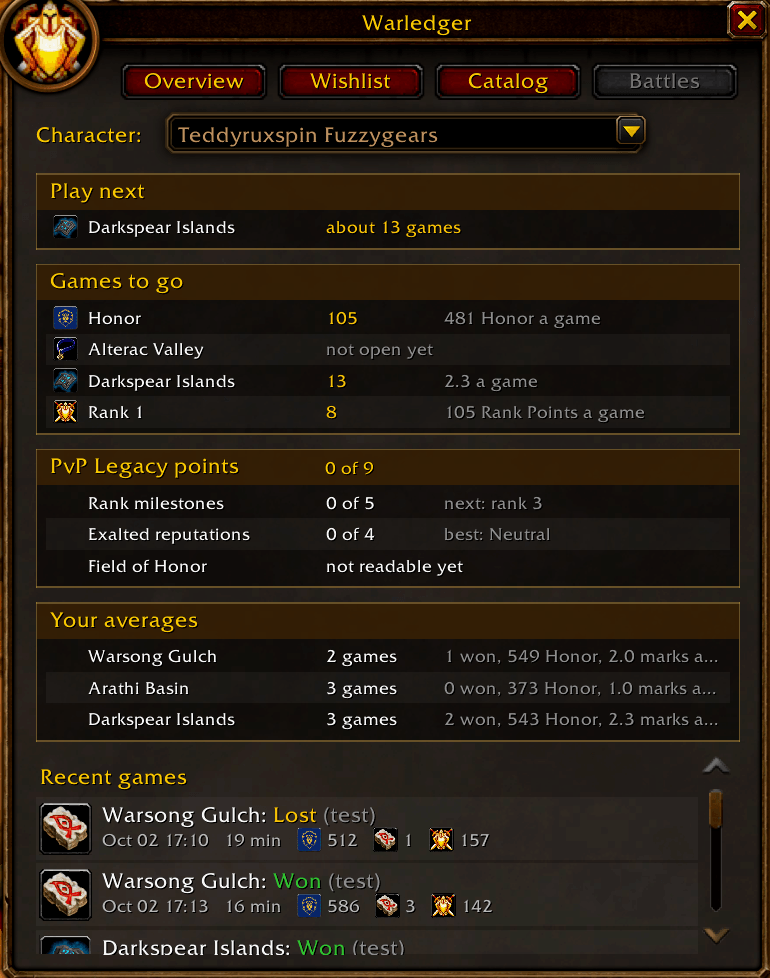
Every battleground you play is logged when you leave it: the map, won or lost, how long it took, and the Honor, marks, and Rank Points it gave. Warledger then suggests which battleground to play next for the marks your wishlist needs most, and estimates how many more games your goals will take from your own averages.
Battleground stats
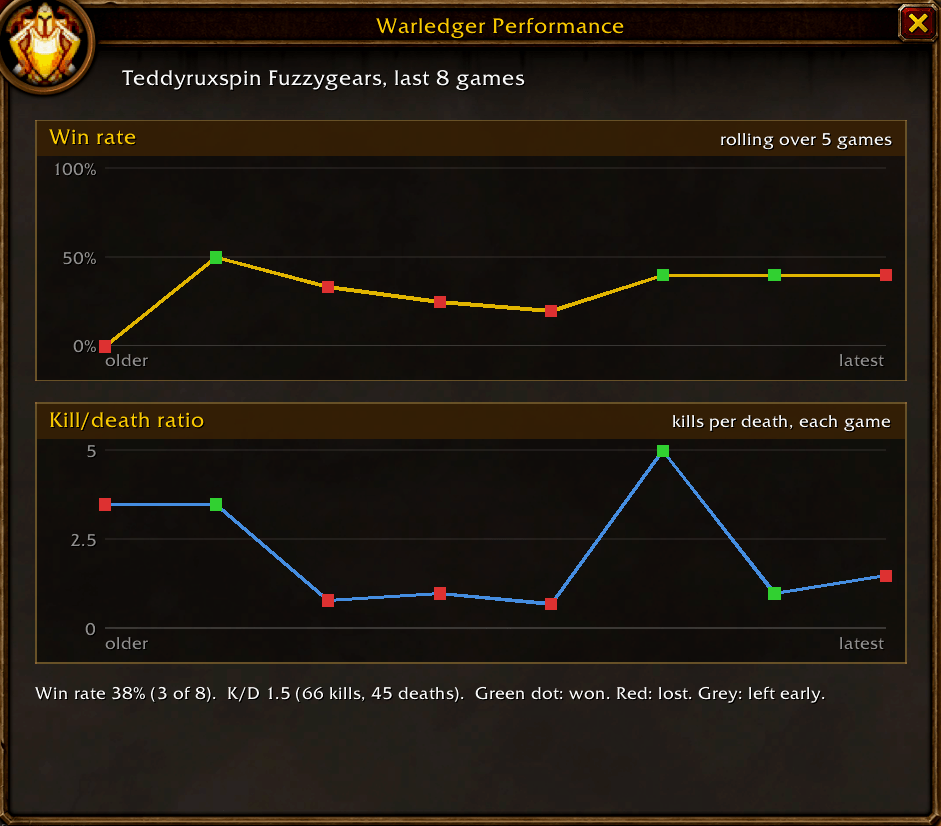
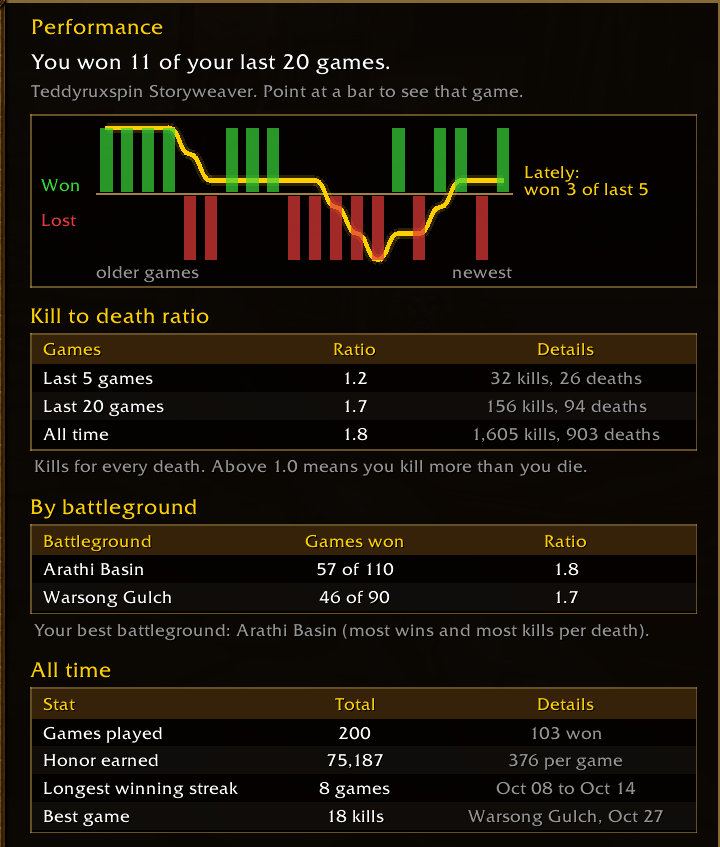
Click the Stats button under the Battles tab, and your stats slide out from the side of the Warledger window:
- How many of your last 20 battlegrounds you won, and your current streak.
- A bar for every game (above the line for a win, below for a loss) with a gold line showing how you have done lately. Point at a bar to see that game's kills, deaths, and Honor.
- Your kill to death ratio for the last 5 games, the last 20, and all time.
- Each battleground side by side: games won and kill to death ratio.
- All time totals: games, Honor, your longest winning streak, and your best game.
Honor cap warning and tooltip lines
When your Honor nears the cap, Warledger shows a warning on your screen and lists the wishlist items you can already buy. Items on your wishlist get a Warledger line in their tooltip, wherever you see them, showing what is still needed.
PvP Legacy points
The Battles tab counts the PvP Legacy points your characters have reached: rank milestones (3, 7, 10, 13, 14) and Exalted battleground reputations.
Getting started
- Install with the CurseForge app (it keeps Warledger up to date), or download the zip and extract it into your game's
Interface\AddOnsfolder. - Log in. Chat shows "Warledger: version ... loaded". Click the minimap button, or type
/warledger. - Visit the PvP vendors once (in Stormwind or Orgrimmar) so Warledger learns their items and prices.
- Log in each of your characters once so they appear in the Character menu.
Slash commands
| Command | What it does |
|---|---|
/warledger |
Opens or closes the Warledger window |
/warledger wishlist, /warledger catalog, /warledger battles |
Opens that tab |
/warledger add then shift-click an item |
Adds the item to the wishlist |
/warledger minimap |
Hides or shows the minimap button |
/warledger help |
Lists the commands |
/warledger check |
Quick health check after a game patch: version match, game functions, and errors |
/warledger probe |
Shows what your game client supports, for bug reports |
Frequently asked questions
What is Warledger?
Warledger is a PvP planner for WoW Forever. It shows your rank, Honor, marks, and reputations together, keeps a wishlist of PvP gear for each character, and tells you what you still need and which battleground to play next.
Why are some of my characters missing from the Character list?
The game does not let addons see the other characters on your account. Warledger adds a character the first time it logs in with Warledger installed. Log in each of your characters once, even for a moment, and from then on all of them appear in the Character list on every character, with their own wishlists.
Why is the Catalog empty?
Warledger learns items and prices from the PvP vendors' windows. Right-click each PvP vendor once (in Stormwind or Orgrimmar) and the Catalog fills in. Forever hides item details until a player sees them, so this is also how Warledger learns new items.
Does Warledger send anything or act on its own?
No. Warledger never posts in chat, never whispers, never joins queues, and never buys anything. It only reads your own information and shows it to you.
How accurate are the "games to your goal" numbers?
They come from your own logged games. Until you have played a battleground, Warledger uses a starting guess of 2 marks a game (3 for a win, 1 for a loss), and says so.
Can Warledger see the Field of Honor journey?
Not yet. The game does not show it to addons today, so the PvP Legacy points from the journey are listed but not counted.
How do I report a bug?
- Update to the newest version first.
- Install BugSack and BugGrabber, copy the error text, and include what /warledger check prints.
- Message me on CurseForge.
Kinfolk: PVP WarLedger Team