Ka0s Drop Watcher
- By
Watches your group's loot, shows who each drop is an upgrade for and whether it can be traded, and asks for it politely in one click.
dropwatcher.logo.jpg
Description
Ka0s Drop Watcher





When a piece of loot drops for somebody in your group, Drop Watcher tells you whether it beats yours, whether it beats theirs, and whether they could hand it over at all. If you want it, one click sends a polite whisper asking for it.
It watches what your party or raid receives and compares each item with your gear and with the looter's. Your own drops are listed with everyone else's, with the time left to trade each one and the people it would help. Out of the box it stays in its window. Alerts and sounds are opt-in, and nobody gets a whisper unless you click Ask or turn on auto-ask.
Screenshots
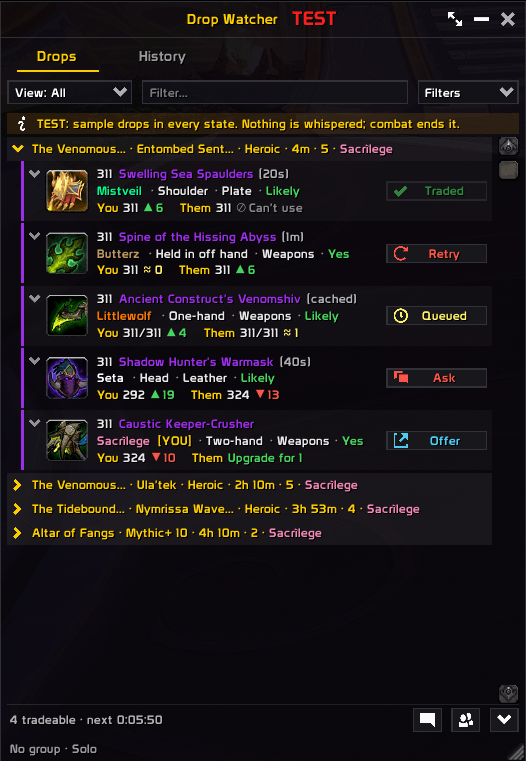
Drops (compact view)
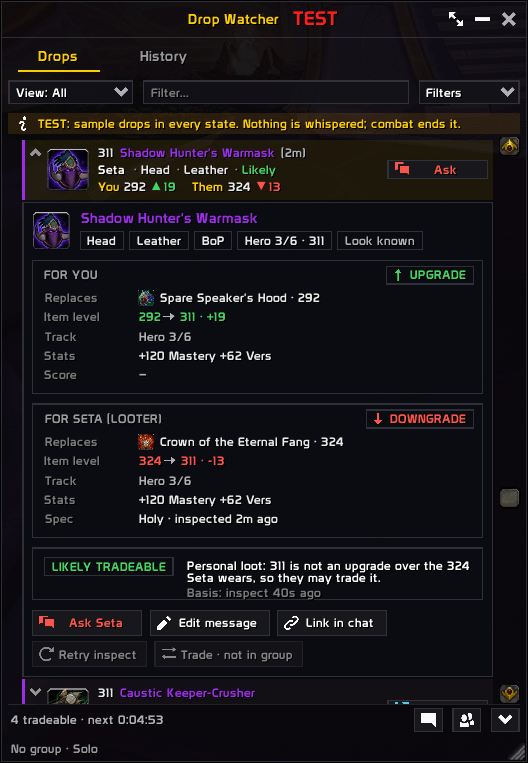
Drop details (compact view)
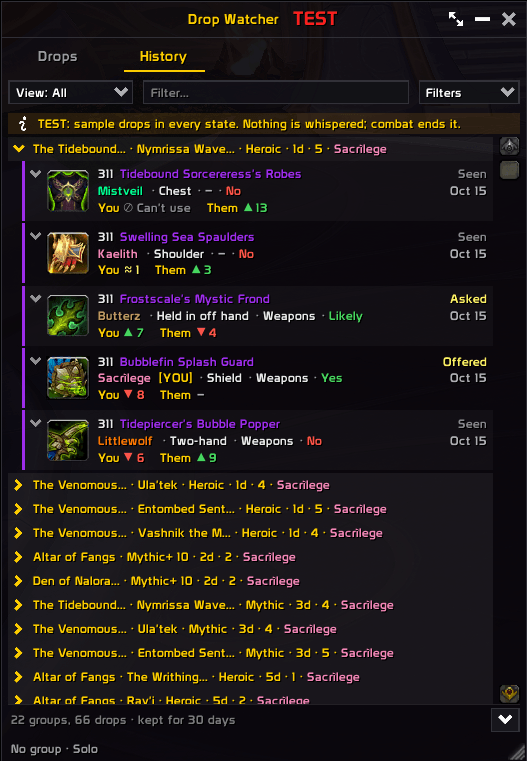
History (compact view)
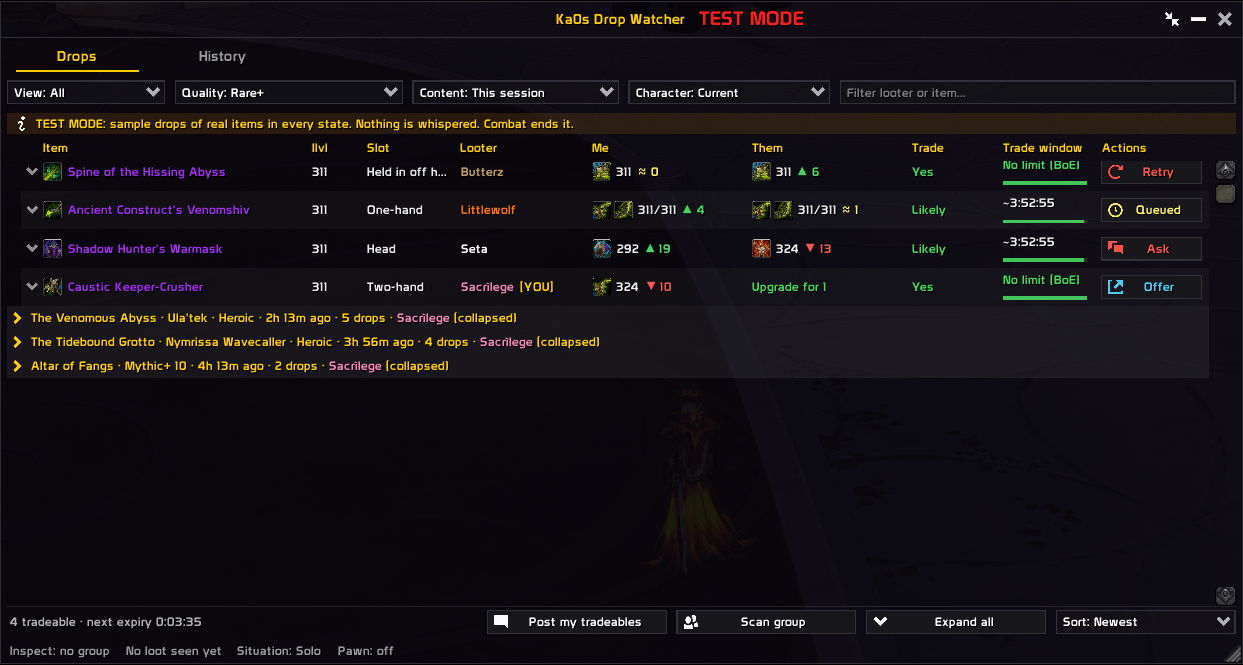
Drops (full view)
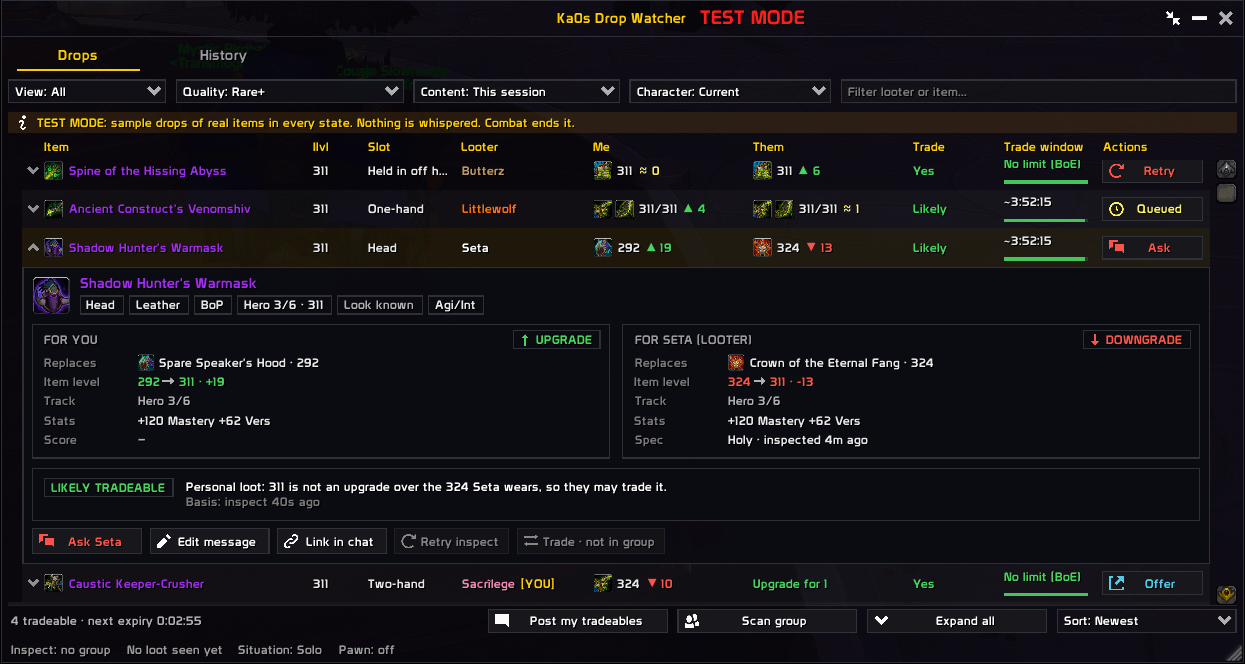
Drop details (full view)
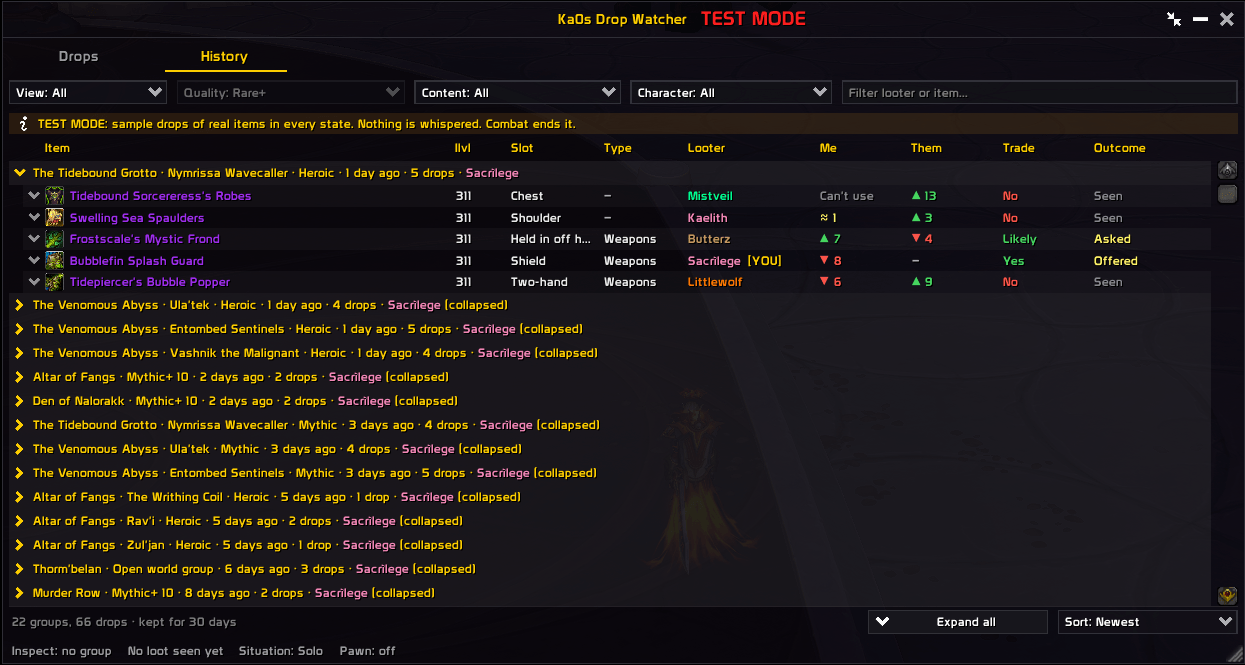
History (full view)
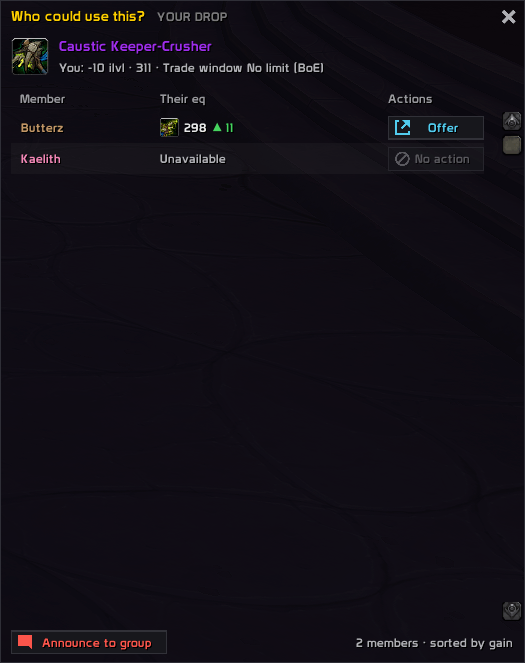
Offer window
Toast
Usage
Type /dw show, or right-click the minimap button and pick Show window. Drag it by the title bar, resize it from the corner and lock it with /dw lock. You won't often open it yourself, though: in a dungeon, key or raid it pops up when someone loots an item it shows. During a run it opens as a narrow column of cards, the compact view, and goes back to the full table afterwards. The button next to minimize switches views, as do /dw compact and /dw full, and each view keeps its own size and place.
Drops lists every drop, yours included, under the boss or key run it came from. The two columns that matter are Me and Them: is this an upgrade for you, and is it one for the person who looted it? Each shows the gear worn in that slot and the item-level difference, green ▲ for an upgrade, yellow ≈ for a sidegrade and red ▼ for a downgrade. Trade says whether the looter can hand it over at all, and Trade window counts down how long they have. If you want it, Ask whispers them once. During a boss fight the whisper waits until the fight ends. Click a row for the full reasoning, or hover any cell for the short version.
Your own drops show who in the group would gain from them. Offer opens a panel that ranks everyone by how much they'd gain, with a whisper button per person and Announce to group to tell everyone at once. While any of your drops can still be traded, the strip at the bottom counts them, and Post my tradeables lists them in group chat in one line. That strip also has Scan group, which reads everyone's gear before the loot starts so you aren't waiting on inspects later, and Expand all.
History remembers what the feed showed for 30 days, across logouts and alts, and what became of each drop: asked, offered, expired, received, traded away or declined. Click a row for its detail card, or right-click it to mark it declined. How long it keeps things, and the button that clears it, are under Settings › Window › Layout. A /reload loses nothing: this session's drops come back on the Drops tab.
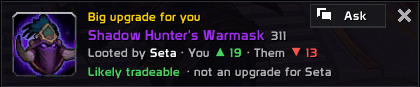
Two extras are off until you turn them on: the toast, a popup when someone loots a big upgrade you could ask for, and auto-ask, which sends the whisper for you after the boss dies. To see it all without waiting for loot, /dw test fills the window with sample drops in every state. /dw sim start key goes further and plays a made-up group through a whole key, sending nothing. The rest is under Settings → AddOns → Ka0s Drop Watcher, and /dw help lists every command.
How the loot watching works
- Drop Watcher reads your group's loot lines as they come in, along with the boss-loot and loot-history events, and merges the reports of one item into one drop.
- Drops you don't care about stop there. Where you are (dungeons, keys and raids are watched by default), the minimum quality and the filters decide that before anyone is inspected.
- Each drop is compared with what you wear in that slot, and with what the looter wears once their gear has been inspected. Inspects go one at a time and never in combat.
- The trade estimate looks at the bind type, the four-hour trade window and the game's rule that a looter can only trade an item that isn't an upgrade for them by item level.
- Your own drops get an exact countdown read from the item's tooltip, and a list of who in the group would gain from them.
- An ask is one whisper per item. While Blizzard's encounter restrictions block addon chat, it waits in a queue and goes out when they lift.
FAQ
| Question | Answer |
|---|---|
| Does it whisper people on its own? | Only if you turn on auto-ask (Settings › Messages › Auto-ask). Otherwise every whisper is a click. |
| Does it need Pawn? | No. With Pawn installed, its scale scores each drop next to the item level. Without it you can enter your own stat weights, paste a Pawn scale string in Settings › Comparison, or go by item level alone. |
| Does it work in raids? | Yes. Dungeons, keys and raids are watched out of the box. Delves, scenarios and the open world are off until you turn them on under General › When to show. |
| Can it tell me whether I have the look? | Yes, the detail card says New look or Look known. CanIMogIt is used when it is installed. |
Troubleshooting
| Symptom | Fix |
|---|---|
| The window does not open | Check General visibility is not set to Never, and that the addon is enabled (/dw enable). |
| The window will not move | It is locked. Untick Lock frame or type /dw unlock. |
| Test mode turned itself off | Combat ends test mode. Turn it back on after the fight. |
| A simulation will not start | It refuses in a group, inside an instance, in combat and while test mode is on, and says which. Leave the group or instance, or wait out the fight. |
| The window opens small in a key or raid | That's the compact view for runs. Click the button next to minimize for the full window, or untick Open in compact view during a run under Settings › Window › Layout. |
The Them column shows ? |
The looter's gear hasn't been read yet. Wait a moment, press Scan group, or use Retry inspect on the detail card. |
| Something looks wrong and I want to report it | Follow Reporting a bug below. |
Reporting a bug
- Type
/dw debug onand reproduce the bug. - Type
/dw diagnostics. - If the debug window isn't open, open it with
/dw debug. Press Copy, copy the entire output, and include it with your bug report.
The report is added after the debug trace in the same window, so one copy carries both.
Issues and feature requests
Please raise them on GitHub: https://github.com/tusharsaxena/DropWatcher/issues
Version History
| Version | Date | Highlights |
|---|---|---|
| 1.0.0 | 2026-10-17 | - First release: the window's Drops and History tabs, with Me and Them verdicts, the trade estimate and a trade countdown on each drop - Ask, Offer and Announce each send with one click, and wait while encounter restrictions block chat - History keeps 30 days of drops across logouts and alts, and the Drops tab comes back after a /reload- Pawn scores or your own stat weights, plus the opt-in toast and auto-ask - The compact view for runs, the settings pages, the minimap button, /dw test and /dw sim |
Credits
The debug console uses JetBrains Mono, licensed under the SIL Open Font License 1.1, and the window's icons are drawn from Open Iconic (MIT). Both ship inside the bundled LibKa0s payload, with their license text beside them.
Ka0s Drop Watcher Team