Bank Ledger (Retail)
- By
Records every item and gold movement between your bags and your banks, tags each one with the store, direction and place, and lets you browse and analyze your banking history — account-wide.

Description
Bank Ledger





Ka0s Bank Ledger is a passbook for your banks. Put something in or take something out, at your own bank, the warband bank or the guild bank, and it writes a line: what moved, which way, how much, and when. Gold is tracked the same way at the two banks that hold gold.
It records movements, not contents. The game already shows you what is sitting in your bank right now. What the client forgets the moment the bank window closes is how it got that way, and that is what this addon keeps. There is one book for the whole account, so every character writes to it and reads from it.
Screenshots
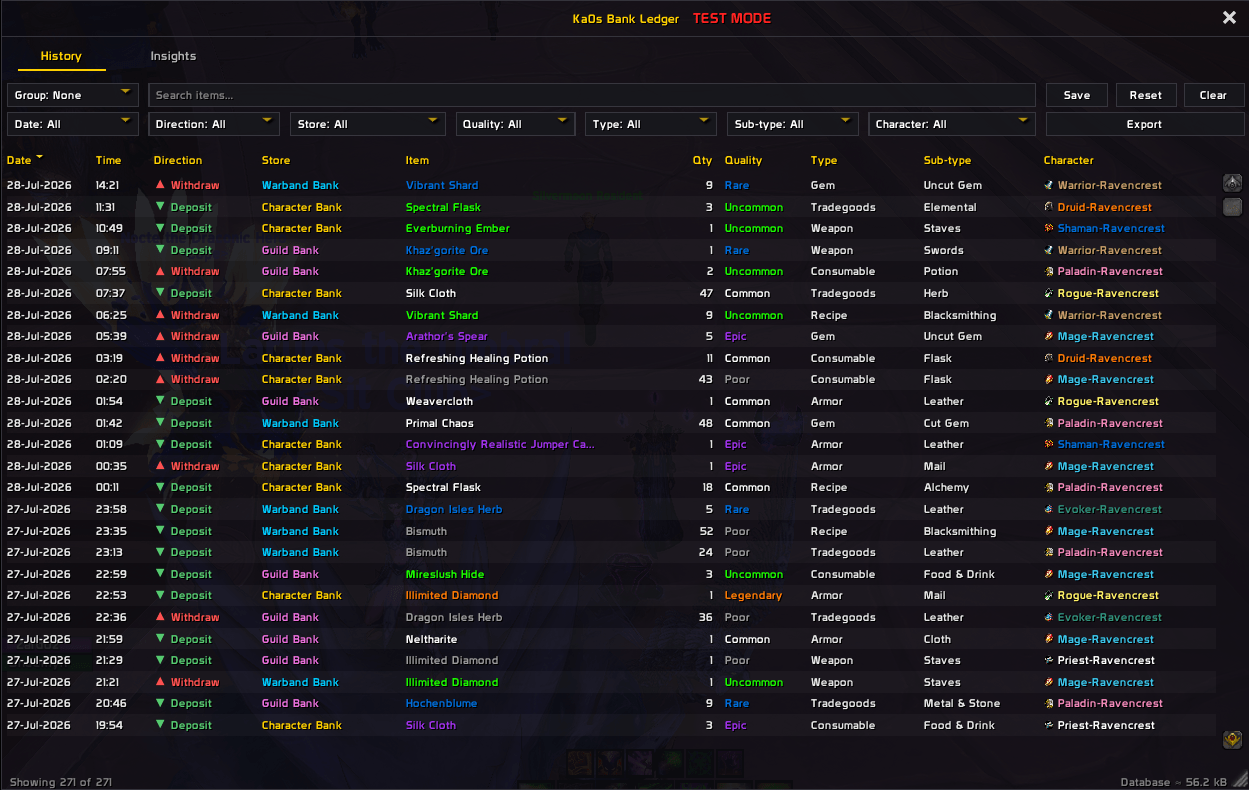
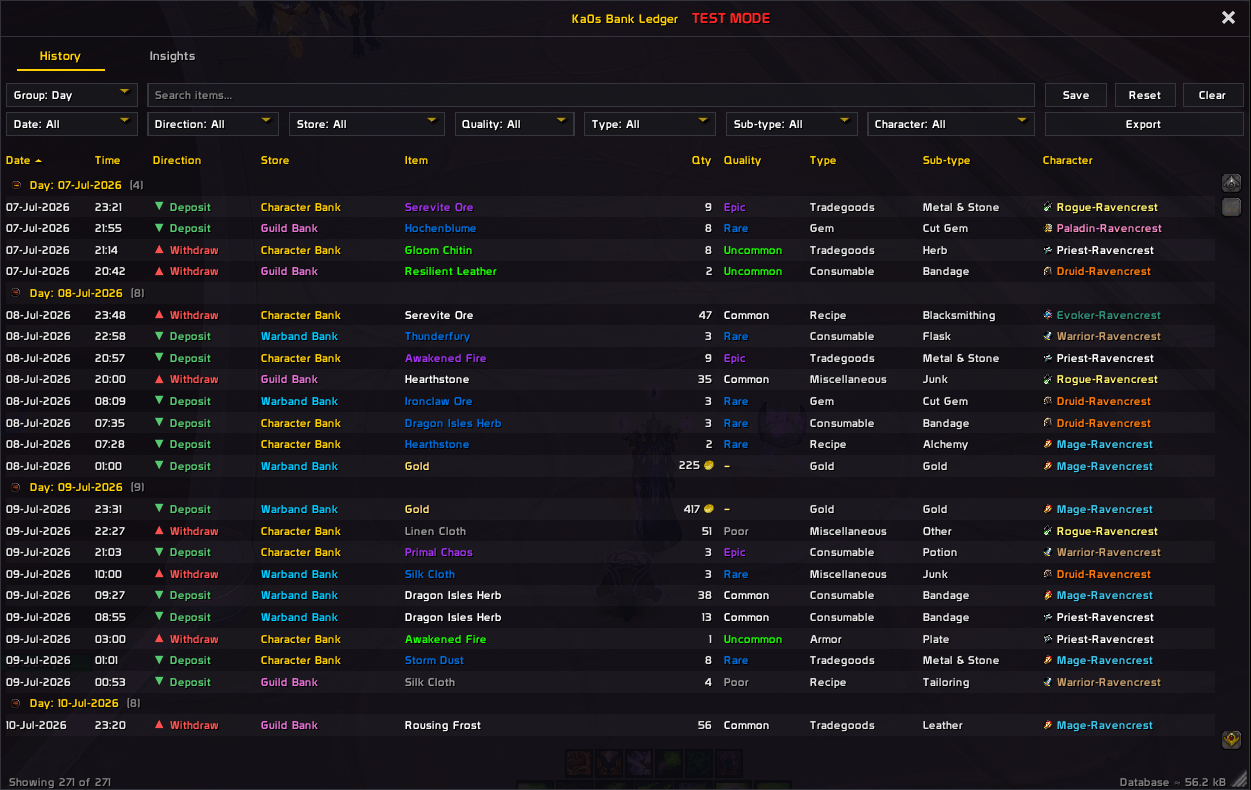
History browser
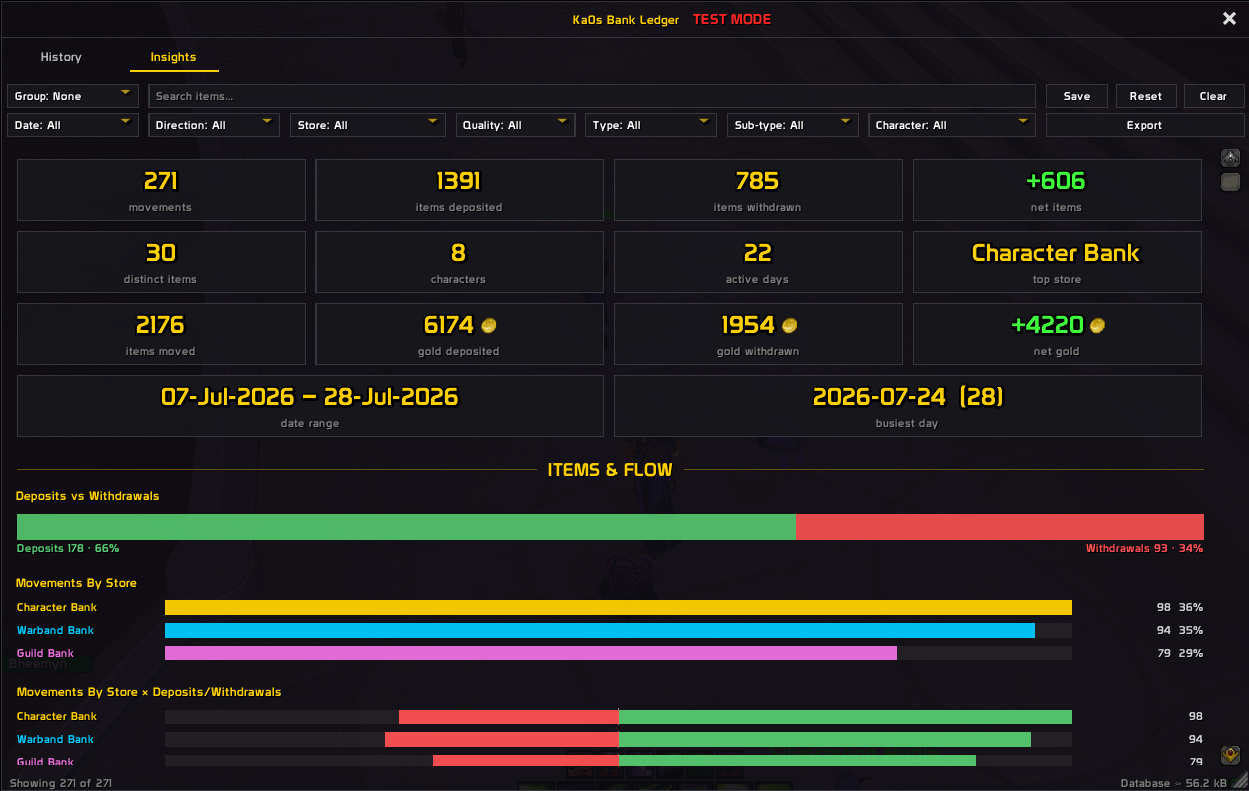
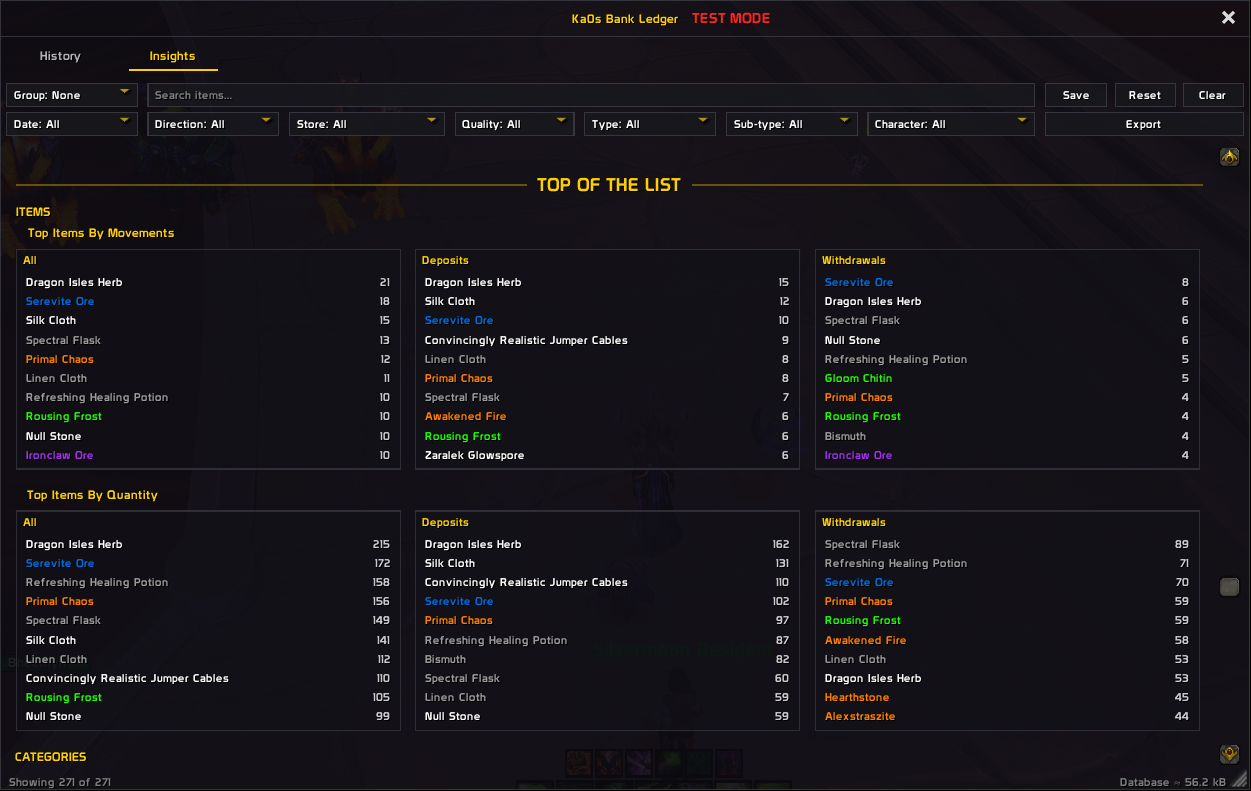
Insights panel
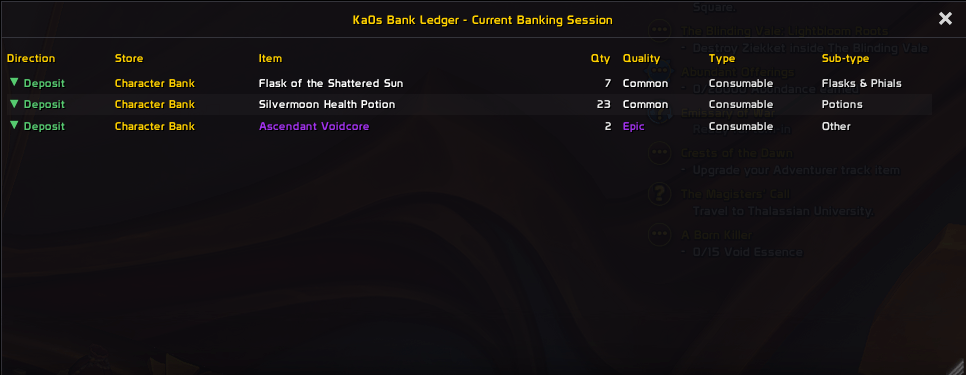
Current Banking Session (opens automatically at a bank)
Usage
On a fresh install nothing opens but the minimap button. Left-click it for the settings, or right-click it for a small menu. Both of the addon's windows drag by their title bar and resize from the bottom-right corner, and Lock frame on the settings' Master controls tab pins them in place. Want to see the ledger before you have any history? /bl test, or the Test mode box on that same tab, fills it with a sample. It turns itself off when you enter combat.
You don't have to do anything to start recording. A first visit to the bank goes like this.
- Go to a bank. Open your character bank, the warband bank or your guild bank and move something in or out. Current Banking Session opens alongside and lists each movement as you make it, then closes when the bank does. It's only a view, and everything in it lands in your history too. To place it without a bank in the way,
/bl sessionopens it filled with sample rows. - Open the ledger. Type
/bl show, or tick Show window in the minimap button's right-click menu. It opens on the History tab, one line per movement with the newest at the top, and it only shows the character you're logged in as until you pick All./bl hide, Escape or the X closes it. - Narrow it down. The bar above the table has a search box for item names and dropdowns for date, direction, store, quality, type, sub-type and character. The Group dropdown folds rows into blocks you can collapse, and a click on any column header sorts by it. History and Insights each keep their own filters. Save keeps the tab's view as the one that tab opens on. Clear brings that tab back to it, and Reset sends that tab back to stock. The other tab's filters and saved view are left alone.
- Act on a row. Hover it for the item's tooltip, or shift-click it to drop the item into chat. Right-click gives you a menu to link it, delete that one line, or blacklist or whitelist the item. The two lists only decide what gets recorded from now on, and what's already in the book stays put.
- Look at the totals. The Insights tab turns whatever you've filtered into headline figures and charts, so the two tabs always describe the same rows. Export hands you either tab as CSV, all of it or just the current view, in a box you copy with Ctrl+C. History rows carry a Wowhead link to the exact item.
Movements older than 30 days are dropped at login, and Keep history for on the settings' History tab changes that. /bl purge deletes your history and leaves your settings alone. /bl resetall does the opposite: it puts the current profile's settings, filter lists and saved views (one per tab) back to defaults and keeps your history. Both ask before they do anything.
Your settings live in a profile. Every character shares the one Default profile until you choose otherwise under Settings → AddOns → Ka0s Bank Ledger → Profiles, where you can give a character its own. From chat, /bl profile lists your profiles and /bl profile <name> switches to one you already have. The history is never part of a profile: every character on every profile reads and writes the same ledger. Keep history for is shared the same way, so switching, copying or resetting a profile never deletes history.
Everything else is on the addon's page under Settings → AddOns, which a bare /bl opens, and /bl help (or /bankledger help) lists every command.
How the ledger works
The game never announces "you deposited this", so the addon works it out by watching. What the game does give an addon is a read of every bag and bank slot, plus an event each time one of them changes. The whole ledger is built from those two.
- When you open a bank, it takes a private snapshot of your bags and of that bank's contents.
- Every time something changes, it takes a fresh snapshot and compares the two.
- If an item's count went down in your bags and up in the bank, that is a deposit. The other way round is a withdrawal.
- If something changed on only one side (say you looted an item into your bags while the bank happened to be open), nothing is recorded, because nothing crossed between the two.
- Gold works the same way, but only at the guild bank and the warband bank. Those are the only two with a gold slot, so a change in your money anywhere else came from something that was not a deposit.
While every bank window is closed, the addon watches nothing. Ordinary play, looting and vendoring and questing, never ends up in the book.
FAQ
| Question | Answer |
|---|---|
| Does it track what's in my bank right now? | No, and that is what a bag addon is for. This one keeps the record of what crossed in and out. |
| Is my history shared between characters? | Yes. One account-wide ledger, so an alt's deposits and your withdrawals sit in the same list. |
| Can one character use different settings? | Yes. Settings, the two filter lists and the saved views belong to a profile, and the Profiles page lets a character switch to (or create) its own. /bl profile <name> switches from chat. The history stays shared whatever profile you are on. |
| Does it record currencies like Valorstones? | No. The book covers items and gold; currencies are deliberately out of scope. |
| Will it see what other people put in the guild bank? | No. It only sees what your own character does. |
| What is the small window that opens with my bank? | Current Banking Session, a live list of what you have moved during this visit. It keeps nothing of its own; everything in it is also in your history. Turn it off in Settings ▸ General if you would rather it did not appear. |
| Why does the session window forget everything when I reopen the bank? | Because it covers the visit you are on and nothing else. Anything older is in the main window. |
| Does it slow the game down? | It only does anything while a bank window is open, and both windows build rows only for what fits on screen. |
| Why did old history disappear? | By default, movements older than 30 days are removed at login. Keep them longer under Settings ▸ General ▸ History ▸ Keep history for; Always keeps everything. |
| Where is my data kept? | In the addon's SavedVariables file, on your own machine. Nothing is sent anywhere. |
Troubleshooting
| Symptom | Fix |
|---|---|
| Nothing is recorded | Check Enable Bank Ledger is on in Settings ▸ General ▸ Master controls, and that the bank you are using is ticked in "Record movements to and from" on the Capture tab. |
| An item is missing from the list | It may be below your minimum quality, or on the blacklist. Check Settings ▸ General ▸ Filters ▸ Blacklist. |
| Gold deposits are not showing | Gold is only tracked at the guild bank and the warband bank. The character bank has no gold slot. |
| Settings won't open in combat | That is deliberate. Blizzard protects the settings panel in combat, so the addon refuses rather than risk breaking it. Run /bl config again after the fight. |
| The window vanished off-screen | The Reset position button on Settings ▸ General ▸ Master controls recenters both windows and changes nothing else. Every reset control (Defaults, Reset all settings and /bl resetall) recenters them too, but it asks first and then resets the current profile's settings, filter lists and saved views (one per tab) as well. Your recorded history is kept; /bl purge is what deletes it. |
| The session window is in the way at the bank | Drag it by its title bar and resize it from the bottom-right corner; it remembers where you put it. /bl session opens it away from a bank so you can place it in peace, and Settings ▸ General turns it off for good. |
| The addon switched itself back on after Reset all settings | That is deliberate. Reset all settings returns the current profile to its defaults, and a fresh profile is enabled, so a reset made while the addon is disabled turns it back on. Untick Enable Bank Ledger again if you want it off. |
| The addon switched itself off (or on) when I changed profile | Enable Bank Ledger is a setting like any other, so it belongs to the profile. Switching to a profile where it is off turns the addon off. Tick it again on that profile, or switch back. |
| Something looks wrong and I want to report it | Follow Reporting a bug below. |
Reporting a bug
- Type
/bl debug onand reproduce the bug. - Type
/bl diagnostics. - If the debug window isn't open, open it with
/bl debug. Press Copy, copy the entire output, and include it with your bug report.
The report is added after the debug trace in the same window, so one copy carries both.
Issues and feature requests
Bugs and feature requests are tracked at github.com/tusharsaxena/BankLedger/issues. Please file them there rather than in comments. That's where the project's whole to-do list lives.
Version History
| Version | Date | Highlights |
|---|---|---|
| 1.3.0 | 2026-10-09 | - Settings now live in profiles, with a Profiles page. Every character starts on the shared Default profile, and the history and its retention stay account-wide - /bl profile lists your profiles, and /bl profile followed by a profile's name switches to it- History and Insights each keep their own filters and saved view, and Save, Reset and Clear act only on the tab you are on - The search box suggests item names as you type, and History can group by Type & SubType - Items recorded before the game had cached them now get their name, quality, type and link filled in at login Checked by lint, tests and complexity. The perf suite was skipped, not measured: the addon has no combat path to time, under its ratified performance-§12 exemption. |
| 1.2.0 | 2026-09-27 | - /bl diagnostics writes a bug report into the same window, after the debug log- /bl enable and /bl disable: turning the addon off now stops it completely, no reload needed- A reworked minimap button: left-click opens the settings, right-click offers Enabled, Locked, Test mode and Show window, and hovering shows a status card - A Test mode checkbox on Master controls, and a bare /bl now opens the settings- The blacklist and whitelist suggest item names as you type, including items not in your bags, and every reset control is now a single reset behind one confirmation Checked by lint, tests and complexity. The perf suite was skipped, not measured: the addon has no combat path to time, under its ratified performance-§12 exemption. |
| 1.1.0 | 2026-09-10 | - The two id-lists are now one Filters tab, and the settings pages gained Master controls - Fixed the guild bank arming on data arriving rather than on its frame showing, which could miss the first deposit of a session - A disabled addon can now be re-enabled without a reload, and /bl test no longer confirms a toggle that never happened- Reset Everything now clears the capture gate's stored settings instead of leaving dead ones behind - Updated for game patch 12.1.0 |
| 1.0.0 | 2026-07-28 | - First release: a complete passbook of item and gold movements across the character, warband and guild banks - History tab with search, per-column filters, grouping, sorting and a saved view - Insights tab with fourteen headline figures and seventeen charts - A live Current Banking Session window - CSV export for either tab, with a Wowhead link per row |
Credits
The debug console and the ledger window's sort arrows use JetBrains Mono, licensed under the SIL Open Font License 1.1, and the ledger window's close, search, dropdown and checkbox marks and the export dialog's icon are drawn from Open Iconic (MIT). Each ships with its license text.
Bank Ledger (Retail) Team