Hoarder Training
- By
“What your class can train now and soon, and where to learn new weapon skills.”
Hoarder Trainer 2.png
Hoarder Trainer 3.png
Description
Hoarder Training — what to train, what's next, and where
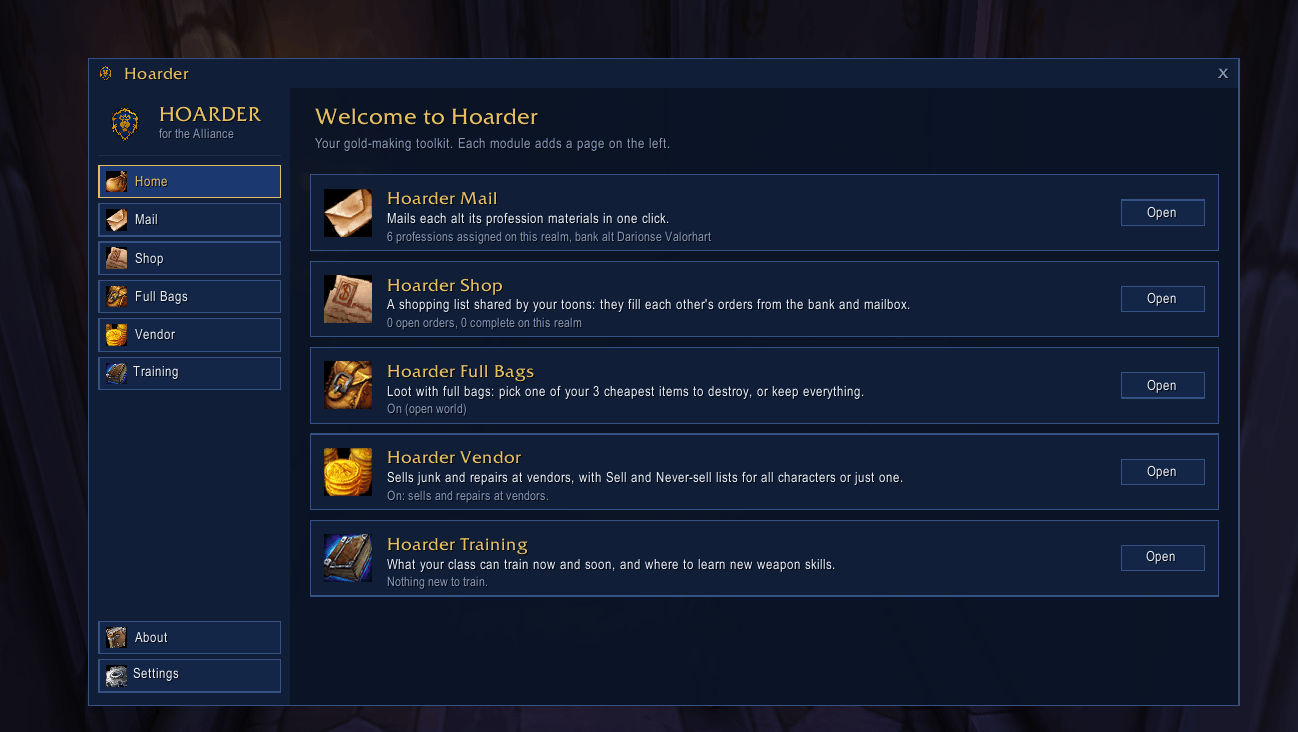
Requires Hoarder. Training is a module for Hoarder.
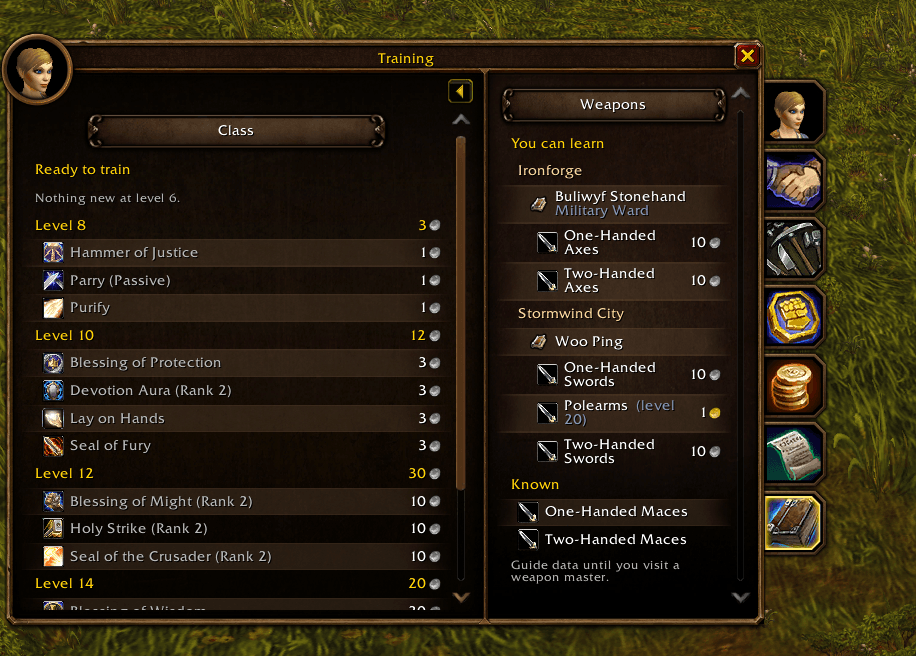
Open your Character window and click the new Training tab (the book, under the other side tabs). Training is a page of the Character window, like Reputation or Skills, with Class on the left and Weapons on the right. It answers three questions:
- What can I train right now? Every spell your class can learn at your level that you don't know yet, with the cost, a total, and whether you have the gold.
- What's coming next? The next few training levels and what each will cost, so you can save up.
- Which weapon skills am I missing, and where do I learn them? Grouped by city, then weapon master, then skill. Click a trainer to drop a waypoint.
Built for WoW Forever
WoW Forever reworks every class, and spells move between builds. So Hoarder Training doesn't ship a spell list that goes out of date. It reads your trainers instead:
- Visit your class trainer once. Its full list, including spells you're too low for, is saved for every toon of that class on your account.
- Lists from every trainer of your class are combined, so a starting-zone trainer never hides what a capital-city trainer teaches.
- When a new build changes things, your old list is still shown (marked as an older build) until your next trainer visit refreshes it.
- Weapon masters are read the same way. Until you've visited them, guide data for the weapon masters in each capital is used.
Details
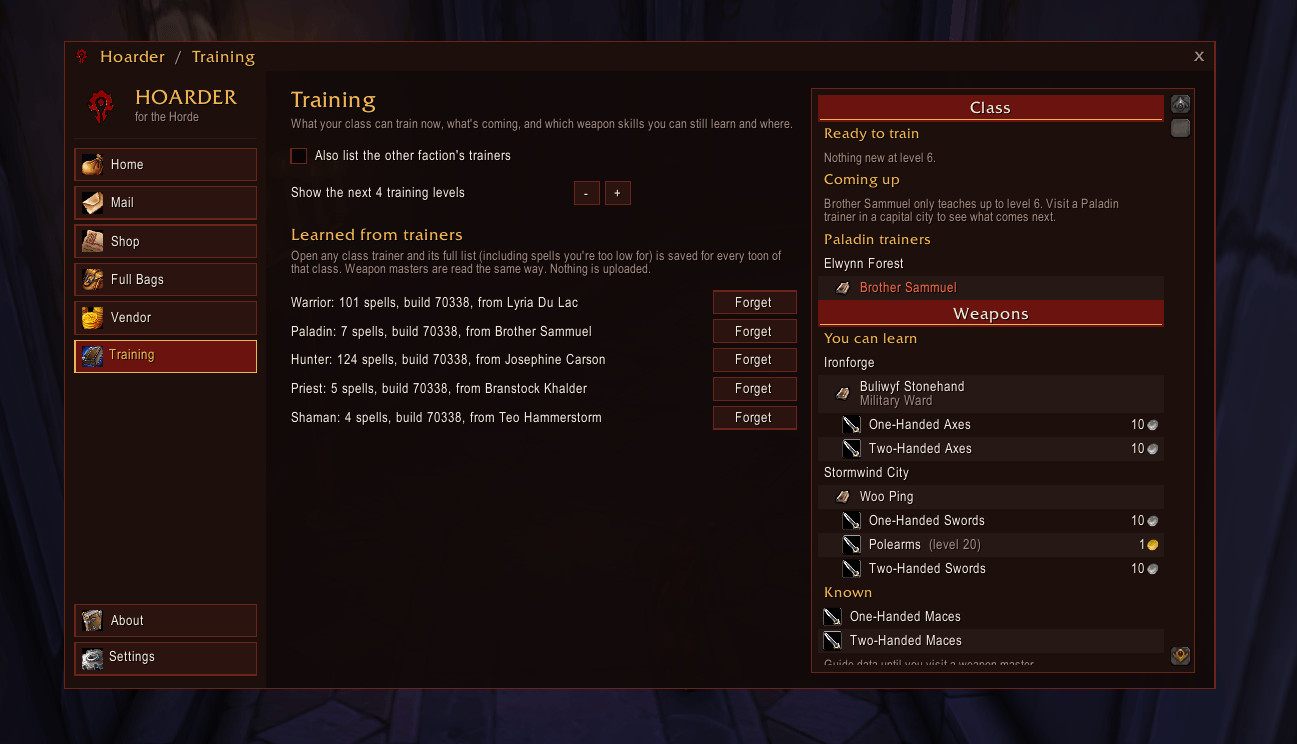
- Class section: "Ready to train" with costs, the coming levels, and your class trainers by zone. A trainer turns red once you know everything they teach. Higher ranks of talent spells only show once you have the talent.
- Weapons section: skills you can learn, grouped by location and weapon master (cost and minimum level), and the skills you know with skill points.
- In Hoarder: the Training page shows the same list in your Hoarder theme, next to the settings.
- Minimap button: right-click, then Training, to open the Character window on the Training tab.
- Waypoints: uses TomTom when installed, otherwise Hoarder's own star on the world map and minimap.
- Settings: list the other faction's trainers, how many levels ahead (1–5), and forget a class's data. The Character window tab can be turned off on Hoarder's Settings page, under Modules.
- Commands:
/htrainopens the Training page in Hoarder./htrain panelopens a small floating panel.
Installation
- Install Hoarder first (required; 1.2.3 or later recommended), then Hoarder Training.
- Visit your class trainer once.
Good to know
- Supported clients: WoW Forever and Classic (Interface 16001, 11507, 11508). The Character window tab needs WoW Forever's newer Character window; on the older one, Training opens as a panel beside it.
- Privacy: everything stays in your own SavedVariables. Nothing is uploaded, and only trainer NPC names are stored.
- Free, with no paid features.
- Bugs or ideas? Leave a comment on this page.
Hoarder Training Team