Hoarder Shop
- By
A shopping list all your characters share. Your alts fill each order from their bags and bank.
Hoarder Shop 1.png
Hoarder Shop 2.png
Hoarder Shop 3.png
Hoarder Shop 4.png
Hoarder Shop 5.png
Description
Hoarder Shop — one shopping list for all your characters
Requires Hoarder. Hoarder Shop is a module for Hoarder: it opens from the Hoarder window and uses the Hoarder look and themes.
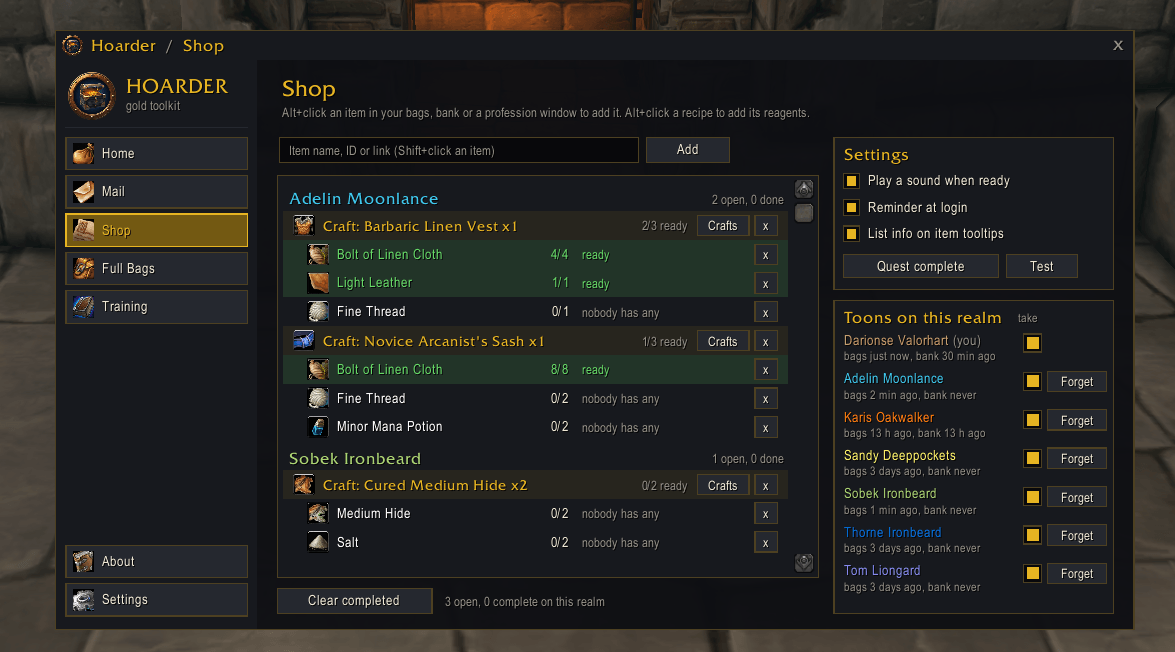
When one of your characters needs something, your other characters see it and fill the order from their bags and bank. Hoarder Shop shows each character exactly what to take out of the bank and what to mail, down to the exact amount.
| Without Hoarder Shop | With Hoarder Shop |
|---|---|
| You keep a list on paper of what your tailor needs. You log into each alt to remember who has spare Wool Cloth. | Your tailor Alt+clicks the item or the recipe. Every other character sees the order. When one of them visits the bank or mailbox, Hoarder shows exactly what to take out and send. |
| You mail a whole stack when you only needed 3, or send away items you needed yourself. | Hoarder sends the exact amount, splitting stacks for you. It never mails away items one of your own characters still needs. |
Adding items
- Alt+click an item in your bags, bank, reagent bag or a chat link, then type how many you need.
- Alt+click a reagent in a profession window to add just that reagent.
- Alt+click a recipe in a profession window and choose how many crafts. Hoarder adds every reagent for it, grouped under a header such as Craft: Dark Leather Cloak x2, so you remember what the materials are for.
- You can also type an item name or ID, or shift-click its link, on the Shop tab.
- Soulbound, bind-on-pickup and quest items are refused, because they can't be mailed.
Example: your leatherworker needs 2 Dark Leather Cloaks. Alt+click the recipe and enter 2.
- Hoarder lists every reagent the recipe uses.
- Reagents already in the leatherworker's bags show as ready.
- Your other characters are only asked for what's missing.
Filling orders
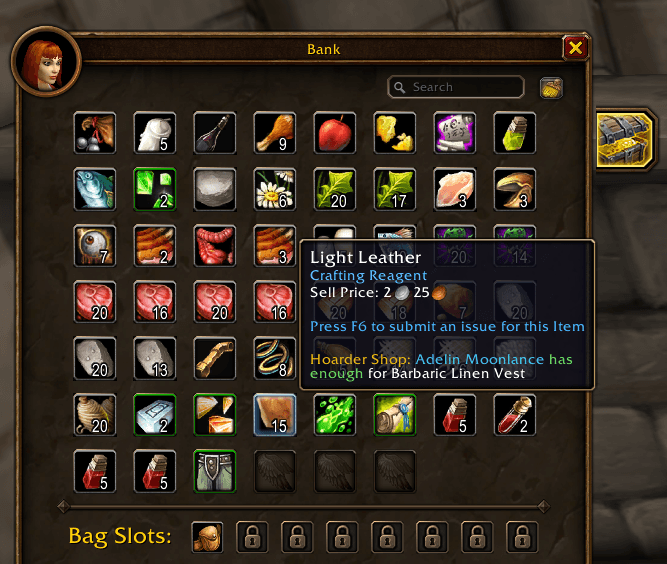
- At the bank: a panel next to the bank window offers Move to bags. It takes exactly the needed amounts out of the bank: first for this character's own list, then for orders from your other characters.
- At the mailbox:
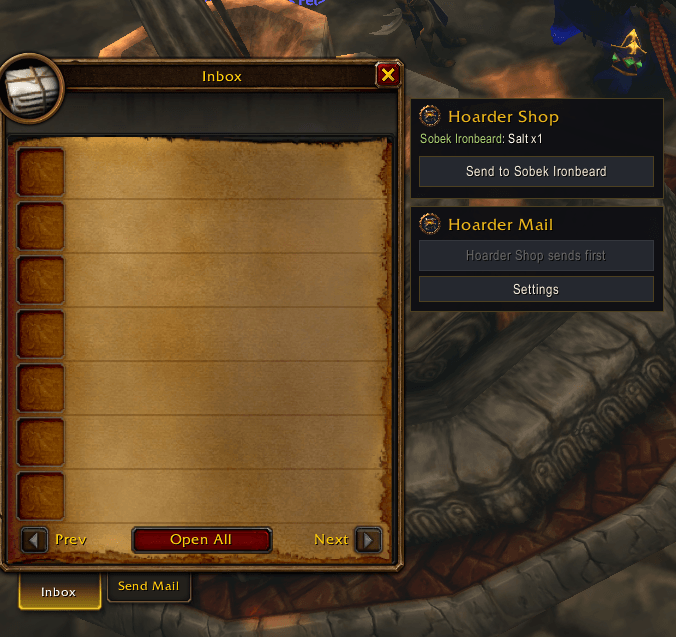
- Characters holding needed items get a Send to <character> button, one click per mail, oldest orders first.
- Partial stacks are split for you, so exactly the right amount is sent.
- The character that needs the items gets a Take Hoarder Shop items button that collects only those mails.
- Hoarder Shop mails always go out before Hoarder Mail's, so nothing on your shopping list is mailed somewhere else by accident.
Your own items are protected
While an item is on a character's list, Hoarder never mails away anything that would leave that character short. For example, if your tailor needs 5 Linen Cloth and holds 6, only 1 can go to another character.
When an order is done
- An item turns green when the full amount is in the character's bags.
- A craft turns green when every reagent is ready, and a sound plays. You pick the sound on the Shop tab: Quest complete, Level up, Ready check, Raid warning or Coins.
- Crafting removes it: each time you craft the recipe, its count goes down, and the craft leaves the list after the last one is made.
- Clear completed removes finished items in one click.
Helpful extras
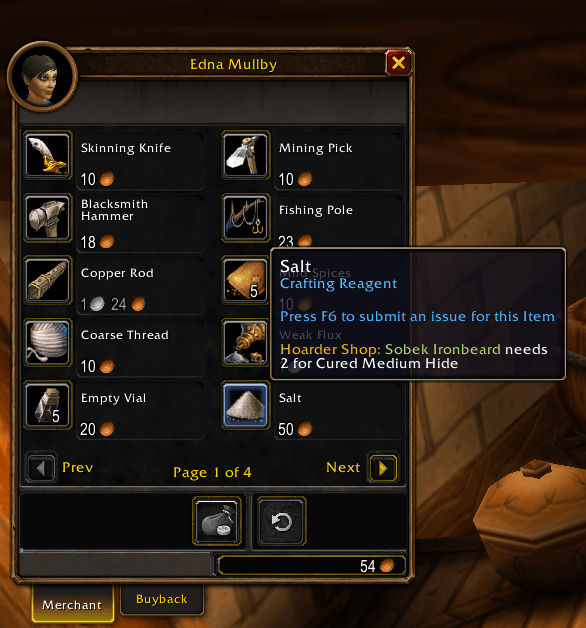
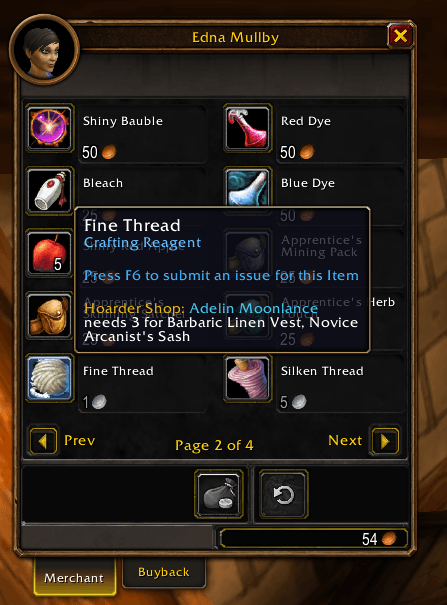
- Item tooltips: a line such as "Hoarder Shop: Ann needs 2 for Dark Leather Cloak (Bob has 3)".
- Login reminder: for example, "You have 3 Linen Cloth for Ann's list. Visit a mailbox."
- "Take from" switch: turn it off for any character Hoarder should never take items from.
- Forget: clears out deleted or renamed characters.
- One list per realm and faction, because those are the characters that can mail each other.
Works with Hoarder Mail
Hoarder Mail comes with Hoarder. When both are installed, Shop mails always go out first, and Hoarder Mail never sends away items a character is holding for its shopping list.
Installation
- Install Hoarder first (required), then Hoarder Shop.
- Log into each of your characters once so Hoarder learns what they carry, and open each character's bank once.
- Alt+click an item to add it to the list. Commands:
/hshop.
Used Hoarder Shop before? It used to come inside the Hoarder download. Your shopping list is kept and comes back as soon as you install this.
Good to know
- Supported clients: Classic (Interface 11507, 11508 and 16001).
- One list per realm and faction, because those are the characters that can mail each other.
- Privacy: everything stays in your own SavedVariables; nothing is uploaded.
- Free, with no paid features.
- Bugs or ideas? Leave a comment on this page.
Hoarder Shop Team