Hoarder
- By
Gold-making toolkit: mail alts their profession mats in one click and share a shopping list across your toons.
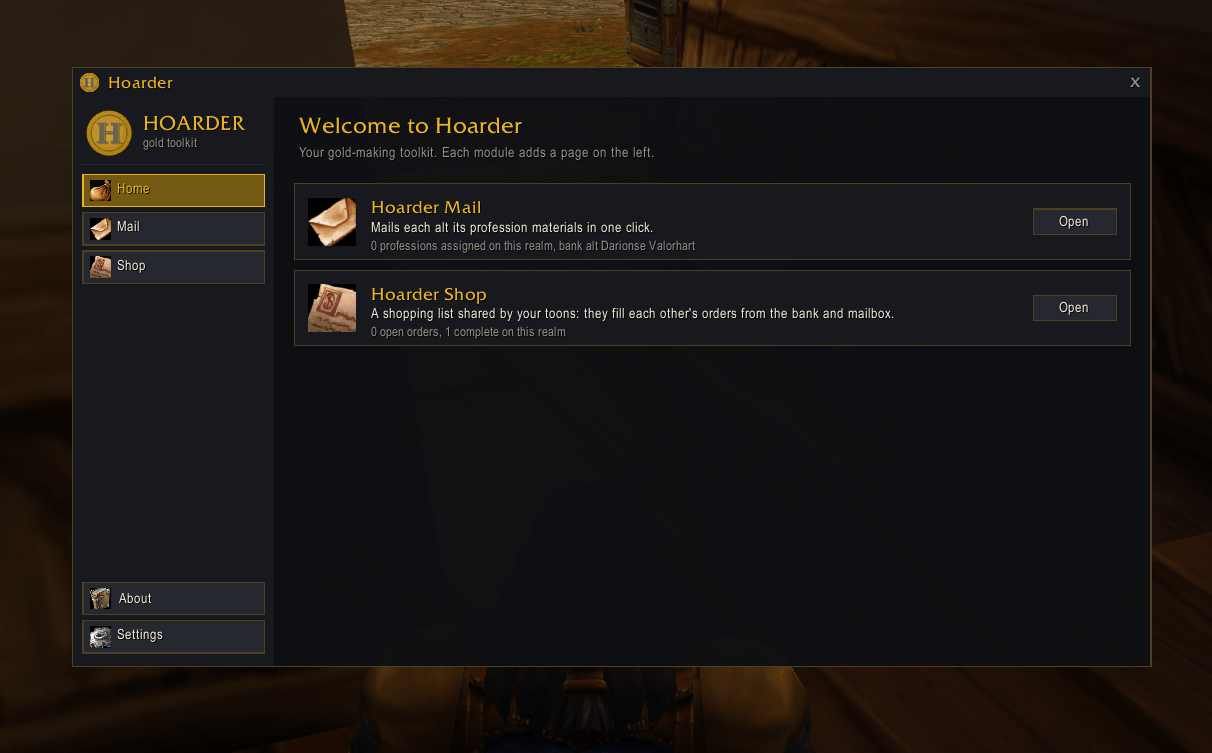
Home Screen.png
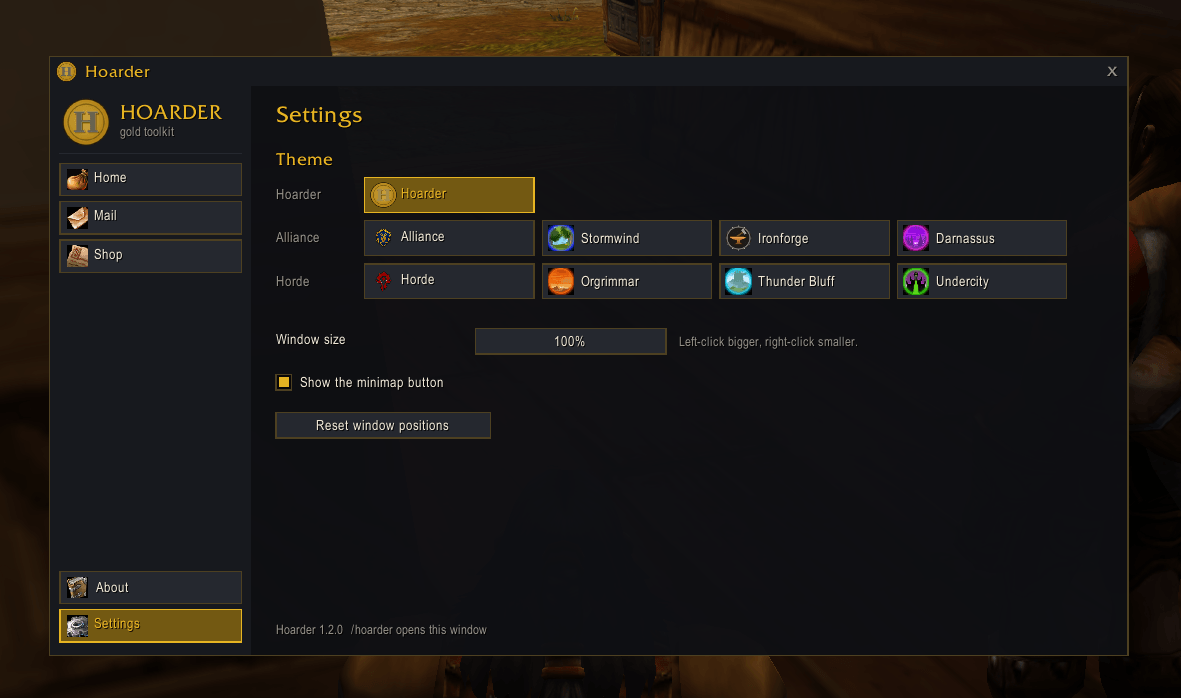
Settings.png
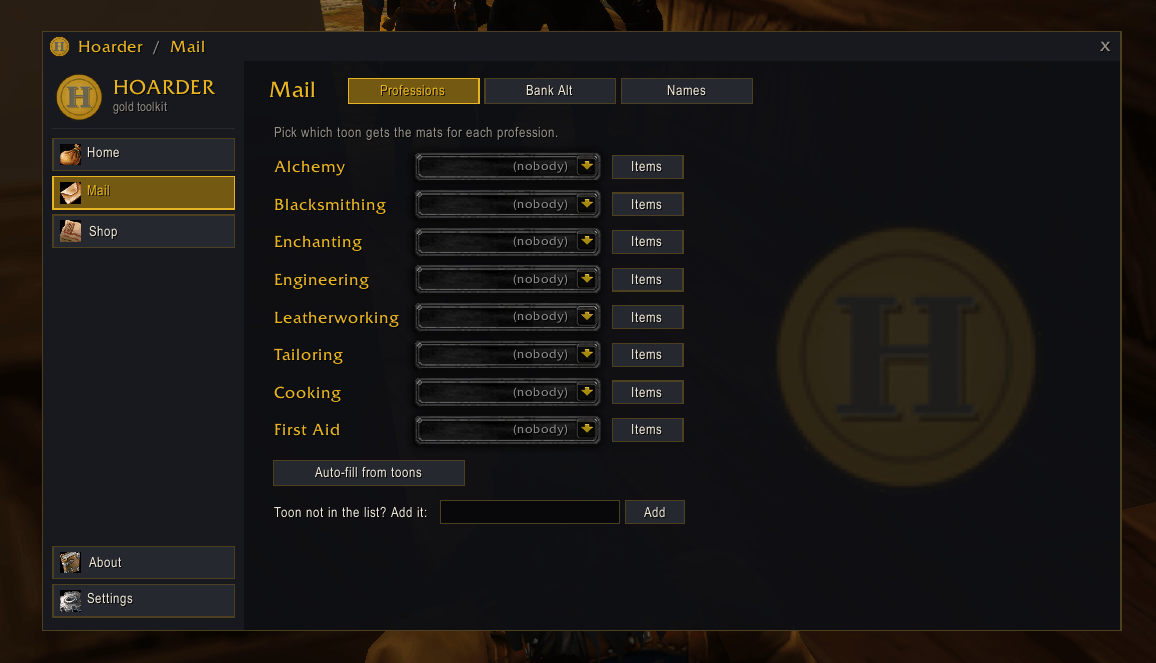
Hoarder Mail Default Skin.png
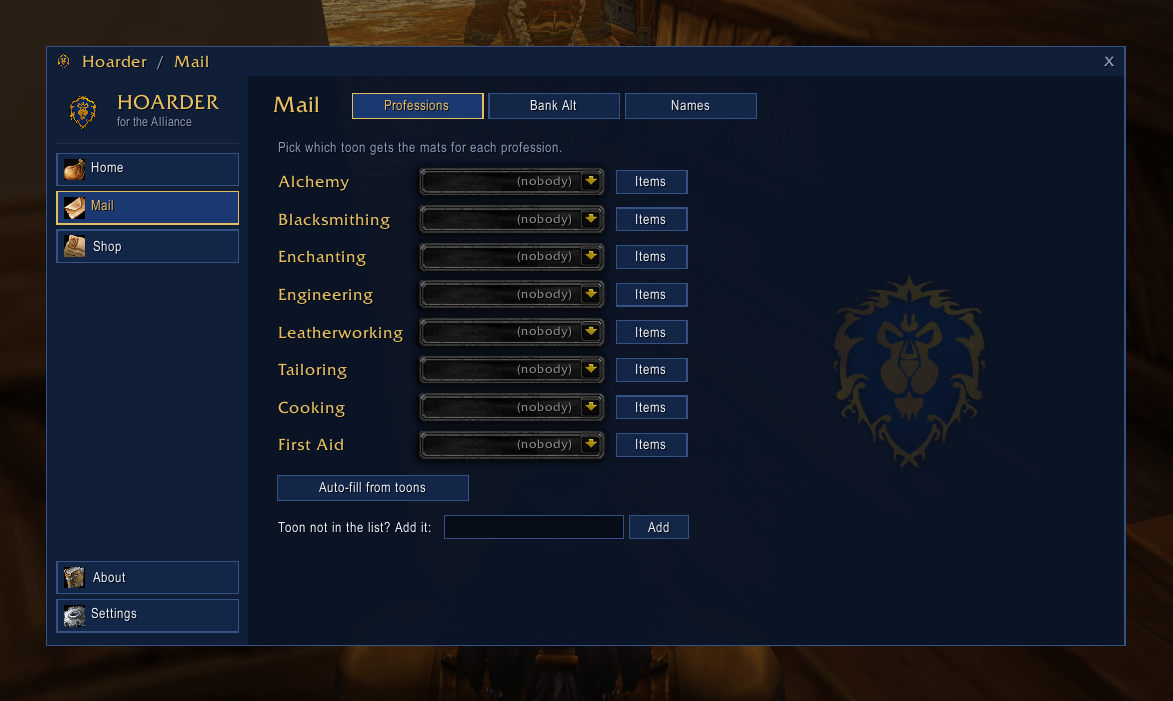
Hoarder Mail Alliance Skin.png
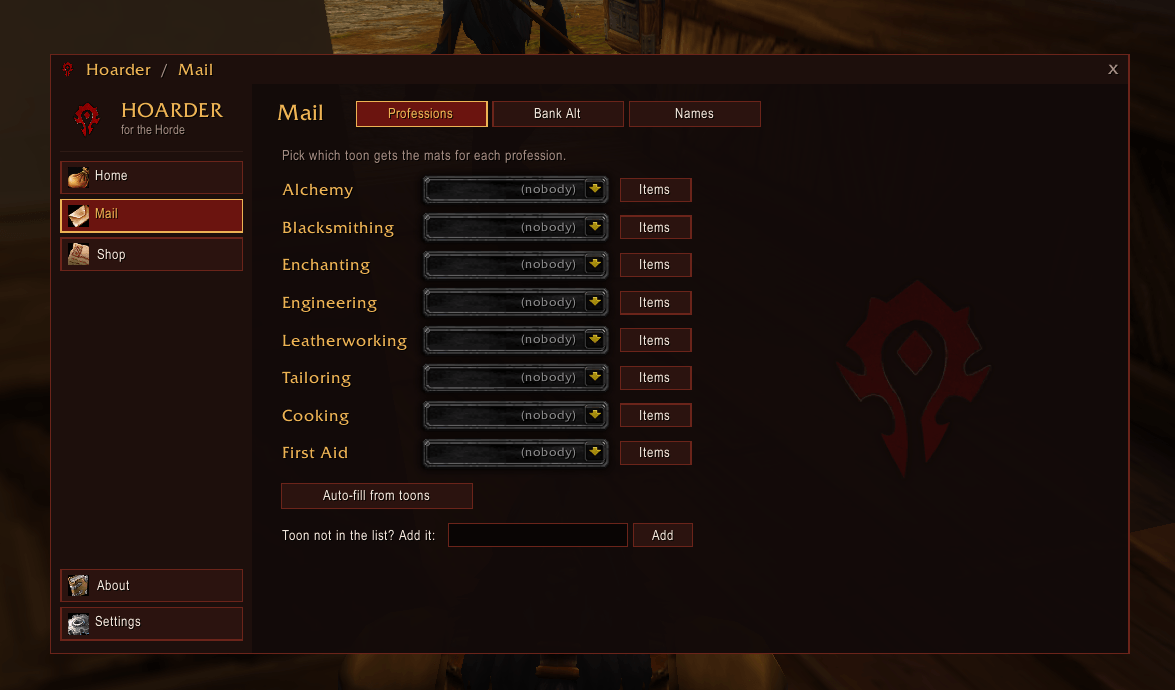
Hoarder Mail Horde Skin.png
Description
Hoarder — mail mats to your alts in one click
Hoarder is a gold-making toolkit for players with several characters on one realm. It cuts out the busywork of moving materials between your alts.
This download includes:
- Hoarder Mail: mails every alt its profession materials, one click per mail.
- Hoarder Themes: a new look for every Hoarder window, with a heavy theme for each capital city.
Everything opens from one window and one minimap button. Nothing is uploaded anywhere: all data stays in your own SavedVariables.
More Hoarder modules (separate, free downloads)
Search CurseForge for their names. Each one adds a page to the Hoarder window and uses the same look. Install only the ones you want:
- Hoarder Shop: one shopping list all your characters share. Your other characters fill each order from their bags and bank.
- Hoarder Full Bags: loot with full bags and pick one of your 3 cheapest items to destroy to make room, or keep everything.
- Hoarder Vendor: sells junk and repairs when you open a vendor, with Sell and Never-sell lists for all your characters or just one.
- Hoarder Training: what your class can train now and next, and where to learn new weapon skills.
What changes in your game
| Without Hoarder | With Hoarder |
|---|---|
| You open every bag at the mailbox, decide which alt gets which cloth, herb or ore, type each name and drag every stack by hand. | You open the mailbox and click Send mats. Each alt gets the materials for its professions, and the button tells you how many mails are left. |
| You send gear to your enchanter one item at a time. | Unbound greens, blues and purples you choose go to your enchanter with the rest of the mats. |
| Every addon window looks different. | One consistent look, and you can switch the whole toolkit to Stormwind, Orgrimmar, Undercity and more. |
Hoarder Mail: profession materials to the right alt in one click
- Assign an alt to each profession: Alchemy, Blacksmithing, Enchanting, Engineering, Leatherworking, Tailoring, Cooking and First Aid.
- Hoarder knows which materials belong to which profession. Cloth goes to your tailor, leather to your leatherworker, herbs to your alchemist, and so on.
- Per-profession item lists: untick any item to keep it in your bags or pass it to the next profession in line.
- Bank alt: send leftover materials and other trade goods to one storage character.
- Disenchanting: send unbound weapons and armor to your enchanter. Choose green, blue and purple separately.
- At the mailbox: a Hoarder Mail panel shows Send mats (3 mails). Each click sends one mail with up to 12 stacks, with a postage check before it sends.
- Auto-fill reads which professions your characters know. Characters with a first and last name are supported.
- Commands:
/hmail(or/sendit, the addon's old name).
Example: you finish a farming session with Linen Cloth, Peacebloom, Copper Ore and two green swords. Open the mailbox and click Send mats a few times:
- the cloth goes to your tailor
- the herbs go to your alchemist
- the ore goes to your blacksmith
- the swords go to your enchanter to disenchant.
Hoarder Themes: make the whole toolkit match your faction
Pick a theme on the Settings page with one click. Every Hoarder window changes at once.
- Hoarder: dark slate with gold (the default).
- Alliance and Horde, with the faction crests.
- Stormwind: gold-trimmed frame, royal blue cloth, blue-grey marble.
- Ironforge: riveted iron frame, carved stone, molten-gold text.
- Darnassus: silver frame with crescent moons, moonlit violet.
- Orgrimmar: spiked iron frame, blood-red hide.
- Thunder Bluff: totem-wood frame, tanned hide, turquoise and red bindings.
- Undercity: iron with plague-green patina and gems, dark slate.
City themes use the game's own fonts, the city teleport icons and the faction crests straight from your game client. The frames and backgrounds are Hoarder's own artwork. /hoarder themecheck shows which parts of a theme come from the game and which from Hoarder.
The Hoarder window
- Minimap button: left-click opens Hoarder, right-click shows quick actions, drag it to move it.
- Home page: each installed module with a short status line.
- Settings: theme, window size (80% to 130%), show or hide the minimap button, reset window positions, and options from your installed Hoarder modules.
- Only modules you have installed and enabled get a tab.
- Not installed yet? The home page also lists the Hoarder modules you don't have, so you know what exists.
- Commands:
/hoarder,/hoarder settings,/hmail.
Installation
- Install with the CurseForge app, or unzip into
World of Warcraft<your game folder>\Interface\AddOns. - You should have three folders: Hoarder (required), Hoarder_Mail and Hoarder_Themes. Mail and Themes are optional; turn off either in the AddOns list.
- Open Hoarder from its minimap button, go to Mail and assign an alt to each profession.
Upgrading from Hoarder 1.2.1 or earlier and using Hoarder Shop? Shop is now its own download. Install Hoarder Shop to keep using it; your shopping list is kept and comes back as soon as it's installed.
Good to know
- Supported clients: Classic (Interface 11507, 11508 and 16001).
- Privacy: Hoarder works only inside your own game. It saves its data in your SavedVariables and never uploads anything.
- Free: Hoarder and all its modules are free, with no paid features.
- Bugs or ideas? Leave a comment on this page.
Hoarder Team