HandyNotes_WeaponMasters
- By
Shows every weapon master in WoW Forever on your world map and minimap, and the weapon skills each one teaches.
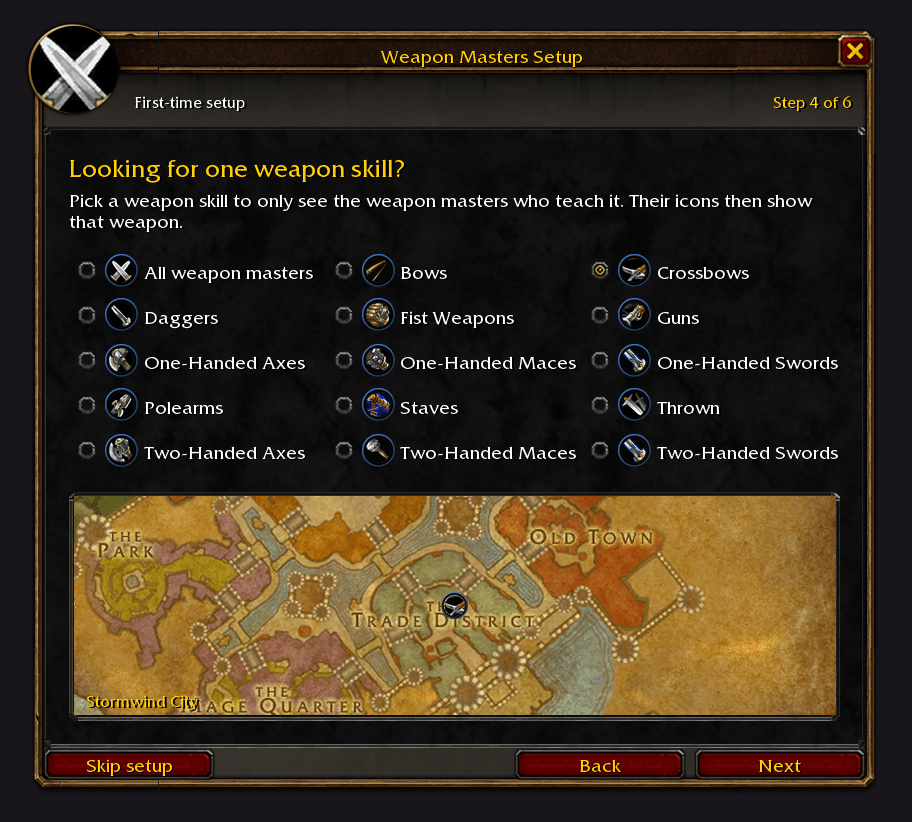
4-setup-weapon-skill.png
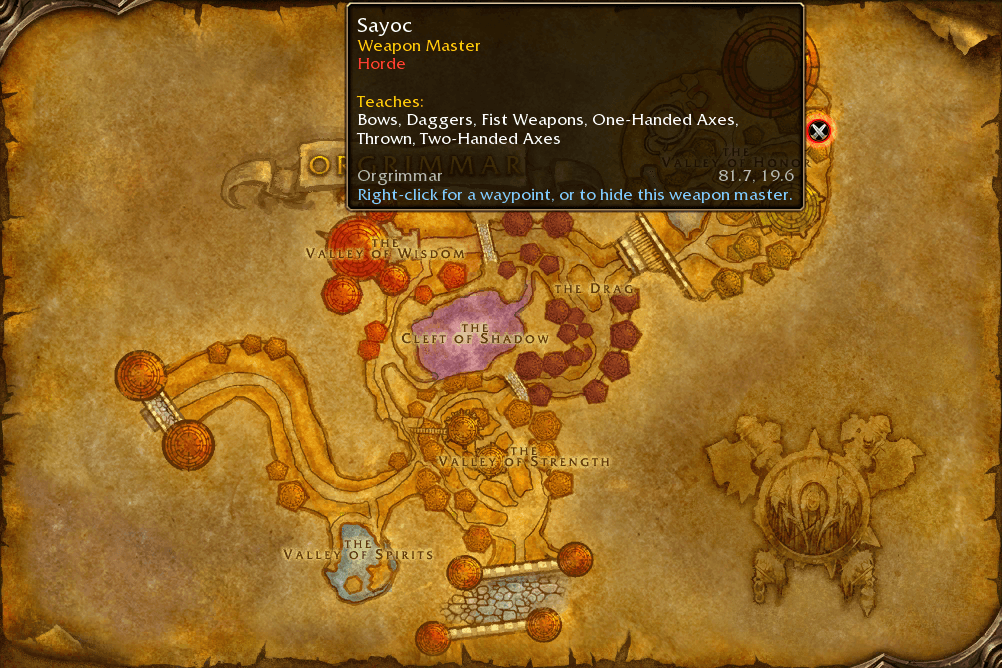
1-orgrimmar.png
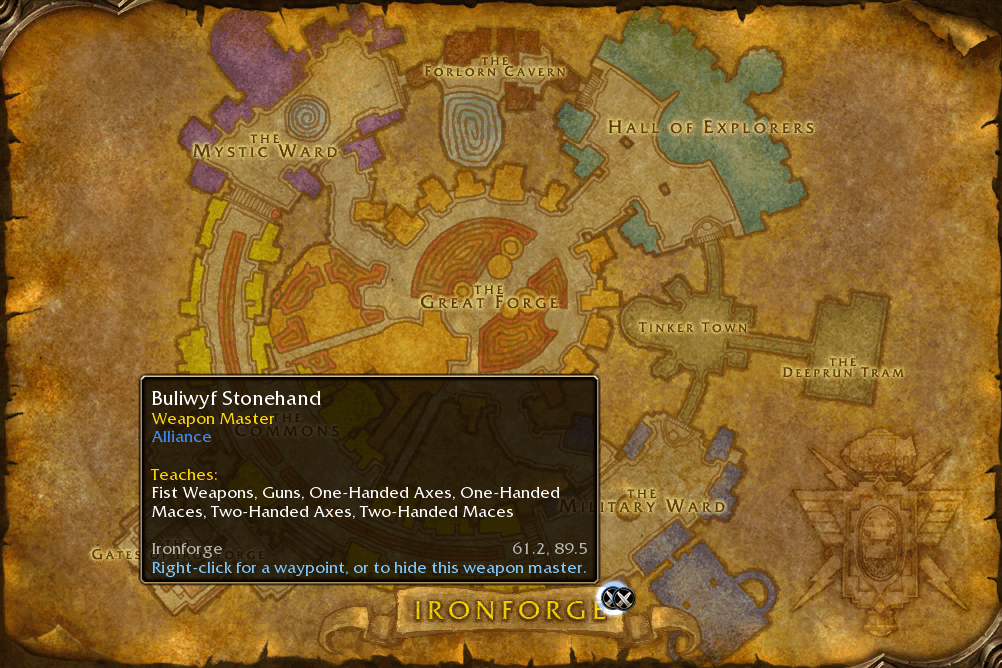
2-ironforge.png
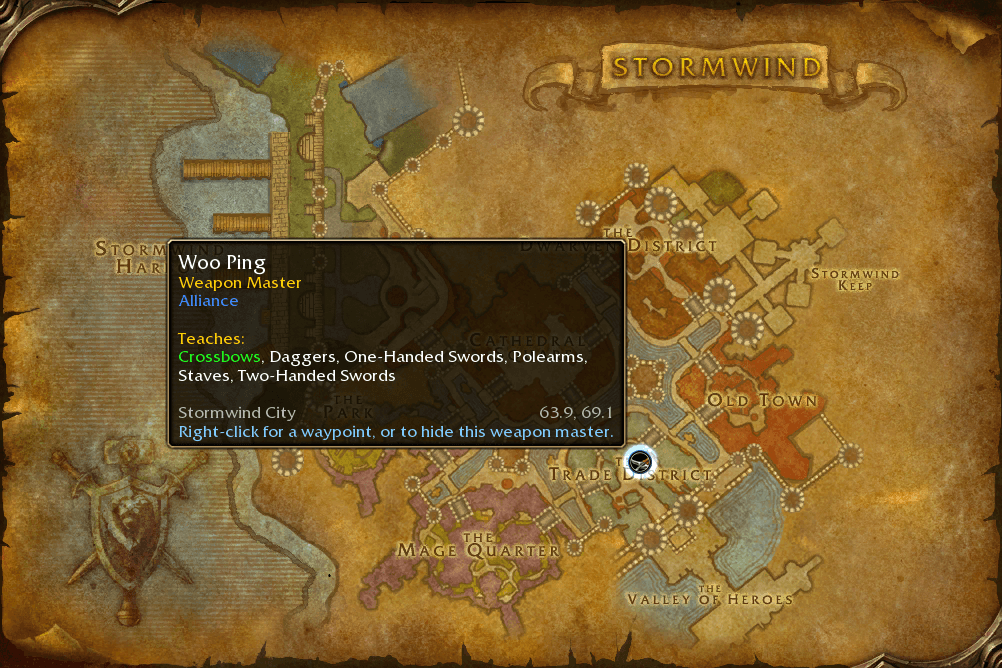
3-stormwind-crossbows.png
Description

HandyNotes: Weapon Masters
🚨 Reminder: This addon is a plugin for HandyNotes. You must have HandyNotes installed for this to work.
🧭 Introduction
HandyNotes: Weapon Masters shows every weapon master in World of Warcraft: Forever on your world map and minimap, and exactly which weapon skills each one teaches. No more running from Stormwind to Ironforge to find out who teaches Crossbows.
✨ Features
- 🗺️ All 8 weapon masters, in Stormwind City, Ironforge, Darnassus, Orgrimmar, Thunder Bluff and Undercity
- ⚔️ Hover a weapon master to see the exact skills they teach, like One-Handed Swords, Two-Handed Swords, Crossbows
- 🎯 Pick a weapon skill and only the weapon masters who teach it stay on the map, showing that weapon's icon
- 🛡️ Round icons in your faction's colours: blue for the Alliance, red for the Horde, gold for both
- 🧭 Weapon masters near you on the minimap
- 📍 Right-click a weapon master for a waypoint (TomTom if you have it, otherwise the game's own map pin), or to hide it
🚀 How to Use
- Install HandyNotes (it supports WoW Forever).
- Download this addon. If you're not using an addon manager, place the
HandyNotes_WeaponMastersfolder inWorld of Warcraft/_forever_/Interface/AddOns. - Log in to World of Warcraft: Forever.
- You're good to go!
⚙️ Options
Type /weaponmasters (or /hnweapons) to open the options, or open /handynotes and go to Plugins → Weapon Masters.
| Option | What it does |
|---|---|
| Icon scale / Icon opacity | Size and transparency of the icons |
| Show on the world map / minimap | Where the icons show up |
| Show on continent maps | Weapon masters on the Kalimdor and Eastern Kingdoms maps |
| Weapon skill | Only show the weapon masters who teach this skill |
| Show the other faction's weapon masters | Also show weapon masters who only train the other faction |
| Show weapon masters who train both factions | Weapon masters for Alliance and Horde alike |
| Show hidden weapon masters again | Brings back the icons you hid with right-click |
Thanks for checking out the addon.
HandyNotes_WeaponMasters Team

Owner