Tabard Studio
- By
A better tabard editor for every version of WoW: all emblems, colors and borders on one screen, saved designs, and design codes that work in Retail, Forever and Classic..
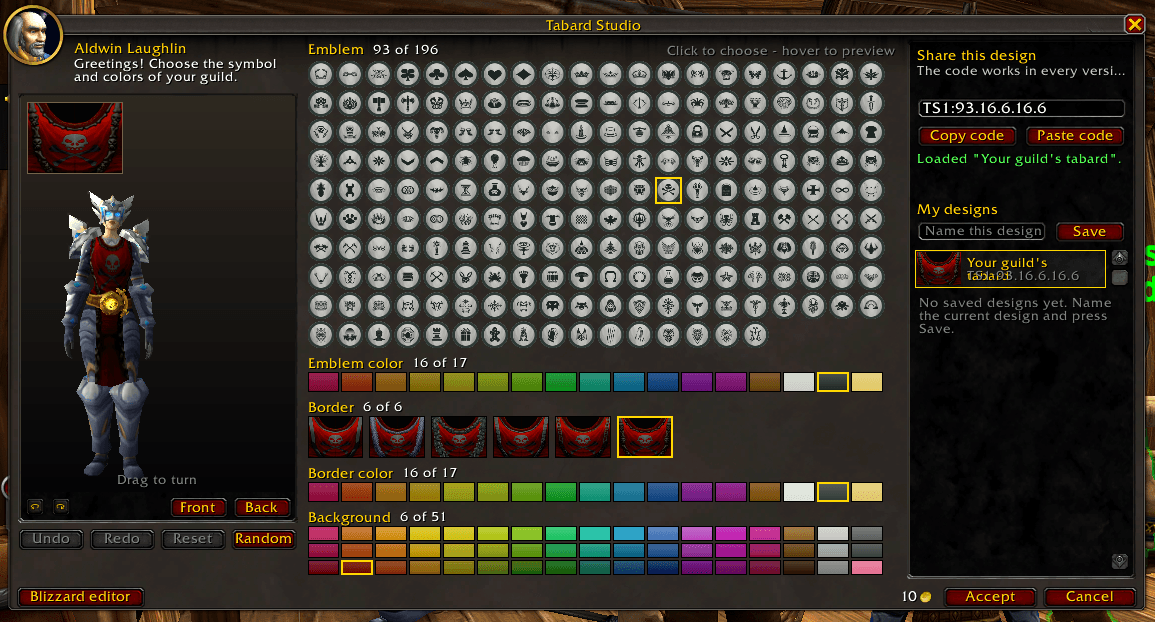
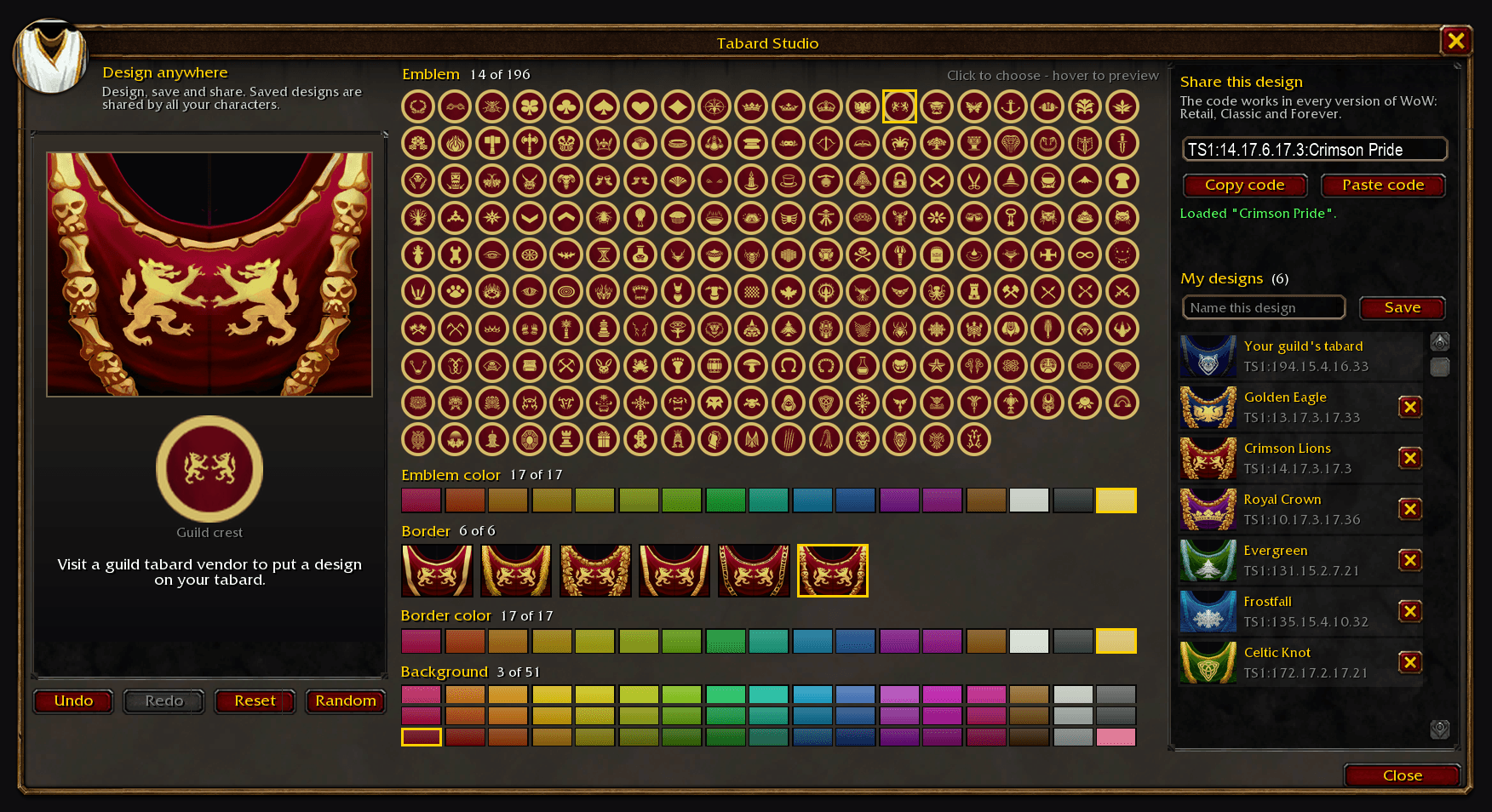
4-paste-a-code.png
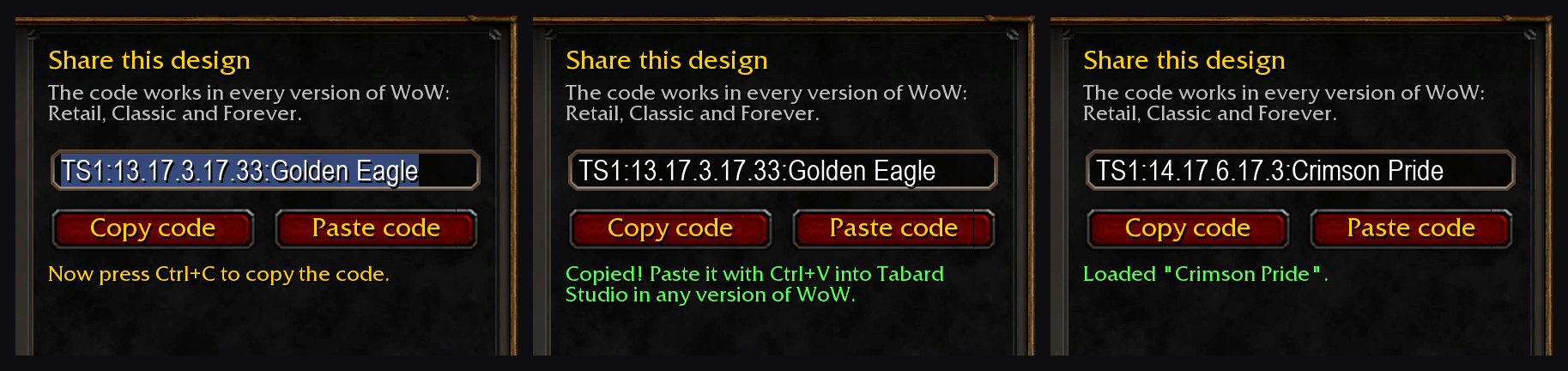
3-share-codes.png
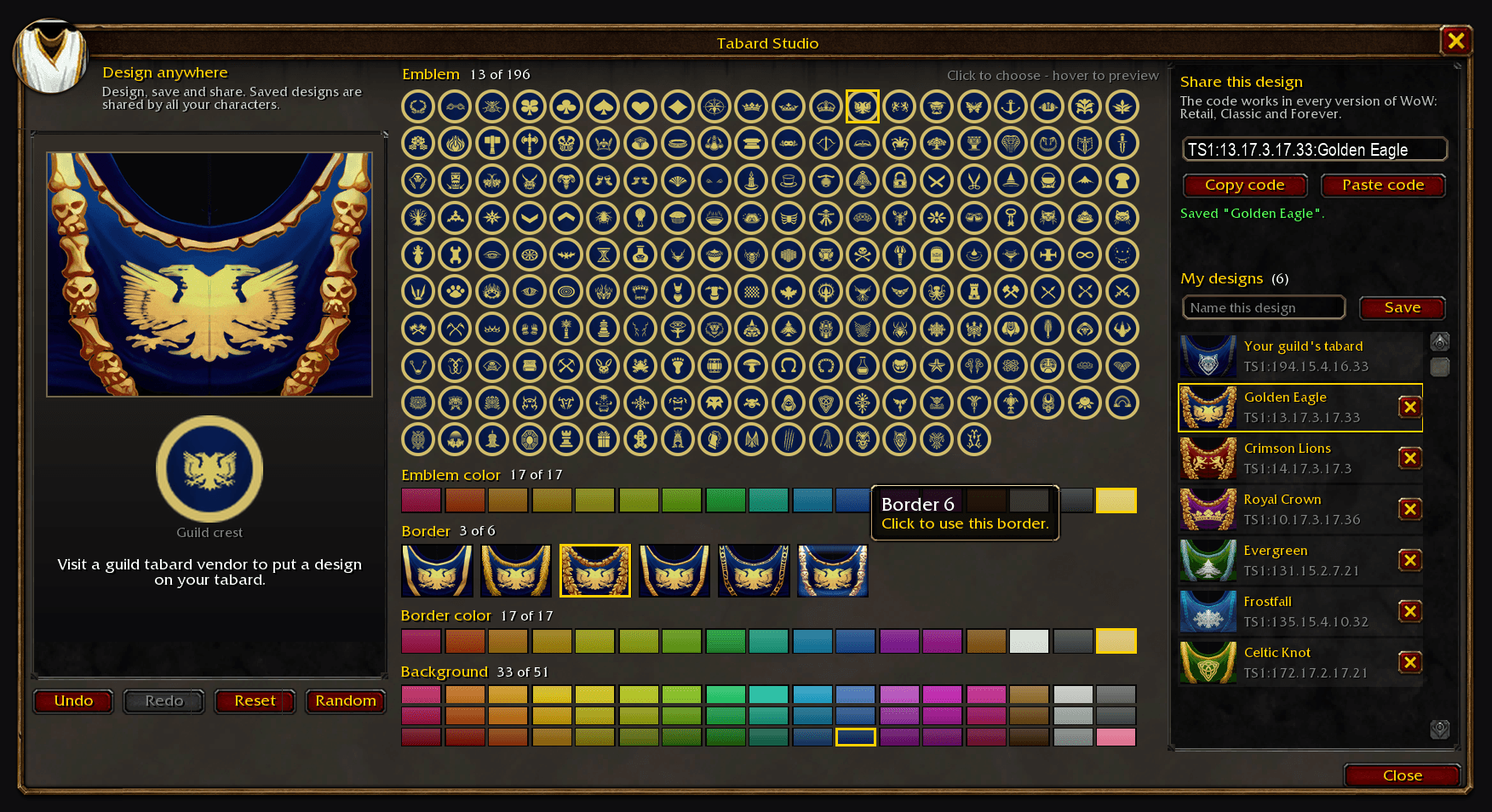
2-hover-preview.png
Description

Tabard Studio
🛡️ A better tabard editor for every version of World of Warcraft: Retail (Midnight), Classic (Classic Era, TBC Anniversary, Mists of Pandaria Classic, Titan) and WoW Forever, with design codes that work in all of them.
🧭 Introduction
Tabard Studio replaces the tabard vendor's little arrow buttons with one clear window: every emblem, every color and every border at once. Click what you like and your character wears it right away.
Every design has a short design code like TS1:43.6.4.13.28. All versions of WoW use exactly the same emblems, colors and borders, so a code gives the same tabard everywhere: copy it in Retail and paste it in Classic or Forever, or the other way around. Share it with your guild master, or take your guild's look to a new version of the game.
✨ Features
- 🎨 All 196 emblems on one screen, drawn in your own colors on your background, so you see what you'll get before you click
- 🖌️ One-click colors: the emblem and border colors in a row each, and all 51 background colors in a palette (15 hues in light, medium and dark, plus the greys)
- 🧵 Border styles shown as little tabards, using the game's own tabard textures in your colors
- 🖼️ A picture of your tabard next to the 3D model that always shows every part, the border included (even when the model is turned away)
- 👀 Hover to preview: point at anything and your character tries it on, move away and it's back as it was
- ↩️ Undo, redo, reset and random
- 🔗 Share codes that work in every version of WoW, with a Copy button that tells you when the code is copied and a Paste button that loads a code the moment you paste it
- 💾 Saved designs, shared by all your characters, with your guild's current tabard always one click away
- ✏️ Design anywhere with
/tabard, then visit a tabard vendor to buy it - 🧩 The game's own editor is always one click away (Blizzard editor), and it works with guild and personal tabards
🚀 How to Use
- Download the addon. If you're not using an addon manager, place the
TabardStudiofolder in theInterface/AddOnsfolder of the version you play, for exampleWorld of Warcraft/_retail_/Interface/AddOns,_classic_,_classic_era_,_anniversary_or_forever_. - Talk to a guild tabard vendor in a capital city. Tabard Studio opens instead of the old editor.
- Click an emblem, colors and a border. Your character shows it right away.
- Press Accept to buy the design (only the guild master can buy a guild tabard, but everyone can design and share codes).
🔗 Moving a Design to Another Version of WoW
Everything is in the Share this design panel on the right of the window.
- Copy code: Tabard Studio selects the code and asks you to press
Ctrl+C. When you do, it says Copied! - Log in to the other version of WoW and open Tabard Studio (
/tabard, or at a tabard vendor). - Paste code, then press
Ctrl+V. The design loads at once (Undo takes it back). - Give it a name and press Save to keep it in My designs.
You can also click straight into the code box and press Ctrl+C or Ctrl+V. A pasted chat line works too: Tabard Studio finds the code in it.
A code is the design's five numbers, TS1:emblem.emblem color.border.border color.background, optionally followed by :Name. The numbers match the ones Tabard Studio shows next to each heading.
⌨️ Commands
| Command | What it does |
|---|---|
/tabard |
Open or close Tabard Studio (anywhere) |
/tabard import <code> |
Load a design code, for example /tabard import TS1:43.6.4.13.28 |
/tabard code |
Show the code of the current design |
/tabard blizzard |
Use the game's own editor for this vendor visit |
/tabard vendor on/off |
Open Tabard Studio at tabard vendors |
/tabard hover on/off |
Preview on the model while hovering |
/tabard reset |
Put the window back in its default place and size |
/tabard options |
Open the options |
/tabard debug |
Show what the game reports about the tabard (handy for bug reports) |
⚙️ Options
Open them with /tabard options, or in the game's Options → AddOns → Tabard Studio.
| Option | What it does |
|---|---|
| Open Tabard Studio at tabard vendors | Use Tabard Studio instead of the game's tabard editor |
| Preview on the model while hovering | Your character tries on whatever you point at |
| Window size | Makes the window bigger or smaller (it also shrinks by itself on small screens) |
Thanks for checking out the addon.
Tabard Studio Team

Owner