Level Time Tracker
- By
Track exactly how long each level takes, with live XP/hour, progress tracking, and a clean in-game UI.
4-mini-forever.png
1-levels-forever.png
2-characters-midnight.png
3-options-midnight.png
Description

Level Time Tracker
⏱️ See how long every level takes, on every character, in World of Warcraft: Midnight and World of Warcraft: Forever.
🧭 Introduction
Level Time Tracker times every level you gain, to the second, and keeps the times of all your characters. It counts time the way /played does: all the time you are logged in on a character, and never the time you spend logged out. It even times the level you are on when you install it, because the game tells it how long you have already played that level.
Everything is in one window in the style of the game's own frames, with a small mini tracker to keep on screen while you level.
✨ Features
- ⏱️ Every level timed to the second, with the date, the zone you were in and your
/playedat that moment - 💬 A line in chat on every level-up:
Level 24 in 41m 12s, 3m 05s faster than the level before. - 📈 XP per hour for the session and the time to your next level at that pace (a
/reloaddoesn't reset them) - 🛌 Rested XP on the experience bar, as in the game
- 🏆 Records: your fastest, slowest and average level, and all the time you spent leveling
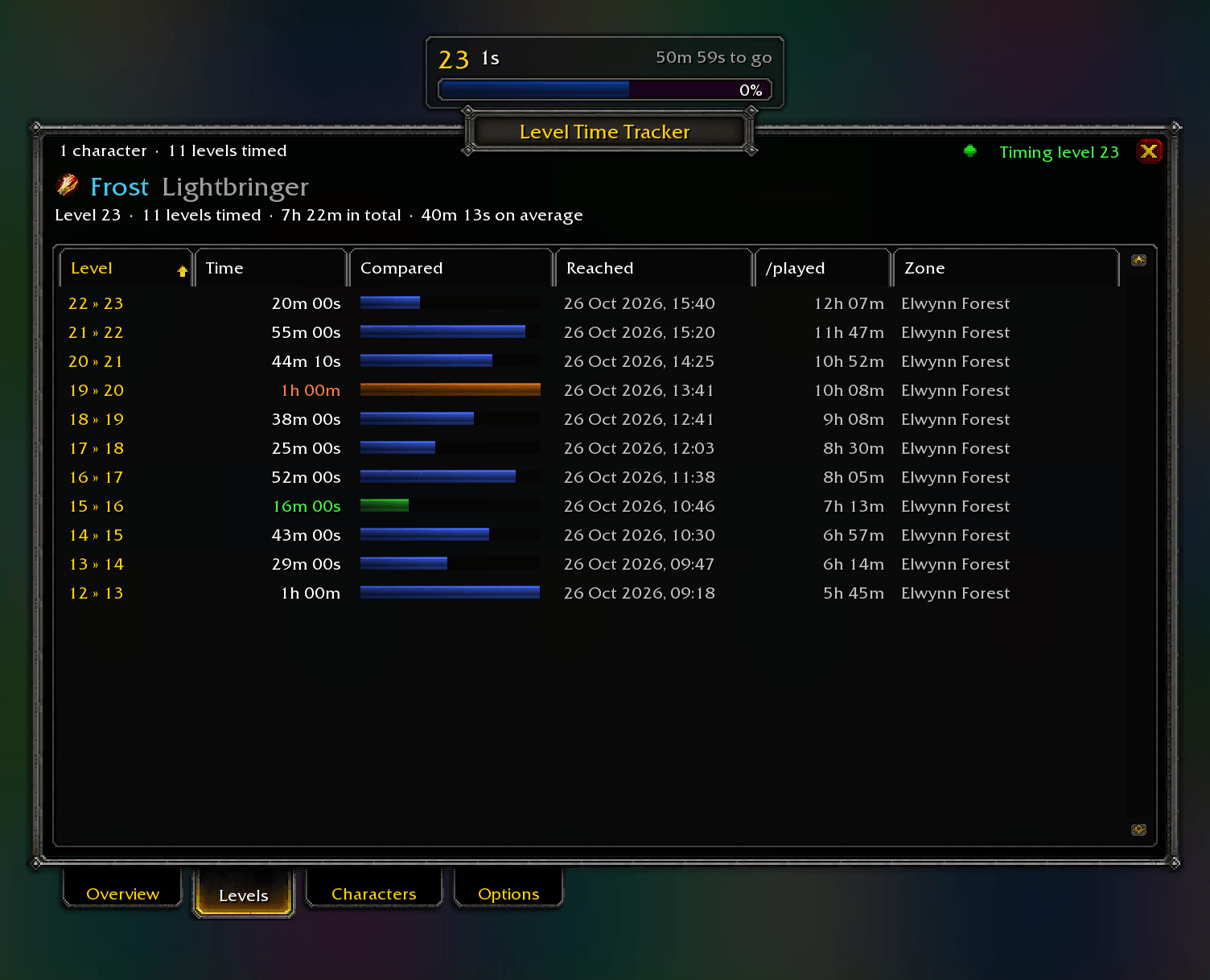
- 📜 Every level in a list you can sort, with a bar that shows how long each level took next to the others
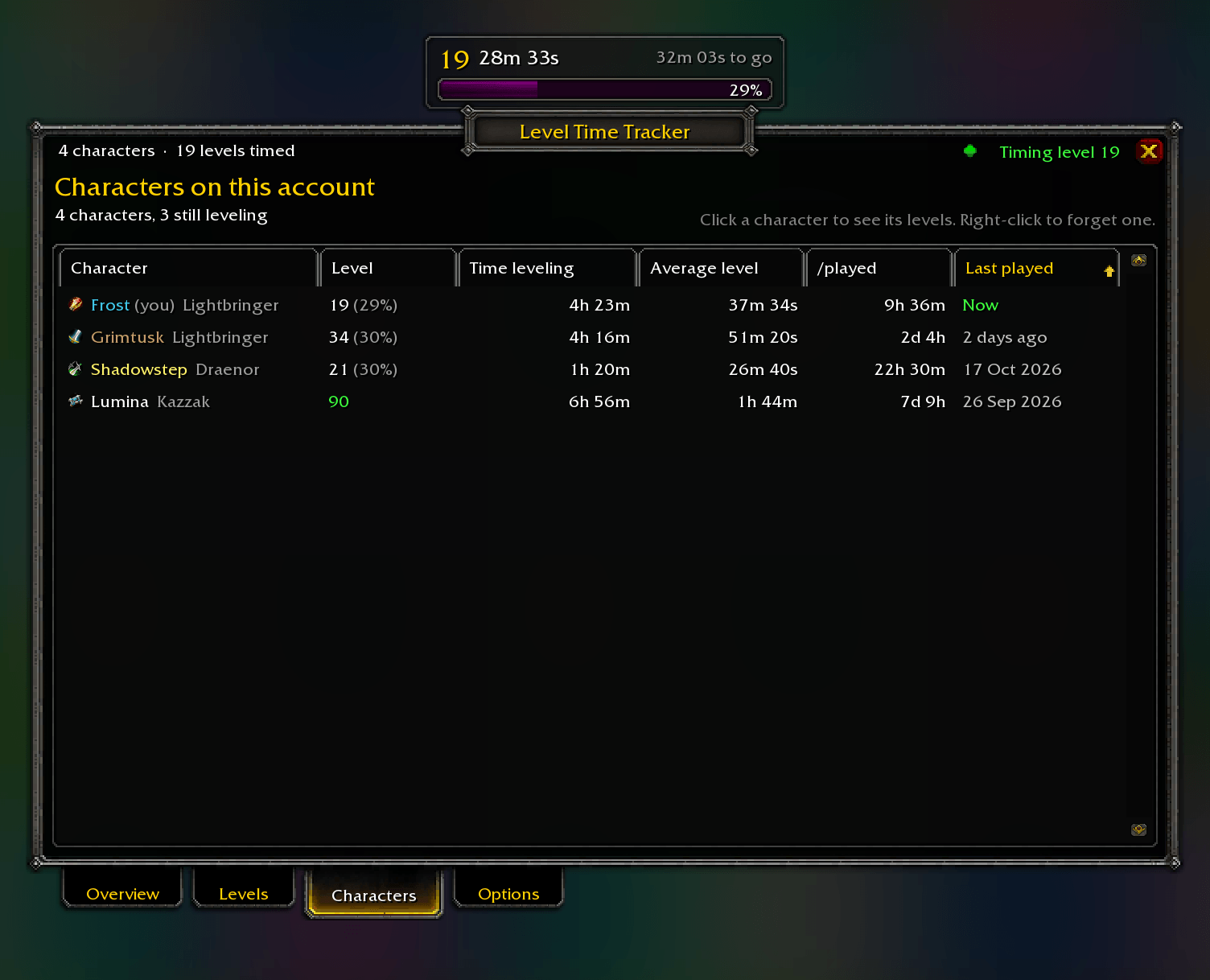
- 👥 All your characters on one page: level, time spent leveling, average level,
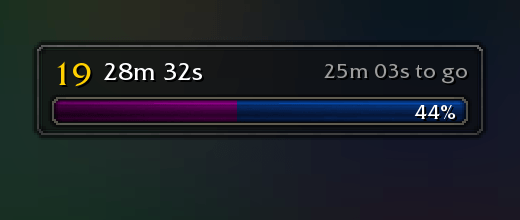
/playedand when you last played them - 🪟 Mini tracker: your level, the time on it, the time to the next level and the XP bar, in a small box you can drag anywhere
- 🎨 Four looks: Classic, Steel, Horde and Alliance, and a UI size slider
- ⚡ Levels gained at once (one big quest turn-in) are noted as such instead of showing up as zero-second levels
- 🗂️ Keeps your Level Time Tracker 1.x times when you update
🚀 How to Use
- Download the addon. If you're not using an addon manager, place the
LevelTimeTrackerfolder in theInterface/AddOnsfolder of the version you play:World of Warcraft/_retail_/Interface/AddOnsfor Midnight, orWorld of Warcraft/_forever_/Interface/AddOnsfor Forever. - Log in. The mini tracker shows your level and how long you have been on it.
- Level up! Level Time Tracker tells you in chat how long the level took.
- Type
/ltt(or click the mini tracker, or use the addon list on the minimap) to open the window.
🪟 The Window
| Page | What's on it |
|---|---|
| Overview | Your character, the time on this level, the time to the next level, XP per hour, this session, your most recent levels and your records |
| Levels | Every level with the time it took, when you reached the next one, /played then and the zone. Click a column to sort |
| Characters | All your characters. Click one to see its levels, right-click to forget one |
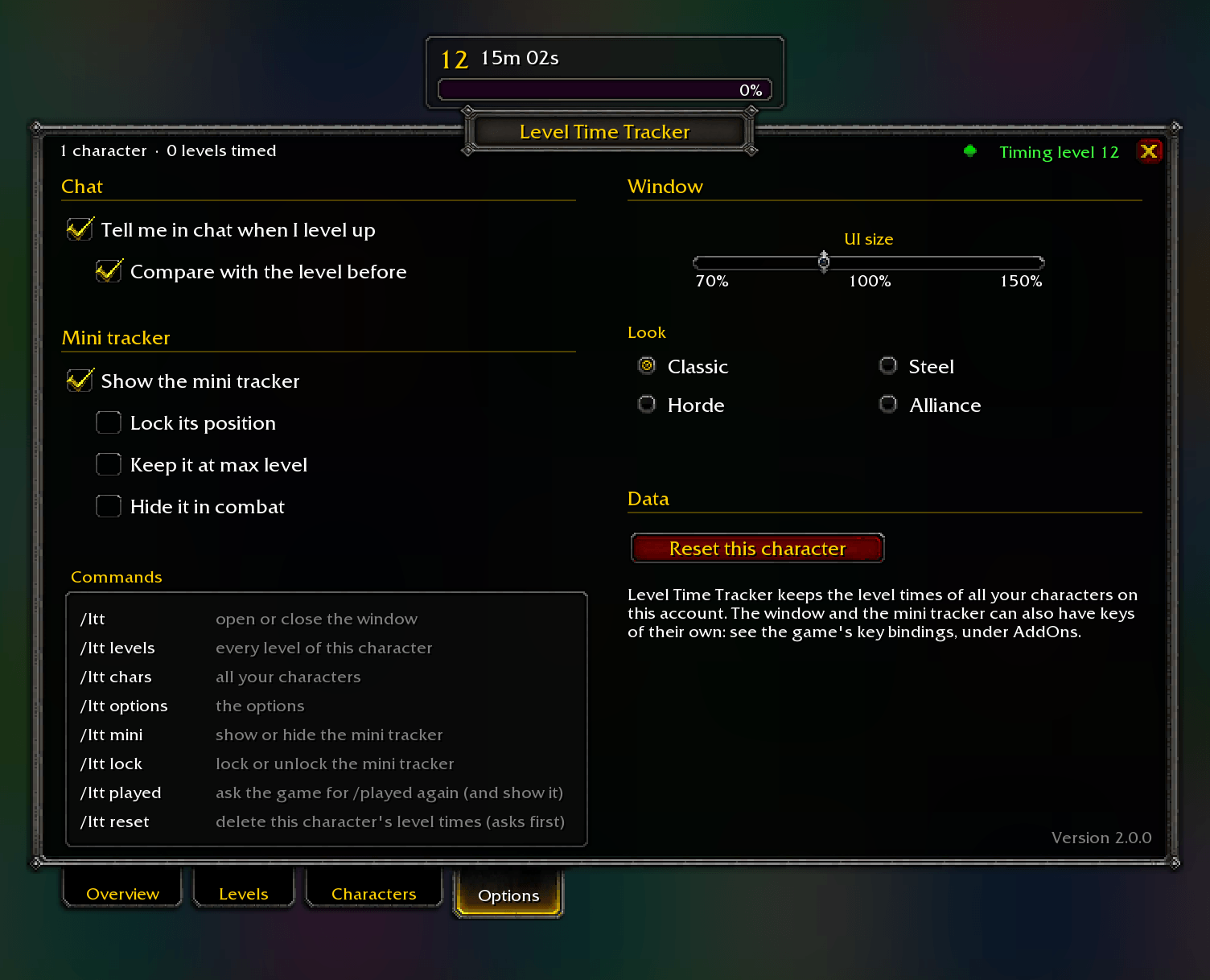
| Options | Chat, the mini tracker, the window's size and look, and a list of the commands |
⌨️ Commands
| Command | What it does |
|---|---|
/ltt |
Open or close the window |
/ltt levels |
Every level of this character |
/ltt chars |
All your characters |
/ltt options |
The options |
/ltt mini |
Show or hide the mini tracker |
/ltt lock |
Lock or unlock the mini tracker |
/ltt played |
Ask the game for /played again (and show it in chat) |
/ltt reset |
Delete this character's level times (asks first) |
/ltt help |
List the commands in chat |
You can also set keys for the window and the mini tracker in the game's key bindings, under AddOns.
⚙️ Options
Open them with /ltt options, or in the game's Options → AddOns → Level Time Tracker.
| Option | What it does |
|---|---|
| Tell me in chat when I level up | A line in chat with the time the level took |
| Compare with the level before | Adds how much faster or slower the level was |
| Show the mini tracker | The small box with your level, time and XP bar |
| Lock its position | The mini tracker can't be dragged |
| Keep it at max level | Without this, the mini tracker goes away at max level |
| Hide it in combat | The mini tracker steps aside while you fight |
| UI size | Makes the window and the mini tracker bigger or smaller |
| Look | Classic, Steel, Horde or Alliance |
❓ Good to Know
- Time counts like
/played. When you log in, Level Time Tracker asks the game for/playedonce (without printing it in chat) and runs its own clock from there. AFK time while logged in counts, just like it does for/played. - Updating from 1.x? Your old level times are kept and marked as such (1.x didn't keep dates or zones). Times that 1.x couldn't measure show as not timed.
- XP per hour needs a couple of minutes of play before it shows, so one quest turned in right after logging in doesn't look like your pace.
Thanks for checking out the addon.
Level Time Tracker Team

Owner