HaboonOrbs
Animated health and power orbs for WoW Forever, with 51 ornate orb, potion bottle and vial looks, custom colours and live previews.
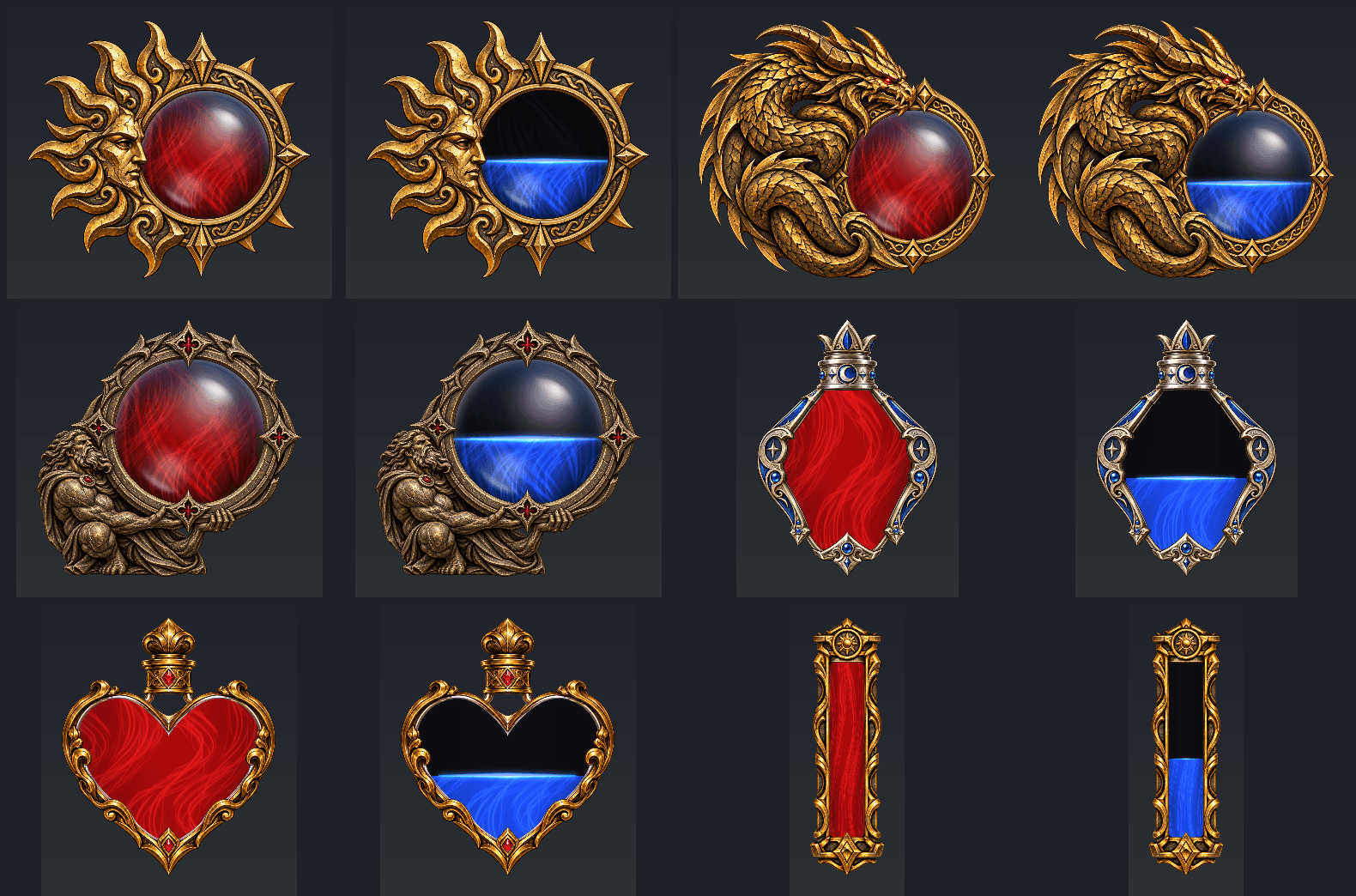
01-style-closeups.png
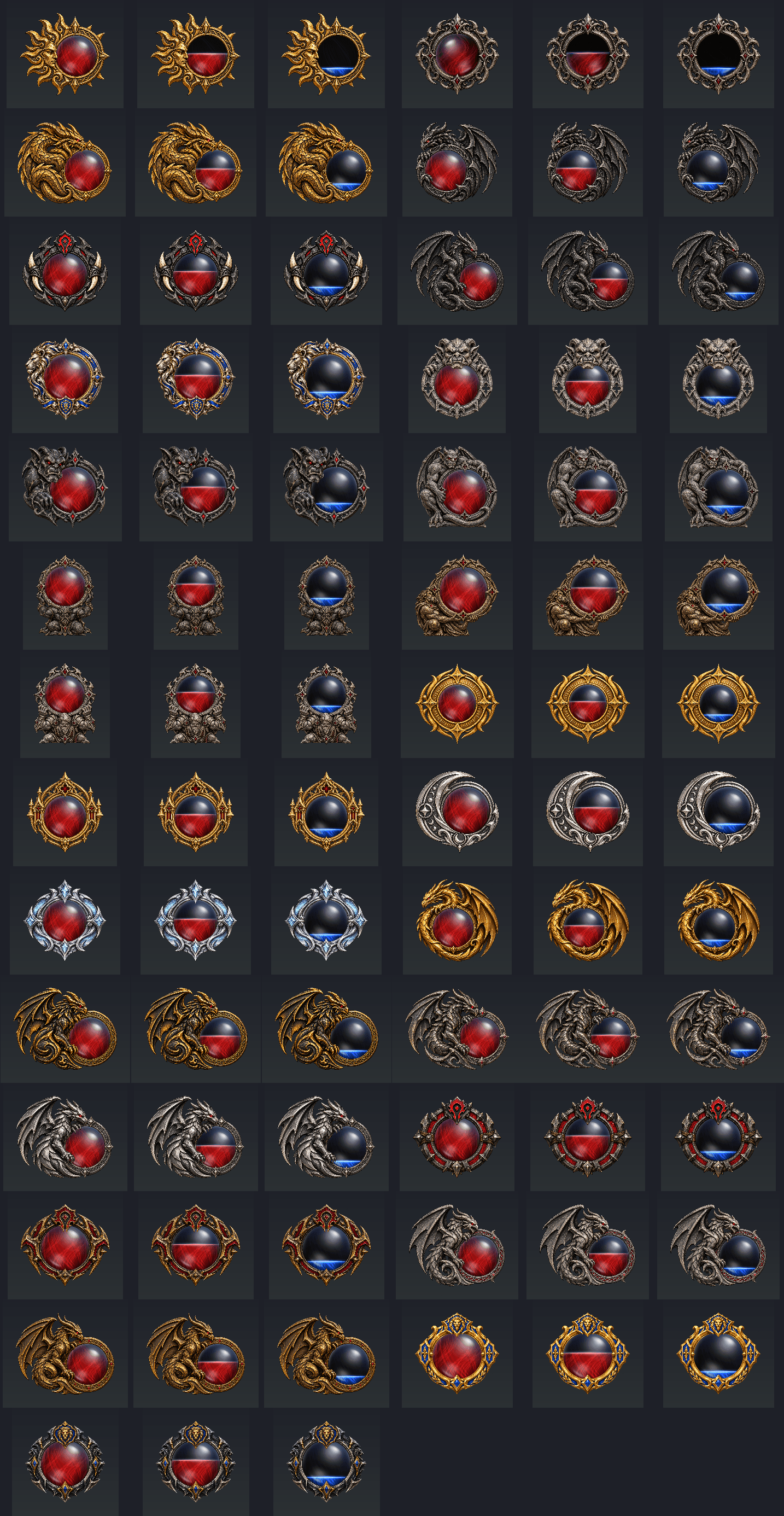
02-orb-styles.png
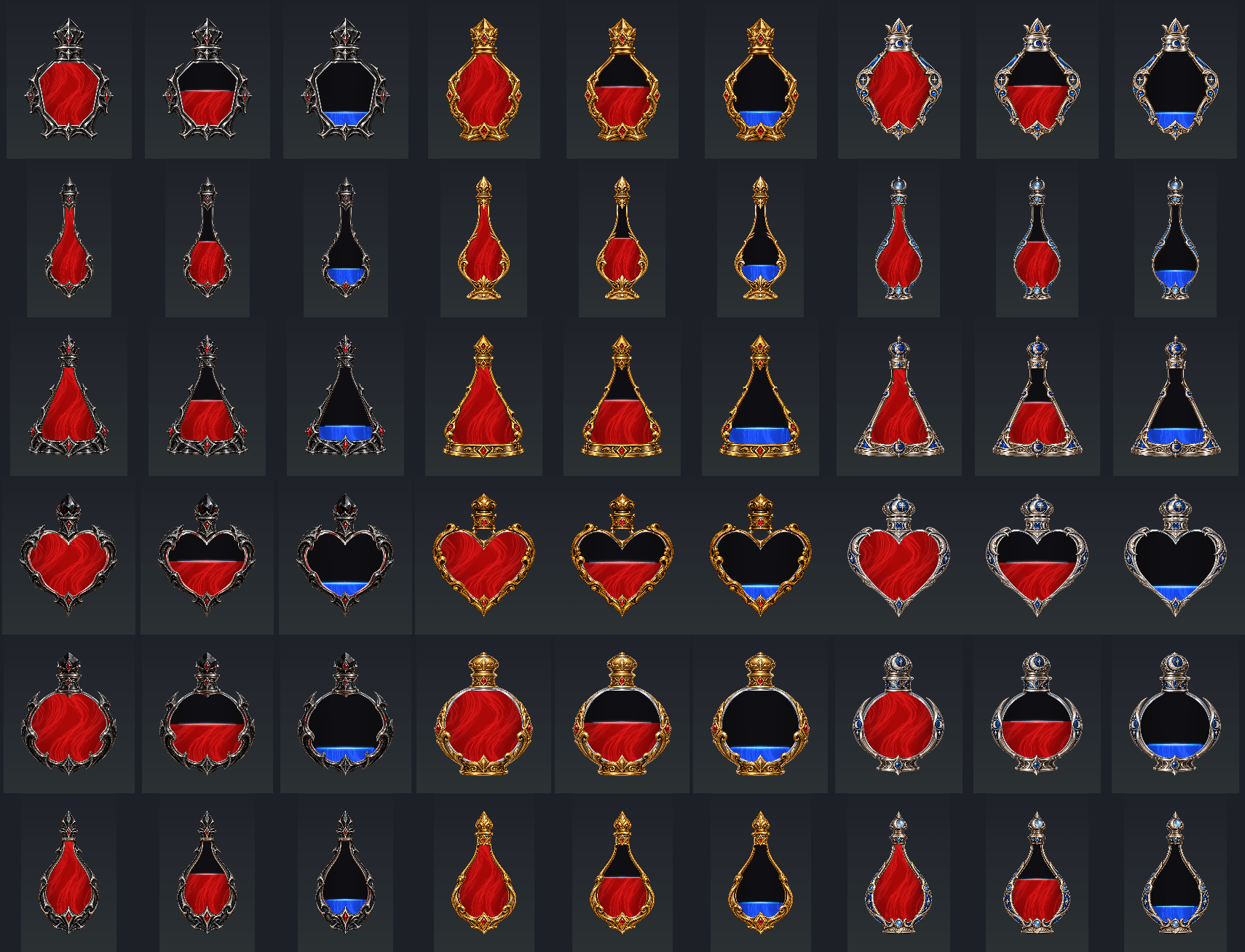
03-potion-styles.png
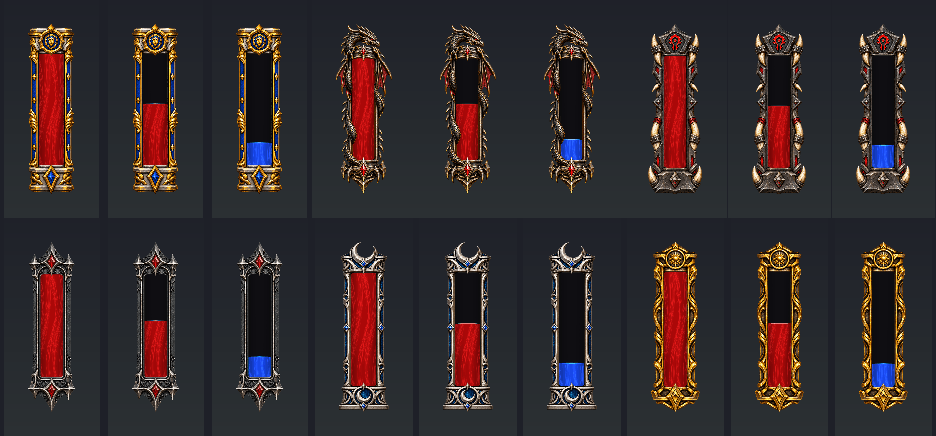
04-vial-styles.png
Description
Haboon Orbs
Your health and power as animated liquid in ornate orbs, potion bottles and vials.
Made for World of Warcraft: Forever, with 51 looks, flowing liquid effects and settings to make each orb your own. Haboon Orbs is standalone—no other addon is required.
For Forever 1.60.1. The interface is in English.
51 looks to choose from
-
27 orbs in carved surrounds: gold and silver rings, dragons, wyverns, gargoyles, kneeling titans, and Horde and Alliance crests.
-
18 potion bottles: crystal, elixir, flask, heart, round and teardrop, each in obsidian, antique gold or moon silver.
-
6 vials: Alliance, Horde, dragon, gothic obsidian, moon silver and ancient gold.
Choose a different look for health and power. Hover a look to preview it before selecting, and flip its ornament to either side.
The artwork keeps its full resolution and transparency, with lossless compression.
Liquid that moves with you
The liquid fills and drains smoothly, with a shine along its surface. Choose rising currents, spirals, dark smoke, mist or still liquid, with optional bubbles and sparkles.
Adjust the motion speed, choose your own colours or use your class colour for health. Power can automatically change colour for mana, rage or energy, and follows druids’ forms.
Your numbers, your layout
-
Show current values, percentages, both, or current and maximum.
-
Choose the numbers’ font, size, colour and opacity.
-
Hide numbers when full and add a warning pulse when low.
-
Show the orbs always, only in combat, or when fighting, targeting or not full.
-
Adjust their size and drag them anywhere, with an alignment grid to help place them.
-
Use Preview to fill and drain both orbs, even while they are switched off.
Replace the player frame—or keep it
The health orb can take the player frame’s place. Your pet’s frame, totems and class bars stay visible, and the player frame returns in Edit Mode.
Prefer both? Untick Hide the player frame to keep Blizzard’s frame alongside your orb.
Getting started
-
Install Haboon Orbs and restart the game.
-
Click its minimap button, or go to Esc > Options > AddOns > Haboon Orbs and click Open Haboon Orbs.
-
Open the Health and Power tabs and tick the orbs you want. Both start off on a fresh install.
-
Choose your looks, then use All orbs > Preview and Move the orbs to place them.
The optional commands /horbs and /haboonorbs also open settings.
For manual installation, place the MyUI_Orbs folder directly inside your Forever client’s Interface/AddOns folder. The folder retains its original name so existing saved looks, options and positions carry over.
Bugs and ideas
Post in the project comments with what happened, what you were doing and the full Lua error if one appeared. Feedback and ideas are welcome.
Made by HABOON
Created by HABOON at Haboon Works. You can also send feedback through haboonworks.com/feedback.
The surrounds, bottles and vials were made with image generation from HABOON’s prompts and selections. Some liquid effects draw Blizzard’s artwork directly from the game’s files. Art credits and bundled font licences are included with the addon.
© 2026 HABOON. All rights reserved. Free to use; no re-uploading, modified distributions or reuse without permission. See the included LICENSE.txt.
Haboon Orbs is fan-made and is not affiliated with or endorsed by Blizzard Entertainment.
HaboonOrbs Team