Hide 2FA Bag Slots
- By
Hide the locked 2FA authenticator bag slots and padlock "+" button. Clean backpack, full rows.
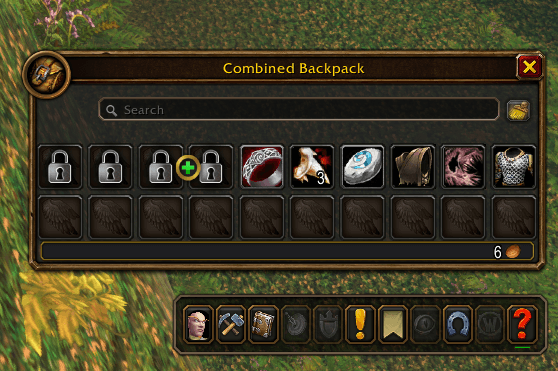
1-before-padlock-slots.png
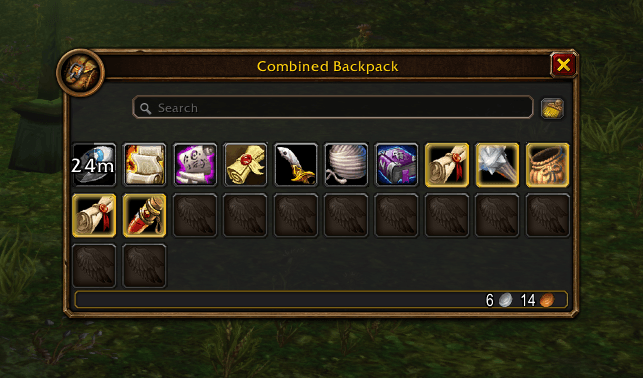
2-after-combined-bags.png
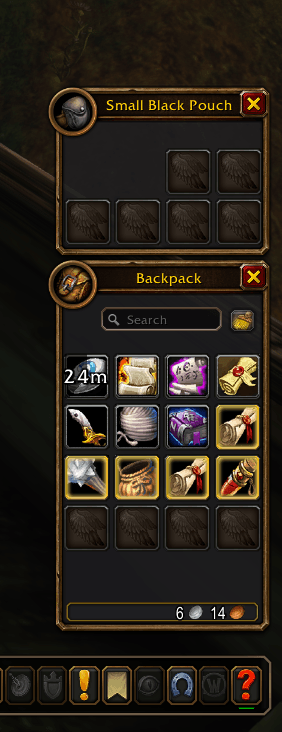
3-after-separate-bags.png
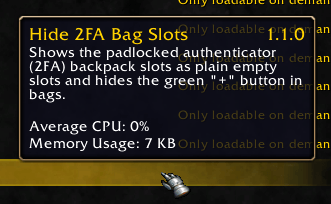
4-addon-list.png
Description
Hide 2FA Bag Slots
Tired of the 4 padlocked bag slots that nag you to add a 2FA authenticator? This addon hides them for good.
What it does
- Hides the 4 locked 2FA / authenticator backpack slots (no padlock, no "Increase backpack size" tooltip).
- Hides the green "+" add-slots button.
- Re-packs the bag grid: every row is full, and all the empty space collects at the bottom-right corner, like a normal inventory.
- Slot order matches Clean Up Bags, so after sorting, your items pack from the top-left and empty slots line up at the end.
Details
- Works in both combined bags and separate bags views.
- No configuration, no slash commands, no saved data. Install and forget.
- Never touches your items. The locked slots are only hidden.
- Safe in combat: if the game blocks a change during combat, it waits until combat ends.
- Accounts that already have 2FA see no change.
- Want the padlock slots back? Disable the addon and
/reload.
Supported
Works on WoW Forever and Retail 12.x. Both use the same bag code. I tested it on WoW Forever; if anything looks off on Retail, leave a comment and I will fix it fast.
Keywords: 2FA bags, 2fa bag, hide 2fa, authenticator bag slots, locked bag slots, padlock slots, backpack lock, increase backpack size, hide locked slots, hide locked bag slots, HideLockedBagSlots, extra bag slots, combined bags, bag cleanup, backpack, inventory, WoW Forever, Retail
Hide 2FA Bag Slots Team