GearCoach
- By
BiS checklist coach - what to collect, where to get it, and what you already own.
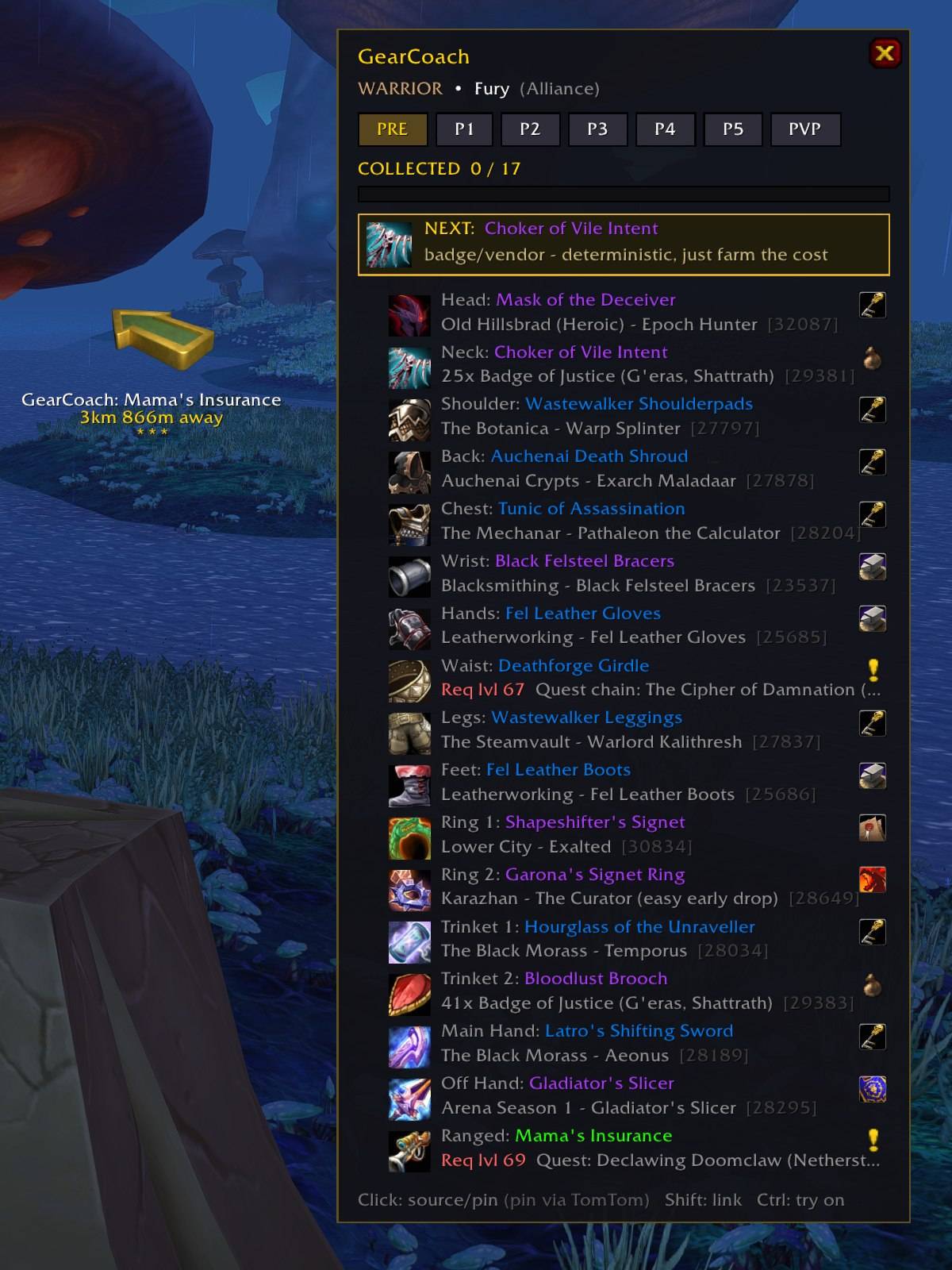
Click a quest item and GearCoach sets a TomTom waypoint to the quest start - here Mama's Insurance, 3.8 km away. The gold NEXT box picks your most efficient next upgrade, and red "Req lvl" warnings flag quests you can't take yet.
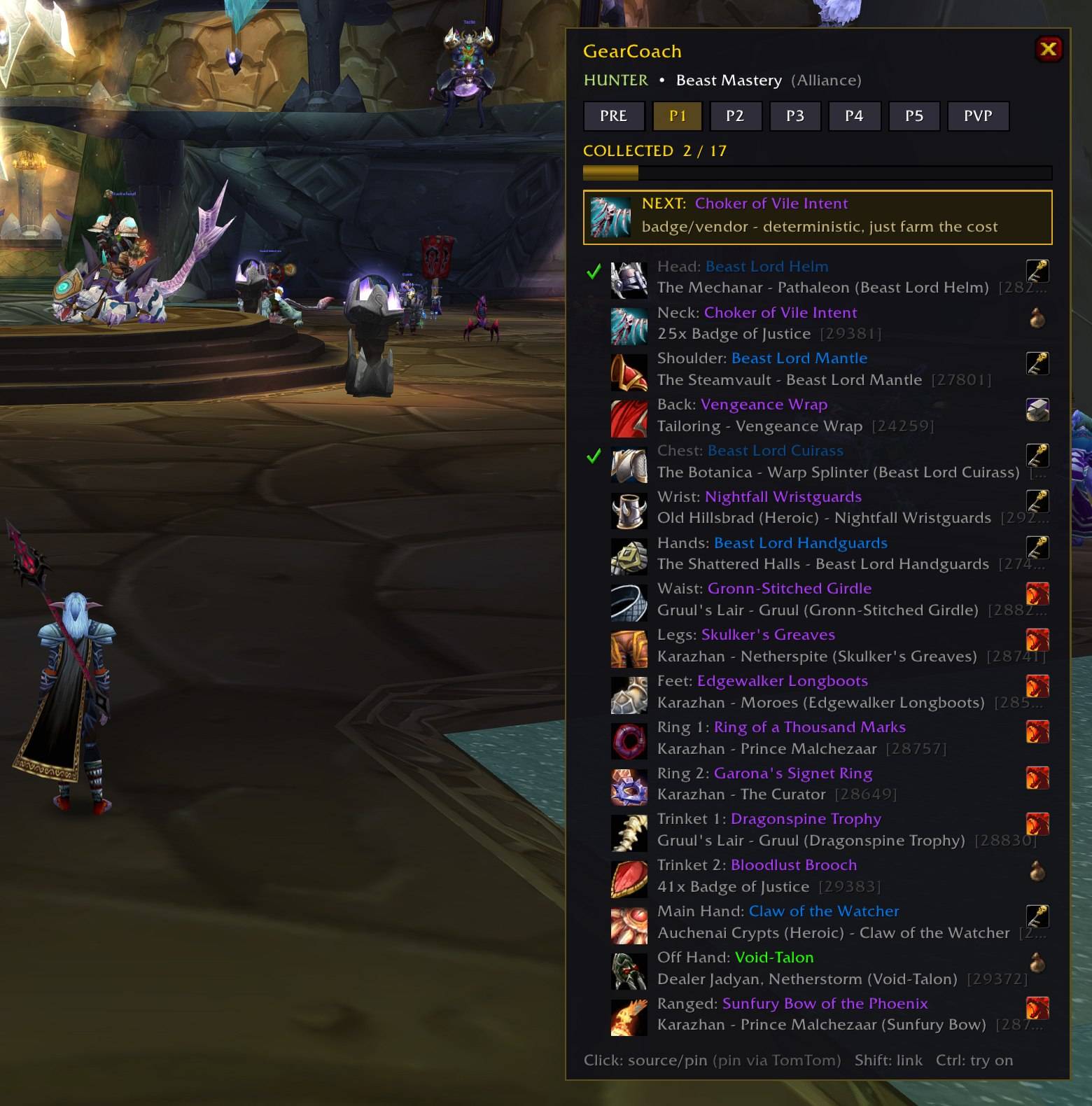
GearCoach checks your equipped gear, bags and bank against the BiS list automatically. Green checkmarks = collected, with a progress bar per list (here 2/17 on Phase 1). Tabs for Pre-raid, P1-P5 and PvP - every class and spec.
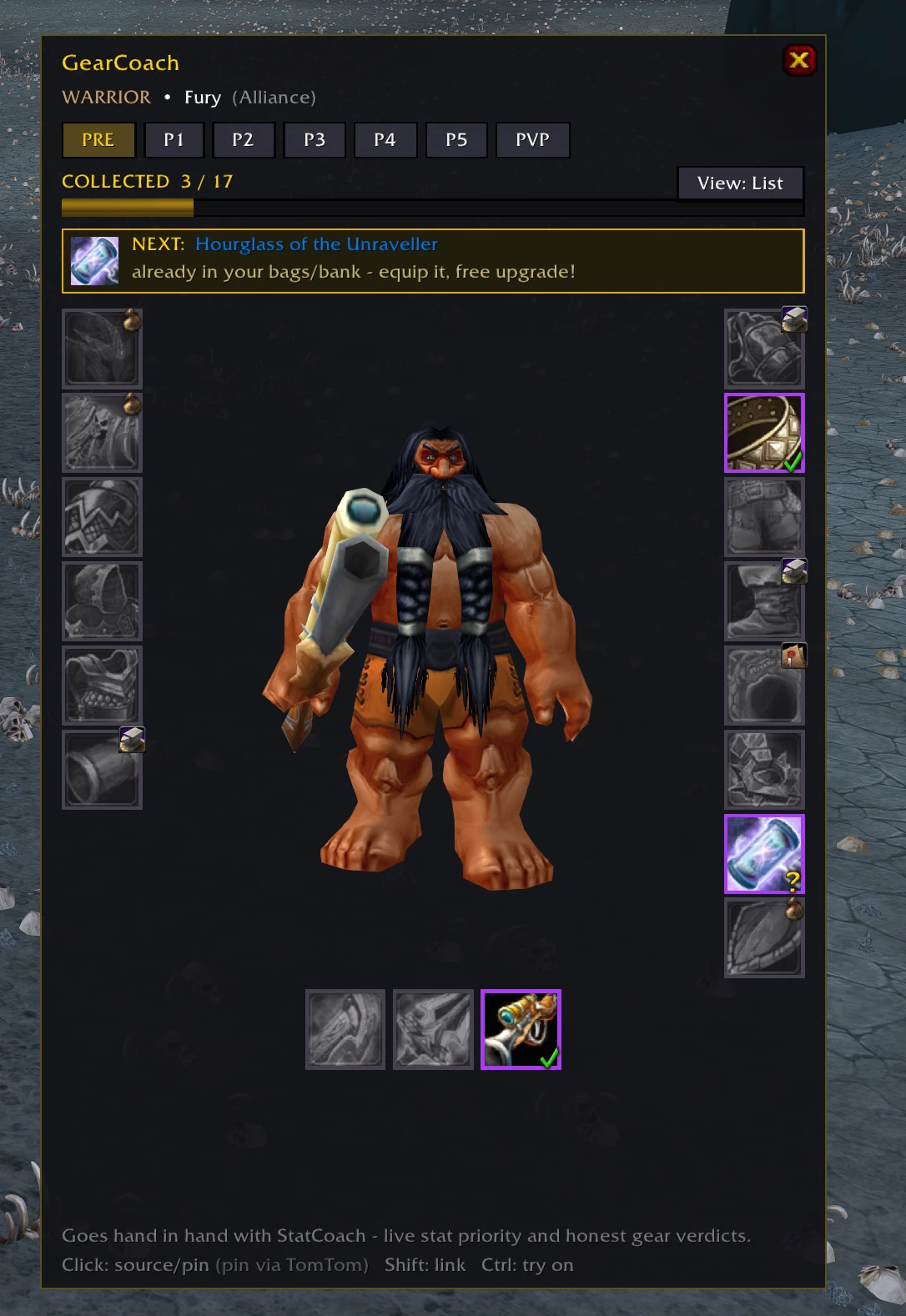
The new Item Slots view: your BiS set as a character sheet with source icons
Description
GearCoach is a BiS checklist coach for Burning Crusade Classic: what to collect, where to get it, and what you already own. It is the companion to StatCoach - StatCoach tells you IF an item is an upgrade, GearCoach tells you WHICH items to hunt and where.
WHAT IT DOES
- Curated BiS lists for ALL 9 classes as clean tabs: PRE (pre-raid), P1-P5 (raid phases) and PVP (Season 1) for every class (Gladiator's 5-piece + Veteran's honor pieces per spec). Every item is stored by ID with its real icon and quality colour - and every single ID is verified against the TBC database. No guessed data: lists only ship once they pass verification.
- - NEXT: the coach call. A highlighted row tells you what to chase right now - anything already in your bags wins ("equip it, free upgrade!"), otherwise the most controllable source first: quest > badge/vendor > craft > reputation > dungeon > PvP > raid > world boss.
- - Collected tracking: equipped, bags and bank (scanned when you open it) are checked automatically, with a progress bar per list ("COLLECTED 9/17").
- - Quest-aware: shows level requirements, warns before you chase a quest you cannot take yet, and detects quests you have ALREADY completed - a one-time reward that is gone forever is never recommended.
- - Smart clicks: quest items set a TomTom waypoint to the quest start (or print coordinates). Shift-click links an item in chat, Ctrl-click opens the dressing room.
- - Source icons per row (dungeon / raid / quest / vendor / reputation / crafted / PvP / world boss) with the full source in the tooltip.
- - Faction aware: Alliance and Horde see their own versions of faction-specific items.
- - Clean movable window, ESC to close, minimap button. Works great with StatCoach: hovering a GearCoach row shows StatCoach's upgrade verdict in the same tooltip.
USAGE
/gearcoach or /gc toggles the window. /gc spec cycles specs (e.g. Fury <-> Arms). /gc reset resets the position.
COVERAGE
Warrior, Paladin, Hunter, Rogue, Priest, Mage, Warlock: pre-raid + full phase lists. Shaman and Druid: pre-raid + partial phases - the remaining tables ship in data updates as soon as they pass ID verification.
Requires an English client. No dependencies (TomTom optional, for map pins).
GearCoach is free and stays free. If you would like to support the work: https://ko-fi.com/adam5288
GearCoach Team
Owner