Forever Simple Layer
- By
See which layer you're on, and swap to another with one click. Helps others swap and shows your guild's layers.
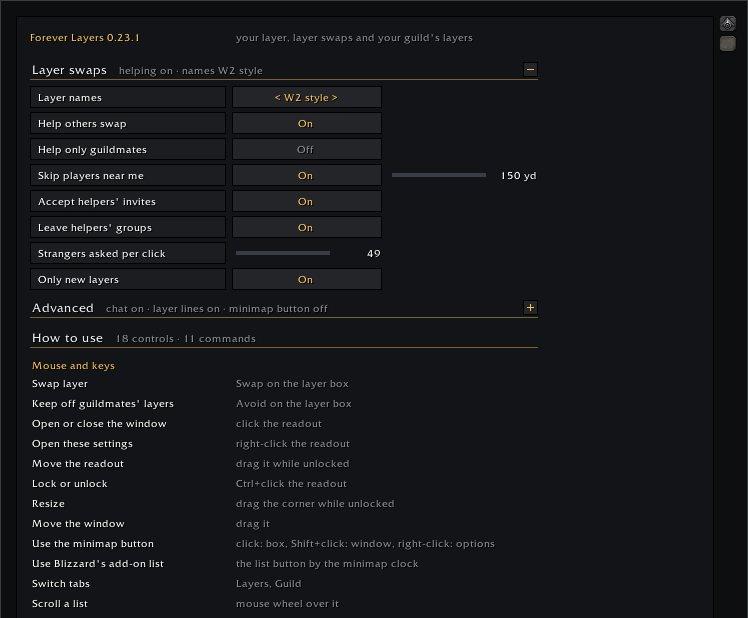
Every setting on one page
Description
See which layer you're on, and move to another with one click. Forever Simple Layer shows your layer in a small box, asks players in your zone to invite you to a different layer, and leaves their group once you've moved. It helps other players swap too, and shows which layer your guildmates are on.
What it does
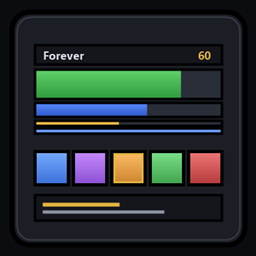
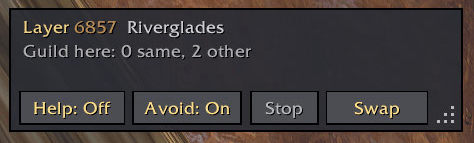
- Your layer in a small box you can move and size, named W2 style (or another style you pick).
- Swap: one click on the box asks players in your zone who run a layer add-on to invite you to another layer. You join their group, move to their layer, and the add-on leaves the group for you. While it asks, the button reads Next 49 (ask the next players), then Continue once a helper says yes. Right-click it, or click Stop, to stop asking.
- Go there: click the box for a window listing the layers seen in your zone in the last hour, with the players and helpers on each. Go there asks for that one layer.
- Helping others (on by default): when someone asks for a swap, it invites them for you. You can limit it to guildmates, or turn it off with Help: On/Off on the box.
- Your guild's layers: once a guildmate runs it, a Guild tab shows each one's zone and layer, with Inv to invite them and Ask to ask them for an invite. Your layer is shared with guildmates who run it, and theirs come in by themselves.
- Avoid guildmates (off by default): Avoid: On/Off on the box keeps you off your guildmates' layers. It shows on the box when a guildmate is on your layer, steers swaps away from their layers and won't accept an invite that would put you with one. It only knows a guildmate's layer once you've seen them or their layer add-on has said, so it can't always avoid every guildmate.
- Minimap button (off by default): a small square on the minimap's edge shows your layer's name in its colour. Click it to hide or show the layer box for a cleaner screen, Shift+click for the window, right-click for the options, drag it along the edge. Turn it on under Advanced in the options.
- Works with other layer add-ons: it speaks the same swap language as LayerSwap and Bulo, so their players help you and you help them.
How to use it
- Click Swap on the layer box, or type
/flayers swap. If nobody answered, click it again (it reads Next 49) to ask the next players. Right-click it or click Stop to stop. - Click the box to open the window; right-click it for the settings. Ctrl+click locks or unlocks it; unlocked, drag it to move it and drag its corner to size it.
- Every setting is under Options > AddOns > Forever Layers, or type
/flayersfor the settings and a list of commands.
Good to know
- Another add-on called ForeverLayers (by a different author) installs into the same folder, so only one of the two can be installed at a time. If you used it before, its settings are kept aside untouched and this one starts fresh; Old settings in the options can put them back or forget them.
- The game moves you only when you join a group in the same zone, so a swap needs someone on another layer of your zone running a layer add-on.
- Layers are compared within one zone. The add-on doesn't invent numbers like "Layer 3", because those shift whenever a layer opens or closes.
Feedback
We read every comment and update our addons often; many changes started as a player's comment. Something not working? Tell me and I'll look into it.
Forever Simple Layer Team

Owner