Forever Simple GCD
- By
See what an enemy just did: their casts, new buffs and, in duels, the debuffs they put on you flash by name over their nameplate.
Description
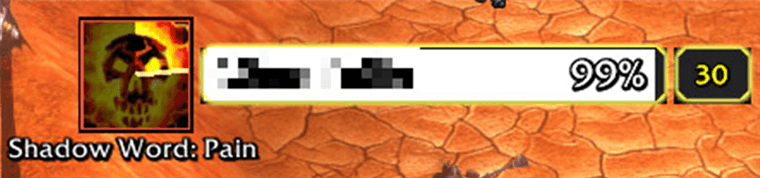
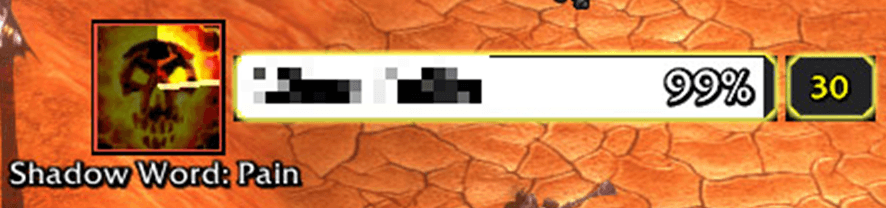
See an enemy's global cooldown on their nameplate. When they use an ability, its icon and name flash beside their plate while a dark clock sweep ticks down over the icon for one global cooldown, so you can see what they just did and when they can act again.
Some streamers play with their own custom GCD addons that show them this. Forever Simple GCD is a public addon that does the same thing, free for everyone, so nobody has to go without it.
The game hides enemy spells and buffs from addons. Forever Simple GCD still shows them, by handing them to the game's own drawing code.
The GCD sweep
Every ability shares the global cooldown: after one, the next can't follow for about 1.5 seconds. The sweep starts when the enemy acts and turns over the icon like the cooldown on your own action buttons, with a bright edge line. While it turns they are locked; when it finishes, their next ability can come. Use it to time your interrupt, trinket or burst. The length is a setting, 1.5 s by default.
What flashes
The icon's edge says how the addon learned it:
- Gold: their casts. Any cast or instant the game reports, shown by name and icon.
- Green: their new buffs. A shield, Ghost Wolf, Blood Fury: any buff new to the enemy, in fights too. Most enemy instants send addons nothing, so this catches what casts miss.
- Red: your new debuffs, in duels. Shadow Word: Pain, Concussive Shot, a sting: a debuff new to you flashes on your duel opponent's plate, since only they could have put it there. Outside duels nothing is guessed.
Where it works: gold casts and green buffs show on any enemy you can attack. The red debuff flashes only work in duels, which are always between players of the same faction: Horde against Horde, or Alliance against Alliance.
Where it sits
The icon is 45 px, the size of an action button, and sits just left of the enemy's plate, level with its health bar. Position moves it to the right of the plate or above it.
Target bar
Optional (off by default): the same flashes for your target, on a bar you place anywhere. Drag to move, drag the corner to resize, right-click to lock; its gear opens a short menu.
How to use it
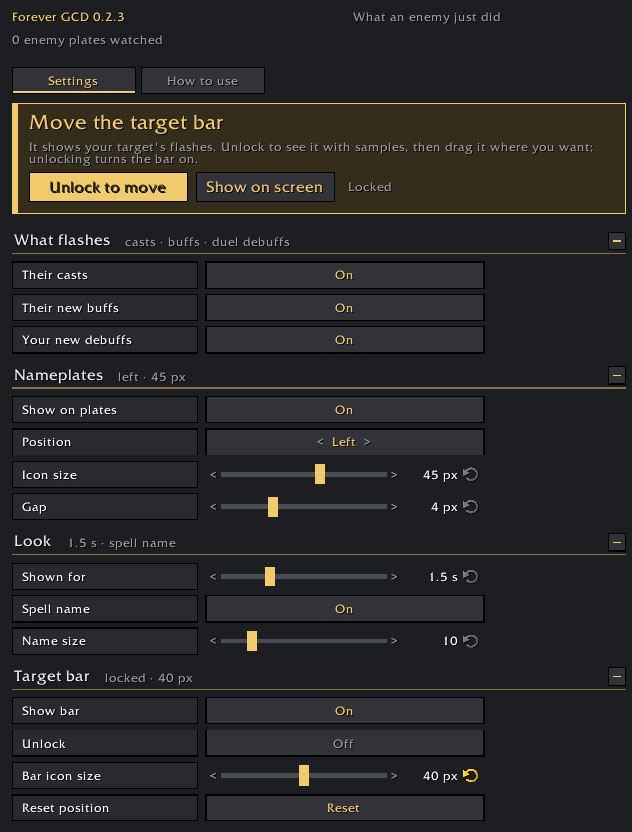
- Settings: Options > AddOns > Forever GCD, or type
/fgcd. - Show on screen: plays samples on every nameplate on screen and on the target bar, so you can see the look before a fight.
- Move the target bar: the gold panel at the top of the settings unlocks it.
- Commands:
/fgcd status,/fgcd unlock,/fgcd lock,/fgcd preview.
Small print: the sweep is timed from when the game reports the ability, not read from the enemy, so it is a close guide rather than an exact timer. A buff being refreshed or ending shows nothing, only new ones. If the game reports an enemy's Auto Shots they may flash on every shot.
Made for World of Warcraft: Forever.
Forever Simple GCD Team