Burn-in Prevention! (OLED Monitor)

Burn-In Prevention reduces OLED burn-in risk by applying a fullscreen effect during inactivity and periodically shifting the UI. Customize shift amount, frequency, and effect settings. Follow monitor guidelines for best results.
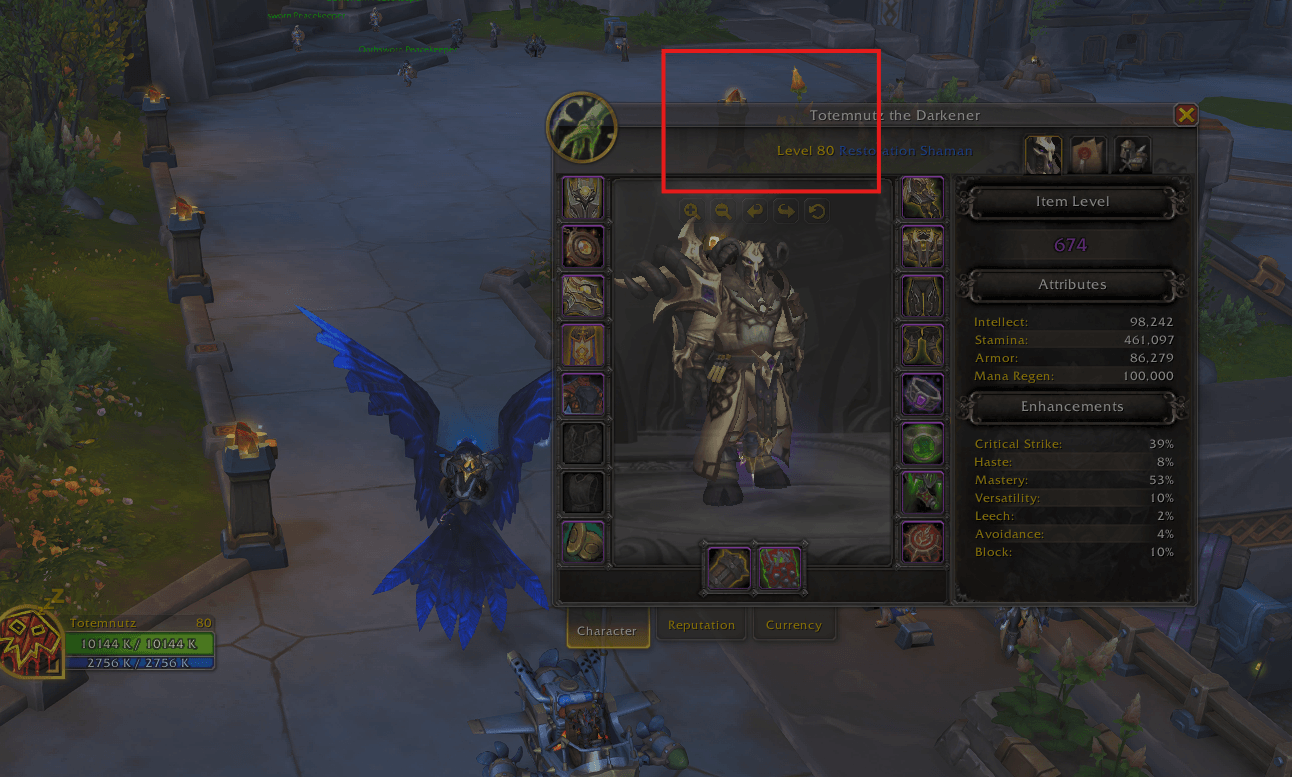
All frames are transparent to prevent static frames from being burned into the screen (fullscreen effect is shown in this image).
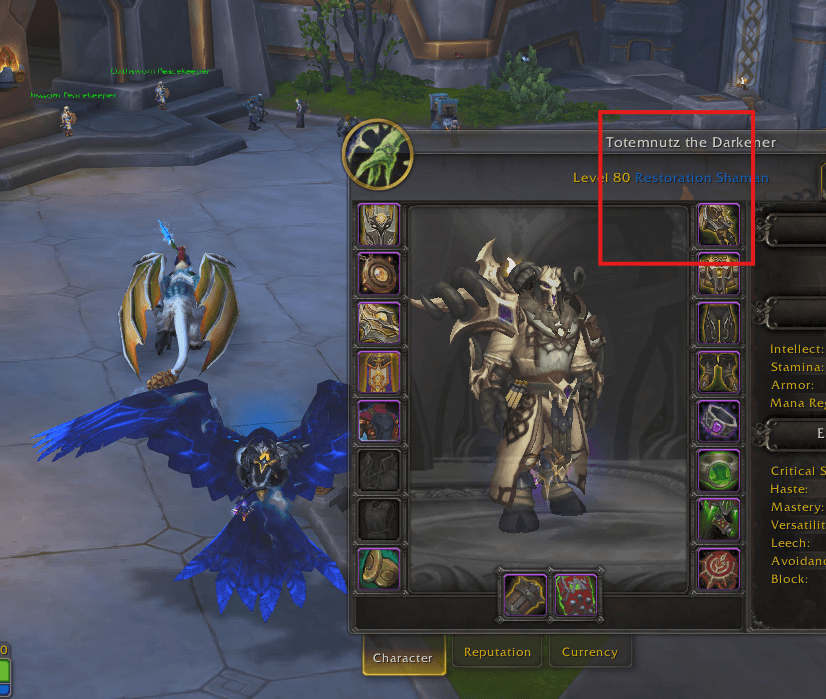
All frames are transparent to prevent static frames from being burned into the screen (fullscreen effect is shown in this image).

In addition to the transparent frames, Burn-in Prevention! also has a fullscreen effect that darkens the screen to add another layer of burn-in protection (fullscreen effect not shown in this image).
In addition to the transparent frames, Burn-in Prevention! also has a fullscreen effect that darkens the screen to add another layer of burn-in protection (fullscreen effect not shown in this image).

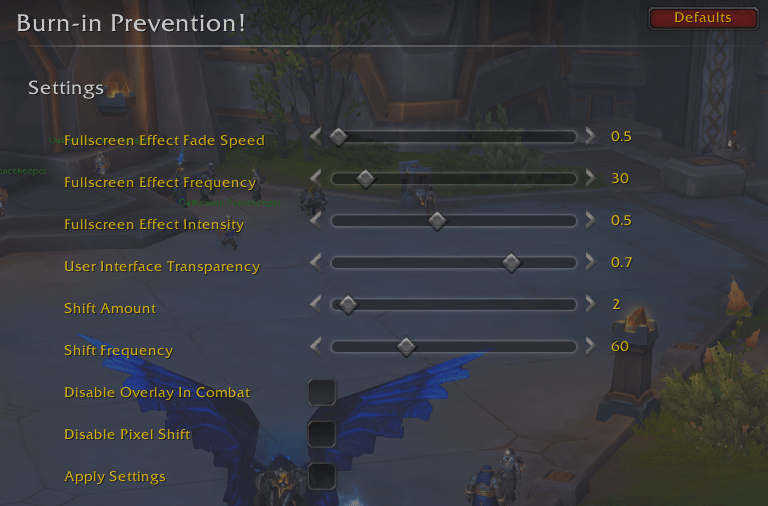
Adjust various settings related to addon functionality.

Adjust various settings related to addon functionality.

Description

Burn-In Prevention:

An addon designed to help protect OLED screens by dynamically shifting the user interface and applying a fullscreen effect when your character is stationary or AFK. The addon offers several customizable settings that allow users to fine-tune how the UI elements shift and how the fullscreen effect behaves to reduce the risk of static image retention on OLED displays.

Key Features:

  • Fullscreen Effect: Apply a customizable fullscreen effect when AFK or idle to reduce static elements on your screen.
  • User Interface Shifting: Periodically shifts the entire UI by a configurable pixel amount to prevent burn-in from static UI components.
  • In-Combat Handling: Automatically disables UI shifting and fullscreen effects during combat, ensuring uninterrupted gameplay.
  • Camera Zoom Adjustments: Toggles camera zoom in/out while AFK for additional screen activity.
  • Customizable Sliders: Adjust the frequency and intensity of the fullscreen effect, UI shift amount, and shift frequency through intuitive sliders.
  • Slash Commands: Use /bip to access settings or /bip defaults to reset everything to default values.

Settings:

  • Fullscreen Effect Fade Speed: Controls how quickly the fullscreen effect fades in and out.
  • Fullscreen Effect Frequency: Defines how often the fullscreen effect is displayed.
  • Fullscreen Effect Intensity: Adjusts the strength of the effect based on UI transparency.
  • User Interface Transparency: Modifies the overall transparency of the UI.
  • Shift Amount & Frequency: Customize how far and how often the UI shifts on the screen.

Discord:

Disclaimer:

Changes require a reload of the user interface. This addon will not eliminate screen burn-in. To reduce the risk, it is recommended to manually hide the UI periodically, use loading screens (e.g., by taking portals), minimize the application, and follow your monitor's burn-in prevention guidelines.

The Burn-in Prevention! (OLED Monitor) Team

profile avatar
  • 5
    Followers
  • 7
    Projects
  • 634.4K
    Downloads
Donate

More from InthenstusView all

  • Console Variable Manager (CVar Viewer) project image

    Console Variable Manager (CVar Viewer)

    • 5.0K
    • Addons

    A powerful CVar manager that lets you view and edit all console variables in real time. Expands on Advanced Interface Options by unlocking hidden CVars not available elsewhere. Ideal for advanced customization, debugging, and performance tuning.

    • 5.0K
    • May 8, 2026
    • Addons
    • +4
  • Hyperframe (FPS Optimizer) project image

    Hyperframe (FPS Optimizer)

    • 171.0K
    • Addons

    Hyperframe dynamically adjusts graphics settings based on content type to optimize FPS, frame rate, performance, and visual quality. It includes presets for dungeons, raids, arenas, and more, with customizable view distances, LOD, and particle effects.

    • 171.0K
    • May 6, 2026
    • Addons
    • +4
  • HyperLoot (Quality Of Life) project image

    HyperLoot (Quality Of Life)

    • 446
    • Addons

    HyperLoot is a lightweight quality-of-life addon that accelerates looting, auto-sells junk, repairs gear automatically at merchants and opens all mailbox items when the mailbox is opened.

    • 446
    • May 5, 2026
    • Addons
    • +1
  • STFU (Spam Blocker) project image

    STFU (Spam Blocker)

    • 1.1K
    • Addons

    STFU is a lightweight chat filter addon that blocks spammy messages in Trade and General channels using customizable keyword matching. Keep your chat clean and focused.

    • 1.1K
    • May 4, 2026
    • Addons
  • Console Variable Manager (CVar Viewer) project image

    Console Variable Manager (CVar Viewer)

    • 5.0K
    • Addons

    A powerful CVar manager that lets you view and edit all console variables in real time. Expands on Advanced Interface Options by unlocking hidden CVars not available elsewhere. Ideal for advanced customization, debugging, and performance tuning.

    • 5.0K
    • May 8, 2026
    • Addons
    • +4
  • Hyperframe (FPS Optimizer) project image

    Hyperframe (FPS Optimizer)

    • 171.0K
    • Addons

    Hyperframe dynamically adjusts graphics settings based on content type to optimize FPS, frame rate, performance, and visual quality. It includes presets for dungeons, raids, arenas, and more, with customizable view distances, LOD, and particle effects.

    • 171.0K
    • May 6, 2026
    • Addons
    • +4
  • HyperLoot (Quality Of Life) project image

    HyperLoot (Quality Of Life)

    • 446
    • Addons

    HyperLoot is a lightweight quality-of-life addon that accelerates looting, auto-sells junk, repairs gear automatically at merchants and opens all mailbox items when the mailbox is opened.

    • 446
    • May 5, 2026
    • Addons
    • +1
  • STFU (Spam Blocker) project image

    STFU (Spam Blocker)

    • 1.1K
    • Addons

    STFU is a lightweight chat filter addon that blocks spammy messages in Trade and General channels using customizable keyword matching. Keep your chat clean and focused.

    • 1.1K
    • May 4, 2026
    • Addons