Jorvan's Decor Toolkit (Housing Helper)
- By
Enhances the Housing/Decor interface with clear item info, precision editing tools, safer decorating, and vendor decor filtering (previously Decor Tooltip).

Description
Jorvan's Decor Toolkit (previously Decor Tooltip)
Enhances the Housing/Decor interface with clear, immediate information about the object you're interacting with, plus a set of quality-of-life tools for precision editing, safer decorating, and decor shopping.
Tooltip Display
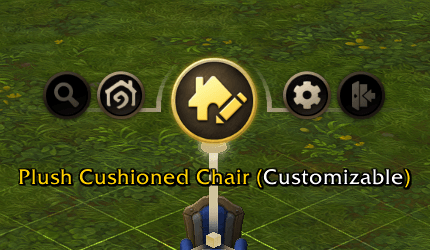
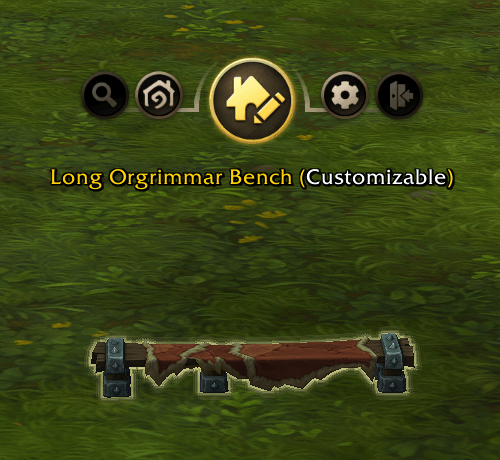
When you select or hover over a decor item, Decor Tooltip shows the item's in-game name and whether it supports customization, right within the housing editor UI. It updates automatically as you move your cursor between items, so you always know what you're looking at without guesswork. Optionally show the decor ID alongside the name, and adjust the tooltip's font size to your taste.
Precision Placement
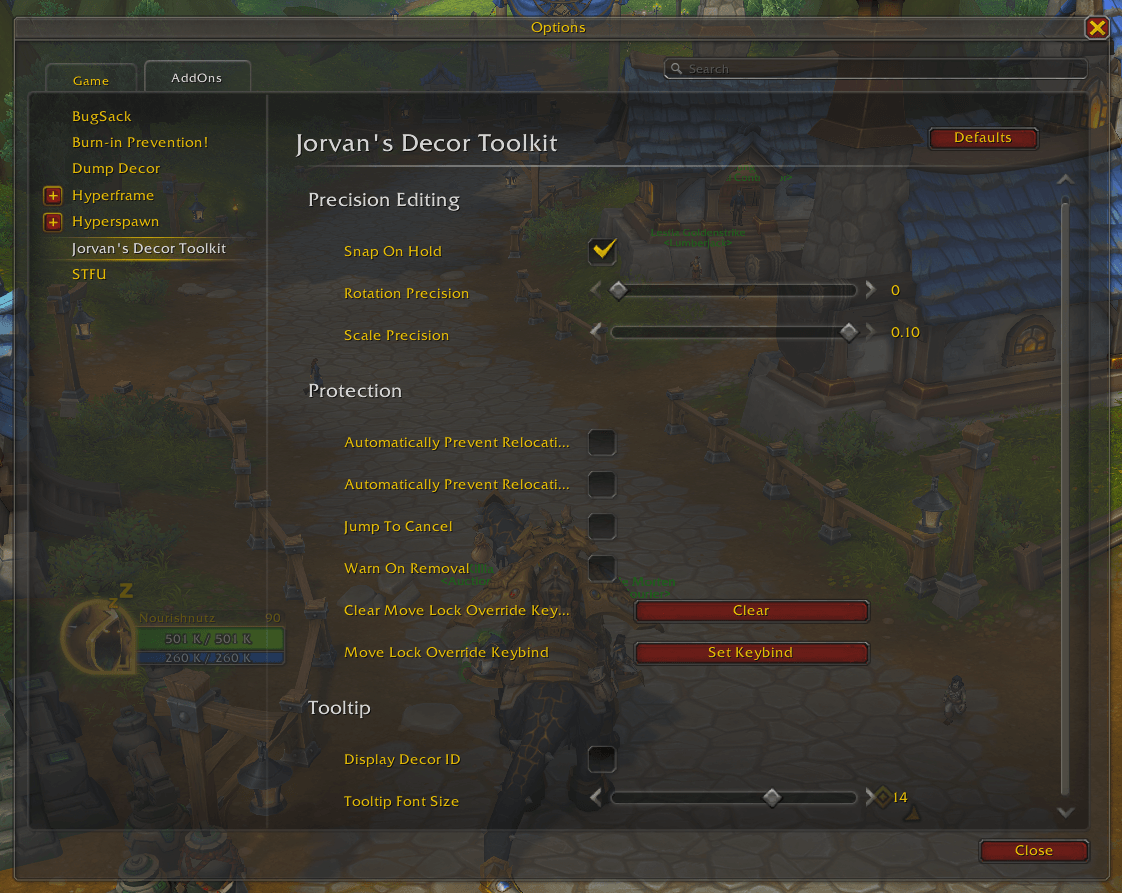
Fine-tune rotation and scale snapping while in precision mode (hold Shift): set a custom rotation snap angle and scale increment to match how precisely you want to place items.
Safety Guards
Warn On Removal adds a confirmation prompt before a decor item is deleted, so a stray click doesn't cost you a placement. Jump To Cancel automatically cancels active editing if you jump or ascend, preventing decor from getting misplaced mid-edit. Auto-Prevent Relocating House/Objects automatically cancels house/object relocation if the house or object itself is selected, guarding against accidental moves of the entire house or objects.
Decor Vendors
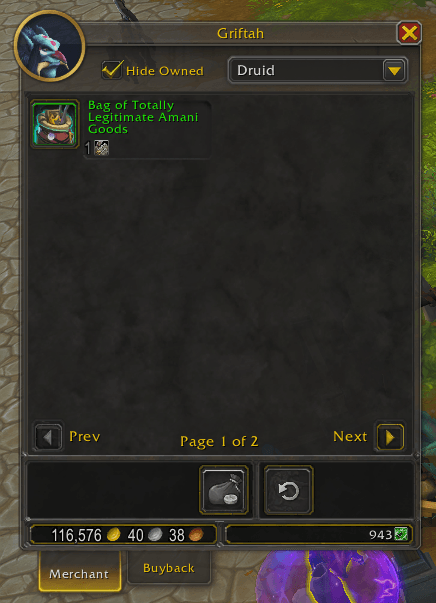
Adds a Hide Owned Decor checkbox directly to any vendor selling housing decor. Enable it and items you already own drop out of the list, so you can focus on what's actually new before you spend your currency.
Snap On Hold
Flip which behavior Shift triggers by default: Shift enables precision snapping, but this can be reversed so free movement is the modifier instead. All settings are configurable in-game under the addon's own settings category, with sensible defaults on first login.
Jorvan's Decor Toolkit (Housing Helper) Team


Owner