promotional bannermobile promotional banner

HDR Tuner (Forever)

Tune HDR without the console. HDR Tuner moves the client's HDR console variables into the Interface options panel as real sliders and checkboxes, with a one-click button to restart the graphics engine so your changes take effect.


HDR Tuner

WoW's HDR settings live in console variables, not in the options window. If you want to change your paper-white level or tell the game what your monitor's real peak brightness is, you're typing /console HDRPeakBrightness 1000 and guessing. HDR Tuner fixes that.

It adds an HDR Tuner page to Interface → AddOns, with every HDR console variable presented the way it should have been in the first place: checkboxes for the toggles, sliders for the numbers, and a button that restarts the graphics engine so your changes actually take effect.

What you can control

  • Enable HDR Output — turns HDR output on when your display and operating system support it.
  • Override Brightness — use your own brightness value instead of the one your display reports, and set it with a slider. This is the level used for the interface and other non-HDR content, so it's the setting to reach for when your UI looks washed out or blindingly bright.
  • Override Peak Brightness — tell the game what your monitor can really do, in nits, instead of trusting what it reports. Useful on displays that advertise the wrong number.
  • HDR Factor — adjusts how far the HDR range is stretched beyond the standard range.
  • Restart Graphics Engine — applies pending changes without a relog. The screen goes black for a moment, then comes back with your settings live.

How it works

Each row is wired straight to its console variable, so there's no second copy of your settings to fall out of sync and nothing extra to back up — the game stores the values as it always has. The panel's Defaults button restores the game's own defaults, not values the addon invented. Every control carries a tooltip explaining what it does, and the options search box finds them by name.

Changing a setting prints a reminder that a graphics restart is needed. The checkbox and its slider share a row, so it's obvious which override controls which value.

Notes

  • Type /hdr or /hdrtuner to jump straight to the panel.
  • Rows for console variables your client doesn't have are simply not shown, so the addon stays quiet on builds without HDR support.
  • The client doesn't publish minimum and maximum values for these variables, so the slider ranges are the addon's own sensible bounds.
  • Doesn't currently work on MacOS or other game versions.

The HDR Tuner (Forever) Team

Rising Builder tier frameprofile avatar
  • 7
    Followers
  • 10
    Projects
  • 798.4K
    Downloads

I like making things... and sometimes I have help from robots.

More from InthenstusView all

  • Burn-in Prevention! (OLED Monitor) project image

    Burn-in Prevention! (OLED Monitor)

    Burn-In Prevention reduces OLED burn-in risk by applying a fullscreen effect during inactivity and periodically shifting the UI. Customize shift amount, frequency, and effect settings. Follow monitor guidelines for best results.

    • 10.3K
    • September 6, 2026
  • Hyperframe (FPS Optimizer) project image

    Hyperframe (FPS Optimizer)

    Hyperframe dynamically adjusts graphics settings based on content type to optimize FPS, frame rate, performance, and visual quality. It includes presets for dungeons, raids, arenas, and more, with customizable view distances, LOD, and particle effects.

    • 296.5K
    • September 6, 2026
  • Hyperspawn (Gold Farming) project image

    Hyperspawn (Gold Farming)

    Hyperspawn Plus enhances farming sessions in WoW with real-time stats, loot tracking, and session management. Features include GPH/KPH monitoring, automatic loot handling, TSM integration, and customizable settings for optimized gameplay.

    • 454.0K
    • August 23, 2026
  • Loading Screen Tips (New Player Guide) project image

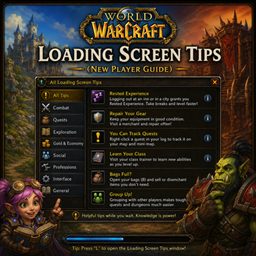
    Loading Screen Tips (New Player Guide)

    A convenient in-game reference for World of Warcraft's loading screen tips! Browse every tip your version ships with, organized into collapsible categories including Combat, Quests, Grouping & Raids, Items & Gear, and Professions. Type /lst to open.

    • 42
    • August 17, 2026
  • Burn-in Prevention! (OLED Monitor) project image

    Burn-in Prevention! (OLED Monitor)

    Burn-In Prevention reduces OLED burn-in risk by applying a fullscreen effect during inactivity and periodically shifting the UI. Customize shift amount, frequency, and effect settings. Follow monitor guidelines for best results.

    • 10.3K
    • September 6, 2026
  • Hyperframe (FPS Optimizer) project image

    Hyperframe (FPS Optimizer)

    Hyperframe dynamically adjusts graphics settings based on content type to optimize FPS, frame rate, performance, and visual quality. It includes presets for dungeons, raids, arenas, and more, with customizable view distances, LOD, and particle effects.

    • 296.5K
    • September 6, 2026
  • Hyperspawn (Gold Farming) project image

    Hyperspawn (Gold Farming)

    Hyperspawn Plus enhances farming sessions in WoW with real-time stats, loot tracking, and session management. Features include GPH/KPH monitoring, automatic loot handling, TSM integration, and customizable settings for optimized gameplay.

    • 454.0K
    • August 23, 2026
  • Loading Screen Tips (New Player Guide) project image

    Loading Screen Tips (New Player Guide)

    A convenient in-game reference for World of Warcraft's loading screen tips! Browse every tip your version ships with, organized into collapsible categories including Combat, Quests, Grouping & Raids, Items & Gear, and Professions. Type /lst to open.

    • 42
    • August 17, 2026