Blackthornes Farmer (BlackthornesFarmer) Retail
- By
Counts every kill and drop so you know what a mob is really worth. Search any item to see where you found it, and set a goal to farm it.
farmer-animation.gif
farmer-shot-goal-arrow.png
farmer-shot-kills.png
farmer-shot-loot-tab.png
farmer-shot-loot-table.png
Description
Blackthornes Farmer
Farmer learns from your own farming. Every kill, every drop and every coin you loot gets counted, so the drop rates and the gold a mob is worth come from what really happened in your game.
Made for World of Warcraft Retail.
Speaks your language: English, Deutsch, 简体中文, Français, Español and Русский. It switches to match your game.
What a mob is really worth
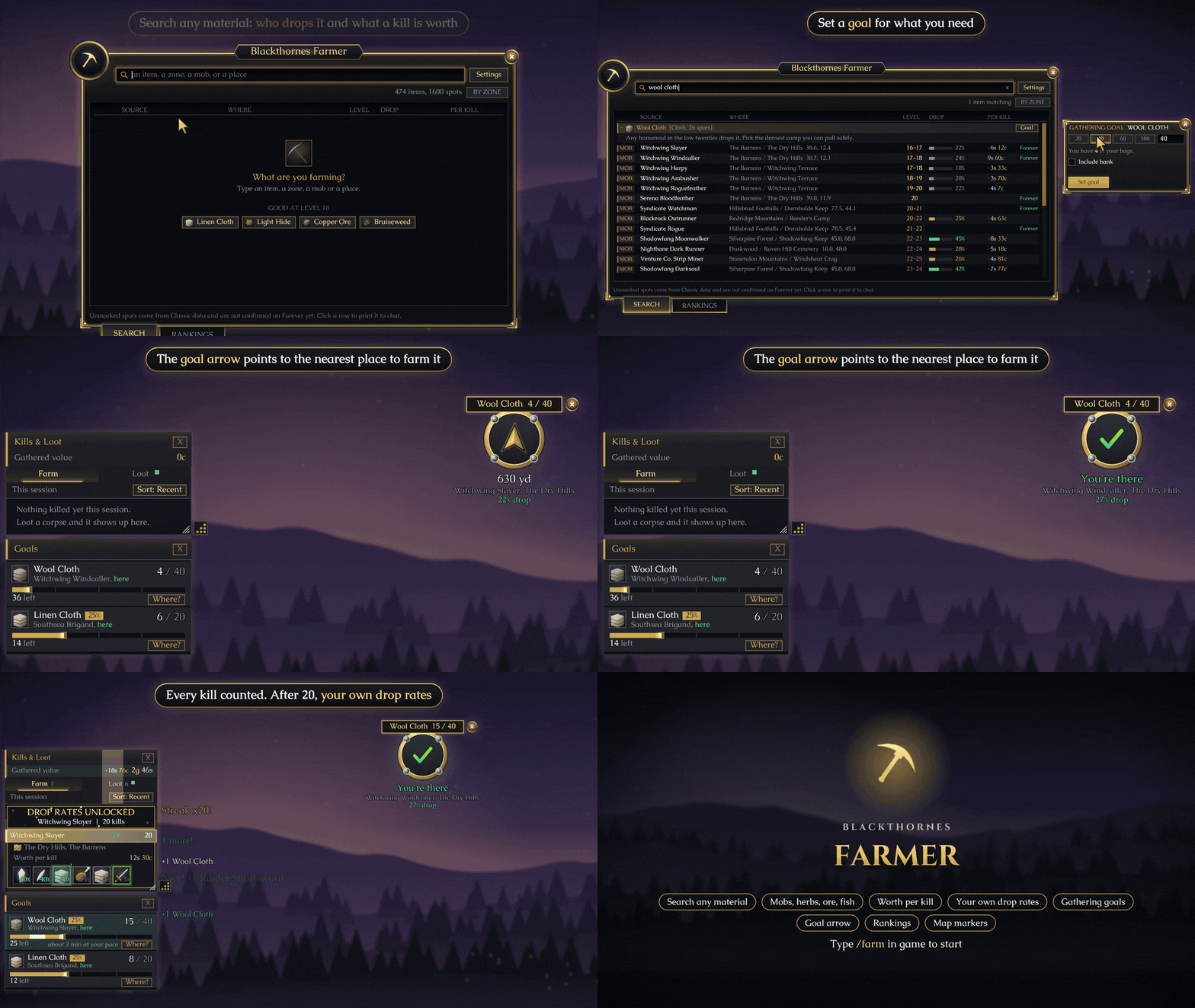
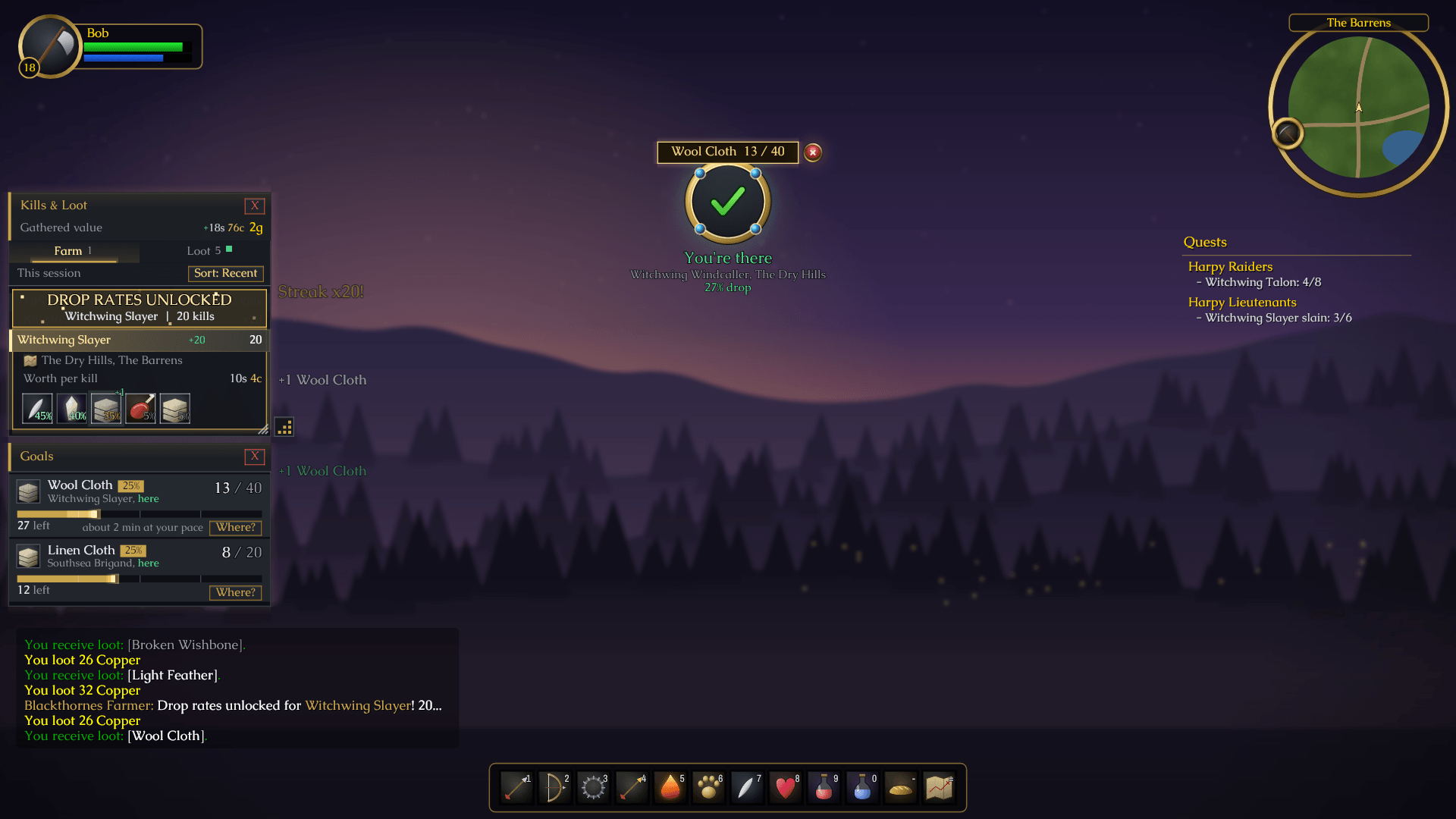
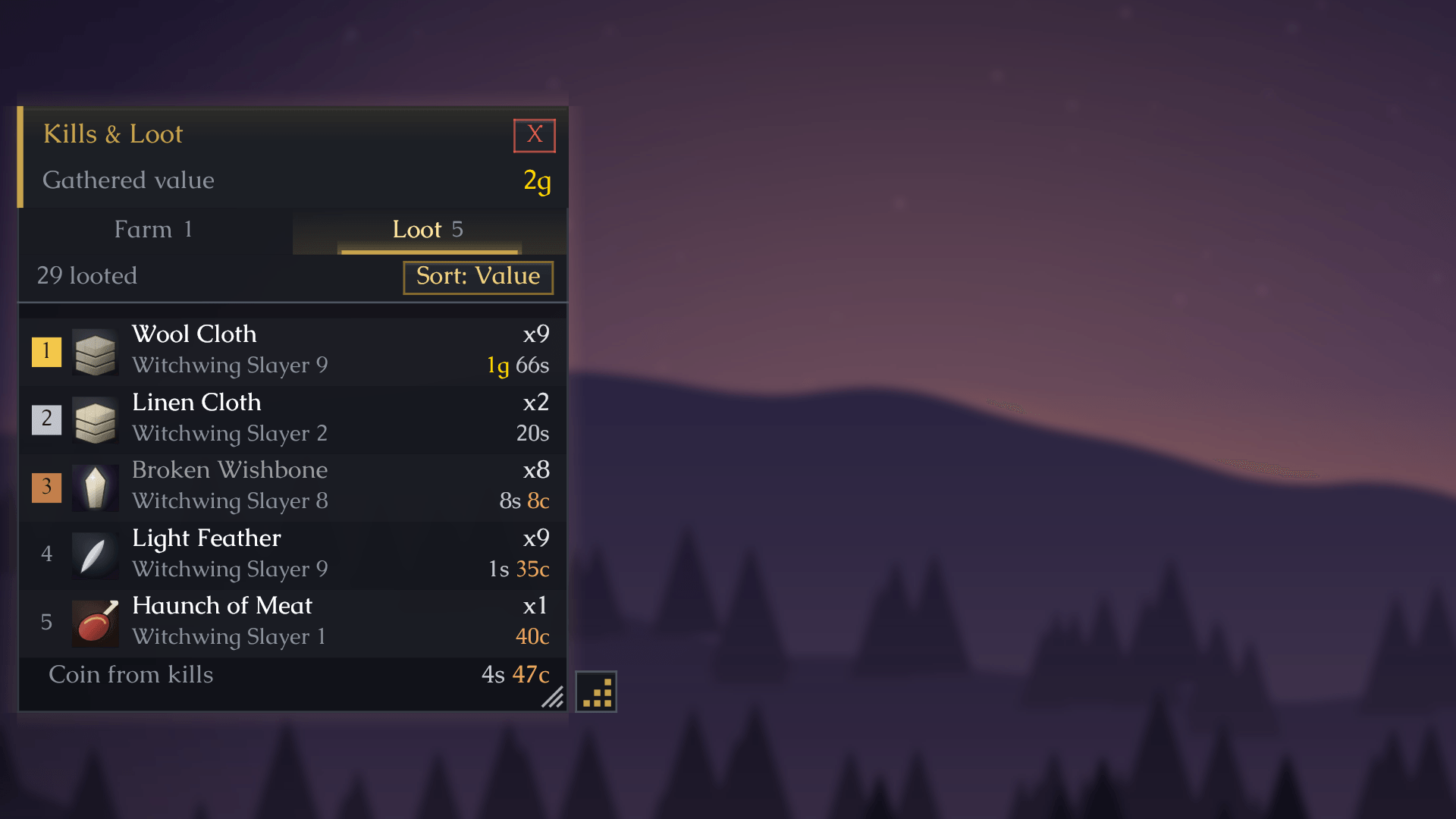
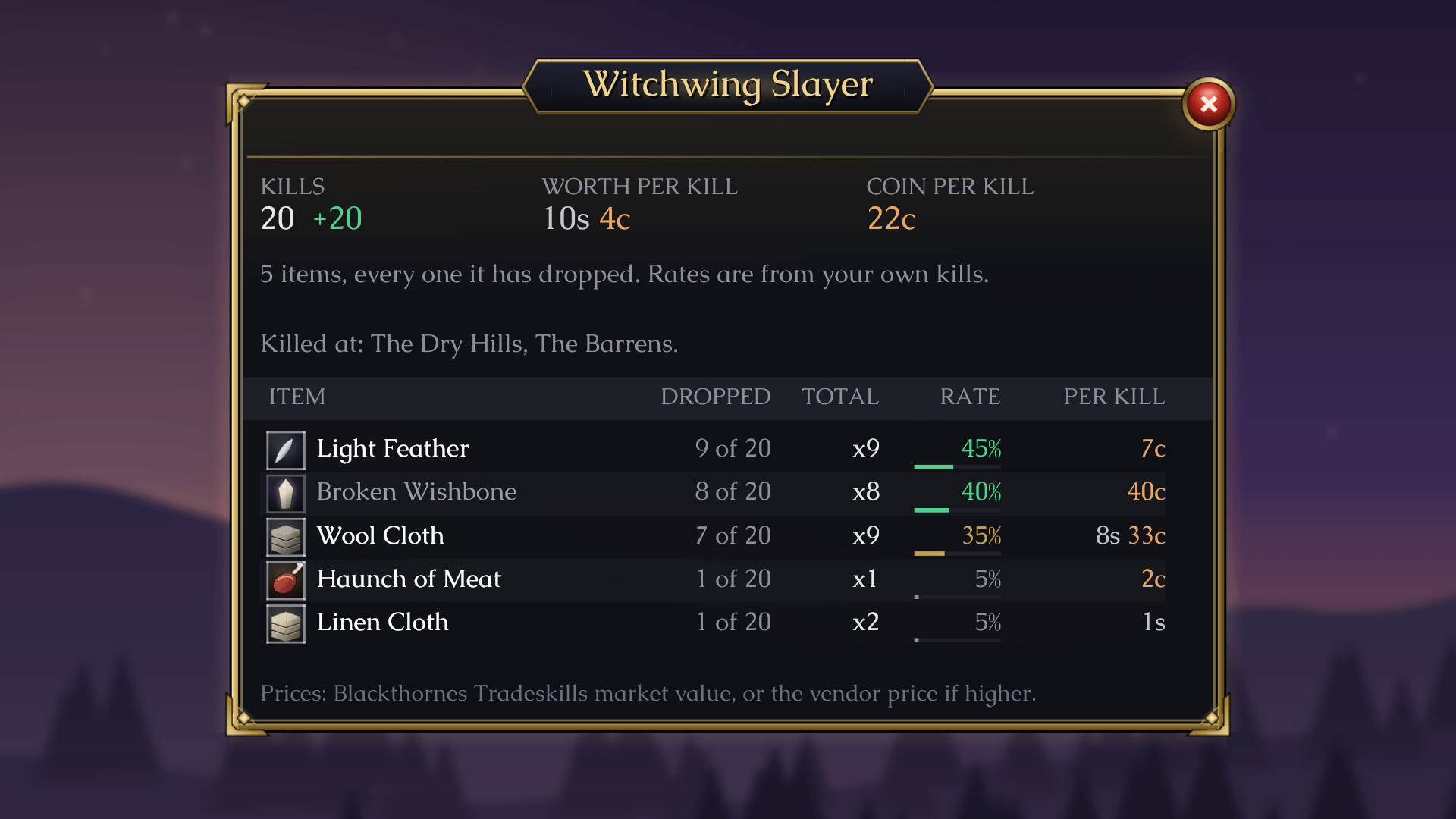
A panel on the side of your screen counts every kill and everything you loot from it, coin included. When you loot a whole pack at once, every corpse counts. Once you've killed a mob 20 times, Farmer uses your own numbers: how often each item drops, how many come in a stack and how much coin the mob carries. Those numbers turn into a true value per kill. If you use TradeSkillMaster or Auctionator, Farmer prices each drop from their auction prices. Without them, it uses what a vendor pays. Grey items always go at vendor price. The Rankings tab lists mobs by that value, so you know which ones are worth your time. The panel also shows what your loot this session is worth and your gold per hour. The Clear button starts a new run. Click any mob to see its full loot table. Hover a mob and its tooltip says how many you've killed, and that count can sit next to its nameplate too.
Your farming in charts
The Stats tab turns your play into charts: gold an hour for every session against your usual pace, where your gold came from, your best mobs at your own kill speed, ten weeks of days and how long each level took. Flip between This session and Overall.
Where you killed it
Turn on the kill heat map under Kill Heat on the Map & goals page of Settings. Then click Map next to a mob or item, and the world map glows where you've killed it most.
Clams, sacks and lockboxes
The Open button on the Kills & Loot panel opens clams, sacks and lockboxes one click at a time. Farmer counts what comes out, so a clam is worth what's inside it.
Find it again
Search for an item, a zone or a mob, and Farmer shows where you've found it: the mobs, nodes and fishing spots, with your own drop rates. Click any column title to sort by it.
Goals and the arrow
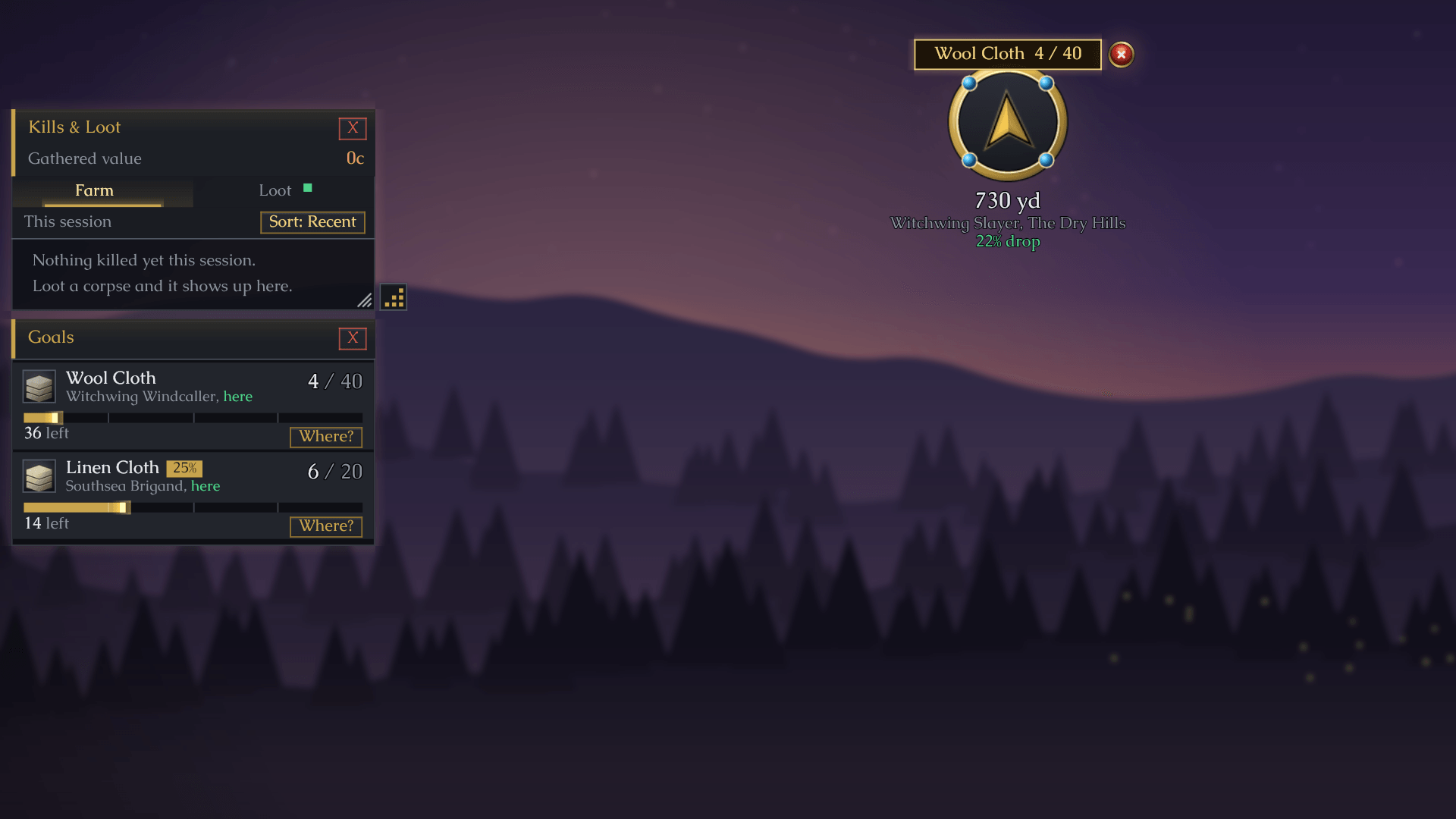
Click Goal next to an item and pick how many you want. The goals panel shows how many you have, a progress bar and how long the rest should take at your pace. You can also set a goal for a number of kills. Setting a goal turns on the arrow. It's a small gold dial on your screen that points at the nearest place to get your item, with the distance under it. If you use TomTom, Farmer can hand the waypoint to it instead.
Gathering and fishing
Herbs and ore you pick are marked on your map and minimap. After you've come back to a node a few times, Farmer learns how long it takes to grow back. Fishing is tracked by zone and by spot, with your own catch rates.
Only what you want to see
Skinning is hidden by default, so you see drops only. Untick Hide skinning in Settings to bring it back. Don't care about a certain mob, node or item? Right-click it and hide it. /farm hidden brings it back.
Share your numbers
Have a second account? Turn on sharing and both accounts add up each other's kills, drops, gathering and fishing. You can also hand your numbers to a friend as a line of text they paste in. It's counts only, never names or settings, and they can take it back out any time.
Community
Questions, ideas or bugs? Come say hi on Discord: https://discord.gg/f2geDecrw2
Blackthornes Farmer (BlackthornesFarmer) Retail Team