Blackthornes Equipment
- By
Tells you which gear in your bags and which quest reward is an upgrade for your class and spec.
equipment-animation.gif
equipment-shot-crafted.png
equipment-shot-finder.png
equipment-shot-gear-window.png
equipment-shot-hunts.png
Description
Blackthornes Equipment
Equipment answers two questions: should I wear this, and where do I get something better? It weighs every piece of gear for your class and spec against what you have on, marks the upgrades, shows you where to go for the next one, and can walk you there step by step.
Built for WoW: Forever. Still heavily in development, so expect changes and new features often.
On every tooltip
Hover any piece of gear and its tooltip says whether it beats what you wear in that slot, and by how much. Rings and trinkets are measured against the weaker of your two, and a two-hander against both hands. Gear with a random roll ("of the Monkey") names its roll and the stats it adds, and crafted gear says who on your account can make it.
Arrows on upgrades
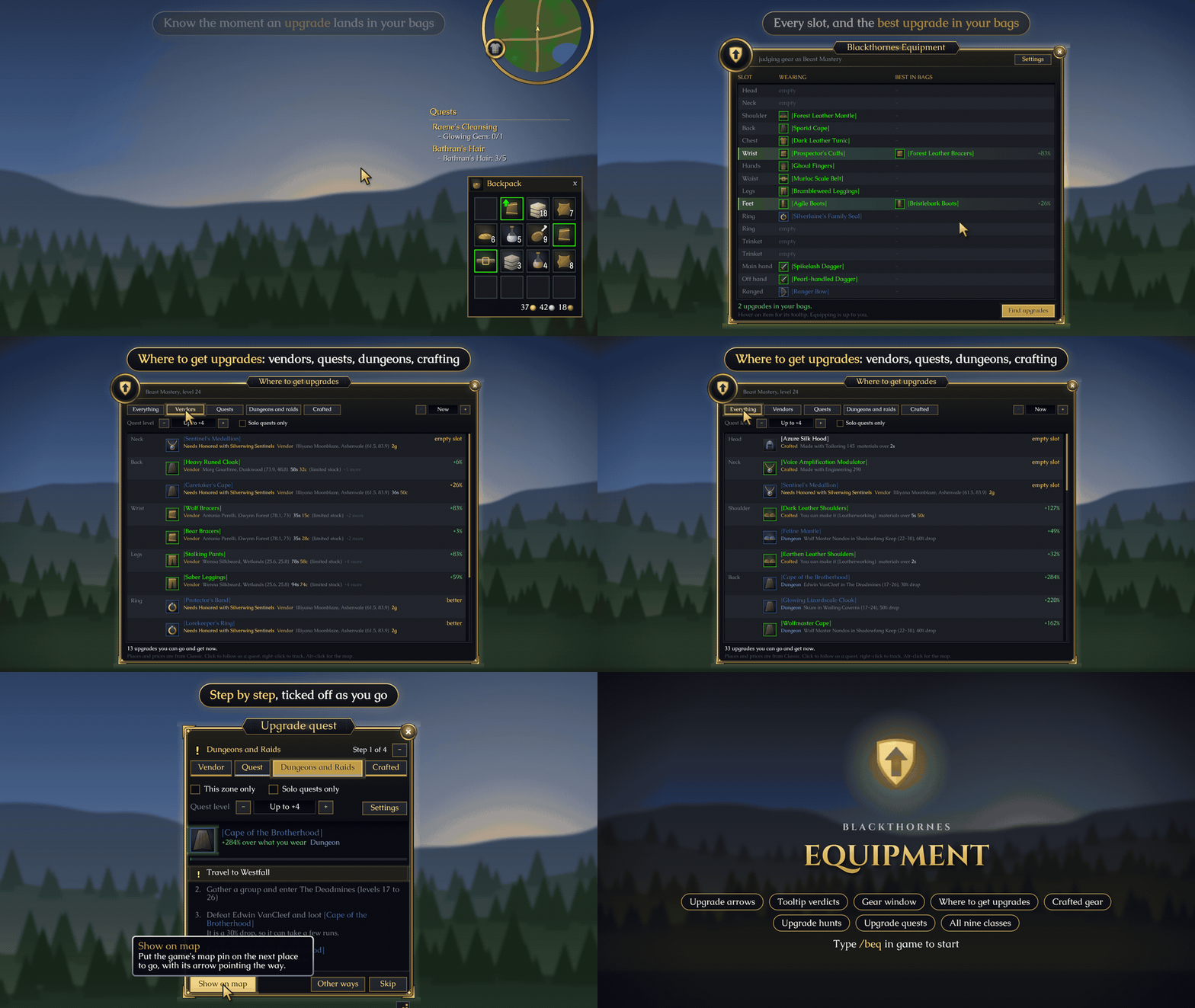
An upgrade you can wear right now gets a green arrow: in your bags, on vendor pages, in the loot window, and on the best of a quest's rewards. When you roll on group loot, the item shows the arrow and how much better it is. Pick up an upgrade and chat tells you, with a banner at the top of the screen.
The gear window
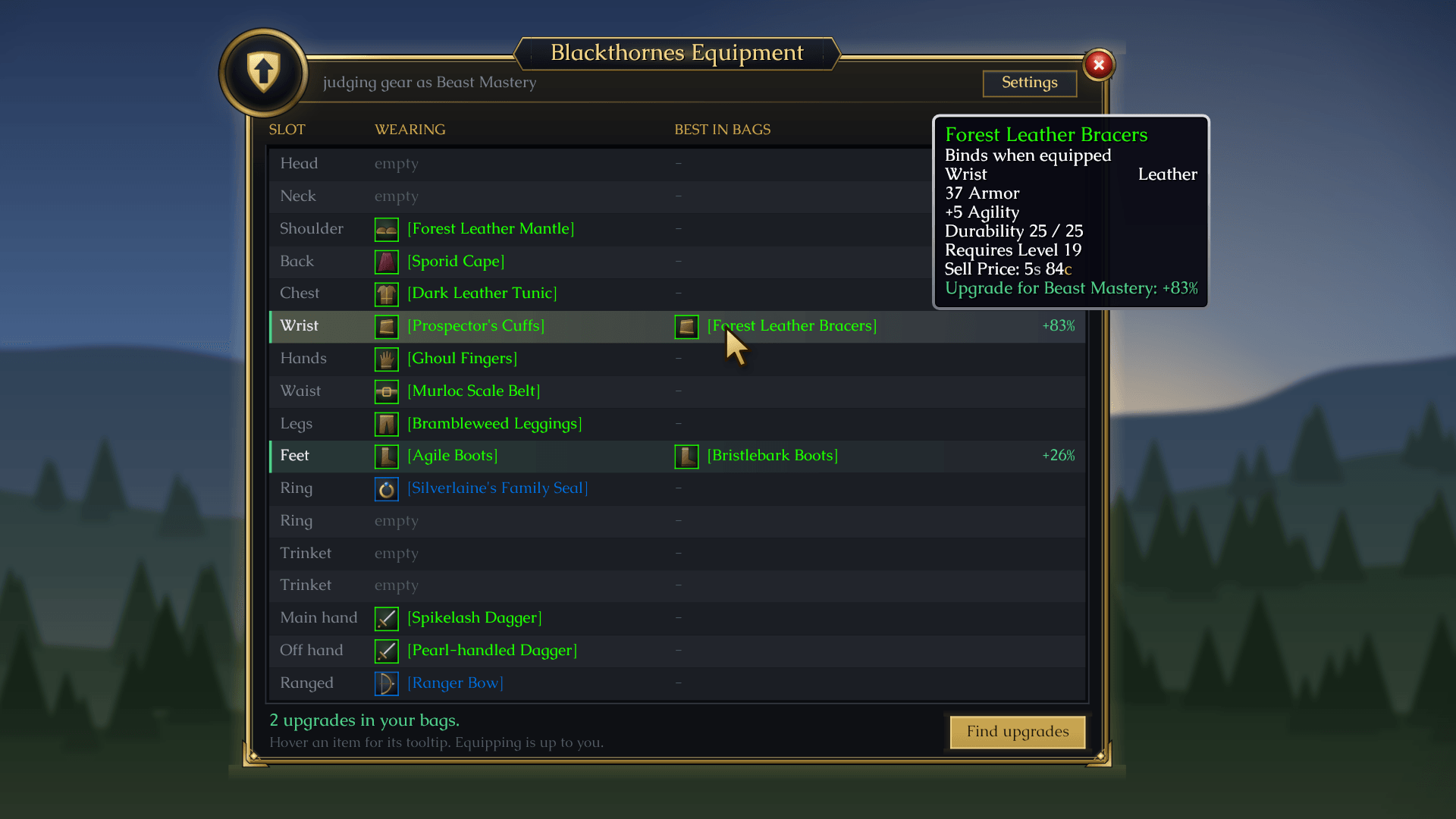
/beq or the minimap button opens a window with every slot: what you're wearing, and the biggest upgrade for it in your bags. Upgrades light up green so you spot them at a glance.
Where to get upgrades
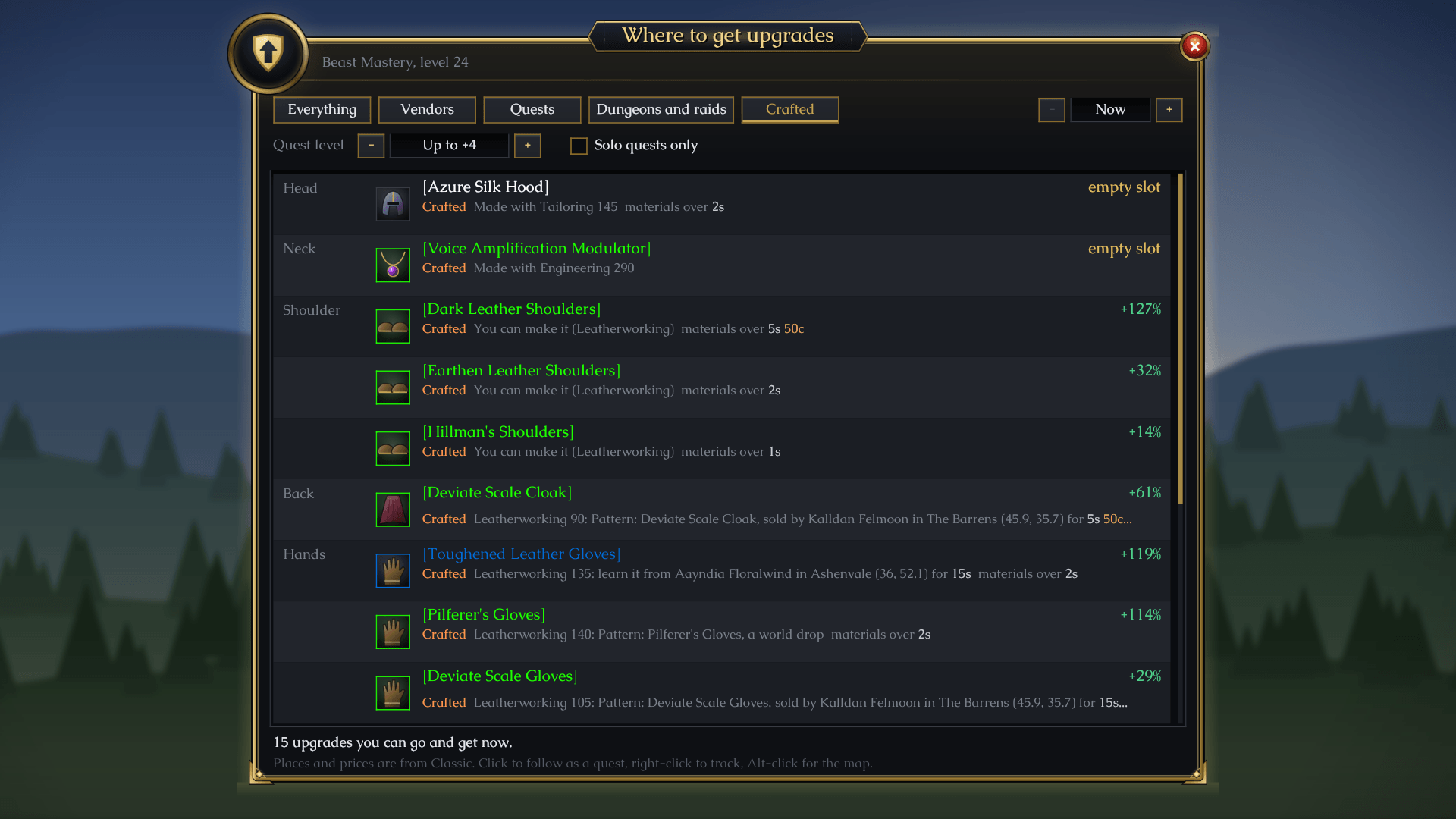
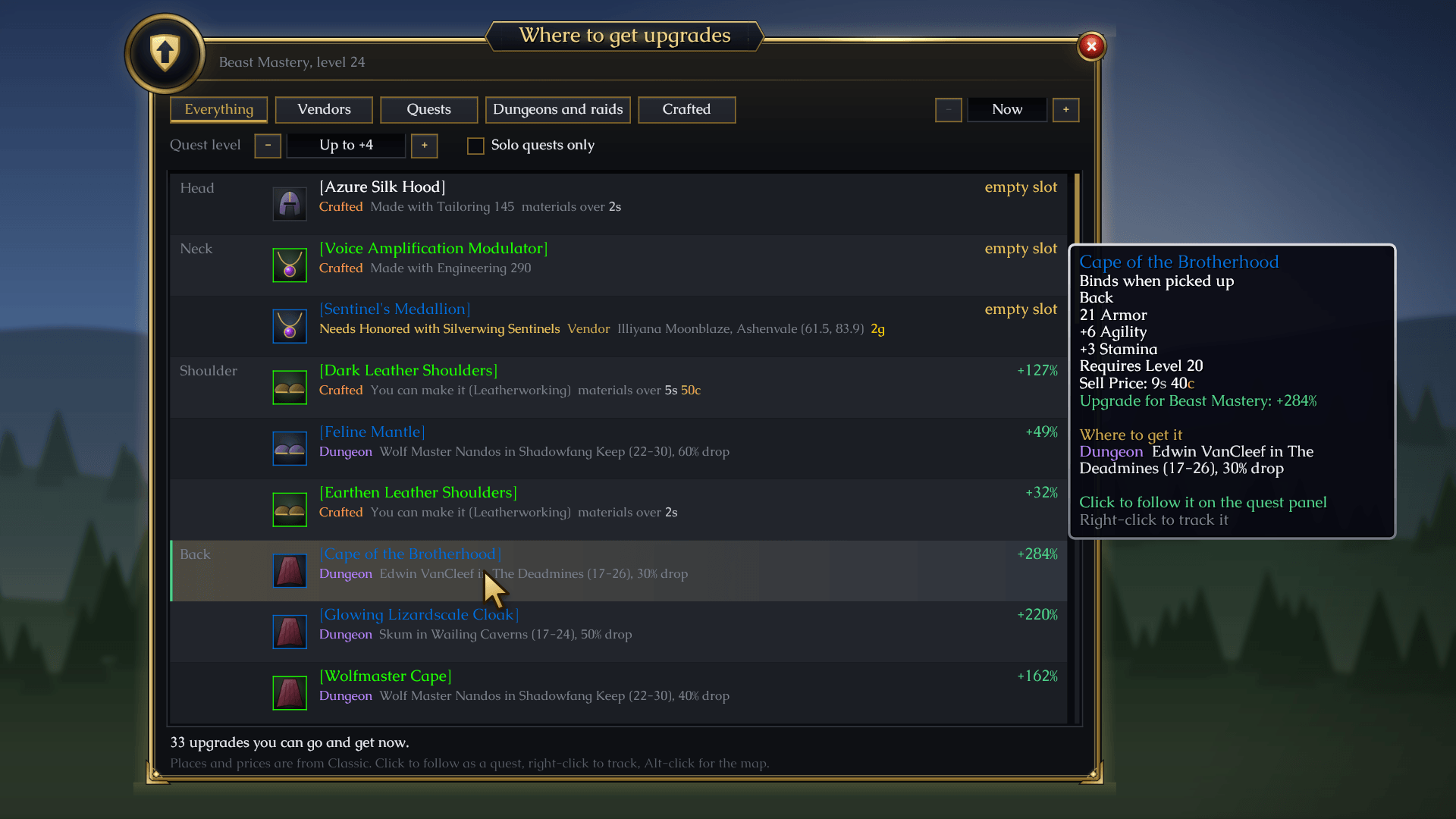
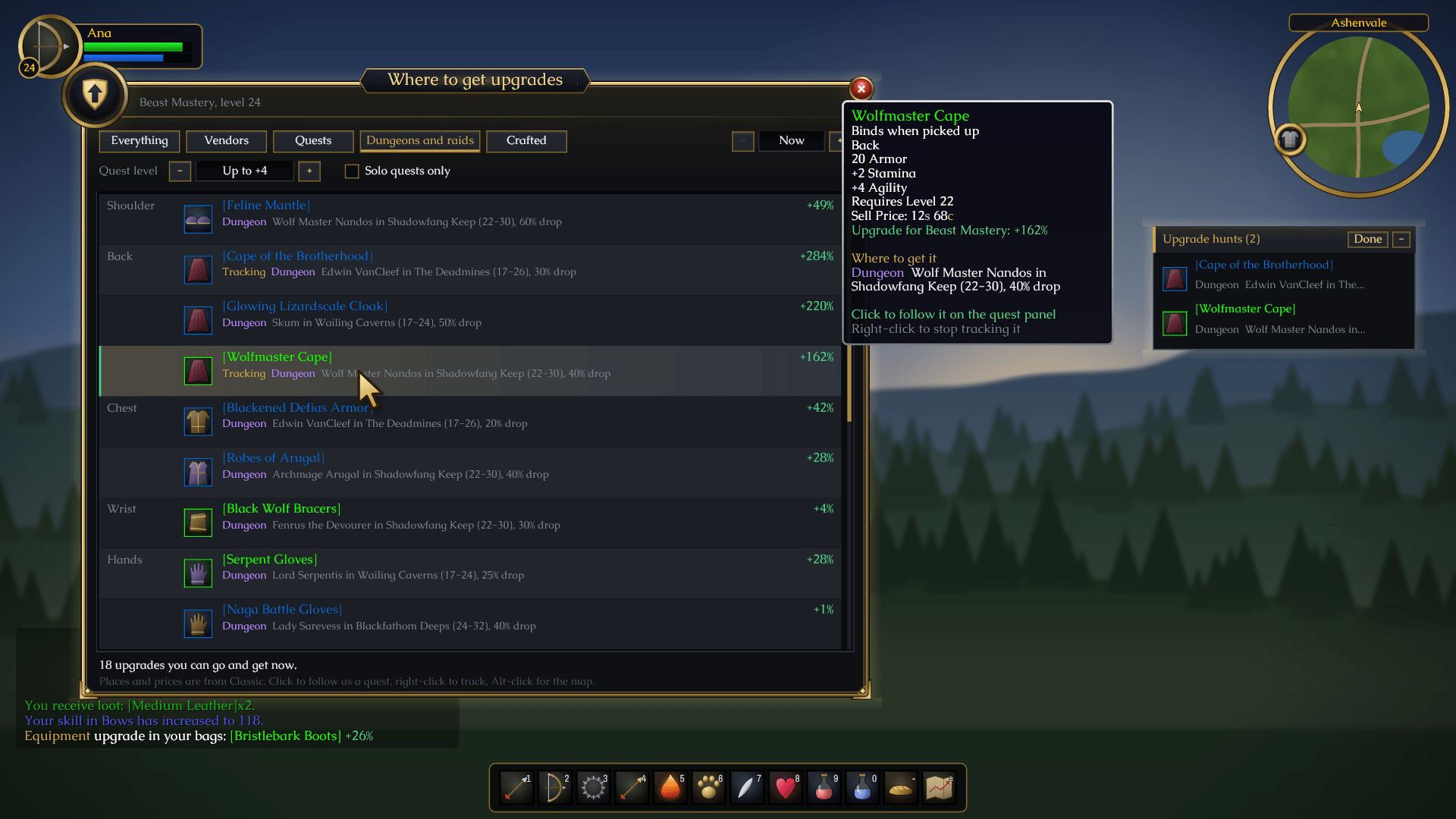
Click Find upgrades (or type /beq find) for the best gear you can go and get for every slot:
- Vendors, with the map spot and the price
- Quests, with their level and who gives them, starting from the first quest of a chain you haven't done
- Dungeon and raid drops, with the boss and the drop chance
- Crafted gear: what you can make, what an alt can make, what you could learn and where, and what someone else could make for you, with the cost of the materials
Hover any of them for every place to get it, the zone you're in first. Random-roll gear is judged at its best roll. Reputation gear you can't wear yet is listed in amber with the standing it needs. Plan ahead looks up to 10 levels ahead, Quest level sets how far above your level a quest may be, and Solo quests only leaves out quests that need a group. Vendors that stand somewhere else on Forever show in the right place, and every merchant or trainer you visit is remembered where you found them.
The upgrade quest
Turn on the upgrade quest and Equipment picks your next upgrade, weighing how much better it is against how easy it is to get, then walks you there on a quest panel: travel here, buy it for this much, kill this boss, put it on. Each step ticks off as you do it. Show on map pins the next place to go, Skip moves on, and Other ways opens Where to get upgrades.
There's a tab for each kind of source (Vendor, Quest, Dungeons and Raids, Crafted), each with its own upgrade. Click any row in Where to get upgrades to make it the quest on its tab. Tick This zone only to keep every tab to the zone you're in. When a level up opens a much better upgrade, the panel offers to switch. Drag the gold grip to make the panel bigger or smaller.
Upgrade hunts
Right-click an upgrade to track it. Tracked upgrades get a small tracker panel, a pin on your world map, a banner when the item lands in your bags, and another when you put it on.
On your character sheet
Hover a gear slot on your character sheet to see its best upgrades and where they come from. Alt-click the slot for a panel with Track and Map buttons.
Every class and spec
All nine classes have stat weights, three specs each. Your spec is the tree you've put the most talent points in, and you can pick any spec yourself. Want gear judged your way? Change the stat weights for your class and spec in the stat weights window, spell damage for each school included.
Each class follows classic's armour and weapon rules, so a priest is told it can't use leather, plate waits for level 40, and a weapon you haven't trained yet tells you where and when to learn it.
Commands
| Command | What it does |
|---|---|
/beq |
Open the gear window |
/beq find |
Where to get upgrades |
/beq quest |
The upgrade quest (skip, switch, off, or a tab name) |
/beq tracked |
The upgrades you're tracking |
/beq bags |
Every piece of gear in your bags with its verdict |
/beq spec |
Show the spec your gear is judged for, or pick one |
/beq weights |
Change how much each stat counts |
/beq settings |
Settings (or right-click the minimap button) |
/beq minimap |
Show or hide the minimap button |
/beq help |
Every command |
The arrows, tooltip lines, banners, tracker and map pins can each be switched off in the settings. /equipment works too.
Good to know
No libraries needed. Works well alongside Blackthornes Tradeskills (green arrows on upgrades in its windows, and crafted gear your alts can make) and Blackthornes Farmer.
Community
Questions, ideas or bugs? Join us on Discord: https://discord.gg/f2geDecrw2
Blackthornes Equipment Team