Blackthornes Butler
- By
Tells you what to do with every item in your bags: sell, auction, disenchant, mail, bank or keep.
butler-shot-vendor.png
butler-animation.gif

butler-logo.png
butler-shot-all-characters.png
butler-shot-keep.png
Description
Blackthornes Butler
Butler tells you what to do with every item in your bags: sell it, post it on the auction house, disenchant it, mail it to the alt who needs it, bank it, or keep it. Every item gets one answer and a short reason, so you never have to wonder whether that green or that stack of cloth is worth anything.
Built for WoW: Forever. Still heavily in development, so expect changes and new features often.
One answer for every item
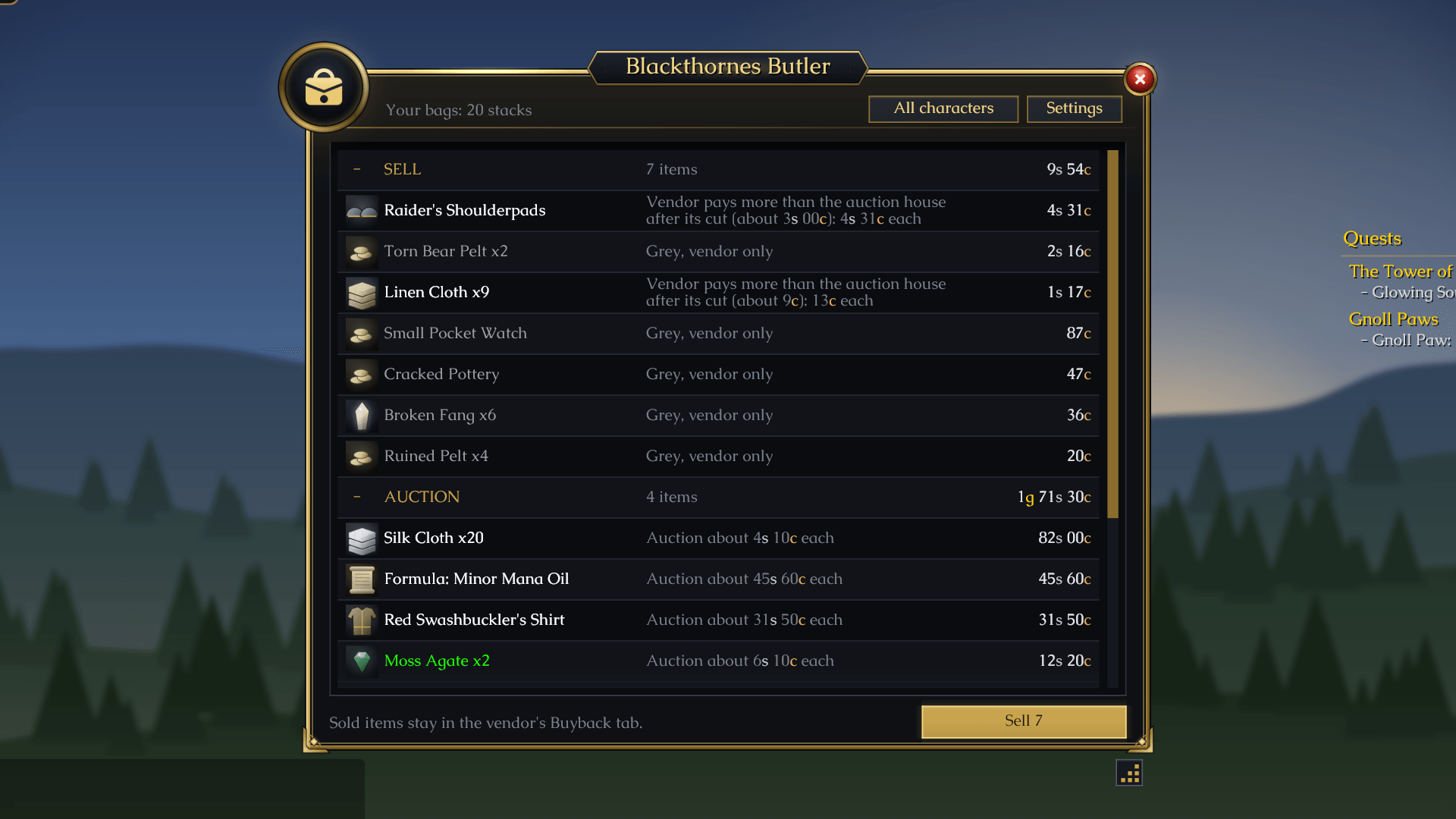
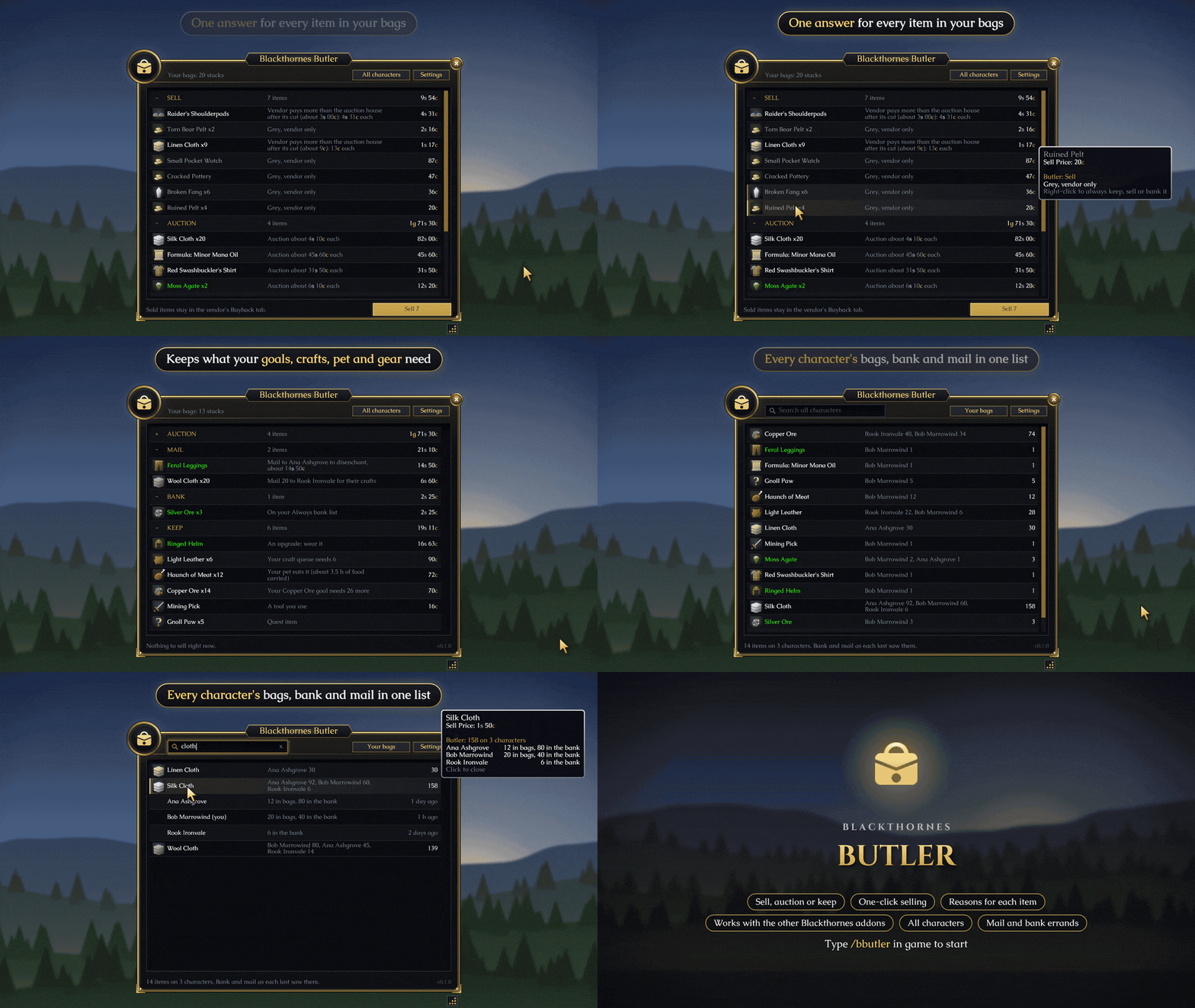
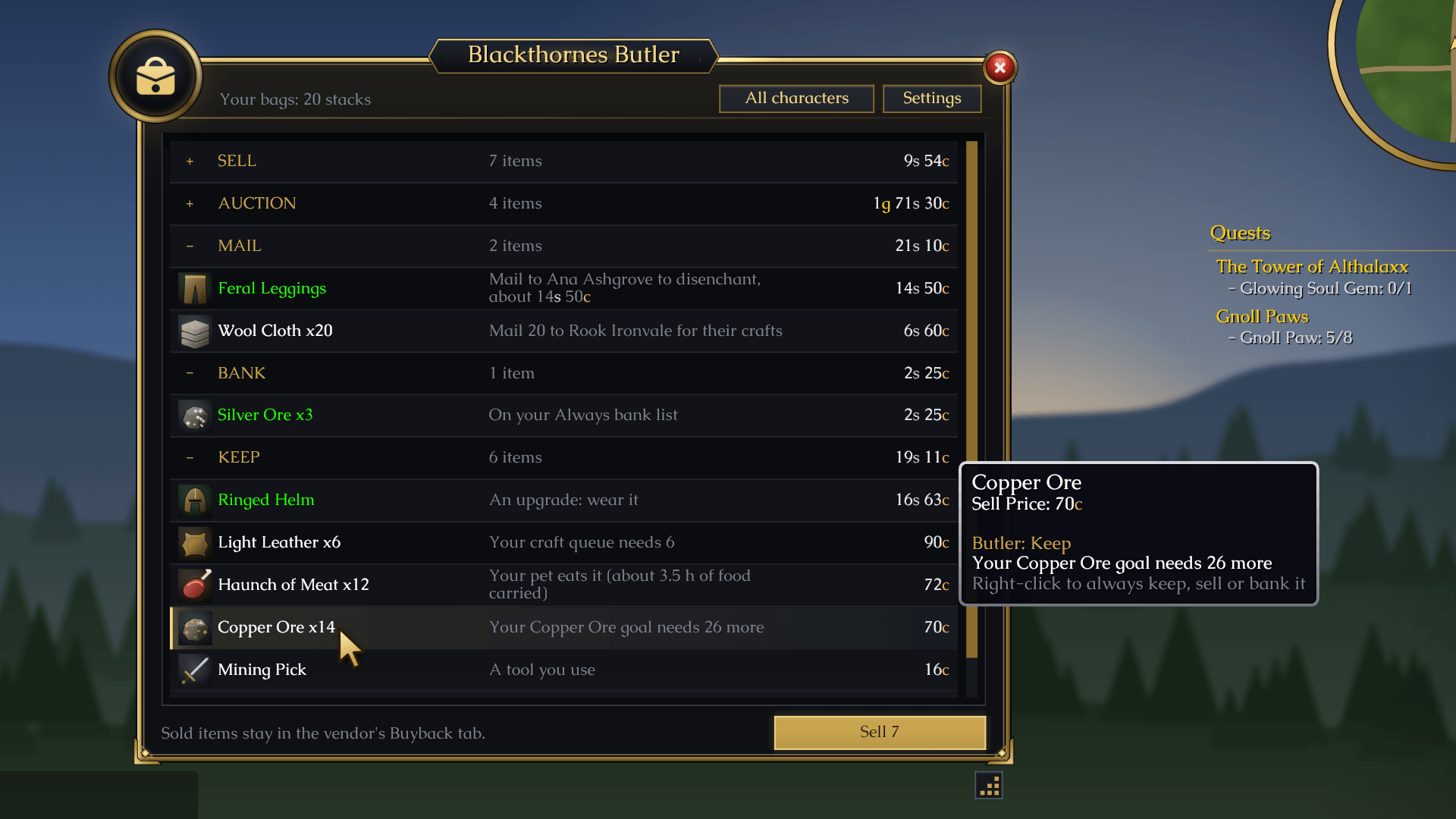
/bbutler or the minimap button opens the Butler window. It groups everything in your bags under Sell, Auction, Disenchant, Mail, Bank, Look at it and Keep, with what each stack is worth and why it's there: "Grey, vendor only", "Auction about 4s 10c each", "Your craft queue needs 6". Hover an item for the full reason. Click a heading to fold it away.
Butler never guesses about anything you might need. Quest items, upgrades and anything it isn't sure about stay out of Sell.
Sell the junk
The window comes up at every vendor with a Sell button. It sells what's under Sell, a stack at a click, or 12 at a click once you've pressed Test selling in Settings. The vendor's Buyback tab keeps the last 12, so you can always buy something back. Nothing leaves your bags without your click.
Want more cleared out? Set Sell below in Settings, and anything worth less than that amount joins Sell too.
It knows what your other addons need
Butler works on its own, and it gets smarter with the other Blackthornes addons:
- Tradeskills: auction prices and how fast things sell, disenchant values, materials your craft queue needs, and which alt needs what.
- Equipment: upgrades you can wear now or later, and your gathering tools, are kept.
- Farmer: anything a gathering goal still needs is kept.
- Pets: food your pet eats is kept, with how long it lasts.
Your call
Right-click any item to Always keep, Always sell, Always bank or Always mail it to one of your characters. Butler remembers it on every character, and /bbutler lists shows everything you've picked.
All characters
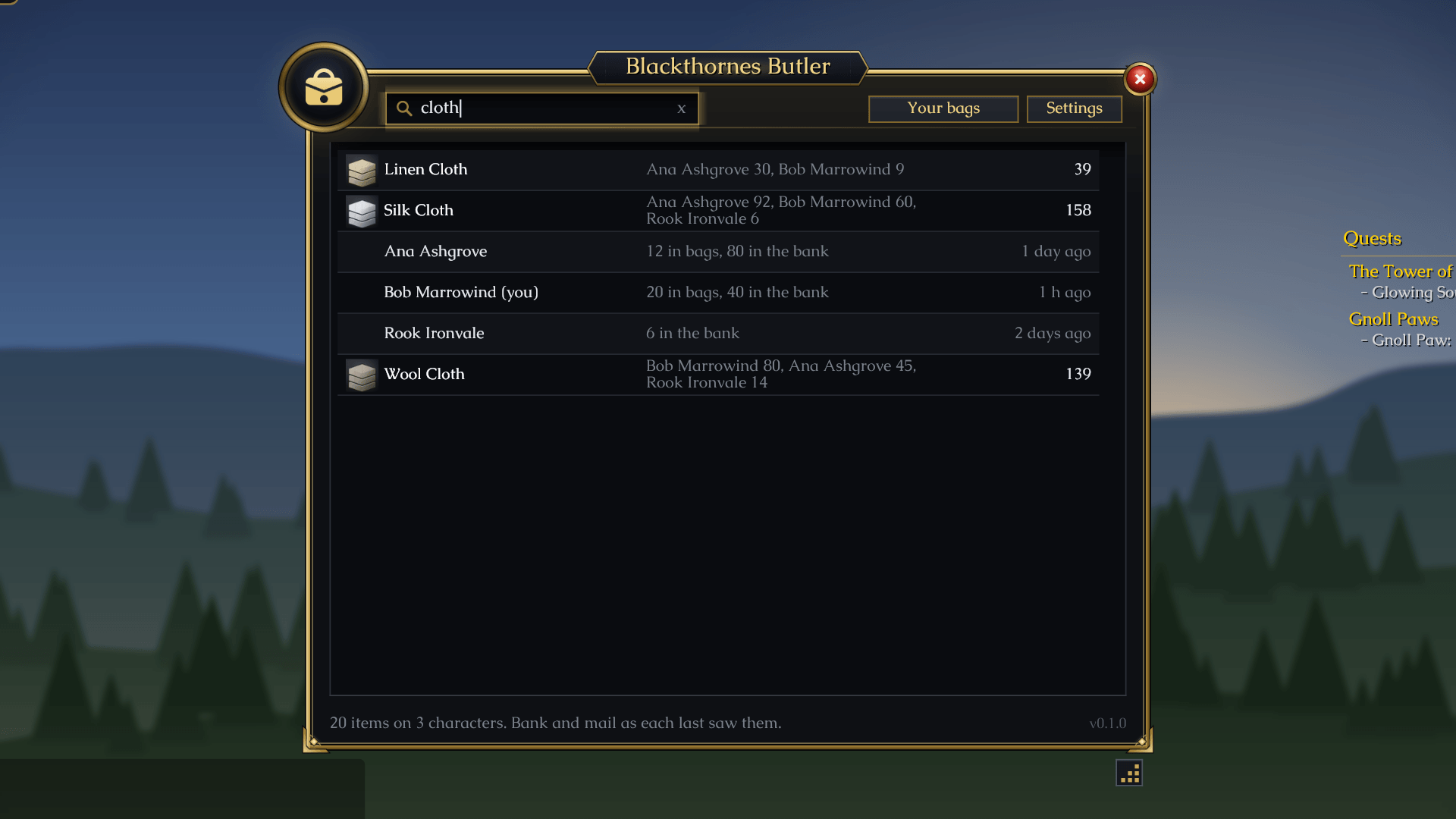
The All characters button lists every item on every character in one searchable list: who has it, how many in all, and how much is in each character's bags, bank and mail. (Needs Blackthornes Tradeskills, which keeps track of your alts.)
At the mailbox and the bank
At a mailbox, Fill mail fills the Send Mail page with what one of your alts needs. You check it and press Send. At the bank, Move to bank puts your Always bank items away, and Take from bank brings out what your craft queue still needs.
Drag the corner below the window to make it bigger or smaller.
Commands
| Command | What it does |
|---|---|
/bbutler |
Open the Butler window |
/bbutler all |
Every character's items in one list |
/bbutler sellbelow 50s |
Sell anything worth less than an amount (off to stop) |
/bbutler lists |
Your Always keep, sell, bank and mail lists |
/bbutler vendor |
Open at a vendor on or off |
/bbutler mailbox |
Open at a mailbox on or off |
/bbutler bank |
Open at the bank on or off |
/bbutler settings |
Settings (or right-click the minimap button) |
/bbutler minimap |
Show or hide the minimap button |
/bbutler help |
Every command |
/butler works too.
Good to know
No libraries needed. Works on its own, and best alongside Blackthornes Tradeskills, Equipment, Farmer and Pets.
Community
Questions, ideas or bugs? Join us on Discord: https://discord.gg/f2geDecrw2
Blackthornes Butler Team