
BigNoteBox
- By
BigNoteBox is a modern and feature rich in-game notepad addon letting you create, organize, & access notes without leaving WoW. Track quests, boss strategies, crafting, other info. It keeps your notes handy & shows them when needed by place or situation!
File Details
BigNoteBox v1.6.6
- R
- May 3, 2026
- 20.84 MB
- 81
- 12.0.7+3
- Retail
File Name
BigNoteBox_v1.6.6.zip
Supported Versions
- 12.0.7
- 12.0.5
- 12.0.1
- 12.0.0
Changes in v1.6.6
Major feature: Target Note
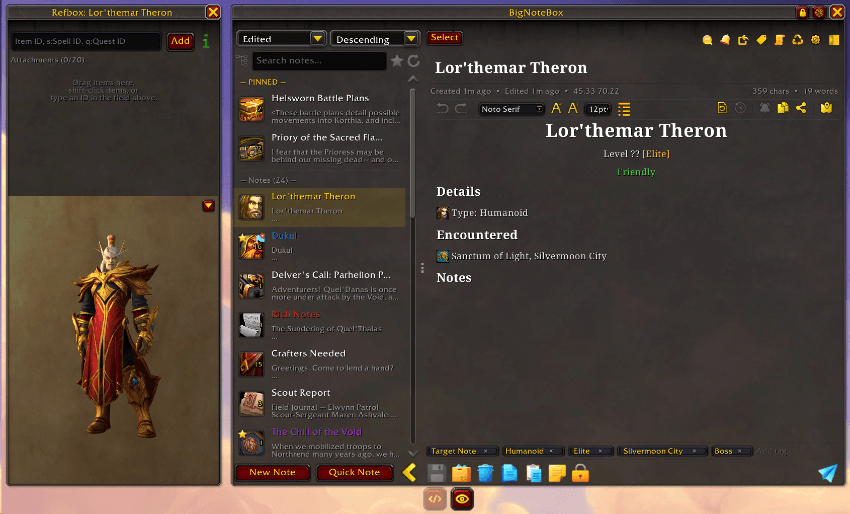
- Added: You can now create notes of targeted NPC/Mob/Boss. Right click their portrait and hit "Create BNB Note", if a note exists already it will say "Open BNB Note". You can also make a key bind to create notes with a keypress in "ESC → Options → Keybindings → BigNoteBox"
- Added: You can now right click any target portrait and create a BNB note
- Change: The model viewer in the refbox can now be hidden per note for that session
- Change: Notes with the refbox + model viewer combo will now use the size you've choosen in "Config → Features → Reference Box" when the model viewer is hidden
- Change: The note icon will change to the character portrait if you target them. This is limitation in WoW. When you have no target, it will default to generic race/gender icon. For NPC/mobs etc. it will default to generic creature icon (so for humanoid NPCs that's the human male icon)
- Fixed: The model viewer in the refbox will now show the player's transmog gear, not the actual gear they're wearing
- Fixed: Dead code removal! Removed a bunch of old code (500+ lines across 28 files) from when I wanted to make a classic version of BNB (not happening, sorry)
- Fixed: There was a bug with Harronir and Earthen races when making notes
Changes in v1.6.5
Major feature: Setup Wizard
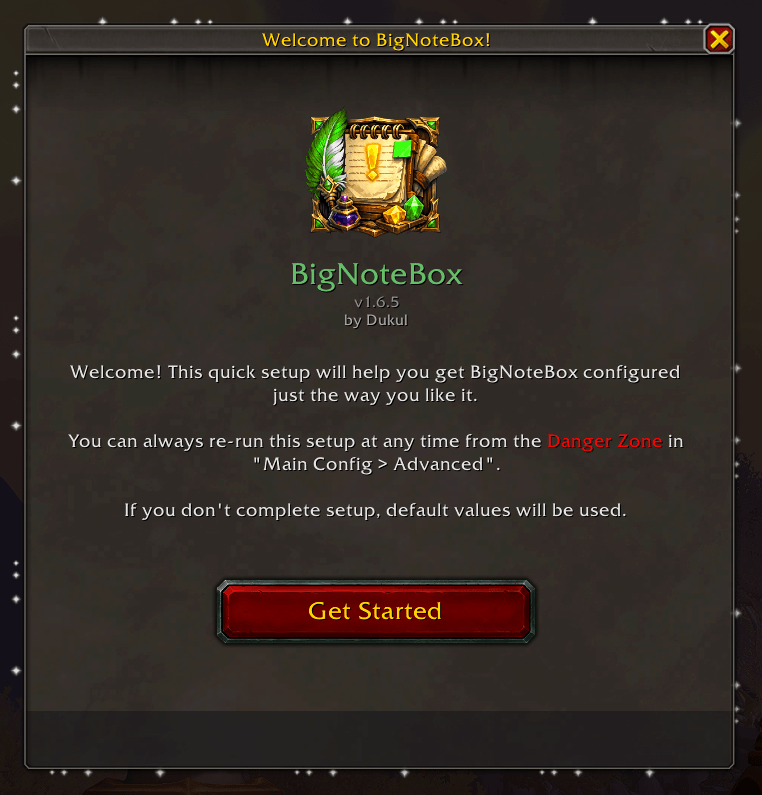
- Added: Brand spanking new setup wizard window will now launch to easily get you into BNB with what matters! You can also activate this in the "main config → advanced tab → Danger Zone" if you want run it again. This will also run once for older users once. You can skip it and it will keep everything as is
- Fixed: Added missing Void Elf assets, should now show up correctly
- Fixed: A bug in the rich note inspect system would not show gear icons some times
- Fixed: Fixed some bad casing of race icons that would break them
Changes in v1.6.4
Major feature: Inspection Notes
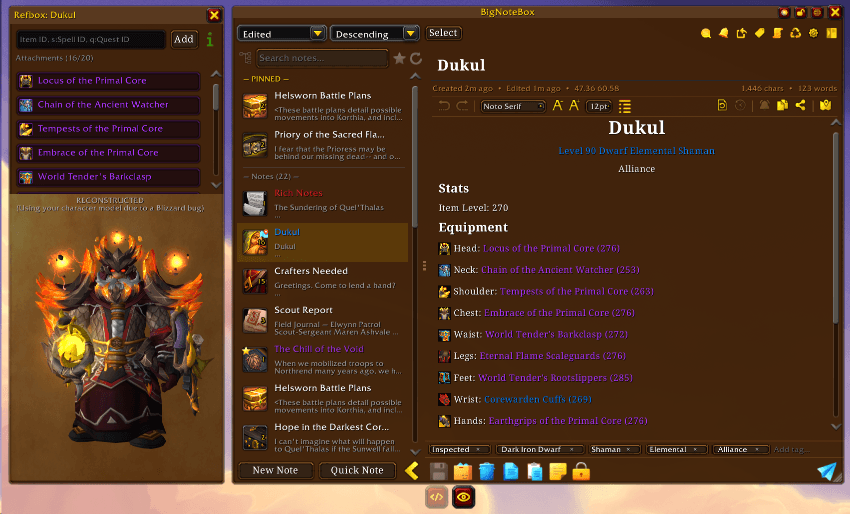
- Added: You can now create inspection notes of other players. Just inspect a player and a new button is available in the upper right corner that lets you create a normal or rich note of that character. You can also have BNB automatically create notes of players you inspect in "main config → Features → Inspect Note". You can also have the addon add a "situation" to the inspect note created, so if you target a player You've made a note of, it will either give you a toast notification or you can have it open the note as a sticky note
- Added: Refbox now has a character model viewer if the note was created through the inspect window. It will show a live view if the character is targeted, and a facsimile if not targeted. The model in non-live mode will, due to a unfixed bug by Blizzard, show your character model with the other players gear. If Blizzard decides to fix this at one point, I'll fix it
- Update: LibTourist-3.0 has been updated to the latest version
Changes in v1.6.3
Major feature: HTML export

- Added: You can now export notes as HTML files! Just copy the code, paste it into a text editor and save the file as <something>.html if you want to add it to your blog/website etc. easily. There are three choices for exporting html, either just the note part as HTML, an entire HTML document with all necessary tags, and a styled HTML with animations and backgrounds etc.
- Added: If you go AFK when in Focus Mode, a secondary overlay will go on top of everything to help OLED users
- Added: {br} tag has been added to rich notes
- Added: There is a new button in the title bar of the main window that will randomly change the skin color and brightness when clicked
- Change: If a sticky note is a rich note (and isn't shown as plain text) many of the options in sticky note config will be deactivated
- Change: Right clicking the "Scale Unlock/Lock" button in the titlebar will now revert the window to its orignal size and position
Changes in v1.6.2
- Added: SharedMedia fonts can now be used. You need to turn this on in "Config → Advanced → Fonts". If you later disable this, or remove a font you've used in a note, it will just default back to Noto Serif. These will only change the font for normal notes, not rich notes
- Added: You can now set the heading sizes for rich notes independently in "Config → Editor → Rich Notes"
- Change: Moved settings for rich notes to "Config → Editor → Rich Notes"
- Change: Moved developer settings to bottom of "Config → Advanced"
- Change: Danger Zone in "Config → Advanced" has gotten it's own window and a bunch of new dangerous options
Changes in v1.6.1
Major feature: Live Preview for Rich Notes
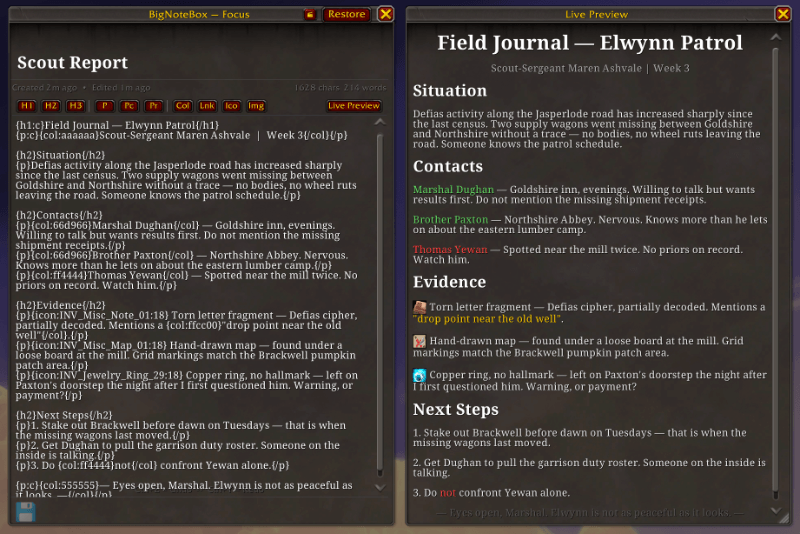
- Added: There is now a "What's new?" window for when you launch after an update. It will only show once per version. You can reopen the window at any time from main config → general tab → Version number button
- Added: You can now send and recieve messages under the hood without using the copy string system currently implemented (that's still available though). You'll get a prompt when someone sends you a note if you want to recieve it. You can reject getting notes in main config → features → direct send
- Added: BNB users can recieve notes from Take A Note users.
- Added: Preview window so you can see what a rich note looks like as you edit. This preview window is also present in Focus Mode. Can be toggled to only show when you want it to in main config → editor → live preview
- Change: You can now decide if you want the sidebar buttons on the left or right side of the main window, also if they should start on the top or bottom of the main window, and you can change the size to half the size of the original size
- Change: The editor and view button for rich notes are now icon buttons instead of text
- Change: You can now place icons in rich notes to the left, center or right in the note
- Change: Clicking the Lnk button in rich note toolbar now opens a dialogue box for easier linking
- Change: Clicking the Ico button in rich note toolbar now opens a dialogue where you can either choose one of the BNB icons, or, if you know the name, use Blizzard's icons
- Change: Links inserted into rich notes now use the BNB green color
- Change: In rich note mode you can now align your icons (inline/left/right/center)
- Change: Refbox has been moved to the left side of the main window. If you want to change it back to the right side, you can in main config → features → reference box
- Fixed: There was a bug with URLs in rich notes that would make links now show in view mode
Changes in v1.6.0
Major feature: Rich notes!
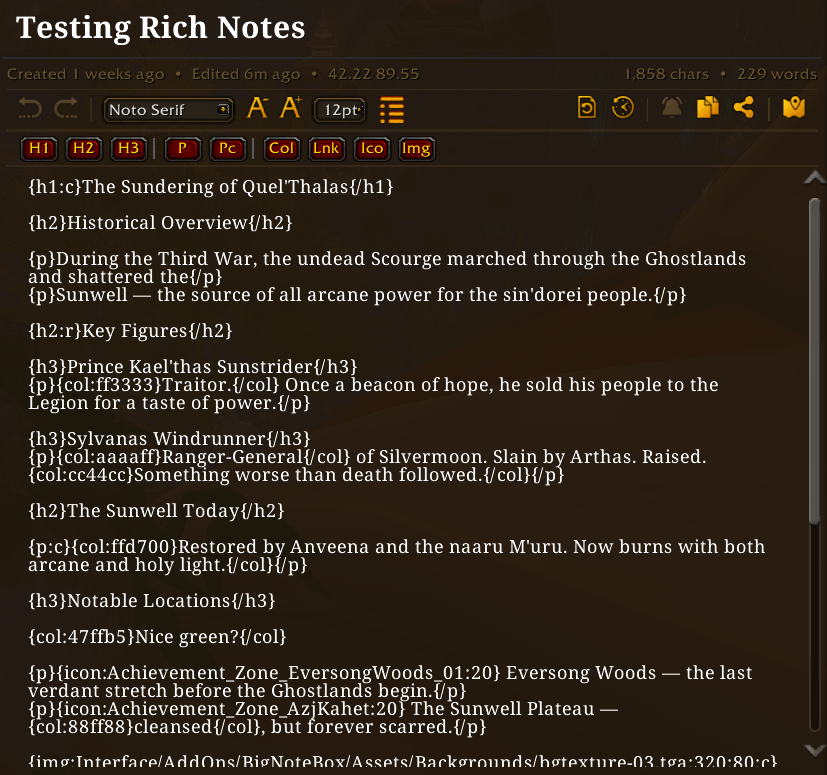
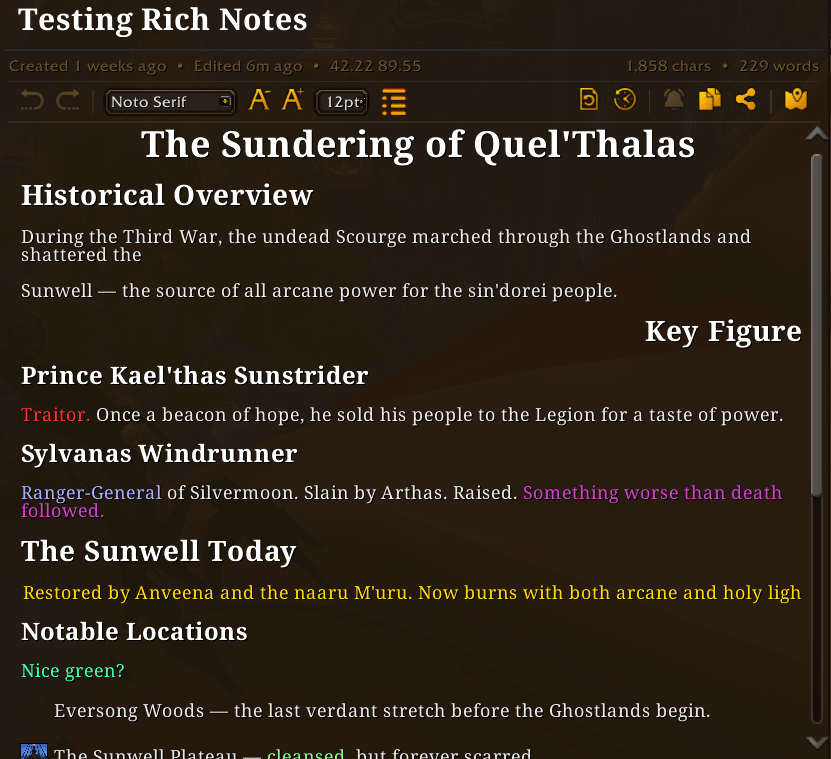
BigNoteBox now supports "rich notes". When creating a new note you can make it a rich notes which behave like a very rudimentary HTML editor. It will also give you a new toolbar below the WYSIWYG toolbar above the note body area. These rich notes use the same tagging system as Total RP 3. So you could easily move notes between BNB and Total RP 3. I'm working on make this process easier for those of you that use TRP3, and a separate addon to integrate the two more. You can also convert a regular note to a rich note and start adding your formatting, or convert a rich note to a normal note (this will remove all formating tags and only keep text).
- Added: Rich notes, a new note type for those that want to "format" their notes.
- Added: You can now have BNB randomize which skin you use on relog/reload in main config → appearance → skins section. Only in skin mode
- Added: You can add your own images to use in rich notes in the UserImages folder. There is a readme file there on how to add your own files
- Added: Clicking the Col button in rich note toolbar will let you select a color before adding it
- Added: Clicking the Img button in rich ntoe toolbar will give you a dialogue box to type inn file name and size
- Added: You can add a keybind to quickly enter editor mode when viewing a rich note (both from "ESC → Options → Keybindings → BigNoteBox" and "Main config → Features → Rich Notes")
- Change: Moved "Hide entire WoW UI in focus mode" from Editor to Features under "Focus mode"
- Change: Sticky Notes now support rich notes. You can toggle on or off showing the sticky note as arich note or in plain text
- Change: Moved "Text color" in the sticky note settings window from the "Appearance" tab to top of the "General" tab
- Fixed: A bunch of small and annoying stuff to numerous to mention