
BigNoteBox
- By
BigNoteBox is a modern and feature rich in-game notepad addon letting you create, organize, & access notes without leaving WoW. Track quests, boss strategies, crafting, other info. It keeps your notes handy & shows them when needed by place or situation!
File Details
BigNoteBox v1.6.1
- R
- Apr 29, 2026
- 20.02 MB
- 38
- 12.0.5+2
- Retail
File Name
BigNoteBox_v1.6.1.zip
Supported Versions
- 12.0.5
- 12.0.1
- 12.0.0
Changes in v1.6.1
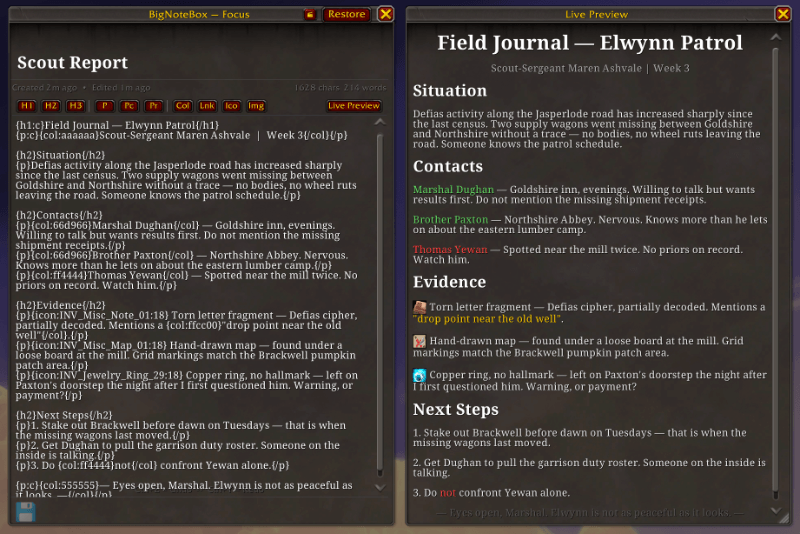
Major feature: Live Preview for Rich Notes
- Added: There is now a "What's new?" window for when you launch after an update. It will only show once per version. You can reopen the window at any time from main config → general tab → Version number button
- Added: You can now send and recieve messages under the hood without using the copy string system currently implemented (that's still available though). You'll get a prompt when someone sends you a note if you want to recieve it. You can reject getting notes in main config → features → direct send
- Added: BNB users can recieve notes from Take A Note users.
- Added: Preview window so you can see what a rich note looks like as you edit. This preview window is also present in Focus Mode. Can be toggled to only show when you want it to in main config → editor → live preview
- Change: You can now decide if you want the sidebar buttons on the left or right side of the main window, also if they should start on the top or bottom of the main window, and you can change the size to half the size of the original size
- Change: The editor and view button for rich notes are now icon buttons instead of text
- Change: You can now place icons in rich notes to the left, center or right in the note
- Change: Clicking the Lnk button in rich note toolbar now opens a dialogue box for easier linking
- Change: Clicking the Ico button in rich note toolbar now opens a dialogue where you can either choose one of the BNB icons, or, if you know the name, use Blizzard's icons
- Change: Links inserted into rich notes now use the BNB green color
- Change: In rich note mode you can now align your icons (inline/left/right/center)
- Change: Refbox has been moved to the left side of the main window. If you want to change it back to the right side, you can in main config → features → reference box
- Fixed: There was a bug with URLs in rich notes that would make links now show in view mode
Changes in v1.6.0
Major feature: Rich notes!
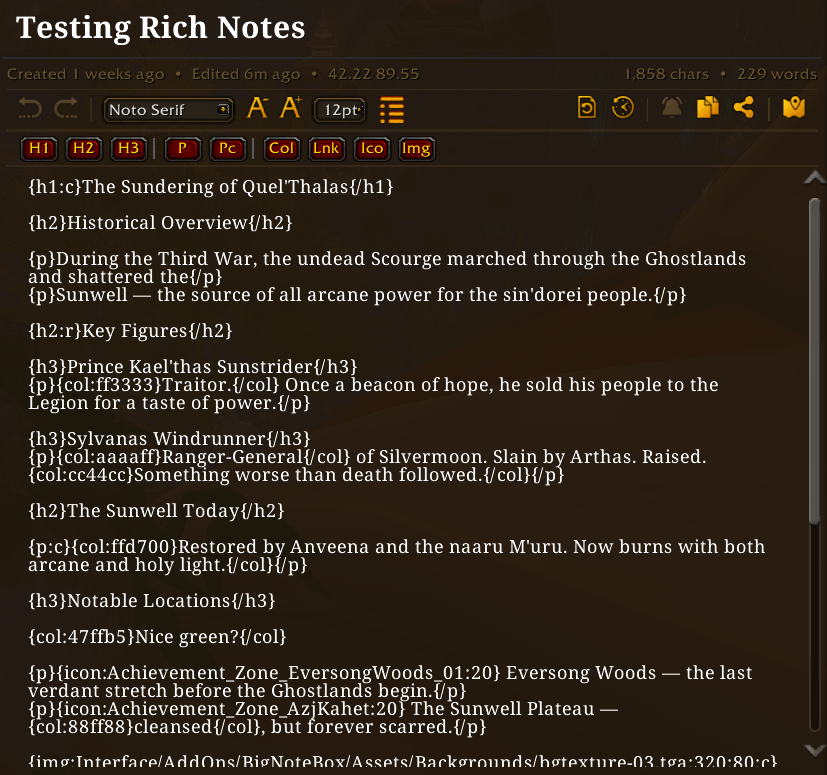
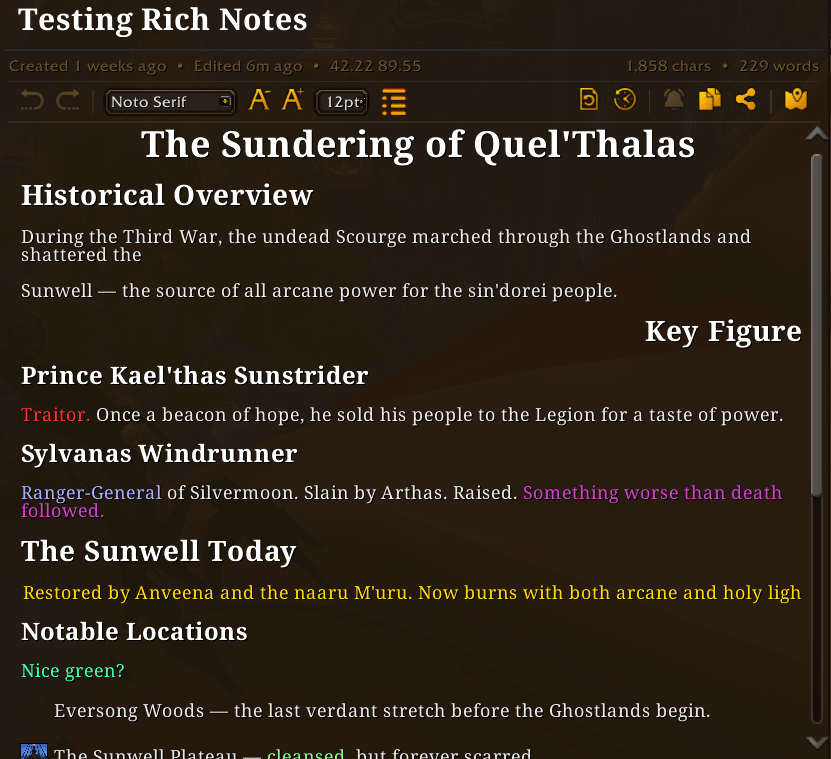
BigNoteBox now supports "rich notes". When creating a new note you can make it a rich notes which behave like a very rudimentary HTML editor. It will also give you a new toolbar below the WYSIWYG toolbar above the note body area. These rich notes use the same tagging system as Total RP 3. So you could easily move notes between BNB and Total RP 3. I'm working on make this process easier for those of you that use TRP3, and a separate addon to integrate the two more. You can also convert a regular note to a rich note and start adding your formatting, or convert a rich note to a normal note (this will remove all formating tags and only keep text).
- Added: Rich notes, a new note type for those that want to "format" their notes.
- Added: You can now have BNB randomize which skin you use on relog/reload in main config → appearance → skins section. Only in skin mode
- Added: You can add your own images to use in rich notes in the UserImages folder. There is a readme file there on how to add your own files
- Added: Clicking the Col button in rich note toolbar will let you select a color before adding it
- Added: Clicking the Img button in rich ntoe toolbar will give you a dialogue box to type inn file name and size
- Added: You can add a keybind to quickly enter editor mode when viewing a rich note (both from "ESC → Options → Keybindings → BigNoteBox" and "Main config → Features → Rich Notes")
- Change: Moved "Hide entire WoW UI in focus mode" from Editor to Features under "Focus mode"
- Change: Sticky Notes now support rich notes. You can toggle on or off showing the sticky note as arich note or in plain text
- Change: Moved "Text color" in the sticky note settings window from the "Appearance" tab to top of the "General" tab
- Fixed: A bunch of small and annoying stuff to numerous to mention