AltMail
- By
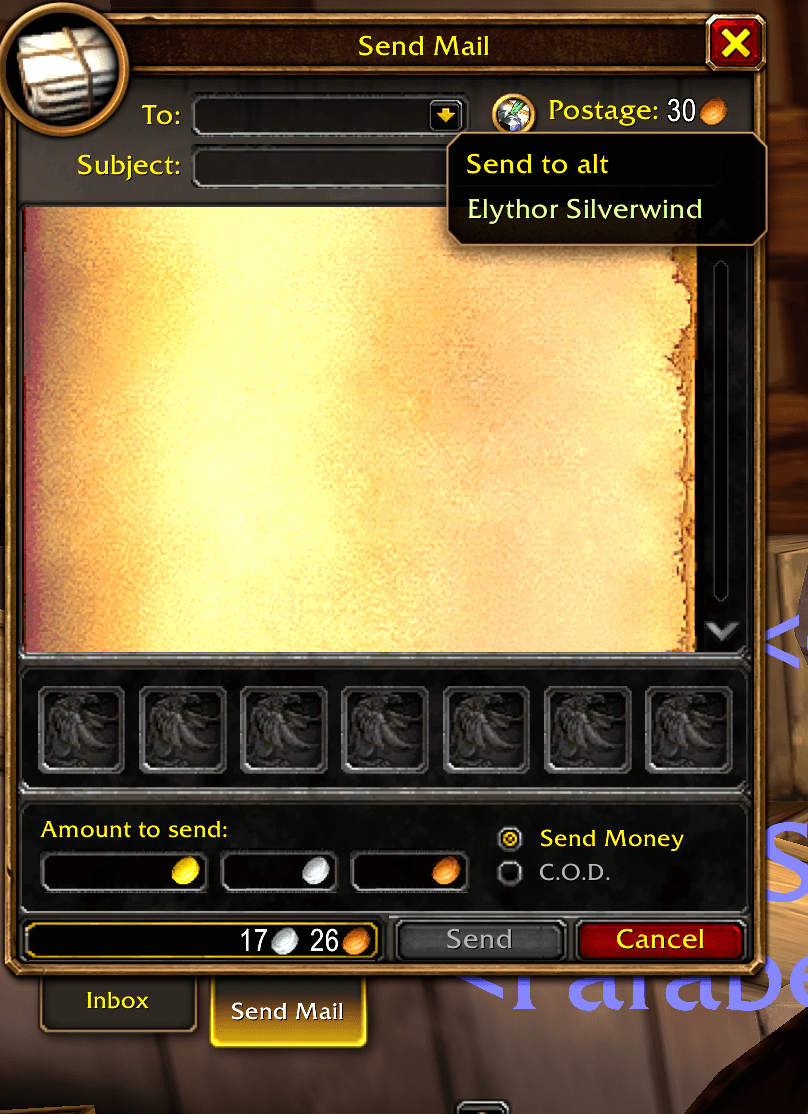
AltMail adds a dropdown arrow to the end of the mailbox "To:" field. Click it, pick an alt, and the name is filled in for you.
Description
AltMail
Stop typing your alts' names every time you mail them. AltMail adds a dropdown arrow to the end of the mailbox "To:" field. Click it, pick an alt, and the name is filled in for you.
Built for WoW Forever, with full support for first and last names (like "Azariel Soulglave").
Features
- One-click alt dropdown inside the "To:" field
- Automatic alt list: log into each character once and it's saved for good, across your whole account
- First and last names: detects WoW Forever's full character names automatically
- Class-colored names, with your current character and opposite-faction alts left out of the dropdown
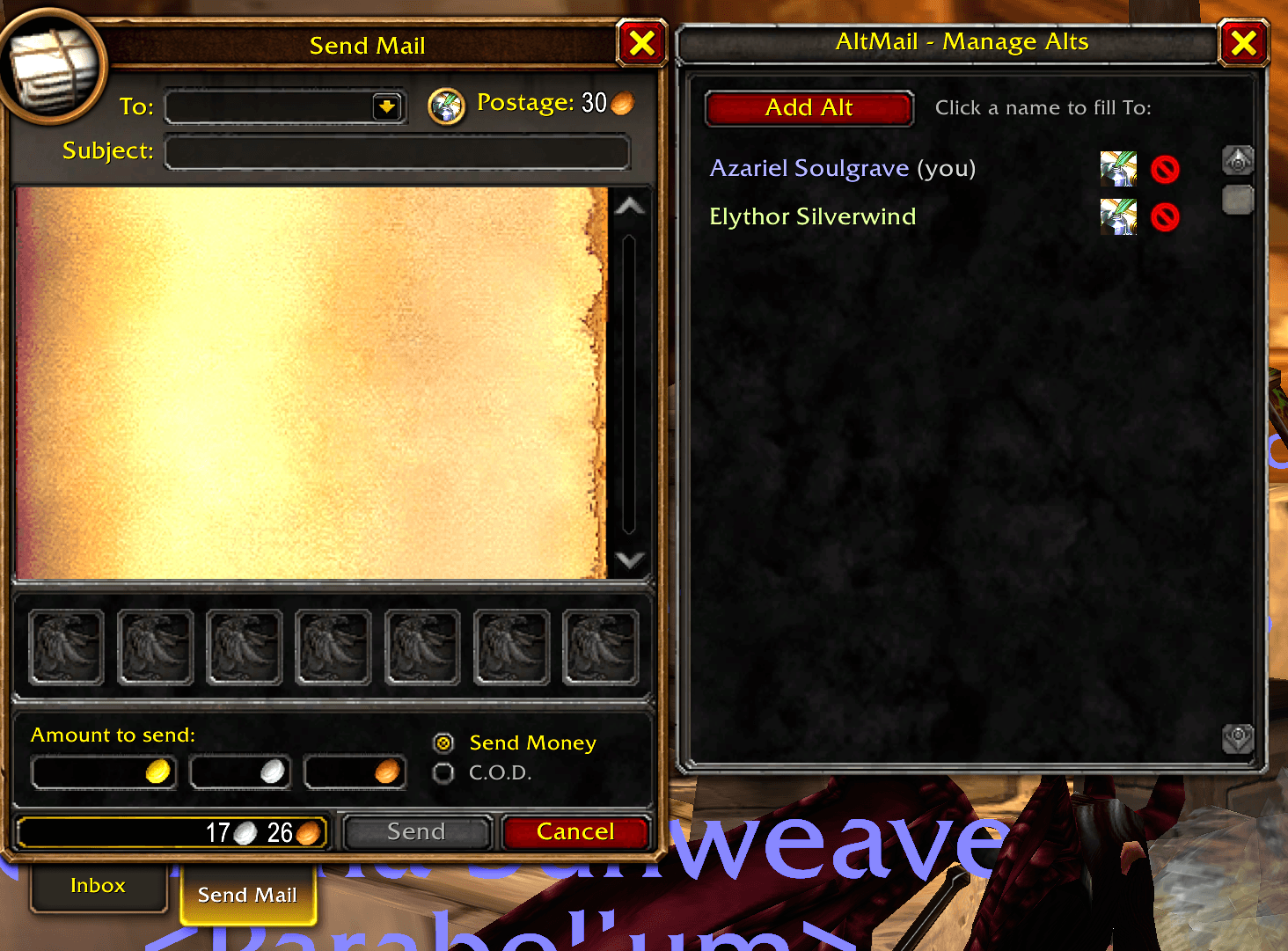
- Alt manager: the round quill button next to the field opens a window where you can add, rename, and remove alts. Click a name there to fill it in.
- Fits the mail window: the "To:" field resizes so everything lines up neatly before Postage
Slash Commands
/altmail edit - open the alt manager
/altmail add First Last - add an alt by hand
/altmail remove Name - remove an alt
/altmail list - list your saved alts in chat
/altmail layout - show how the To: row was measured (for troubleshooting)
Tips
- If an alt shows only a first name, open the alt manager and click the quill on that row to add the last name, or just log into that character once.
- Your alt list is shared across your account, so every character sees the same list.
AltMail Team