Warlock Click Timers
- By
Clickable icons that cast on your target, with a recast glow you can customize.

Description
Warlock Click Timers
I originally made this for my own use and decided to release it in case other warlocks find it useful. Please note this is a work in progress. My Warlock isn't too far in leveling, so some spells might be broken. Please let me know of any issues.
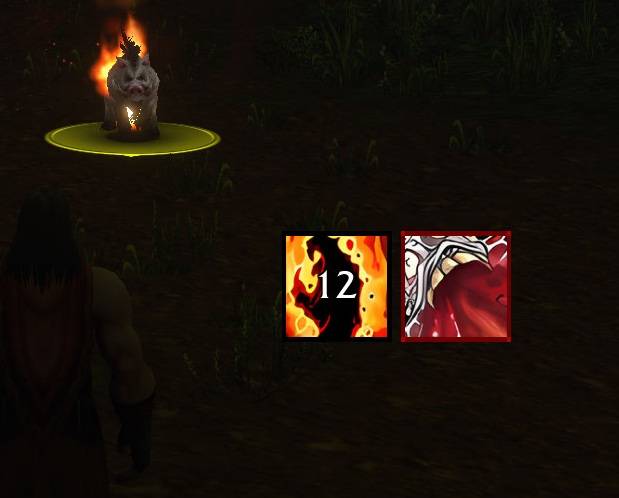
Warlock Click Timers puts your DoTs, curses, crowd control and buffs on screen as icons you can click to cast. Each icon shows its time left and lights up when it's time to recast. The timers come from Blizzard's own Cooldown Manager, so they're accurate, and the addon never guesses them.
Features
Click to cast
- Every icon is a button: click it to cast that spell on your target, or on yourself for buffs.
- Bind hotkeys by hovering an icon and pressing a key.
Three rows, each with a job
- DoTs and curses: always shown, with the time left on your target. They glow when they drop off.
- Crowd control: your Fear, Banish, Howl of Terror, Death Coil and more. Each icon appears only while your spell is on a mob, even if you've switched targets, and can only be clicked then.
- Buffs: Demon Skin, Demon Armor, and more. They light up when missing, or early with the Rebuff warning (5, 10 or 15 minutes left).
Setup wizard
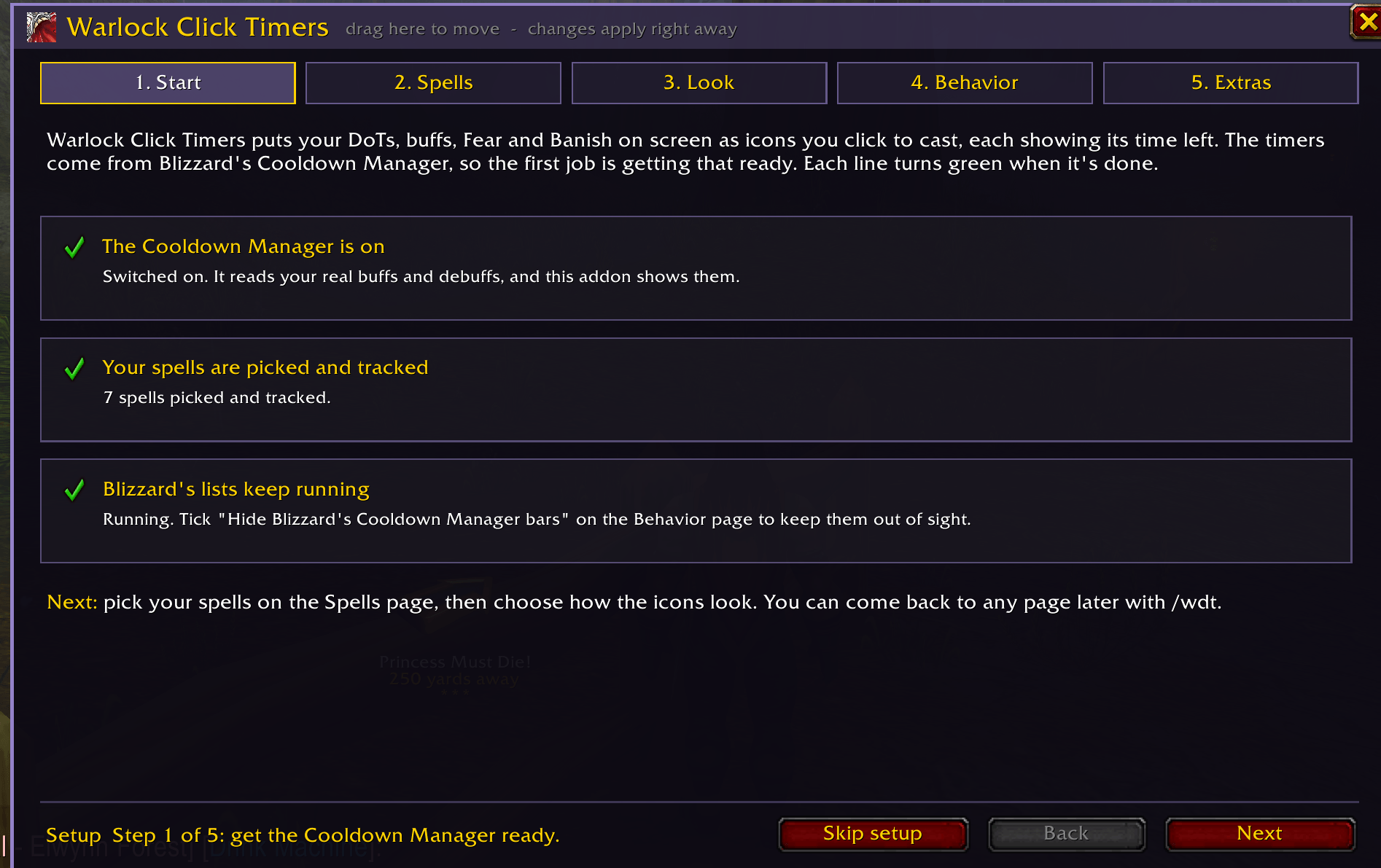
- On first login a step-by-step wizard walks you through everything.
- It switches on the Cooldown Manager for you, and Add them for me sorts all your spells and adds them to Blizzard's tracker.
- A live checklist turns green as each step is done.
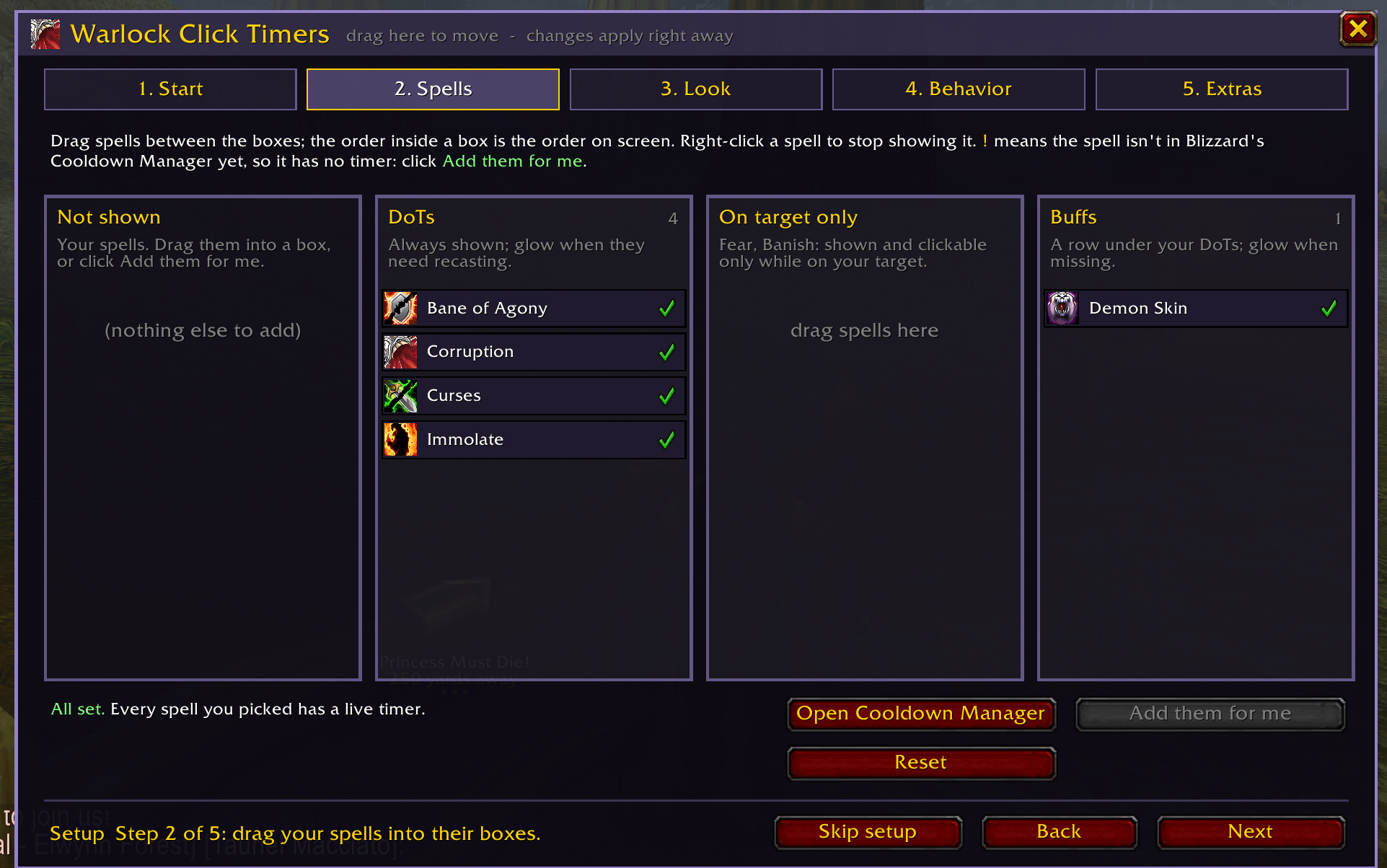
Drag-and-drop spell board
- Drag spells between DoTs, Crowd control, Buffs and Not shown.
- The order in each box is the order on screen.
- Only your own warlock spells are listed, so racials, procs and other auras stay out of the way.
Smart visibility
- Show the DoT row only on hostile targets.
- Show buff icons only when they're missing.
- Icons fade when you can't afford the mana, and turn red when out of range.
- Hide Blizzard's own Cooldown Manager bars so you don't see everything twice.
Getting started
- Install and log in. The setup wizard opens by itself.
- Follow the five steps: Start, Spells, Look, Behavior and Extras.
- Type /wdt any time to change settings, or /wdt setup to run the wizard again.
Requires Blizzard's Cooldown Manager (built into the game). The wizard turns it on for you.
Warlock Click Timers Team